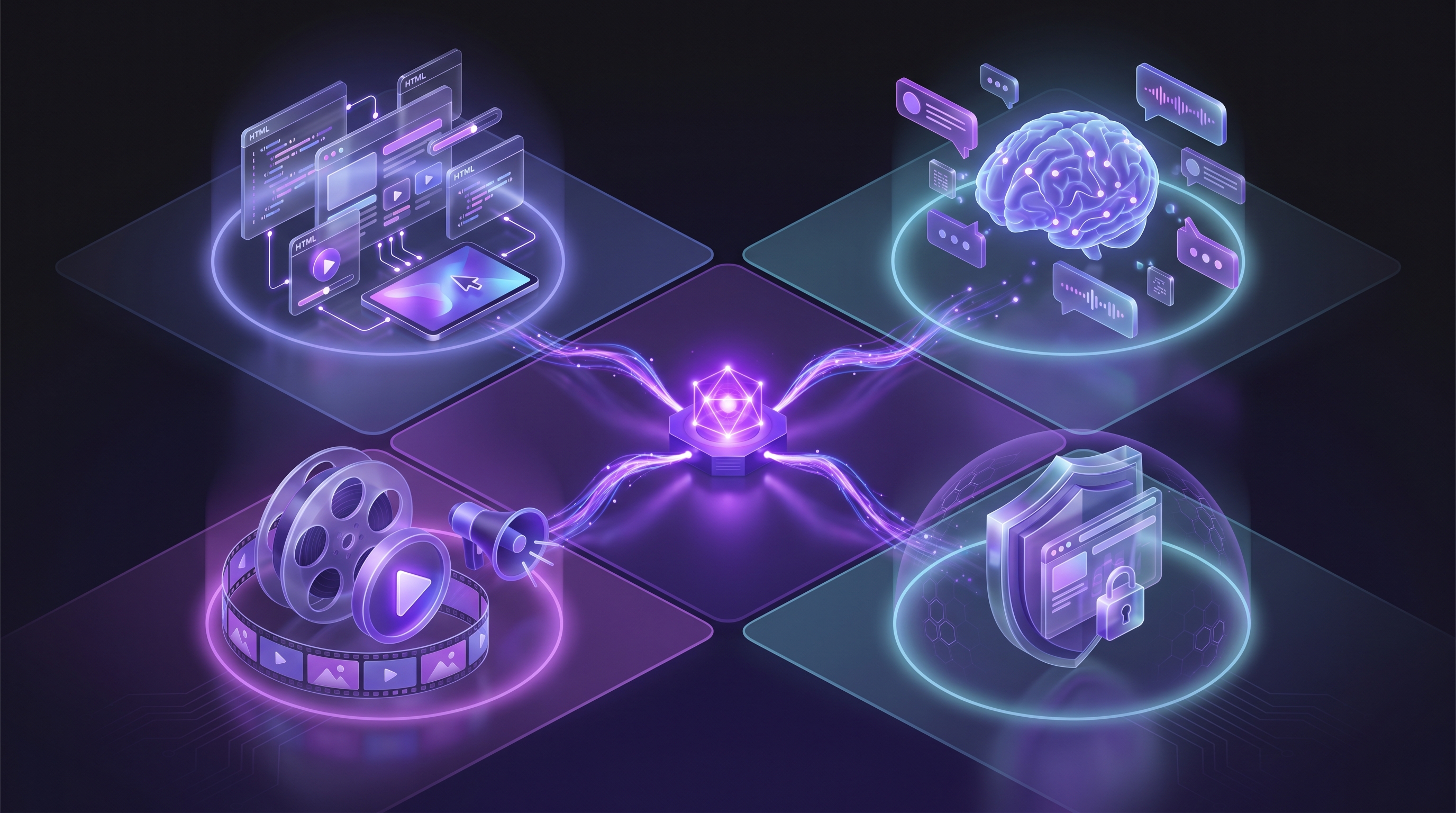
The debate over demo formats used to have two sides. Interactive demos let prospects click through your product themselves. Video demos show your product in motion with narration. Teams would pick one and argue for it. That debate is still alive, and our earlier breakdown of interactive demos versus video demos covers it in depth.
There is now a third option. AI demo agents generate finished demo videos autonomously. You paste a URL, describe the flow, and the AI does the recording, editing, and voiceover on its own. This guide compares all three formats so you can decide which one fits your needs, or whether you should use all three.
What Are Interactive Demos
Interactive demos are HTML click-through tours embedded on a webpage. The viewer advances through a sequence of screens by clicking "Next," filling in form fields, or selecting options. The product UI is reproduced as an interactive clone, so the viewer gets a feel for the real interface without needing an account.
Tools like Navattic, Storylane, Supademo, Walnut, and HowdyGo dominate this space. You capture your product's HTML screens, arrange them into a guided tour, and embed the result on your website.
What interactive demos do well
Active engagement is the main draw. The viewer clicks, types, and explores at their own pace. That hands-on involvement tends to produce stronger buying intent than passive viewing. According to Navattic's State of Interactive Product Demo report (2024), the top 1% of interactive demos achieve 1.4x higher engagement and 3.9x click-through rate compared to the top 25%.
Analytics are granular. You can see exactly which step a prospect reached, how long they spent on each screen, and where they dropped off. That data feeds directly into lead scoring and sales follow-up.
Personalization is another strength. Some platforms let you swap text, images, or entire flows based on the viewer's industry, company size, or referral source. A prospect from healthcare sees a different tour than one from fintech, all from the same embed.
Where interactive demos fall short
They are not video. There is no voiceover, no cinematic pacing. A prospect clicking through an HTML tour at 2x speed gets the information but misses the narrative punch that a well-produced video delivers.
Distribution is limited. Interactive demos work as website embeds and occasionally in email (as a linked thumbnail). You cannot post one to LinkedIn, include one in a YouTube playlist, or loop one on a conference booth monitor. The format ties you to a single channel.
Assembly is manual. Someone has to capture each screen, configure the click paths, write the tooltip copy, and test the flow. When your product UI changes, and it will, you rebuild the affected steps. Teams that ship fast often find their interactive demos lagging behind the actual product.
What Are Video Demos
Video demos are recorded or generated MP4 files that show your product in action. The viewer watches rather than clicks. A voiceover explains what is happening on screen. The format is familiar because it is the same medium used in sales calls, YouTube tutorials, and social media.
The traditional approach involves screen recording with tools like Loom, OBS, Camtasia, or ScreenFlow. You record your screen while narrating, then edit the footage into a finished video. The process takes 4 to 8 hours per video when you account for scripting, multiple takes, editing, and branding. For teams looking to skip that workflow entirely, there are ways to create a SaaS demo video without recording at all.
What video demos do well
Distribution is the biggest advantage. An MP4 file goes everywhere: your website, YouTube, LinkedIn, email campaigns, conference booths, investor decks, and sales sequences. No other demo format matches that reach.
Video is also passive, which sounds like a weakness but is often a strength. A busy executive will not click through a 12-step interactive tour, but they will watch a 90-second video with sound off and captions on. The barrier to engagement is lower because the viewer does nothing.
The data supports this. Viewers who watch a product demo on a landing page are 1.81x more likely to convert. 85% of people say video convinced them to buy something (Wyzowl 2026). Video carries emotional weight that interactive HTML does not replicate.
Where traditional video demos fall short
Production time is the main pain point. Recording, narrating, and editing a single demo video takes hours. Multiply that by the number of features, personas, and languages your team needs to cover, and demo production becomes a serious resource drain.
Traditional videos are fragile. When your UI changes, you re-record. There is no way to update a button colour or a menu label without going back to the editing timeline. Teams that push updates weekly find their video library falling behind within days.
Scaling across languages compounds the problem. Each language version requires a new voiceover, new captions, and sometimes re-recording to match different text lengths. What started as one video becomes five or ten, each needing its own maintenance cycle.
For teams that want AI assistance without going fully autonomous, our guide to the best AI demo video generators covers the full landscape of tools, from editing assistants to avatar platforms.
What Are AI Demo Agents
AI demo agents are the newest category. An AI demo agent navigates your product on its own and produces a finished demo video without any manual recording. You provide your product URL and describe the flow you want to show. The AI opens your product in a cloud browser, clicks through the steps, records the footage, edits it with zoom and transitions, adds voiceover and captions, and outputs an MP4 file.
Demosmith is the first and, as of early 2026, the only autonomous demo video generator. You paste your URL, write a short description of the flow (or upload screenshots for reference), and the AI handles everything from navigation to voiceover. The finished video is ready in roughly 10 minutes. To understand the full scope of what this category involves, our guide to AI demo agents breaks down the technology and workflow in detail.
There is a second type of AI demo agent worth knowing about: live AI agents. Tools like Karumi (YC F25), Rep.ai, and Naoma join live video calls and demo your product in real time alongside a human sales rep. These serve a different purpose than autonomous video generators, and our overview of demo automation tools maps the full category.
What AI demo agents do well
Speed is the headline. Going from a URL to a finished, branded demo video in roughly 10 minutes changes what teams consider possible. You can cover features, personas, and markets without treating each video as a project.
Scalability follows from that speed. Demosmith generates voiceover in 29 languages from a single prompt. Creating a German version of your demo does not require a German-speaking narrator or a new recording session. The AI handles the translation and voiceover together.
Consistency is built in. Every video gets the same pacing, cursor behaviour, and editing style. Your demo library looks cohesive without any manual effort to enforce visual standards.
Where AI demo agents fall short
The output is video only. If you need an interactive click-through experience for your website, an AI demo agent will not produce one. The two formats serve different purposes.
AI demo agents are asynchronous. They generate a video you can share, but they do not join live calls or react to prospect questions in real time. For live selling, you still need a human presenter or a live AI agent.
The category is young. Demosmith launched in private beta in late 2025. Complex authentication flows (multi-factor login, SSO, OTP screens) may need manual guidance in the prompt. The technology works well today and is improving fast, but teams with intricate auth requirements should test their specific flow first. Pricing starts at $40 per month on the Starter plan, with Pro at $99 and Business at $250. There is also a free watermarked tier for testing.
Head-to-Head Comparison
The table below compares the three formats across the dimensions that matter most when choosing a demo solution.
| Dimension | Interactive Demos | Video Demos | AI Demo Agents |
|---|---|---|---|
| Output format | HTML click-through tour | MP4 video file | MP4 video file |
| Production time | 2-6 hours per demo | 4-8 hours per demo (traditional) | Roughly 10 minutes |
| Distribution | Website embeds only | Website, email, social, conferences, YouTube | Website, email, social, conferences, YouTube |
| Personalization | Dynamic per viewer (industry, company size) | One video per version | Generate variations quickly from new prompts |
| Analytics | Granular (clicks, time per step, drop-off) | Play rate, completion rate, engagement heatmap | Play rate, completion rate |
| Scalability | Moderate (manual rebuild per flow) | Low (hours per video, re-record for changes) | High (10 min per video, 29 languages) |
| Maintenance | Rebuild steps when UI changes | Re-record when UI changes | Regenerate from updated URL |
| Starting cost | Free tier available, paid plans from $50/month | Free (OBS, QuickTime) or $15/month (Loom) | Free watermarked tier, paid from $40/month |
| Learning curve | Moderate (capture, configure, test) | Low for recording, high for editing | Low (paste URL, describe flow) |
| Voiceover | Not available | Manual recording or hire narrator | AI-generated, 29 languages |
No single format wins on every dimension. The right choice depends on where the demo will live, who will watch it, and how fast you need to produce it. Teams that serve international markets or need to update demos frequently lean toward AI demo agents for the speed and language coverage alone. For a deeper look at alternatives in the interactive demo space, see our comparison of the best Storylane alternatives for demo videos.
When to Use Each Format
Abstract comparisons are useful, but real decisions happen when you match a format to a specific use case. Here is how the three formats map to common demo needs.
Website embed
An interactive demo on a product page lets visitors explore at their own pace. It works well for prospects who want to "try before they buy" and respond to hands-on engagement. A video demo also works here, particularly above the fold where you want to hook attention fast. autoplay a short video with captions and place an interactive demo further down the page. That combination gives you the emotional punch of video plus the engagement data of an interactive tour.
Cold email outreach
Video wins here. A prospect opening a cold email will not click through an interactive demo, but they will watch a 60-second video that shows the product solving their problem. The video acts as a conversation starter. Interactive demos require too much commitment from someone who has not heard of you yet.
Conference booth
A video demo loop on a monitor draws attendees in and communicates your value proposition in seconds. Interactive demos do not work in this context because there is no one to guide the click-through. Video is the only practical format for a booth display.
Sales leave-behind
After a discovery call, a prospect needs something to review with their team. An interactive demo lets stakeholders explore the product without scheduling another meeting. A short video recap of the call works just as well, especially if the buying committee prefers passive consumption. Give prospects the option.
Onboarding
All three formats have a role. An interactive demo teaches new users where things are by making them click through the interface. A short video explains the "why" behind each feature, giving context that tooltips cannot provide. AI-generated videos scale this across languages for global teams. Use interactive for the first-time walkthrough, video for concept explanations.
Social media
Video only. LinkedIn, Twitter/X, YouTube, and TikTok do not support interactive HTML embeds. If you want to show your product on social media, you need an MP4 file. Short clips (15-60 seconds) pulled from a longer demo perform best.
Live sales call
Screen-sharing an interactive demo during a live call lets the sales rep guide the prospect through specific flows while answering questions. A live AI agent can serve the same purpose, joining the call and demoing autonomously. Video demos are less effective in a live setting because the viewer cannot steer the conversation.
Investor pitch
A polished video demo in a pitch deck communicates product vision and traction faster than any other format. Investors watch dozens of pitches. A concise video that shows the product working, with voiceover explaining the value, stands out. Interactive demos are impractical in a deck.
Help centre
Short video demos answer specific questions quickly ("How do I set up a webhook?"). Interactive demos work better for deep exploration, where the user needs to understand how multiple screens connect. Use video for quick answers, interactive tours for complex workflows.
Can You Use All Three
Yes, and many product teams already do. The formats complement each other rather than competing for the same job.
A common setup looks like this: interactive demos live on the website, giving prospects a self-service way to explore the product. Video demos handle everything else, from email outreach and social media to conference booths and investor decks. AI demo agents like Demosmith produce those videos in minutes instead of hours, which is why teams across sales, marketing, and customer success lean on it for the video side of their demo stack.
The practical advantage is speed. When creating a video demo takes 10 minutes instead of half a day, you can cover more features and languages without treating each video as a project. The interactive demo on your website covers the hands-on exploration use case. The video library covers distribution. The AI agent keeps that video library current as your product evolves.
Some teams also use interactive demos for top-of-funnel conversion (website visitors who are not ready to talk to sales) and video demos for bottom-of-funnel acceleration (sending personalised demos to warm prospects). The two formats serve different stages of the buying journey.
The question is not which format to choose. It is which format solves the problem in front of you right now.
Conclusion
The best demo format is the one that matches where the demo will live and who will watch it. Interactive demos engage website visitors. Video demos travel. AI demo agents make video production fast enough to keep up with your product.
Key takeaways:
- Pick the format for the channel. Interactive demos belong on your website. Video demos go everywhere else. AI demo agents generate those videos without the time cost of traditional recording.
- Start with your biggest gap. If you have no video demos, an AI demo agent gets you from zero to a full library in days, not weeks. If your website has no interactive experience, start there. Fix the biggest missing piece first.
- Plan to use all three. The teams with the strongest demo programmes run interactive demos on the website, video demos across every outbound channel, and AI generation to keep the video library current. The formats work better together than any one does alone.
Ready to generate your first AI demo video? Paste your product URL into Demosmith and describe the flow. You will have a finished, branded demo video in roughly 10 minutes.