The AI demo video generator market has exploded. In 2024, most product teams were still screen-recording demos manually, splicing clips in iMovie or reaching for Camtasia alternatives to handle the editing, and re-recording every time the UI changed. By early 2026, there are at least a dozen tools promising to automate some or all of that workflow, and they take wildly different approaches to the problem. Some teams start with general-purpose AI models for planning, then hand off to purpose-built tools; our guide on using Claude AI to create a product demo video covers that workflow. For a closer look at the underlying technology, our explainer covers how AI demo video generators work from input to finished video.
We spent the last month testing seven of the most talked-about tools across real SaaS products. This is not a feature-matrix listicle. It is a hands-on comparison based on actual output quality, time investment, and how well each tool fits different use cases. If you want to see what great output looks like before choosing a tool, browse our collection of the best SaaS demo video examples.
Why AI Demo Video Tools Matter Now
Product-led growth has made the demo video a core piece of infrastructure. Prospects expect to see your product in action before they book a call. Sales reps need leave-behind assets that explain complex workflows. Customer success teams need onboarding videos that stay current as features ship.
The problem is that producing these videos manually does not scale. A single two-minute demo can take 3-5 hours when you factor in scripting, recording clean takes, editing out mistakes, adding captions, and applying brand assets. Multiply that by every feature, every persona, and every product update, and you are looking at a full-time job that most teams cannot justify.
AI demo video generators aim to collapse that timeline. But the term "AI demo tool" covers everything from AI-powered teleprompters to fully autonomous agents that navigate your product without human input. Understanding the differences is critical to choosing the right one. For a focused head-to-head of the two most common approaches, see our breakdown of AI video generators versus screen recording.
The Four Approaches to AI Demo Video Creation
Before diving into individual tools, it helps to understand the four distinct approaches that have emerged in this space:
- Autonomous AI agents: You provide a URL and a description. The AI navigates your product, captures the flow, edits the footage, and produces a finished video with voiceover and branding. No human recording required. (For a deeper look at how this category works, see what an AI demo agent does.)
- AI-enhanced screen recording: You still record your screen, but AI handles the editing: trimming dead air, adding zoom effects, generating captions and voiceover from the recording.
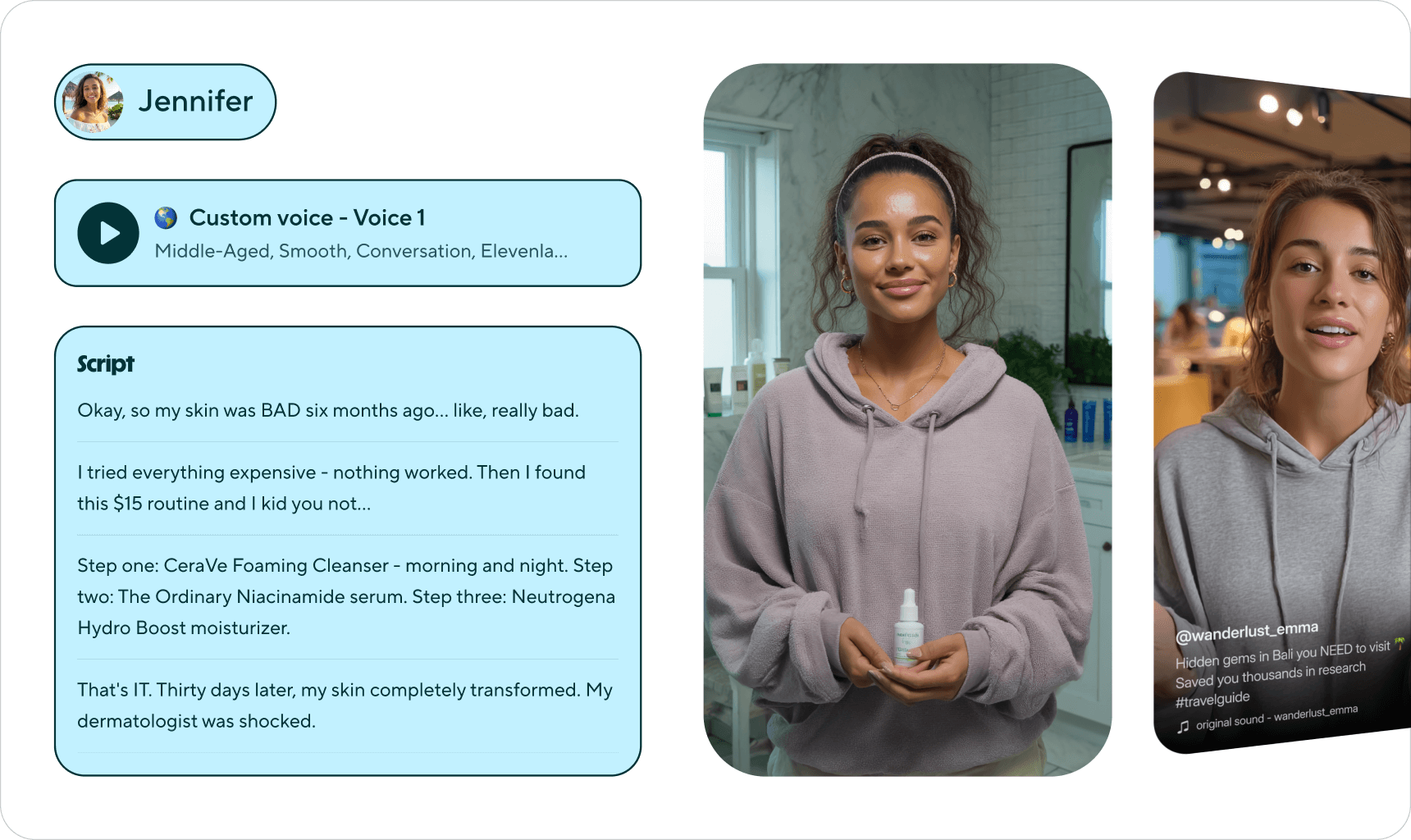
- AI avatar platforms: You write a script and the AI generates a talking-head presenter (a synthetic avatar) who narrates over slides or screen recordings you provide.
- Interactive demo builders: You capture screenshots or record a click-through, and the platform turns it into an interactive, embeddable demo. Some have added AI features for annotation and guidance.
Each approach makes a different trade-off between control, speed, and output format. Let us look at the standout tools in each category.
Category 1: Autonomous AI Agents
Demosmith
Demosmith is the AI demo video generator that takes the most hands-off approach of any tool we tested. You paste your product URL, describe the flow you want to demonstrate (for example, "show how a new user creates a project and invites a teammate"), and the AI agent takes over. It opens your product in a browser, autonomously navigates through the workflow, captures the screens, then auto-edits the footage with transitions, dynamic captions, AI voiceover, and your brand kit.
The output is an MP4 video plus a shareable link. Average turnaround is under 10 minutes.
Pricing: Free trial, Starter at $40/mo, Pro at $99/mo, Business at $250/mo, Enterprise custom.
What stood out:
- Genuinely zero recording. We pasted a URL, typed three sentences, and had a polished video in 7 minutes.
- The AI voiceover is available in 29 languages and sounds natural, not robotic.
- Brand kit integration means every video matches your visual identity automatically.
- The demo library feature lets you organize and update videos as your product evolves.
Limitations:
- You have less frame-by-frame control compared to manual editing. If you need a very specific camera movement or custom animation, you will need to adjust after generation.
- Complex multi-step flows that require authentication or third-party integrations can sometimes need a second pass.
Best for: Product marketing teams, growth teams, and anyone who needs to produce demo videos at scale without a dedicated video editor. Particularly strong when you need to keep demos updated as your product ships new features.
The URL-first approach is what makes Demosmith fundamentally different. Instead of starting with a recording, you start with your actual product, and the AI figures out the rest.
Category 2: AI-Enhanced Screen Recording
Guidde
Guidde sits in the middle ground between traditional screen recording and full automation. You install a browser extension, record yourself clicking through your product, and Guidde's AI generates a step-by-step video guide from your recording. It adds AI-generated voiceover, descriptions for each step, and basic editing.
Pricing: Free plan available, premium plans starting around $16/mo per user.
What stood out:
- Very fast for creating how-to guides and knowledge base content.
- The step detection is accurate. It correctly identifies clicks and page transitions.
- Good for internal documentation and customer support teams.
Limitations:
- You still need to record yourself. If you make a mistake, you re-record.
- The output style is functional but not polished enough for marketing use cases. It feels more like a tutorial than a branded demo.
- Limited branding and customization options compared to dedicated video tools.
Best for: Customer support teams creating help docs and internal training materials. Less suited for outbound marketing demos.
Clueso
Clueso takes a similar approach to Guidde but focuses more heavily on transforming raw screen recordings into polished video content. You record your screen, and Clueso's AI enhances the footage with zoom effects, auto-cropping, smooth transitions, and generated voiceover. It also produces a step-by-step written article from the same recording, giving you dual output from one capture session.
Pricing: Workspace-based, starting at $120/mo billed annually. Entry tier caps at 50 exported videos per month.
What stood out:
- The auto-zoom feature follows your cursor and highlights the relevant part of the screen automatically.
- Dual output (video + written guide) from a single recording saves time for teams producing both formats.
- SOC 2 Type II and ISO 27001 certified, which matters for enterprise security reviews.
- AI voiceover in 37+ languages is strong for multilingual teams.
Limitations:
- Still requires you to record a clean take. The AI enhances but does not fix a bad recording.
- Export caps (50 videos/month on entry tier) limit scalability for teams producing content at volume.
- Some users report AI voice quality sounds robotic, particularly for longer content.
- Rendering slows down noticeably for recordings over a few minutes.
Best for: SaaS customer success teams producing onboarding videos and tutorial content, especially those with enterprise security requirements. For a deeper look at Clueso and where it falls short for scalable demo creation, see our Clueso alternatives guide.
Trupeer
Trupeer is the newest entrant in the AI-enhanced recording category, backed by $3 million in seed funding from RTP Global and Salesforce Ventures. Like Clueso, it transforms screen recordings into polished videos, but adds AI avatars (powered by HeyGen) and broader language support at a lower price point.
Pricing: Free tier available, Pro at $40/mo, Scale at $199/mo (100 minutes recording), Enterprise custom.
What stood out:
- AI avatars with realistic lip-sync add a presenter layer to your screen recordings without requiring a webcam.
- 65+ language translation is the broadest in this category.
- Dual output (video + step-by-step guides in PDF and Markdown) from one recording.
- Voice cloning on higher tiers lets you create a consistent brand voice across all content.
- Pro plan at $40/mo is significantly cheaper than Clueso's $120/mo entry point.
Limitations:
- Chrome extension required. You still record manually, and the quality of the output depends on the quality of your recording.
- Recording time limits on plans (100 minutes on Scale) constrain high-volume production.
- Brand customisation options, while present, are less mature than Clueso's enterprise features.
Best for: Product marketers and customer success teams who want AI-polished videos with avatar presenters at an accessible price point. For a detailed comparison with alternatives that eliminate recording entirely, see our Trupeer alternatives guide.
Category 3: AI Avatar Platforms
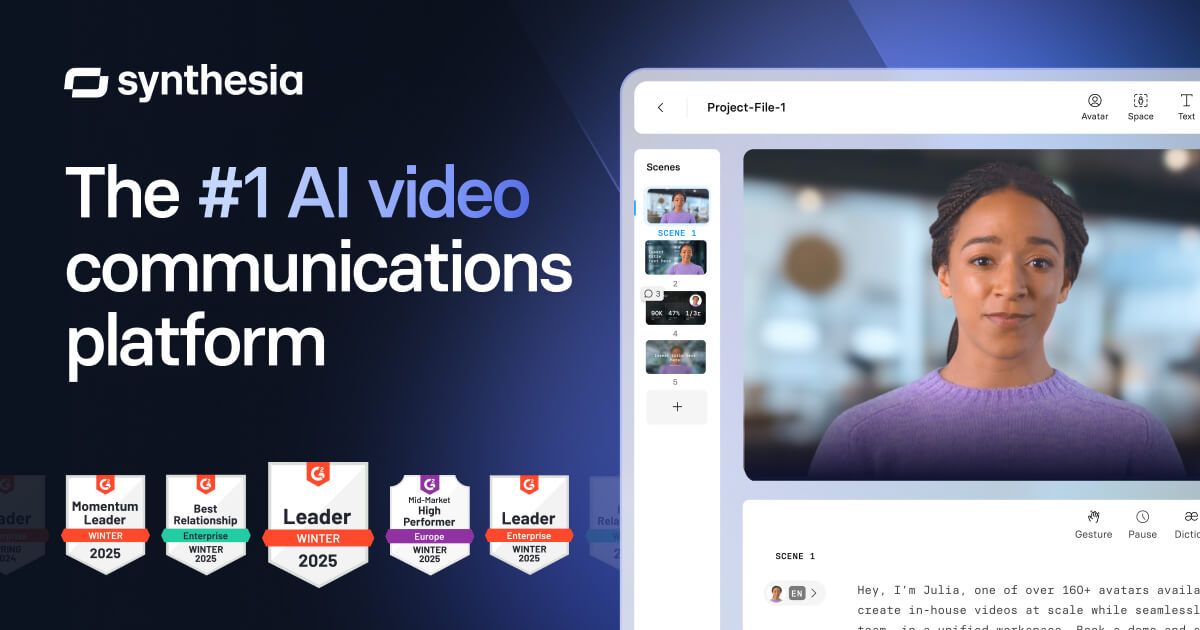
Synthesia
Synthesia is the market leader in AI avatar video generation. You write a script, choose from a library of realistic AI avatars (or create a custom one from your own likeness), select a background or upload slides, and the platform generates a video of the avatar presenting your content.
Pricing: Starter at $22/mo, Creator at $67/mo, Enterprise custom.
What stood out:
- Avatar quality is the best in class. The lip sync, gestures, and expressions are remarkably natural.
- Supports 140+ languages and accents, which is unmatched for localization.
- Strong template library for training videos, onboarding, and corporate communications.
- Custom avatars let you create a consistent "presenter" for your brand.
Limitations:
- Synthesia does not capture your product at all. You need to provide screenshots, slides, or screen recordings as background material. It is a presentation tool, not a demo tool.
- The workflow is script-first, which means you need to write detailed narration before you can generate anything.
- For product demos specifically, the avatar-over-slides format can feel disconnected from the actual product experience.
Best for: L&D teams, corporate training, and localized sales enablement content. Not ideal for product-specific demos where showing the real UI is critical. We cover this gap in detail in our Synthesia alternatives for SaaS demos guide.
HeyGen
HeyGen competes directly with Synthesia in the AI avatar space but differentiates with features like instant avatar cloning, video translation, and a more streamlined editing experience. You can upload a 2-minute video of yourself and HeyGen creates a digital twin that can present any script you write.
Pricing: Free tier available, Creator at $24/mo, Business at $72/mo, Enterprise custom.
What stood out:
- Avatar cloning is impressively fast and accurate. The "Instant Avatar" feature requires minimal source footage.
- Video translation and lip-sync dubbing is a standout feature: you can translate an existing video into another language with matched lip movements.
- The editor is more intuitive than Synthesia's for quick projects.
Limitations:
- Same fundamental limitation as Synthesia: it is a talking-head generator, not a product demo tool. You still need separate screen captures.
- Avatar quality, while good, is slightly behind Synthesia for longer-form content where subtle imperfections become noticeable.
- Free tier is very limited and watermarked.
Best for: Sales teams who want personalized video outreach with a human face, marketing teams creating explainer videos, and anyone needing fast video translation. See our full HeyGen alternatives breakdown for product demo-specific options.
Category 4: Interactive Demo Builders
Supademo
Supademo captures your product as a series of screenshots and click events, then packages them into an interactive walkthrough that viewers can click through at their own pace. Recent AI additions auto-generate annotations, tooltips, and step descriptions.
Pricing: Free plan available, Pro at $27/mo, Scale at $38/mo, Enterprise custom.
What stood out:
- Extremely fast to create. Install the extension, click through your product, and you have an interactive demo in minutes.
- Analytics are useful: you can see where viewers drop off and which steps get the most engagement.
- The AI annotation feature saves time on writing step descriptions.
- Embeds cleanly into websites, docs, and emails.
Limitations:
- The output is an interactive walkthrough, not a video. You cannot use it where video is required (YouTube, social media, sales decks with embedded video).
- Since it captures screenshots, the demo becomes stale when your UI changes. You need to re-capture.
- Limited customization for the look and feel of the interactive player.
Best for: Product teams embedding demos in docs, help centers, and website pages where interactive format is preferred over video.
Arcade
Arcade is another interactive demo builder that focuses on creating guided product tours. It captures your browser or desktop and lets you build step-by-step interactive experiences with callouts, annotations, and branching paths.
Pricing: Free plan available, Pro at $32/mo per user, Team and Enterprise tiers.
What stood out:
- The editing experience is polished. Adding callouts, hotspots, and branching logic is straightforward.
- Supports both interactive and video export, giving you flexibility in output format.
- Good integration with common marketing and sales tools.
- The branching feature lets you create personalized demo paths for different personas.
Limitations:
- Requires manual recording and annotation. The AI features are supplementary, not core to the workflow.
- Per-user pricing can get expensive for larger teams.
- Video export quality is not on par with dedicated video tools.
Best for: Sales teams who need persona-specific interactive demos and product marketers who want embeddable guided tours on their website.
Side-by-Side Comparison
Here is how these eight tools stack up across the dimensions that matter most for product demo creation:
| Feature | Demosmith | Guidde | Clueso | Trupeer | Synthesia | HeyGen | Supademo | Arcade |
|---|---|---|---|---|---|---|---|---|
| Recording Required | None, fully autonomous | Screen recording | Screen recording | Screen recording | Script + slides | Script + slides | Click-through capture | Click-through capture |
| Output Format | MP4 + shareable link | Video guide + link | MP4 video | MP4 + guides (PDF, MD) | MP4 video | MP4 video | Interactive (embeddable) | Interactive + optional video |
| Time to First Demo | Under 10 min | 15 to 30 min | 20 to 40 min | 15 to 30 min | 30 to 60 min | 25 to 50 min | 5 to 15 min | 15 to 30 min |
| AI Voiceover | Yes, 29 languages | Yes, multiple | Yes, 37+ languages | Yes, 65+ languages | Yes, 140+ languages | Yes, 40+ languages | Text annotations only | Text, limited audio |
| Starting Price | Free trial / $40/mo | Free / ~$16/mo | $120/mo | Free / $40/mo | $22/mo | Free / $24/mo | Free / $27/mo | Free / $32/mo |
How to Choose the Right Tool
The best AI demo video generator for you depends on three factors: what you are creating, who is creating it, and where the demo will live.
Choose an autonomous AI agent if...
- You need video demos of your actual product in action
- You do not have a dedicated video editor on staff
- Your product ships frequently and demos need to stay current
- You want to produce demos in multiple languages
- Speed matters: you need demos in minutes, not hours
Choose AI-enhanced recording if...
- You already have a screen recording workflow you are comfortable with
- Your primary use case is internal documentation or support content
- You want to improve existing recordings without changing your process entirely
Choose an AI avatar platform if...
- You need a human presenter or talking head in your videos
- Your content is more educational or explanatory than product-specific
- Localization into many languages is a top priority
- You are producing training or onboarding content at scale
Choose an interactive demo builder if...
- Your demos will be embedded on your website or in documentation
- Viewer engagement and analytics matter more than passive video viewing
- You want viewers to experience the product hands-on (in a guided way)
- You need persona-specific branching paths
Frequently Asked Questions
What is the best AI demo video generator in 2026?
It depends on what you need. If you want a tool that navigates your actual product and outputs a finished video, Demosmith is the strongest option. You paste a URL, describe the flow, and get a branded MP4 in under 10 minutes. If you need a talking-head presenter reading a script, Synthesia or HeyGen are solid. If you want AI-assisted screen recordings, Guidde and Clueso are worth a look. The right choice comes down to whether you need real product footage or scripted avatar content.
Can AI create a product demo video automatically?
Yes, and it has gotten surprisingly good. Tools like Demosmith take a product URL and a plain-English description, then an AI agent opens your product in a cloud browser, clicks through the workflow, records the screen, generates voiceover in 29 languages, and delivers a polished MP4. You do not touch a screen recorder or editing timeline. The whole thing takes about 10 minutes.
How much do AI demo video tools cost?
The range is wide. Avatar tools like Synthesia start at $18 per month and HeyGen at $24 per month, though they generate presenter videos, not real product walkthroughs. Demosmith starts at $40 per month for autonomous product demos. At the other end, video agencies charge $5,000 to $30,000 per video and need 4 to 8 weeks. For most SaaS teams, AI tools pay for themselves after one or two videos that would have otherwise gone to an agency.
What is the difference between an AI demo agent and a screen recorder?
With a screen recorder like Loom, you click through your product while the tool captures your screen. You do the work. With an AI demo agent like Demosmith, the AI does the clicking. It opens your product in a cloud browser, navigates the flow you described, and handles everything from cursor movement to voiceover. The practical difference is time: screen recording takes 4 to 8 hours including editing, while AI generation finishes in under 10 minutes.
Final Verdict
The AI demo video generator landscape in 2026 is not a single market; it is four overlapping markets with different strengths. Avatar tools like Synthesia and HeyGen are exceptional for scripted presenter videos but do not actually capture your product. Interactive platforms like Supademo and Arcade are great for website embeds but do not produce video content. AI-enhanced recorders like Guidde, Clueso, and Trupeer improve your existing workflow but still require you to record, and if you are specifically looking to move beyond Loom-style async capture, our guide to Loom alternatives covers the tools purpose-built for product demos.
The autonomous approach, where AI navigates your actual product and produces a finished video, is the newest category and the one that most directly solves the core problem: getting a polished demo video of your real product without the manual work of recording and editing.
The question is not which tool has the most features. It is which approach matches how your team actually works and what your audience actually needs to see.
If your goal is to show your product as it really looks and works, and you want to do it in under 10 minutes without recording your screen, the autonomous AI agent category, where Demosmith operates, is worth serious consideration. The URL-first workflow eliminates the biggest bottleneck in demo creation: the recording itself. What it does ask of you is a clear description of the flow you want, so it helps to know how to write a demo prompt before your first run.
For teams that need a combination of approaches, there is nothing stopping you from using an interactive demo builder for your website and an autonomous video generator for sales enablement and social content. The tools are complementary, not mutually exclusive.
Whatever you choose, the days of spending an afternoon recording, editing, and re-recording a two-minute product demo are behind us. If you are new to the process, our walkthrough on how to make a product demo video covers the fundamentals before you pick a tool. The only question is how much of that workflow you want to hand over to AI.
Key Takeaways
- AI demo tools fall into four categories: autonomous agents, AI-enhanced recording, AI avatars, and interactive demo builders.
- Only autonomous AI agents eliminate the recording step entirely.
- Avatar platforms (Synthesia, HeyGen) are powerful but do not capture your actual product.
- Interactive tools (Supademo, Arcade) are great for website embeds but do not produce video. See our Navattic vs Storylane vs Arcade comparison for a deeper look.
- Choose based on output format, team workflow, and where your demos will be consumed.