Demosmith vs Storylane: Two Different Approaches to Product Demos
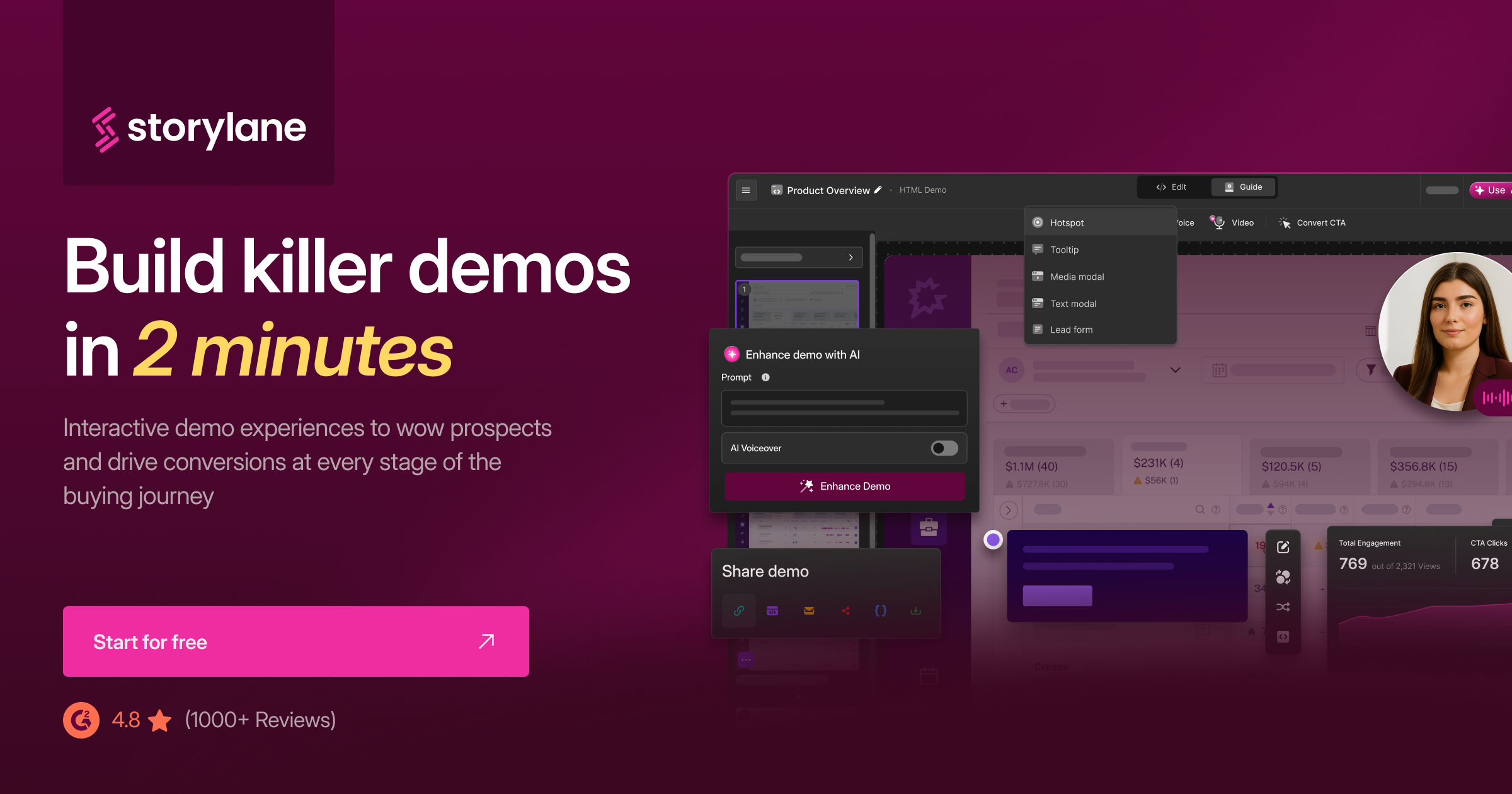
Storylane is one of the most established interactive demo platforms on the market. With a 4.7/5 rating on G2 across roughly 1,590 reviews and adoption by product marketing teams at companies of every size, it has earned its reputation. If you need click-through product tours that live on your website, Storylane is a strong choice.
Demosmith is a different kind of tool entirely. It is an AI demo agent that takes your product URL, navigates the interface autonomously, and produces a polished video demo with voiceover, transitions, and captions. The output is an MP4 file, a shareable link, and, as of September 2026, an interactive demo: any finished recording can be compiled into a hosted, clickable walkthrough.
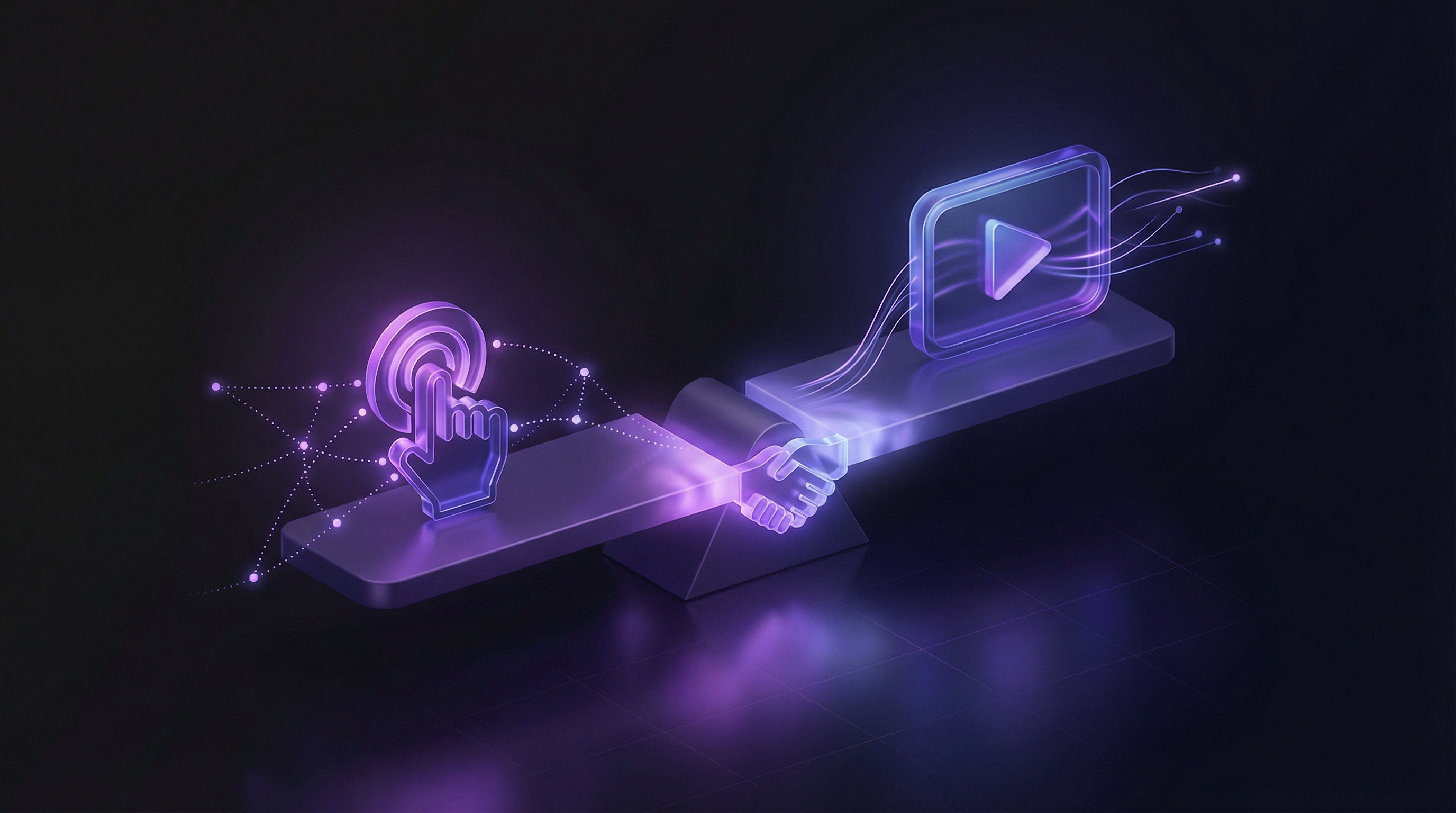
This is not really an apples-to-apples comparison, and it is even less of one since September 2026, when Demosmith added interactive demos compiled from the same recordings. Storylane demos work best on websites where prospects can click through at their own pace. Demosmith covers that embed now too, and its videos work everywhere else: YouTube, LinkedIn, sales emails, pitch decks, conference displays, onboarding sequences. The right question is not "which is better" but "how do I want the demo made, and where does it need to live?"
This page breaks down each tool honestly so you can decide which fits your workflow, or whether you need them together.
At a Glance: Demosmith vs Storylane
Here is how the two tools compare across the dimensions that matter most.
| Feature | Storylane | Demosmith |
|---|---|---|
| Primary Output | Interactive click-through demos | MP4 video + shareable link |
| How It Works | Chrome extension captures screenshots or HTML | AI agent navigates product from URL autonomously |
| Video Export | Limited, not the core output | Yes, the primary output |
| AI Voiceover | New in 2026 (avatars + voiceover add-on) | Yes, 29 languages |
| Autonomous Capture | No, manual Chrome extension | Yes, AI agent navigates automatically |
| Multi-Language | 25+ languages for UI text translation | 29 languages with voiceover + captions |
| Starting Price | Free (1 demo) | $40/user/mo (Starter) | $500/mo (Growth) | $40/mo (Starter) | $99/mo (Pro) | $250/mo (Business) |
| Best For | Website-embedded interactive product tours | Video demos across all distribution channels |
What Storylane Does
Storylane is an interactive demo platform. Its job is to help product marketing and sales teams build guided, click-through product experiences that prospects can explore without signing up for a trial or booking a live call. Here is what it does well.
Interactive Demo Builder (Screenshot + HTML Capture)
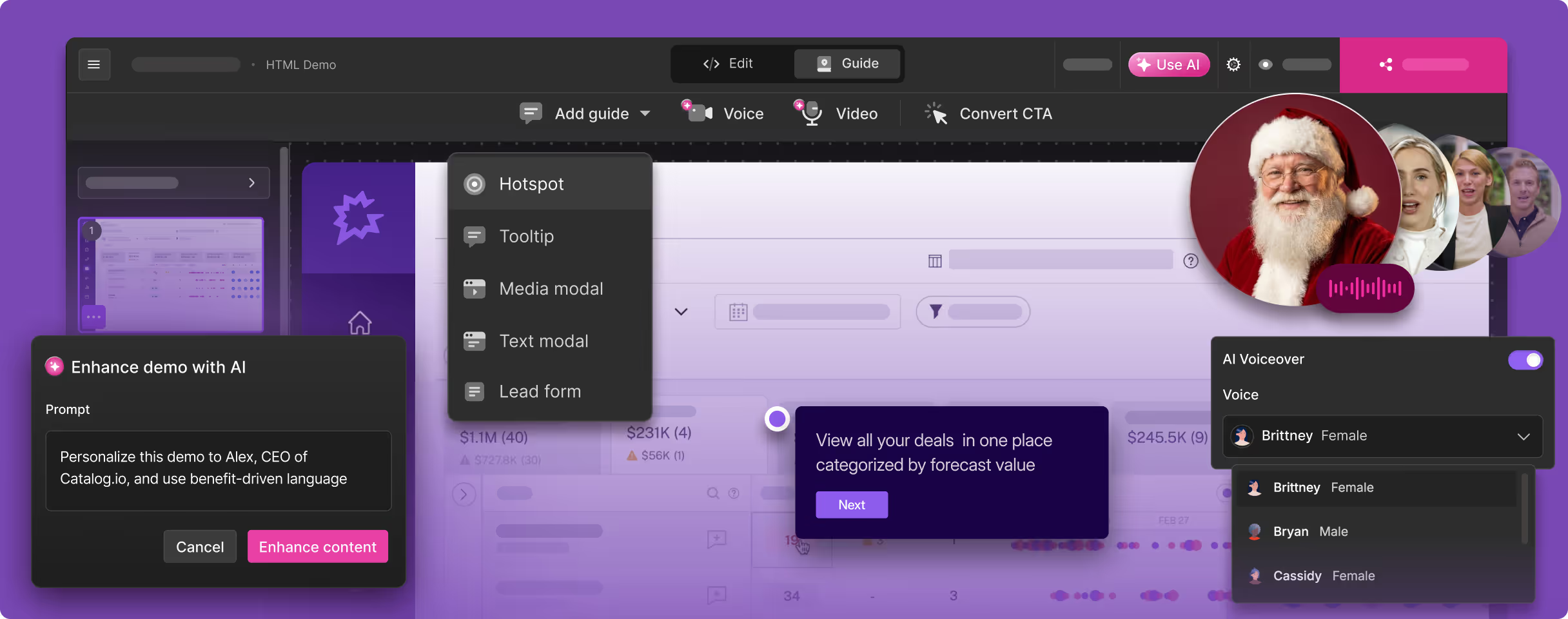
Storylane's core product is a no-code editor for building interactive product tours. The workflow starts with a Chrome extension that captures your product as you click through it. On the Starter plan ($40/user/mo), you get screenshot-based capture: each screen becomes a static image that you arrange into a guided flow with tooltips, annotations, and hotspots.
On the Growth plan ($500/mo) and above, Storylane offers HTML capture. This clones the actual front-end DOM of your application, creating a near-interactive replica where text fields are editable and dropdowns function. HTML capture produces demos that feel remarkably close to the real product. It is genuinely impressive technology, and it is a meaningful differentiator from simpler screenshot-based tools.
Lily AI Sales Agent
New in 2026, Storylane introduced Lily, an AI sales agent that sits inside your interactive demos and answers prospect questions in real time. Think of it as a chatbot layer on top of the demo experience. Lily can field product questions, guide users to the right parts of the demo, and capture lead information. For teams using demos as a website conversion tool, this is a notable addition.
AI Voiceover and Avatars
Storylane has added AI voiceover and video avatar capabilities as part of its 2026 updates. These features let you layer narration and a virtual presenter over your interactive demos. This is a step toward multimedia output, though the core product remains interactive click-throughs rather than standalone video files.
Strong Analytics and CRM Integrations
One of Storylane's genuine strengths is its analytics layer. You can see who viewed your demo, where they dropped off, which steps generated the most engagement, and how long visitors spent on each screen. These analytics integrate with Salesforce, HubSpot, Marketo, Slack, and Zapier, so you can route demo engagement data into your CRM for lead scoring and sales follow-up.
For enterprise go-to-market teams that need to connect demo analytics to their pipeline, these integrations are valuable and well-executed.
Demo Personalisation
Storylane supports demo personalisation, allowing you to tailor the experience based on viewer attributes. You can swap company logos, names, and data within the demo to make it feel custom-built for each prospect. For sales teams running personalised outreach at scale, this feature reduces the time spent building one-off demos for individual accounts.
What Demosmith Does
Demosmith is an AI demo agent. Instead of capturing screenshots through a browser extension, it autonomously navigates your product and produces finished video demos. The output, the workflow, and the use case are all different from Storylane.
Autonomous Product Navigation
You give Demosmith a product URL and describe the flow you want to demonstrate in plain English. The AI agent opens your product in a cloud browser, navigates through the interface on its own (clicking buttons, filling forms, scrolling pages), and captures the entire session. No Chrome extension. No manual clicking. No screenshot management.
The agent handles form fills with realistic test data, not "test@test.com" and "John Doe." It navigates menus, waits for page loads, and follows multi-step workflows just as a real user would.
Video-First Output
Every demo Demosmith produces is a video. The output is an MP4 file plus a shareable link. This is not a screen recording of someone clicking through a product. It is a produced video with smooth transitions, dynamic zoom effects that draw the viewer's eye to the relevant part of the screen, synchronised captions, and a narrative arc.
The video format means the output works everywhere: YouTube, LinkedIn, Twitter, sales emails, Google Slides, conference booths, onboarding flows, paid ads. Anywhere video plays, a Demosmith demo works.
AI Voiceover in 29 Languages
Demosmith generates natural-sounding AI voiceover in 29 languages, synchronised to the visual flow of the demo. For teams selling internationally, this means producing a demo in English and then generating localised versions in French, German, Japanese, Portuguese, Spanish, and 23 other languages without re-recording anything. The voiceover and captions adjust together.
Auto-Editing
Raw screen footage is not a finished demo. Demosmith handles the post-production automatically: transitions between scenes, dynamic zoom on key UI elements, pacing adjustments, caption placement, and a consistent visual rhythm. The output looks like it came from a video editor, not a screen recorder.
Brand Kit
You configure your colours, logo, fonts, and intro/outro sequences once. Every video Demosmith generates automatically applies your brand identity. For teams producing demos at scale, this means every video looks consistent without manual branding work on each one.
Key Differences Between Demosmith and Storylane
Output Format: Interactive vs Video
This used to be the fundamental difference: Storylane produced interactive click-through demos, Demosmith produced video, and you could not put one where the other belonged. As of September 2026 the line has blurred. Demosmith compiles interactive demos from the same recordings that produced the video, and they can be embedded on your pricing page like any tour. You still cannot upload an interactive demo to YouTube, so the real remaining difference is how the demos get made: Storylane captures through a Chrome extension while someone clicks your product manually, Demosmith records autonomously from a URL and compiles.
For a deeper look at this distinction, see our interactive demos vs video demos breakdown.
Capture Method: Chrome Extension vs Autonomous Agent
Storylane requires someone on your team to manually click through the product while the Chrome extension captures each screen. This person needs to know the exact flow, have the right test data set up, and navigate cleanly without mistakes.
Demosmith eliminates this step. You describe the flow in plain English, and the AI agent navigates the product on its own. The difference is not just convenience. It changes who can create demos. With Storylane, you need someone who knows the product well enough to drive the capture. With Demosmith, anyone who can describe what the demo should show can create one.
Distribution Channels: Website Embeds vs Everywhere Video Works
Storylane demos are designed for web contexts: embedded on your website, shared as links, or integrated into your CRM-triggered sequences. They require a browser and active user interaction to function.
Demosmith videos work in every channel where video plays. YouTube, social media feeds, email thumbnails, slide decks, event displays, in-app onboarding modals, paid advertising. Video is the most portable content format, and it does not require the viewer to do anything except watch.
Pricing Structure: Per-User Scaling vs Flat Tiers
Storylane's pricing scales per user on the Starter plan ($40/user/mo). For a team of five, that is $200/mo before you reach any of the advanced features. HTML capture, the feature that makes Storylane demos feel most realistic, requires the Growth plan at $500/mo. The Premium tier runs $1,200/mo, and Enterprise contracts range from $25,000 to $125,000 per year.
Demosmith uses flat-tier pricing: Starter at $40/mo, Pro at $99/mo, Business at $250/mo, with custom Enterprise plans. The price does not multiply with each team member added. For growing teams, the cost difference compounds quickly.
Maintenance: Screenshot Recapture vs Regenerate from URL
When your product UI changes, screenshot-based Storylane demos go stale. A renamed button, a moved menu item, or a redesigned page means someone needs to recapture the affected screens and update the demo. HTML-based demos are more resilient but still need periodic refreshes. Either way, maintenance scales linearly with the number of published demos.
With Demosmith, you regenerate the demo by running the same prompt against your updated product. The AI agent navigates the current UI and produces an updated video in about 10 minutes. No screenshot-by-screenshot recapture. No tooltip repositioning.
Use Case: PLG Website Conversion vs Multi-Channel Video Distribution
Storylane is built for product-led growth motions where the demo lives on your website and converts visitors into signups or qualified leads. The analytics, CRM integrations, and personalisation features all support this use case. If you measure success by demo-to-signup conversion on your website, Storylane is purpose-built for that.
Demosmith is built for teams that need to distribute demo content across many channels. If your demos need to work on YouTube, in outbound sales emails, inside pitch decks, on social media, and at events, video is the format that covers all of those, and Demosmith is the tool that produces it without manual recording or editing. Teams already exploring Storylane alternatives for video output often land here for exactly this reason.
When Storylane Is the Better Choice
Storylane is the stronger option when your primary goal is website-embedded, interactive product experiences. Specifically, consider Storylane when:
- Your demos live on your website. If the main distribution channel is your pricing page, feature pages, or landing pages, interactive click-throughs give prospects a hands-on experience that video cannot replicate. Visitors can explore at their own pace and focus on the features that matter to them.
- You run a PLG conversion motion. Storylane's analytics track which prospects engaged with which parts of the demo, and the CRM integrations route that data to your sales team. If demo engagement is a key signal in your lead scoring model, Storylane gives you the data pipeline to act on it.
- Prospects want hands-on exploration. Some buyers want to click around and test drive the product before talking to sales. Interactive demos serve that need. Video, by nature, is a guided experience that does not let the viewer deviate from the narrative.
- You have deep CRM integration requirements. Storylane's Salesforce and HubSpot integrations are mature. If you need demo engagement data flowing into opportunity records, triggering automated sequences, and feeding lead scoring models, Storylane's integration layer is well-built for that.
When Demosmith Is the Better Choice
Demosmith is the stronger option when you need polished video output across multiple channels. Consider Demosmith when:
- You need video for YouTube, social media, or sales outreach. These channels require video, full stop. Interactive demos do not work on YouTube. They do not play natively in LinkedIn feeds. They do not embed in sales emails as watchable thumbnails. If any of these channels are part of your go-to-market motion, you need video.
- You need multilingual demos. Demosmith generates voiceover and captions in 29 languages from a single prompt. For teams selling internationally, this turns a one-language demo into a library of localised assets without hiring voiceover talent or re-recording anything.
- You need to produce demos at scale. If you need demos covering dozens of features, multiple personas, and regular product updates, the autonomous capture model eliminates the manual bottleneck. Describe the flow, generate the video, move on.
- You want polished video without manual recording or editing. Traditional demo video creation involves screen recording, editing footage, adding voiceover, syncing captions, and applying brand elements. Demosmith handles all of this in a single automated workflow that produces a finished video in under 10 minutes.
- Your demos appear in pitch decks and presentations. A polished video embedded in a slide deck keeps the presentation flowing. An interactive demo in a presentation breaks the rhythm and puts the presenter at the mercy of live navigation.
The Bottom Line
Storylane and Demosmith are complementary tools, not competitors. They produce different outputs for different channels.
Storylane handles the interactive side: click-through product tours embedded on your website, connected to your CRM, feeding your lead scoring model. It is the right tool for PLG conversion where prospects want to explore your product on their own terms. The 4.7/5 G2 rating across roughly 1,590 reviews reflects a product that does its job well.
Demosmith handles the video side: polished MP4 demos for YouTube, LinkedIn, sales emails, pitch decks, onboarding sequences, event displays, and every other channel where video is the required or preferred format. The autonomous AI agent removes the recording and editing burden, and the 29-language voiceover opens up international distribution without additional production work.
The cost of running the two together is reasonable. Storylane Starter at $40/mo plus Demosmith Starter at $40/mo gives you interactive demos and video demos for $80/mo total. That is less than many teams pay for a single enterprise demo tool with limited output formats.
Storylane answers the question "How do we let prospects explore our product on our website?" Demosmith answers the question "How do we show our product everywhere else?" Most teams need answers to each.
Key Takeaways
- Storylane and Demosmith produce fundamentally different outputs: interactive click-through demos vs polished MP4 video. They are not interchangeable, and comparing them requires understanding which format your channels demand.
- Choose Storylane when your demos live on your website and you need interactive product tours with CRM-integrated analytics. It is the leading tool in that category for good reason.
- Choose Demosmith when you need video for YouTube, social media, sales emails, presentations, or any channel where interactive click-throughs do not work. The autonomous agent produces finished videos in under 10 minutes.
- Storylane's pricing scales per user and jumps significantly at the Growth tier ($500/mo for HTML capture). Demosmith uses flat tiers starting at $40/mo. Factor in team size when comparing total cost.
- Demo maintenance differs sharply. Storylane requires manual recapture when your UI changes. Demosmith regenerates from your current URL in minutes.
- The strongest approach for most teams is pairing the two: Storylane for website-embedded interactive tours, Demosmith for video across every other channel. Combined Starter plans cost $80/mo.