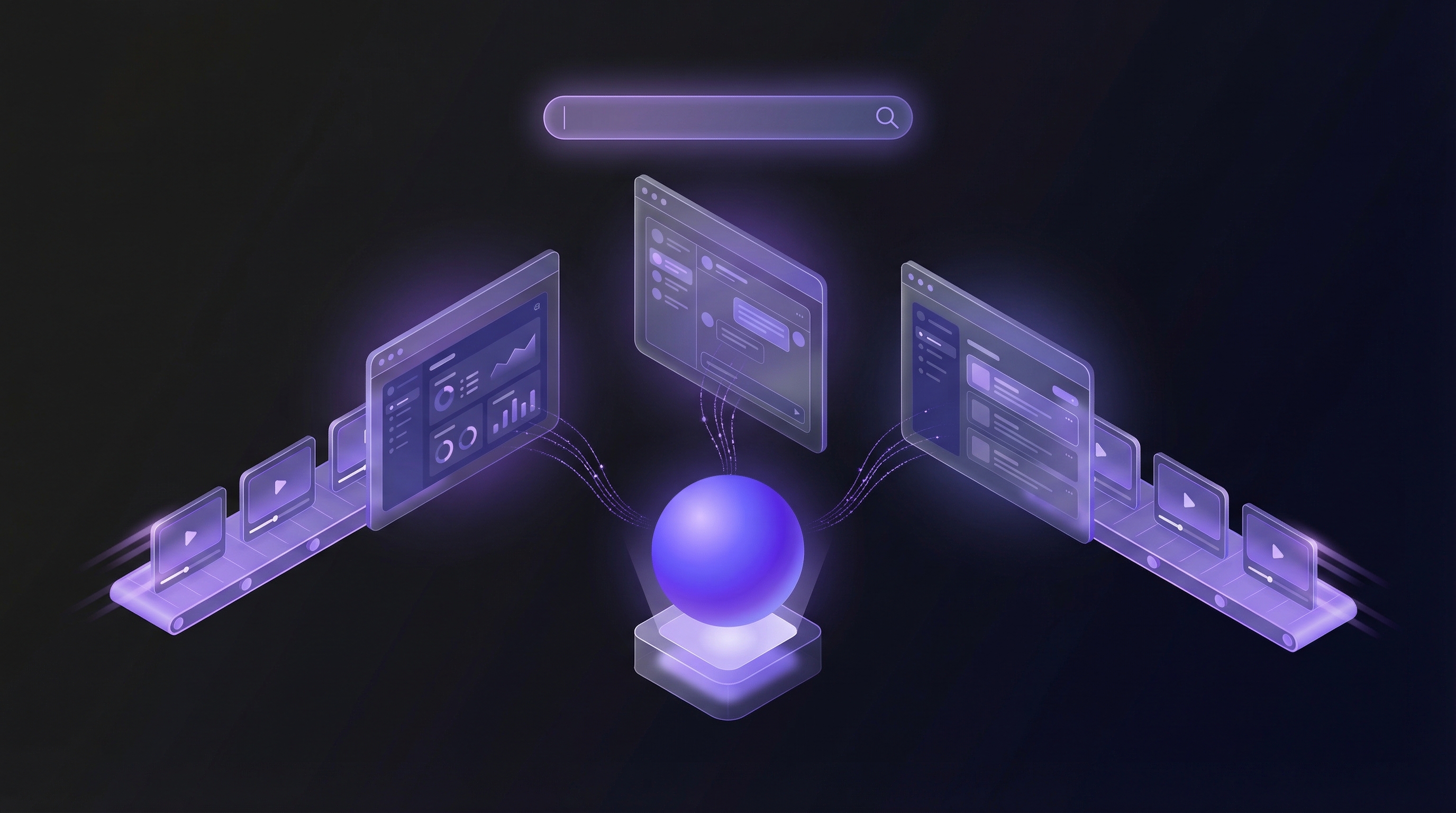
Every few years, a new category emerges in the SaaS tooling landscape that fundamentally changes how teams work. CRMs changed how we manage relationships. Marketing automation changed how we nurture leads. Product analytics changed how we understand user behavior. Now, a new category is emerging that will change how companies demonstrate their products: the AI demo agent.
But unlike incremental improvements to existing tools, AI demo agents represent a genuinely new approach. They are not better screen recorders. They are not interactive demo platforms with AI features bolted on. They are something fundamentally different, and understanding the distinction matters for any product, marketing, or sales team evaluating their demo creation workflow.
Defining the AI Demo Agent
An AI demo agent is autonomous software that navigates your product like a real user, captures interactions in real time, and produces polished demo videos without any human recording or editing. You provide a URL and describe the flow you want to demonstrate. The AI agent does the rest.
The key word here is autonomous. An AI demo agent does not wait for you to click through screens while it records. It does not require you to set up a scripted sequence of interactions. It does not need you to edit footage after the fact. The agent independently understands your product's interface, navigates through the workflow you described, captures the entire interaction, applies professional editing, generates voiceover narration, adds your branding, and outputs a finished video.
An AI demo agent is to screen recording what self-driving is to cruise control. It does not just assist the process. It performs the entire process autonomously.
This is not a marginal efficiency gain. It is the elimination of the entire manual workflow that has defined demo creation for the past two decades.
The Demo Tool Landscape: Four Categories
To understand where AI demo agents fit, it helps to map the broader landscape of tools that companies use to create demo content. There are four distinct categories of demo automation tools, each with fundamentally different approaches.
1. Screen Recorders
Tools like Loom, OBS, and Camtasia fall into this category. The workflow is straightforward: you hit record, manually click through your product, narrate as you go, and then edit the resulting footage. Screen recorders have been the default approach for over a decade — though teams looking for Loom alternatives purpose-built for product demos are increasingly moving beyond this category.
- Pros: Simple concept, shows the real product, widely available
- Cons: Entirely manual, requires re-recording for mistakes, editing is time-consuming, results vary based on presenter skill, no scalability
- Time per demo: 2-8 hours including preparation, recording, and editing
2. Interactive Demo Platforms
Tools like Storylane, Navattic, Supademo, and Arcade take a different approach. They clone your product's UI into a sandboxed environment where prospects can click through a guided experience. These are not videos but interactive, browser-based walkthroughs. (We compare the top three in our Navattic vs Storylane vs Arcade breakdown.)
- Pros: Interactive experience, no video editing needed, embeddable, trackable
- Cons: Shows a static snapshot of the UI (not a live product), requires manual setup and annotation for each demo, can break when product UI changes, limited to click-through interactions, cannot show complex workflows or real data processing
- Time per demo: 1-4 hours including capture, annotation, and flow setup
3. AI Video Generators
Tools like Synthesia, HeyGen, and similar platforms use AI to generate videos featuring synthetic avatars speaking to camera, often combined with stock footage or slides. Some newer entrants like Guidde and Clueso apply AI specifically to screen recordings to add narration or editing.
- Pros: No on-camera presenter needed, fast avatar video generation, multi-language support
- Cons: Does not show your actual product in action (avatar-based tools), still requires manual screen recording as input (screen-recording-enhanced tools), synthetic look can reduce authenticity, limited understanding of product context
- Time per demo: 1-3 hours depending on the approach
4. AI Demo Agents
This is the new category. AI demo agents like Demosmith combine autonomous browser navigation, AI understanding of user interfaces, smart video editing, and AI-generated voiceover into a single, end-to-end workflow. You provide a URL and a description. The agent produces a finished demo video.
- Pros: Fully autonomous, shows your real product with real interactions, professional editing and voiceover included, massively scalable, consistent quality, multi-language support
- Cons: Newer category with fewer established players, requires a publicly accessible URL or staging environment
- Time per demo: Under 10 minutes, fully hands-off
Within the AI demo agent category, two distinct approaches are emerging. Demosmith represents the async video approach: the agent navigates your product and produces a polished MP4 that can be distributed anywhere. A separate variant is the live demo agent, where the AI conducts real-time product walkthroughs with prospects in a video call format. Karumi (YC F25) and Primer (YC-backed) are the two most notable players building this. A prospect clicks a link, an AI agent joins a live session, navigates the product, answers questions, and qualifies the lead, all without a human sales rep on the call. The live approach replaces scheduled demos with instant, always-available ones. The async approach replaces recorded content with generated content. Both are autonomous, but they solve different distribution problems.
The progression across these categories follows a clear trajectory: from fully manual to fully autonomous. Each step removes a layer of human effort while maintaining or improving output quality.
How AI Demo Agents Work: The Technical Architecture
Understanding how an AI demo agent actually works helps clarify why this is a genuinely new category and not simply an incremental feature addition to existing tools. Some teams use general-purpose AI models like ChatGPT or Claude as a planning tool for scriptwriting before passing the output to a demo agent. There are four core technical components.
Autonomous Browser Navigation
At the foundation, an AI demo agent operates a real browser environment, much like a human user would. But instead of requiring a person to click through screens, the agent uses AI to interpret the product's interface and navigate autonomously. It reads page layouts, identifies interactive elements like buttons, forms, menus, and navigation items, and executes the workflow described by the user.
This is fundamentally different from screenshot-based tools that capture static images of UI states. The AI demo agent interacts with the live product, which means it captures real transitions, animations, loading states, and data responses. The result looks exactly like a real user operating the software, because that is precisely what is happening, just with an AI behind the controls.
AI Understanding of UI Elements
The agent does not simply follow a hardcoded script of "click at coordinates X, Y." It understands the semantic structure of the interface. It can identify a "Save" button regardless of its position, styling, or whether it is labeled "Save," "Submit," "Confirm," or represented by an icon. This semantic understanding allows the agent to navigate products it has never encountered before, adapting to different design systems, layouts, and interaction patterns.
This is what makes the agent approach so much more robust than macro-based recording or scripted automation. The AI adapts to your product's specific interface rather than requiring you to manually define every interaction.
Smart Editing Algorithms
Raw screen captures of product navigation contain a lot of dead time: loading screens, typing delays, unnecessary scrolling, and transitional moments that add no value for the viewer. AI demo agents apply intelligent editing automatically. They identify the meaningful moments in the captured interaction, trim unnecessary pauses, smooth transitions between key states, and apply zoom effects to draw attention to important UI elements.
The result is a video that feels professionally edited despite requiring zero manual post-production. The editing algorithms understand what matters in a product demo, focusing on the actions and outcomes while removing the friction that would make raw footage unwatchable.
AI Voiceover Generation
The final layer is narration. AI demo agents generate contextual voiceover based on what is happening on screen. This is not a generic text-to-speech reading from a script. The voiceover engine understands the product workflow being demonstrated and generates narration that explains what the user is seeing, why each step matters, and what the outcome will be.
Modern AI voiceover technology produces natural-sounding narration in multiple languages, which means a single demo can be automatically localized for different markets without re-recording. Demosmith, for example, supports AI voiceover in 29 languages, with dynamic captions that match the audio.
Why This Matters: Eliminating the Manual Workflow
To appreciate the significance of AI demo agents, consider the traditional workflow for producing a single product demo video:
- Scripting (30-60 minutes): Write the script, define the workflow, plan which features to show
- Environment setup (15-30 minutes): Prepare demo data, ensure the product is in the right state, clear notifications and distractions
- Recording (30-90 minutes): Screen record while navigating the product, often requiring multiple takes to get a clean capture
- Editing (60-180 minutes): Trim footage, cut mistakes, add transitions, apply zoom effects, overlay annotations
- Voiceover (30-60 minutes): Record narration, sync with video, adjust pacing
- Branding (15-30 minutes): Add intro/outro, apply brand colors, add logos, captions
- Export and review (15-30 minutes): Render final video, review for quality, make revisions
Total time: 4-8 hours per demo video. And that assumes everything goes right the first time, which it rarely does.
An AI demo agent compresses this entire workflow into a single step that takes under 10 minutes. You describe what you want. The agent does everything else. That is not a 20% efficiency gain. That is a 50x improvement in production speed.
The question is no longer "How do we find time to create demo videos?" It is "What demos should we create first now that the production constraint is gone?"
The Impact Across Teams
AI demo agents are not just a tool for one department. They change the calculus for every team that touches the product story, and our use case pages break down what that shift looks like for each one.
For Product Teams
Product managers can now generate demo videos for every feature launch, update, and iteration without depending on a video production queue. New feature shipped on Thursday? A demo video showing it in action can be live on Friday. Product teams can also use AI demo agents to create internal demos for stakeholder presentations, sprint reviews, and cross-functional alignment, replacing the ad-hoc screen shares that typically serve this purpose.
For Marketing Teams
Marketing teams gain the ability to produce demo content at the volume modern content strategies demand. Instead of one hero demo video per quarter, teams can create persona-specific demos, use-case-specific demos, feature-specific demos, and competitive comparison demos, all while maintaining consistent branding and quality. This transforms demos from a single asset into a full content channel.
For Sales Teams
Sales representatives can generate personalized demo videos for specific prospects without scheduling a live call. Imagine sending a prospect a 2-minute demo that shows exactly the workflow relevant to their use case, with their industry's language in the voiceover, available in their preferred language. AI demo agents make this level of personalization scalable for the first time.
For Customer Success Teams
Customer success teams can create onboarding videos, feature adoption tutorials, and training content without waiting in a production queue. When a customer asks "How do I do X?", the answer can be a polished demo video instead of a text-based help article. This reduces time-to-value for new customers and drives feature adoption for existing ones.
For Founders Building with AI
Solo founders and indie hackers who build with AI tools face a specific version of this problem. Vibe coding has collapsed the time from idea to working product. But showing what you built to investors, a Product Hunt audience, or early users still requires the same manual demo production it always did. AI demo agents close that gap. For a practical walkthrough of how to go from shipped product to polished walkthrough on the same day, see our guide on demoing your vibe-coded app.
What Makes AI Demo Agents Different from Everything Else
The differences from existing tools are not incremental. They are architectural.
Real product vs. cloned UI: Interactive demo platforms capture screenshots and create a simulated version of your product. AI demo agents operate your actual, live product. The result is that every animation, loading state, and data response you see in an AI-generated demo is real. It cannot look outdated because it was captured from the current state of your product.
Autonomous vs. manual: Screen recorders and most AI video tools still require a human to drive the capture process. AI demo agents navigate independently. You describe the workflow in plain language, and the agent figures out how to execute it. Writing that description well makes a significant difference in output quality — our prompt guide for Demosmith covers exactly what to include.
End-to-end vs. single-step: Most existing tools handle one part of the demo creation process. Screen recorders capture. Editors edit. Voiceover tools narrate. AI demo agents handle the entire pipeline, from navigation to capture to editing to voiceover to branding, in a single automated workflow.
Scalable vs. linear: Manual demo creation scales linearly with headcount. Need twice as many demos? You need twice as many hours (or people). AI demo agents scale with compute. Need 50 demos? The time investment is roughly the same as creating 5, because the production step is automated.
The Beginning of a New Category
We are in the early days of the AI demo agent category. Like all new categories, there will be a period of education and adoption before it becomes the default approach. If you are looking to compare the tools available today, our roundup of the best AI demo video generators covers the full landscape across autonomous agents, AI-enhanced recorders, avatar platforms, and interactive builders. But the trajectory is clear.
The shift from manual to autonomous demo creation follows the same pattern we have seen in other areas where AI agents are replacing manual workflows: customer support (AI agents handling tickets), code generation (AI agents writing and testing code), data analysis (AI agents running queries and generating reports). In each case, the pattern is the same: what used to require a skilled human performing a multi-step process can now be accomplished by an AI agent that understands the goal and executes the entire workflow autonomously.
For demo creation specifically, the implications are profound:
- Demo content becomes abundant. When production time drops from hours to minutes, companies can create demos for every persona, feature, use case, and language. Demo libraries grow from a handful of videos to hundreds.
- Demos stay current. The biggest challenge with demo content is maintenance. Products change, UIs evolve, features get added. With AI demo agents, regenerating a demo to reflect a product update takes minutes, not hours.
- Personalization becomes practical. Creating a unique demo for each prospect has always been theoretically valuable but practically impossible at scale. AI demo agents make prospect-specific demo videos viable for the first time.
- The demo creation bottleneck disappears. For most SaaS companies, the limiting factor in their demo strategy is not ideas or distribution but production capacity. AI demo agents remove this constraint entirely.
Demosmith is building at the forefront of this category. By combining autonomous product navigation, intelligent editing, AI voiceover in 29 languages, dynamic captions, and brand kit integration into a single workflow, Demosmith delivers on the core promise of the AI demo agent: paste your URL, describe the flow, and get a studio-quality branded demo video in minutes.
The manual demo production era is ending. Alternatives to screen recording now span a wide spectrum — from AI-enhanced recorders to fully autonomous agents — and each removes a different layer of the manual workflow. If you want to understand the mechanics, our guide to AI demo video generators breaks down the three main approaches and their tradeoffs. And if you are thinking about how demo video fits into a broader go-to-market motion, the video-first demo-led growth playbook lays out a full-funnel strategy. The autonomous demo era is just beginning. And for product teams, marketers, and sales organizations ready to move faster, the opportunity to adopt early is now.
Frequently Asked Questions
What is an AI demo agent?
Think of it as a virtual team member who records product demos for you. An AI demo agent opens your product in a real browser, clicks through the workflow you describe, and produces a polished video with voiceover, captions, and your brand kit. You never touch a screen recorder. Demosmith is the first tool built around this concept.
How does an AI demo agent work?
You paste your product URL and describe the flow in plain English ("show how a user creates a new project and invites a teammate"). The agent launches a cloud browser, loads your product, and performs real interactions: clicking buttons, filling forms, navigating between pages. It records everything, then auto-edits the footage with smart cuts, zoom effects, and AI-generated voiceover in up to 29 languages. You get a downloadable MP4 and a shareable link.
What is the difference between an AI demo agent and Loom?
Loom records your screen while you click through the product yourself. You do the work, Loom captures it. An AI demo agent does the clicking for you. You never open the product. That means no shaky cursor, no Slack notifications popping up mid-take, no re-recording because you stumbled on a word. Loom takes 30 to 90 minutes per video (including the editing you will inevitably do). Demosmith finishes in under 10.
How is an AI demo agent different from Synthesia or HeyGen?
Synthesia and HeyGen put a digital avatar on screen reading a script. They look polished, but the avatar never touches your product. Buyers see a talking head, not your actual UI. An AI demo agent like Demosmith navigates your real product and shows the exact interface a user will see after signing up. Use avatar tools for training videos and explainers. Use demo agents when you need to show the product itself.
If that distinction is what you came for, the AI demo video generator built on an agent category page walks through the full workflow, from URL to finished MP4.