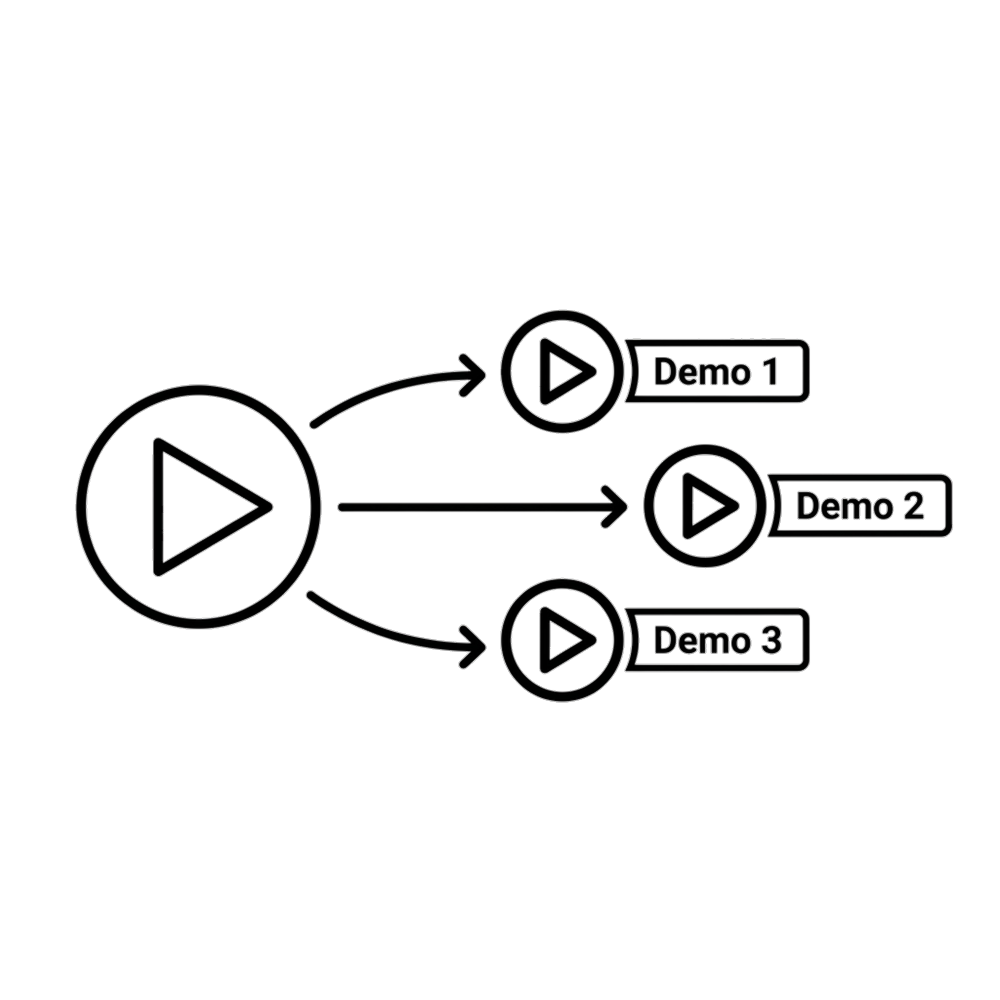
Demosmith walks your product once and hands back a product demo
video, a clickable interactive demo, and the documentation to
match. No filming, no editing.
Not six tools. Not six afternoons.
One walkthrough · About 10 minutes · 29 languages
app.yourproduct.com+“show the onboarding flow”
Blog post
Markdown
Clean Markdown with the screenshots already in place. Paste it straight into your CMS.
Help center doc
HTML
Step by step with the screenshots placed. Fits Zendesk, Intercom, or your own docs.
Demo video
MP4 · 16:9
The full walkthrough, cut and paced, with voiceover and captions in 29 languages.
Interactive demo
Clickable
The same flow, clickable. Buyers drive it themselves and you see where they stop.
PDF
PDF guide
Print ready
The same walkthrough as a leave-behind. Attach it to a follow up and let it do the talking.
soon
Vertical cut
MP4 · 9:16
A 9:16 edit sized for TikTok, Reels, and LinkedIn, trimmed from the same footage.
The walkthrough is the expensive part. Demosmith does it once.
Core Features
Everything you need to generate demos
Demosmith doesn't just record your screen. It understands your UI,
edits the footage, and ships a polished video, a clickable interactive demo, and docs from the same run.
Autopilot Capture
Demosmith browser agent navigates your UI like a real user: clicks, types, scrolls autonomously. Understands context from your product URL and prompt. No manual recording needed.
app.yourproduct.com/dashboard
REC
+ Create Project
Demosmith
Smart Editing
Auto-cuts dead time. UI-aware zooms on key actions. Polished pacing and cinematic flow. No timeline, no editing software required.
Smart Timeline
0:00 / 0:45
Video
Zoom
Audio
Auto-cutUI ZoomSmart Pacing
AI Script & Voiceover
Generate polished narration from your prompt - Demosmith structures the story, fixes grammar, removes filler. Add studio-quality voiceover in natural-sounding voices. Available in 29 languages including English, Spanish, French, German, Arabic, Hindi, Japanese, Korean, and more.
Welcome toyour dashboard.✨
Let me show you how to
create your first project|
James
Male🇬🇧 English
▶Priya
Female🇮🇳 Hindi
▶Yuki
Female🇯🇵 Japanese
Dynamic Captions
Auto-generated subtitles that sync perfectly with on-screen actions in 29 languages. Customizable styles, positioning, and formatting. Looks professional out of the box.
app.demosmith.ai/dashboard
Click"Create Project"toget started
🇬🇧🇪🇸🇫🇷🇯🇵
Brand Kit
Apply your logo, colors, fonts, and custom intro/outro. Every demo ships looking exactly like your team made it: consistent, professional, and on-brand.
Brand Kit✓ Applied
Primary FontInstrument Sans
✓ Logo
✓ Colors
✓ Intro / Outro
✓ Caption Style
Global Localization
Generate demos in 29 languages: captions, on-screen text, and voiceover. Reach global audiences without re-recording for each market.
Language Options✓ 29 Available
🇬🇧
English
✓
🇪🇸
Spanish
✓
🇫🇷
French
✓
🇩🇪
German
✓
🇯🇵
Japanese
🇰🇷
Korean
+ 23 more languages including Arabic, Hindi, Portuguese, Turkish, Russian, Vietnamese & more
Fine-Tune Anything
AI gets it right 95% of the time. For the other 5%? Edit narration, captions, voiceover, zoom effects, blur effects, background images or background sounds. Full control when you need it, without starting from scratch.
Timeline Editor
0:000:150:300:45
Captions
Edit text & style
Voiceover
Change narration
Zooms
Adjust effects
Language
Switch translation
Audio
Add BG sounds
Narration
Refine script
Docusmith
Run a demo, get a doc. Publish it to your help center, drop it on your site, let Google index it. Docusmith generates clean Markdown, HTML, plain text, or PDF from your demo. You type nothing. Learn more →
Docusmith
Ready to export
# Create your first projectYou can create a project in seconds.## Quick start- Open the dashboard- Click **+ New Project**- Add your URL and prompt
<h1>Create your first project</h1><p>You can create a project in seconds.</p><h2>Quick start</h2><ul><li>Open the dashboard</li><li>Click <b>+ New Project</b></li></ul>
Create your first project=========================You can create a project in seconds.QUICK START · Open the dashboard · Click + New Project
Create your first project
You can create a project in seconds. Demosmith handles the navigation, recording, and editing for you.
Fig 1. The Demosmith dashboard.
Interactive Demos
Run a demo, get a walkthrough viewers drive. Every recording already captures what it needs, so any finished video becomes a clickable tour: highlights, tooltips, narration, and a CTA. Embed it or share the link, then watch the per-step funnel. Learn more →
demosmith.ai/tour/onboarding
+ Create Project
Step 1 of 3
How it works
Go from a URL to finished assets in minutes
Paste your product URL and describe the flow. Demosmith navigates, records, edits, and captions, then hands back the video, the interactive demo, and the docs. Entirely on autopilot.
Capturing the browser walkthrough and user interactions
Working through demosmith.ai0% complete
Recording SessionCapturing the browser walkthrough and user interactionsPreparing VideoCleaning up the capture and preparing it for analysisUnderstanding WalkthroughIdentifying key moments, intent, and structure in the recordingGenerating NarrationWriting and producing the voiceover for the demoSynchronizing TimelineAligning narration, visuals, captions, and emphasis momentsRendering VideoCompositing the final video with branding, motion, and audioFinalizing AssetsUploading the finished demo and preparing playback and sharingDemo ReadyThe final demo is ready to view and share
Step 3 of 5 · The buildThe agents are doing the hard part here. Move on to see what they hand back.
Pick one export at a time. Completed formats stay available here.
MarkdownRecommendedFor docs sites, CMS pages and editorial review.HTMLA complete SEO ready page with structured content.Plain textClean documentation text for notes or enablement.PDFA shareable document for sending or saving.
MDHTMLTXTPDF
Generate Markdown
Polished Markdown documentation for v1, ready to review, copy and publish.
How to create a demo with Demosmithdemosmith.aiIntro
Demosmith
Create a demo with Demosmith
See tutorial
Create Demo
Describe
Your app URL
demosmith.ai
Step 5 of 5 · The outputPublished and ready to share, as a link or an embed. The video and the written guide are on the other tabs. Copy link Copy embed
Pick one export at a time. Completed formats stay available here.
MarkdownRecommendedFor docs sites, CMS pages and editorial review.HTMLA complete SEO ready page with structured content.Plain textClean documentation text for notes or enablement.PDFA shareable document for sending or saving.
MDHTMLTXTPDF
Generate Markdown
Polished Markdown documentation for v1, ready to review, copy and publish.
Generate Markdown
Step 1 of 5
how-to-create-a-demo.md
# How to Create a Demo with Demosmith
Demosmith turns the address of your product into a finished demo.
This guide covers the three steps, from an empty project to a link
you can send.
## Before you start
Have the address of the product you want demoed. If it sits behind
a login, add a test account. The agent signs itself in.
## Step 1. Describe the demo
Open **Create Demo** in the sidebar and paste your address into
**Your app URL**. Then say what you want shown, in one sentence.
> Pick a single flow. "Show the onboarding" gives a sharper demo> than "show the product".## Step 2. Let the agent walk it
Press **Start**. A cloud browser opens your product, signs in and
clicks through the flow while it records. Most runs finish in eight
to ten minutes.
Every form the agent fills uses realistic data, so your viewers
never meet `test@test.com`.
## Step 3. Take your assets
One walk gives you three things, each with its own link.
| Asset | Format | Best for || ---------------- | ------------------ | ------------------------ || Video | MP4, 16:9 | Landing pages, outbound || Interactive demo | Web link | Buyers who want to drive || Guide | MD, HTML, PDF, TXT | Help center, onboarding |## Languages
Choose any of 29 languages before the run. The voiceover, the
captions and this guide all come back in that language.
How to Create a Demo with Demosmith
Product guide · 3 min read · updated today
Demosmith turns the address of your product into a finished demo. This guide covers the three steps, from an empty project to a link you can send.
Before you start
Have the address of the product you want demoed. If it sits behind a login, add a test account. The agent signs itself in.
Step 1. Describe the demo
Open Create Demo in the sidebar and paste your address into Your app URL. Then say what you want shown, in one sentence.
app.demosmith.ai/create
Create Demo
Describe · Review · Customize
Your app URL
https://demosmith.ai
Onboarding flowDashboardFeature tutorial
Figure 1. The Create Demo screen, placed by the run
Pick a single flow. "Show the onboarding" gives a sharper demo than "show the product".
Step 2. Let the agent walk it
Press Start. A cloud browser opens your product, signs in and clicks through the flow while it records. Most runs finish in eight to ten minutes.
Every form the agent fills uses realistic data, so your viewers never meet test@test.com.
Step 3. Take your assets
One walk gives you three things, each with its own link.
Asset
Format
Best for
Video
MP4, 16:9
Landing pages, outbound
Interactive demo
Web link
Buyers who want to drive
Guide
MD, HTML, PDF, TXT
Help center, onboarding
Languages
Choose any of 29 languages before the run. The voiceover, the captions and this guide all come back in that language.
DemosmithProduct guide
How to Create a Demo with Demosmith
Demosmith turns the address of your product into a finished demo. This guide covers the three steps, from an empty project to a link you can send.
Before you start
Have the address of the product you want demoed. If it sits behind a login, add a test account. The agent signs itself in.
Step 1. Describe the demo
Open Create Demo in the sidebar and paste your address into Your app URL. Then say what you want shown, in one sentence.
app.demosmith.ai/create
Create Demo
Describe · Review · Customize
Your app URL
https://demosmith.ai
Onboarding flowDashboardFeature tutorial
Figure 1. The Create Demo screen
Pick a single flow. "Show the onboarding" gives a sharper demo than "show the product".
demosmith.aiPage 1 of 2
DemosmithProduct guide
Step 2. Let the agent walk it
Press Start. A cloud browser opens your product, signs in and clicks through the flow while it records. Most runs finish in eight to ten minutes.
Every form the agent fills uses realistic data, so your viewers never meet test@test.com.
app.demosmith.ai/demos/1042
Your demo is ready
One walk · three assets
VideoMP4
InteractiveWeb link
GuideMD, PDF
Figure 2. The three assets from one walk
Step 3. Take your assets
One walk gives you three things, each with its own link: the video as MP4, the interactive demo as a web link, and this guide as Markdown, HTML, PDF or plain text.
Languages
Choose any of 29 languages before the run. The voiceover, the captions and this guide all come back in that language.
demosmith.aiPage 2 of 2
HOW TO CREATE A DEMO WITH DEMOSMITH
===================================

Demosmith turns the address of your product into a finished demo.
This guide covers the three steps, from an empty project to a link
you can send.

BEFORE YOU START
----------------

Have the address of the product you want demoed. If it sits behind
a login, add a test account. The agent signs itself in.

STEP 1. DESCRIBE THE DEMO
-------------------------

Open "Create Demo" in the sidebar and paste your address into the
"Your app URL" field. Then say what you want shown, in one
sentence.

  [image: the Create Demo screen -> img/create-demo.png]

  Pick a single flow. "Show the onboarding" gives a sharper demo
  than "show the product".

STEP 2. LET THE AGENT WALK IT
-----------------------------

Press Start. A cloud browser opens your product, signs in and
clicks through the flow while it records. Most runs finish in
eight to ten minutes.

Every form the agent fills uses realistic data, so your viewers
never meet test@test.com.

  [image: the three assets from one walk -> img/assets-ready.png]

STEP 3. TAKE YOUR ASSETS
------------------------

One walk gives you three things, each with its own link.

  Asset             Format               Best for
  ----------------  -------------------  ------------------------
  Video             MP4, 16:9            Landing pages, outbound
  Interactive demo  Web link             Buyers who want to drive
  Guide             MD, HTML, PDF, TXT   Help center, onboarding

LANGUAGES
---------

Choose any of 29 languages before the run. The voiceover, the
captions and this guide all come back in that language.
CommonMark · 2.6 KB · 2 images linked
Also in 29 languages
The full walkthrough, cut and paced, with voiceover and captions.
Sell in Tokyo, Berlin, São Paulo, and Paris from a single URL
and prompt. Demosmith generates voiceover, captions, and
on-screen text in 29 languages automatically.
+24 More Languages
Why Demosmith
What makes Demosmith different
Not a screen recorder with AI bolted on. An autonomous demo agent that
understands your product and tells its story.
Form DataAuto-fill
Name
Sarah Mitchell
Email
sarah@acme.co
Phone
+1 (415) 555-0142
Smart test data
No more test@test.com. Demosmith fills forms with realistic names, emails, and uploads files automatically.
yourapp.com
URL-first, not a recorder
Not a screen recorder with AI bolted on. Demosmith is an autonomous agent that navigates your product from scratch.
Nav Bar
+ Create Project
Primary CTA
Text Input
Context-aware AI
Understands your UI, not just pixels. Demosmith knows what buttons do and which flows matter for your demo.
1 URL + Prompt
Sales Demo
Onboarding
Launch
One URL, many stories
Generate persona-specific demos for sales, onboarding, and launches, without re-recording for each use case.
4K
Quality
100%
Production-Grade
Cinema-grade rendering
Not webcam quality. Studio quality. Production-grade output with cinematic polish that looks professional every time.
Comparison
Why teams switch to Demosmith
The old way takes days. The Demosmith way takes minutes.
“I created the app and wanted to clearly explain it. We can see the value of Demosmith demo videos to help us with both understanding concepts and sales.”
Dr. Sherri Candelario, Ph.D.
Co-Founder, Kate’s House Foundation
Pricing
Simple pricing. Scale as you grow.
Pick the plan that fits your demo volume. No hidden fees.
Need custom limits or on-premise deployment? Talk to sales
Testimonials
What teams say about Demosmith
Early feedback from product and growth teams
Sent our deck to an investor last week and attached the demo instead of doing a live walkthrough. Made that demo the same morning. Hadn't touched Loom in about two weeks at that point.
AC
Axely CongressFounder @ Ocuss
We build AI products so I'm usually first to call something out when it's just a wrapper. This isn't. Gave it our staging URL, described the flow, had something clean in about 10 minutes.
BG
Bruno GermanisCo-founder @ Baltic AI
Stopped asking for a discovery call as the first step. Just drop a demo in the first email now. I know it's working because people bring up specific parts when we do eventually talk. That didn't happen before.
JH
Joshua HezghiaSales @ Blueground
Our demo was three product updates behind. Kept putting it off because re-recording in Loom properly takes an hour and then you still have to edit. Did the whole thing in one sitting, captions, music, everything. My colleague thought I'd paid someone.
MH
Md HasinSales & marketing @ Stepwise
FAQ
Got questions? We get that
What exactly is Demosmith?
Demosmith is an AI demo agent that turns your product URL + a prompt into a polished demo video and an interactive demo your viewers can click through, without manual recording or editing.
What makes Demosmith different?
Traditional tools require you to record, edit, and caption manually. Demosmith does all of that autonomously: it navigates your UI, captures the flow, auto-edits with smart cuts and zooms, adds captions, and applies your branding. URL in, video out. Any finished demo can also become an interactive, clickable walkthrough.
Is Demosmith for solo founders or teams?
Both. Solo founders use it to ship a launch video, an interactive demo, and the docs without video or writing skills. Teams use it to keep a consistent library across sales, onboarding, and support without a production bottleneck.
Do I need to install anything?
No downloads, no extensions, no plugins. Demosmith runs in the cloud. If your product is behind a login, provide a staging URL and test account so Demosmith can access the flow safely.
Can I control what the demo shows?
Yes. You tell Demosmith the steps, what to emphasize, and what to skip. Generate variants for different personas, features, and languages. No re-recording required ever.
What if the AI doesn't capture my demo perfectly?
Demosmith gets it right 95% of the time on the first try. For the rare case where you want to refine the narration, adjust captions, change voiceover, tweak zoom effects, or add background sounds, our powerful in-app editor lets you make quick changes without starting over. Think of it as fine-tuning, not rebuilding.
How do I create a product demo video without recording my screen?
Give Demosmith your product URL and tell it what to show. The AI opens your product in a real browser, clicks through the flow you described, records everything, and adds voiceover and captions automatically. You never touch a screen recorder or editing timeline. Most teams get a finished video in under 10 minutes.
Does Demosmith only generate videos?
No. The video is the headline output, but every finished demo can go further. Docusmith turns it into documentation you can export as Markdown, HTML, plain text, or PDF. And any demo can be compiled into an interactive, hosted walkthrough your viewers click through themselves. One recording covers video, docs, and interactive.
“A really good demo is something where you show it to the customer, and you are creating desire in that customer for what you’re doing. They have to see it and just want to reach out and grab it.”