Every release, improvement, and fix — shipped to Demosmith.
Sep 14, 2026
v0.6
✨Major release: Interactive demos
Interactive DemosNew
Your demo, but they click it
A single Demosmith run now returns three formats: video, interactive demo, and documentation. Any finished demo can become a hosted, interactive walkthrough. Every Demosmith recording has been capturing its interactive bundle all along, so the demos you made months ago qualify too. No re-recording, no browser extension, no access to your app.
Compile on demand: steps curated, screens sanitized and re-rendered, then a per-step AI judge with a fail-closed certification gate before anything goes live
Viewers click highlighted targets through real captured screens, with tooltips, focus zoom, narration, and a call-to-action
Analytics: completion rate, per-step drop-off funnel, deduped unique viewers, watch time, CTA clicks and rate
Viewers see captured pixels, never your markup: page structure stays in the compiler, the cursor is stripped, and sensitive inputs are masked
Monthly slots, no AI minutes: Starter 5, Pro 25, Business unlimited. Charged at publish, never for failed or cancelled generations, and recreating is free
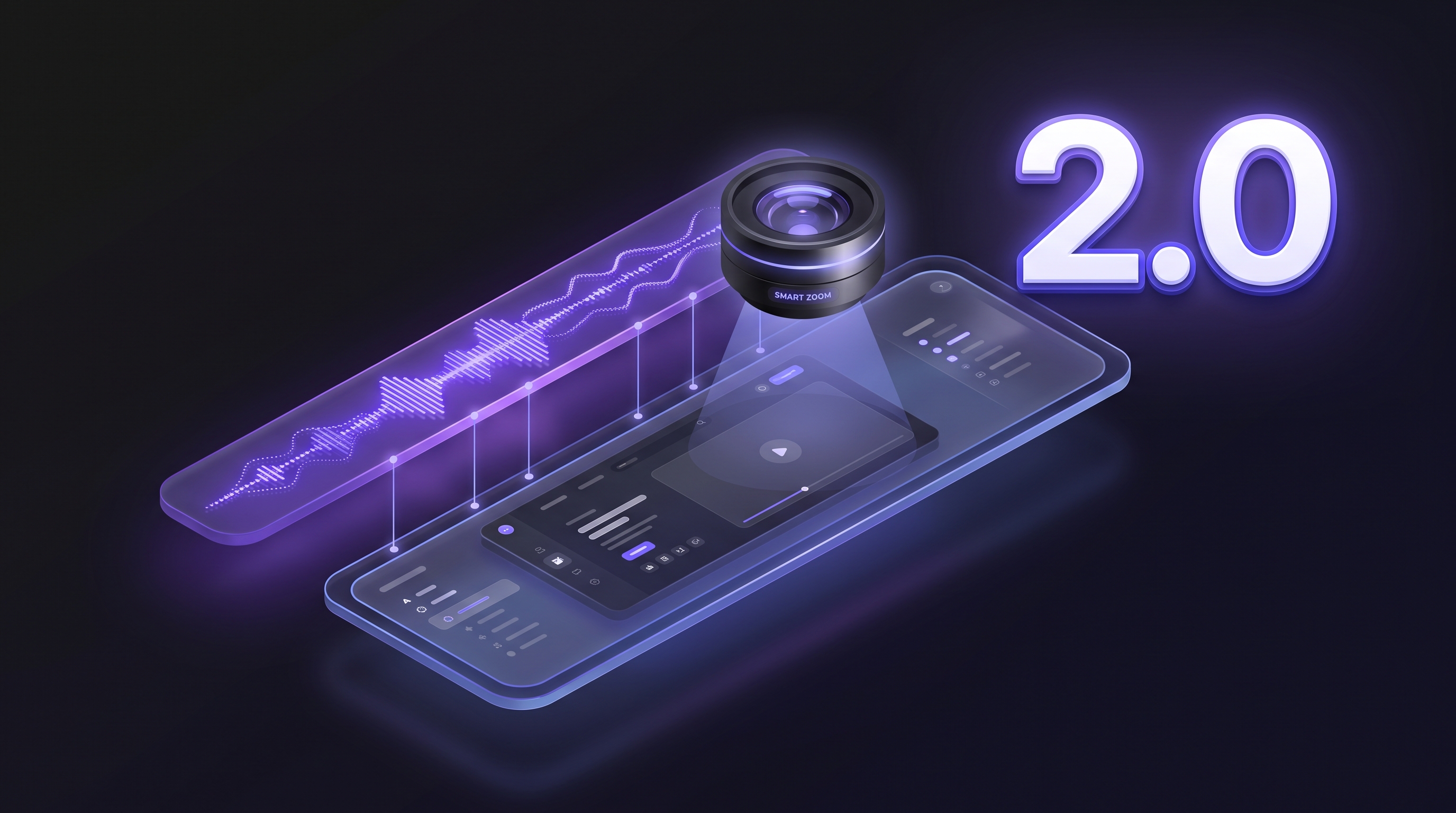
Narration that matches the screen, steps in the right order, smarter zooms
Sync Engine 2.0 fixes the most common demo quality problem: narration running ahead of the screen. Every voiceover line now fires at the moment the relevant UI state is visible, not at a fixed script timestamp. Steps follow the actual recorded flow, and zooms track the elements that matter rather than fixed pixel coordinates.
Narration waits for the correct UI state before speaking. No more lines playing over the wrong screen.
Step sequencing follows the actual recorded flow, including skipped steps, conditional branches, and dynamic content
Zooms track semantic UI elements (buttons, form fields, data points) instead of pixel coordinates
Automatic for all new demos — no settings to change
Turn any completed demo version into publish-ready documentation exports from the demo details page. Generate Markdown, HTML, plain text, or PDF, preview the result, and copy or download when it’s ready.
Docusmith panel on the demo details page
Output formats: Markdown, HTML, plain text, or PDF
Preview rendered Markdown/HTML and inspect raw source
Copy generated text or download completed exports
May 5, 2026
v0.4.18
VideoNewImprovedFixed
2K export, background videos, new music
Export at 2K when your plan supports it, use video backgrounds, and pick from a refreshed music library. Output is also back to proper 1080p.
2K export (2560×1440) option on the create page (1080p remains the default)
Background videos behind your demo. Same spot where you used to pick an image, now you can pick a moving one.
14 new background music tracks. If your demo used an old track, it auto-picks the closest replacement.
Demos render at proper 1080p now.
Background music volume is even across all demos. No more random loud ones.
Overall quality improvements across the board.
Apr 25, 2026
v0.4.16
PlatformNewImproved
Job limit prompt for free plans
When a free user hits the limit on how many demos can run at once, the page now tells you what is running and lets you cancel one to free up a slot.
See your active demos and cancel one to start a new one, or upgrade your plan
Works on create, retry, and re-render so you are not stuck guessing why nothing happened
Apr 23, 2026
v0.4.15
DocusmithNew
Convert to documentation (preview)
A "Generate Documentation" button sits next to Download on the demo details page. Click it for a peek at what is coming. Pro users get a coming-soon notice; everyone else sees the plan requirement.
Animated preview of the upcoming documentation export feature, with messaging that matches your current plan
Apr 21, 2026
v0.4.14
Brand KitNewImproved
Cursor styles in Brand Kit
You can now pick a cursor shape, set its color, and adjust the size straight from the Brand Kit page. A live preview shows how it looks on a mock app background before you save. The cursor that ends up in the rendered video now matches what you see in that preview.
Visual grid of SVG cursor styles with a color picker and a size slider (12 to 40 px), plus a static preview on a mock background
Frontend previews and backend renders now produce the same cursor output, including color, size, and hotspot alignment
Apr 16, 2026
v0.4.13
PlatformNewImproved
Support chat and open signup
If you are logged in, you can start a support thread without leaving Demosmith. We attach your account so you are not re-explaining who you are.
Support chat on in-app pages only (it does not load on login, signup, password reset, onboarding, or email verification)
Name, email, org, and plan details sync when the widget opens so support sees the same context you see
Waitlist removed on demosmith.ai (April 16, 2026): CTAs now point to app.demosmith.ai instead of a modal
Mar 30, 2026
v0.4.12
SharingNewImproved
Sharing, likes, and Explore
Shared demos get a real public page with likes, view counts, and an embed snippet you can paste elsewhere. Explore moved to the main site so people can browse without an account.
Public share pages with likes and views; the publish dialog includes embed code you can copy
I'm feeling lucky (preview): from the dashboard or create flow, paste a URL, watch the scan animation, filter suggestions, and jump into create with one click. The heavy lifting on the server side is still catching up.
Mar 24, 2026
v0.4.11
EditorNewImproved
Intro & outro style picker
You can turn intros and outros on or off, but you also pick a layout. Each option loops a tiny preview so you are not guessing from a label alone.
Three intro layouts (preview, centered, full split) and three outro styles (classic, glow logo, cinematic), each optional
Same animated thumbnails in the AI-assisted and manual editors; brand logo option appears when an intro style is enabled
"Show website preview" hides automatically for the centered intro style, which has no browser frame
Mar 20, 2026
v0.4.9
EditorImprovedFixed
Create flow polish
The create flow is easier to read while the model works. Scrolling tracks the typing animation without jumping, follow-up rounds do not replay the whole site essay, and long summaries are not chopped off mid-line.
Auto-scroll stays with the typing animation; extra padding at the bottom so the last lines are not glued to the edge of the viewport
When you answer a follow-up question, the site summary you already saw stays put instead of retyping in front of you
Long site context text is no longer cut off by the reveal animation height limit
Mar 17, 2026
v0.4.8
PlatformNewImproved
Streaming analysis and favicons
You see steps while the URL is analyzed instead of one endless spinner. Demo rows pick up the target site favicon so a glance tells you which product you are looking at.
Analysis UI walks through skeleton, site context, then refinement instead of a single blocking wait state
Later clarification rounds reuse the cached site context, so they skip a full rescrape and feel quicker
Target-site favicons on My Demos, dashboard recents, demo details, and the create analysis stream
Mar 14, 2026
v0.4.7
AuthNew
Sign in with Google
Google works on both login and signup. You end up in the same account model as email users, so billing and demos behave the same. One fewer password if you prefer it that way.
Continue with Google uses a short popup, then drops you into the normal logged-in session
Mar 11, 2026
v0.4.6
EditorNewImprovedFixed
Editor saving, languages, and reliability
The editor only talks to the server when you tell it to. Language pickers line up with the full 29-language list, and the flaky bits around loading analysis in secure mode got quieter.
Autosave is gone: saves happen when you click save, save and render, or save a new version
The main Edit button stays disabled while a version is generating, re-rendering, or has a branch in flight
Both editors use the full 29-language list with flags in the language picker
Voice previews resolve reliably from the updated voices API; legacy sample URLs redirect to the CDN asset host
Clearer toasts when secure editor content cannot load (expired session, unsupported browser crypto, or network issues)
Mar 8, 2026
v0.4.4
PlatformImproved
Error monitoring
When something throws in production, we get a stack trace. For a slice of error sessions we also keep a short replay so we can see what led up to the crash. Routine browsing is not the target.
Error reporting plus optional replay on failures. Nothing about your normal workflow changes on purpose.
Mar 7, 2026
v0.4.3
LanguagesNewImproved
29 Languages
Voiceover and captions now cover 29 languages, up from 6. Same workflow: pick a language, generate, iterate. No re-recording on your side.
Voice cards show flags for short locale codes and use the new preview URLs from the voices API
Mar 5, 2026
v0.4.2
PlatformImproved
Infrastructure & discoverability
The app runs on Google Cloud with a CDN in front. Builds roll out to production on a short loop. When you paste a link to Demosmith somewhere, the preview card should look intentional instead of empty.
Production hosting on Google Cloud with a CDN, which helps if your team is spread across regions
Improvements ship to the live app on a short cadence after we merge them
App pages include Open Graph and Twitter Card metadata aligned with the marketing site
Mar 1, 2026
v0.4.1
EditorNewImproved
Playback speed, blur, and zoom
Preview faster, hide sensitive UI with blur boxes you drag on the canvas, and tune zoom timing without guessing from the timeline alone.
Blur regions you can draw, move, resize, and pan on the preview. Handles are amber so you do not confuse them with zoom guides. Overlap is allowed on the same frame.
Zoom actions expose start time in seconds and a duration slider. If you nudge the start, the end stays put and duration recomputes.
Preview playback goes up to 2.5x (was 2x). Export timing is unchanged.
Max zoom segment length is 30 seconds in both editors (was 12 seconds)
Feb 13, 2026
v0.4
EditorNewImproved
Feedback, section goals, small editor fixes
You can rate a render, give each section a plain-language goal, and toggle intros or outros per version. Small UI wins on the side (sidebar memory, clearer renewal dates).
Per-version star rating plus an optional comment. We store it on the version, not just the parent demo.
Section objectives: one sentence per segment. Demosmith uses it for narration and pacing. Timings default automatically; you can override in m:ss if you care.
Intro and outro toggles per version, separate from your global brand defaults
Sidebar now remembers its open or collapsed state across sessions
Subscription renewal and expiry dates now display in a clean, readable format; usage history shows a full credit transaction breakdown
Feb 4, 2026
v0.3
EditorNew
Video editor: cut, trim, zoom, music
The heaviest editor drop so far: cut the timeline, undo bad edits, drag zoom targets on the frame, add a music bed, and tweak subtitle styling. Still all in the browser tab.
Timeline cut and trim: drag handles, snap near narration boundaries, skipped regions stay skipped in preview
Undo and redo with full history. Cmd/Ctrl+Z undoes; Cmd/Ctrl+Shift+Z redoes.
Zoom guide overlay on the video itself. Drag corners instead of typing coordinates nobody remembers.
Background music with a volume slider. Tracks preload when you open the editor so switching does not stutter.
Per-version intro and outro copy and layout, without overwriting your global brand defaults
Subtitle styling: font, size, color, position, with live preview
Cancel a running job. Billing only charges for work already done.
Jan 15, 2026
v0.2
PlatformNewImproved
Tour, dark mode, voices
Mostly first-run stuff: a tour that does not assume you read docs, dark mode that respects the OS default, and voice picking that does not dump fifty options on you with zero guidance.
Product tour that branches a little based on what you said during onboarding, plus motion and a confetti burst at the end if you finish it
Voice list with flags and short accent notes. First visit picks a recommended default so you are not stuck on step zero.
Dark mode everywhere, follows system on first load, then remembers what you picked in localStorage
Background stills from a built-in library at create time, or swap later in the editor. Images preload so the UI does not hitch.
Explore gallery restyle: bigger thumbnails, less clutter
Plan limits surface inside the editor with copy that tells you if you need credits or an upgrade before save or re-render
Signup: country auto-detection, business email validation, and name validation with clear error messages
Billing: expired plan banner with upgrade prompt, improved error handling, upload restrictions tied to plan tier
Dec 10, 2025
v0.1
·First release: Demosmith is live
PlatformNew
Private Beta Launch
Paste a URL, describe what to show, get a narrated video back. A headless browser does the capture; the model does the edit pass. Everything below shipped in that first cut.
Demo pipeline: URL in, automation records the UI, narration and timing come back from the model stack
In-browser timeline with waveform-ish views for narration and music, zoom passes, subtitle tweaks, rerender from the same screen
Versions: each rerender or language spin is its own row. Pick which one to share from the demo detail view
Optional push alert when a render finishes, even if you wandered to another tab
Brand defaults: Google Font + logo file, applied to new demos when your plan allows it
Auth: signup, verify email (with resend limits), login, reset password, token refresh, explicit copy if an account is banned
Billing: tiers, upgrade path, credits ledger with history
Follow for updates
Stop recording. Start generating.
Paste your URL. Describe the flow. Get a polished demo video.