Why Teams Are Looking Beyond Guidde
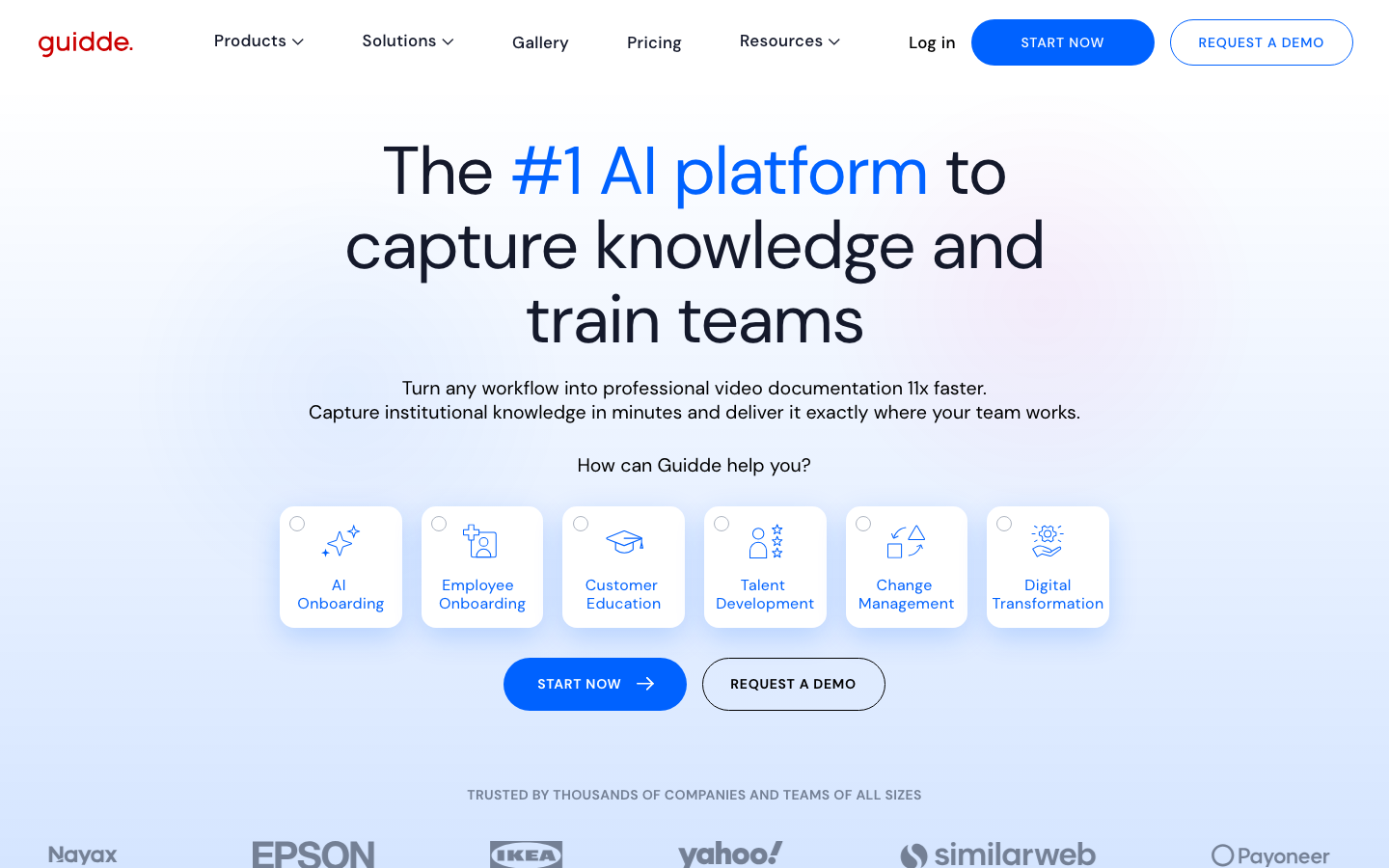
Guidde is a serious product. With $80M in total funding, a $50M Series B closed in February 2026 (backed by PSG Equity and monday.com), 4,500+ customers, and partnerships with KPMG and Deloitte, this is not a tool you dismiss. It holds a 4.8/5 rating on G2, and for good reason: Guidde solves a real problem. It turns your workflow recordings into narrated, AI-edited video guides faster than any manual process could.
But Guidde still requires you to perform the workflow yourself. You install the browser extension (or desktop app), click through the steps you want to document, and Guidde captures your screen in the background. The AI then generates a voiceover, structures the content into a storyline, and produces a polished guide. The post-capture automation is impressive. The capture step itself, however, remains manual.
Teams searching for Guidde alternatives typically want one of two things. The first is fully autonomous capture: a tool that navigates the product on its own, so nobody has to sit down and click through a workflow. The second is a shift in output format: from internal documentation (training guides, SOPs, support articles) to external-facing demo videos designed for sales, marketing, and product-led growth.
Guidde was built to answer the question "How do I document this process quickly?" That is a valuable question. But a growing number of teams are asking a different one: "How do I create polished demo videos without recording anything at all?" If that second question is yours, this guide covers the best AI demo video generators that answer it, starting with the tools that have eliminated the recording step entirely.
What Guidde Does Well
Guidde deserves honest credit before we discuss its gaps. This is a well-funded company with strong technology, and understanding what it does well is essential for evaluating whether an alternative actually improves on it or simply trades one set of compromises for another.
AI-Powered Workflow Capture
Guidde offers a browser extension and a desktop app for capturing workflows. You start the recording, perform the task you want to document, and Guidde captures each step along the way. The tool automatically identifies key actions (clicks, form inputs, page navigations) and segments the recording into discrete steps. This is more intelligent than a raw screen recorder: Guidde understands what you are doing, not just what your screen looks like.
The result is a structured capture that the AI can then transform into a finished guide. You do not need to manually mark where each step begins and ends. Guidde figures that out from the interaction data.
200+ AI Voices in 100+ Languages
This is where Guidde truly stands out. The voiceover library is extensive: over 200 AI-generated voices across more than 100 languages. For global teams producing documentation in multiple languages, this breadth is hard to match. The voices sound natural, and the AI generates the narration script automatically based on the actions captured in the workflow.
You do not write the script. Guidde watches what you did and writes narration that explains each step. For documentation purposes, this is a significant time saver.
Auto Storyline Creation
After capture, Guidde automatically structures your recording into a storyline with a beginning, middle, and end. It identifies the logical flow of the task, breaks it into numbered steps, and creates a narrative arc that makes sense to a viewer. This is not just a recording with timestamps. It is a structured guide that the AI has assembled from your raw workflow capture.
Magic Mic
Magic Mic lets you speak naturally while performing a workflow, and Guidde's AI cleans up your narration. It removes filler words, adjusts pacing, and produces a polished voiceover from your rough spoken commentary. For teams that prefer a human voice but do not want to spend time on multiple takes and audio editing, Magic Mic bridges the gap between AI voiceover and manual narration.
Document Editor
Guidde generates a parallel written guide alongside every video. This means a single workflow capture produces a video walkthrough and a step-by-step text document with annotated screenshots. For teams maintaining knowledge bases and help centres, this dual output is valuable. One recording session, two content formats.
Brand Kit and Editing
Guidde supports brand customisation: logos, colours, fonts, and intro/outro sequences that you configure once and apply across all your guides. The editing tools let you trim clips, adjust pacing, add callouts, and rearrange steps after capture. While not a full video editor, it provides enough control for most documentation use cases.
Integrations
Guidde integrates with the tools documentation teams already use: Zendesk, Salesforce, Slack, Confluence, and others. You can publish guides directly to your help centre, share them in Slack channels, or attach them to Salesforce records. For internal documentation workflows, these integrations reduce the friction of getting content where it needs to go.
Pricing: Free (25 videos) | Pro $25/creator/mo | Business $55/creator/mo | Enterprise custom.
Where Guidde shines is clear: fast, AI-assisted creation of internal documentation and training content. For teams whose primary need is workflow guides and knowledge base articles, Guidde is one of the best tools available.
Where Guidde Falls Short for Demo Videos
Guidde's strengths are real, but they are oriented toward a specific use case: internal documentation. When the goal shifts to external-facing demo videos for sales and marketing, several gaps become apparent.
Still Requires Manual Recording
This is the fundamental gap. Despite all of Guidde's AI capabilities, the process still starts with you. You install the extension. You open your product. You click through the workflow while Guidde records. If you make a mistake mid-flow, you re-record. If you need test data in specific fields, you set that up beforehand.
The AI automates everything after capture: voiceover, editing, structuring, even written documentation. But the capture step itself remains a manual, human-driven process. For teams producing a handful of guides per month, this is manageable. For teams that need dozens of demos across multiple features, personas, and languages, the manual capture step becomes the bottleneck that limits throughput.
Internal Documentation Focus
Guidde was built for training, support, and knowledge management. The output format, visual style, and distribution channels all reflect this. The videos look like workflow documentation, because that is what they are. They are excellent for explaining "how to do X in our product" to internal teams or support customers.
But external-facing demo videos have different requirements. They need to sell, not just explain. They need cinematic quality: smooth transitions, dynamic zoom effects, professional pacing, and a narrative that highlights value rather than documenting steps. A workflow guide and a marketing demo video serve fundamentally different purposes, and a tool optimised for one will produce mediocre results for the other.
No Autonomous Navigation
Guidde cannot navigate your product on its own. You cannot give it a URL and a text description and let it figure out the workflow. Every guide starts with a human performing the task, which means someone on your team needs to know the exact flow, have the right credentials, and be available to sit down and record. An AI demo agent that autonomously navigates your product eliminates this dependency entirely.
Video Quality Gap
There is a meaningful quality difference between a workflow capture (even an AI-enhanced one) and a studio-quality demo video. Guidde's output looks like what it is: a screen recording with AI voiceover and auto-generated annotations. It works perfectly for internal docs. But put that next to a purpose-built demo video with professional transitions, dynamic zoom effects, synchronised captions, and branded intro/outro sequences, and the gap is visible.
For sales decks, YouTube, LinkedIn, and other external channels where your brand is on display, that quality gap matters.
Enterprise Pricing Ramp
Guidde's Business tier at $55/creator/mo sounds reasonable for one or two seats. But for a team of 10 creators, you are looking at $550/mo, or $6,600/year. The per-creator pricing model means costs scale linearly with team size. For large organisations, the Enterprise tier (custom pricing) is the only option, and pricing is not published. Teams comparing alternatives often find that flat-rate or per-workspace pricing models offer better value at scale.
What to Look For in a Guidde Alternative
If you are evaluating alternatives to Guidde, the criteria below will help you distinguish between tools that are genuinely different and tools that are simply Guidde with a different logo.
Autonomous Capture
The single most important differentiator. Can the tool navigate your product on its own? Or does it still require someone to perform the workflow manually? Tools that offer autonomous capture eliminate the biggest time cost in demo creation: the recording step itself. You provide a URL and a description. The AI does the rest.
Video-First Output
Look for tools where polished video is the primary output, not a secondary export from a documentation format. Video-first tools optimise for visual quality, pacing, and narrative structure in ways that documentation tools do not. The difference shows in the final product.
AI Voiceover with Multi-Language Support
Guidde sets a high bar here with 200+ voices in 100+ languages. Any alternative should offer AI voiceover at a minimum, with enough language coverage for your target markets. The voiceover should sound natural and sync correctly with the visual flow.
Professional Auto-Editing
Raw screen captures need editing to become professional content. The right tool should handle this automatically: transitions between scenes, zoom effects that draw attention to key UI elements, captions for accessibility, and consistent pacing throughout. Manual editing in a separate tool defeats the purpose of automation.
Brand Kit Integration
Every video you produce should look like it came from your company. Colours, logos, fonts, intro/outro sequences, and consistent visual styling should be configurable once and applied to every video automatically. This matters most for teams producing content at scale, where manual branding is not practical.
Multi-Channel Distribution
External-facing demo videos need to work across channels: YouTube, LinkedIn, sales emails, website embeds, presentations, and onboarding sequences. The tool should produce standard video formats (MP4) and provide shareable links. Bonus points for analytics that track views and engagement across distribution channels.
Best Guidde Alternatives for Product Demo Videos
1. Demosmith -- Best for Fully Autonomous Demo Video Creation
Demosmith is the closest thing to what Guidde does, but with the manual capture step removed entirely. Where Guidde watches you perform a workflow and then adds AI polish, Demosmith performs the workflow on its own. You give it a URL and a plain-English description of what to demonstrate. The AI agent opens your product in a cloud browser, navigates through the flow autonomously, captures everything, and produces a finished demo video with voiceover, transitions, zoom effects, and captions.
The output is an MP4 video plus a shareable link. Average turnaround is under 10 minutes. No browser extension. No manual recording. No clicking through your product while a tool watches.
For teams coming from Guidde who want to move beyond internal documentation and into external-facing demo videos, Demosmith represents a meaningful shift. The video quality is purpose-built for marketing and sales: professional transitions, dynamic zoom that follows the action, synchronised captions, and branded intro/outro sequences. This is not a screen recording with narration added. It is a produced video.
Where Demosmith goes beyond Guidde:
- Fully autonomous capture. Demosmith navigates your product without human involvement. No browser extension, no manual click-throughs. The AI agent handles the entire workflow.
- External-facing video quality. The output is designed for YouTube, LinkedIn, sales decks, and marketing sites. Professional transitions, dynamic zoom, branded styling. Not internal documentation format.
- AI voiceover in 29 languages. While Guidde offers broader language coverage (100+), Demosmith covers the 29 languages most relevant to B2B SaaS distribution, with voiceover synchronised to the visual flow.
- Zero recording overhead. No one on your team needs to know the exact workflow, have test credentials ready, or block time to sit down and record. Describe the flow in text; the AI handles execution.
- Instant regeneration. When your product UI changes, re-run the same prompt. New video in 10 minutes. No re-recording, no re-editing, no finding the person who recorded the original.
Pricing: Free trial available (no credit card required). Starter at $40/mo, Pro at $99/mo, Business at $250/mo, Enterprise custom.
Limitations:
- Updated September 2026: this limitation no longer exists. Any finished demo compiles into an interactive walkthrough, and Docusmith exports the same demo as Markdown, HTML, plain text, or PDF. Guidde's in-app step-by-step guides are still more granular for onboarding workflows.
- Complex flows involving third-party authentication may need a second generation pass or manual guidance.
- Less frame-by-frame editing control than a dedicated video editor like Premiere Pro or Final Cut.
Best for: Product marketing teams, sales teams, and growth teams who need polished demo videos for external distribution. Particularly strong for teams that want to create SaaS demo videos without any recording and distribute them across multiple channels. See Demosmith use cases across sales, marketing, and support for how each team applies it.
The fully autonomous product demo video generator category page breaks down the agent workflow.
Guidde automates everything after you record. Demosmith automates the recording itself. That is the difference between AI-assisted and fully autonomous.
2. Loom -- Async Video Recording for Quick Walkthroughs
Loom (now part of Atlassian) is the default tool for quick, informal video communication. You hit record, talk through what you are doing, and share a link. For internal walkthroughs, bug reports, design feedback, and async updates, Loom is hard to beat. The workflow is simple and the barrier to creating a video is near zero.
Compared to Guidde, Loom is less structured. Guidde automatically segments your recording into steps, generates a storyline, and produces a parallel written guide. Loom gives you a raw recording with basic trimming. Loom's AI features (filler word removal, auto-chapters, text-to-speech editing) have improved since the Atlassian acquisition, but the output is still fundamentally a recording of you talking and clicking, not a structured video guide.
For quick internal communication, Loom is faster than Guidde. For structured documentation or polished external content, it falls short of Guidde and purpose-built demo tools alike.
Pricing: Free (5-min limit, 100 videos) | Business $12.50-15/user/mo | Business + AI $20-24/user/mo | Enterprise custom.
Limitations as a demo video tool:
- Manual recording every time. No automation of the capture step.
- No structured output. The video is a raw recording, not an edited demo.
- No AI voiceover or multi-language support comparable to Guidde.
- Post-Atlassian quality concerns: users have reported stability issues, login problems, and bloat since the acquisition.
Best for: Quick, informal async video communication. Not suitable as a primary demo video creation tool.
3. Scribe -- Step-by-Step Documentation (Not Video)
Scribe takes a different approach entirely. Instead of video, Scribe captures your workflow and produces step-by-step written documentation with annotated screenshots. It is a $1.3B unicorn with 5M+ users and 45% of Fortune 500 companies as paying customers. For process documentation, SOPs, and training materials, Scribe is the market leader.
The comparison to Guidde is instructive. Guidde and Scribe capture workflows automatically, but their outputs diverge: Guidde produces video, Scribe produces text and screenshots. For teams that need written documentation (internal wikis, help centres, compliance records), Scribe is often more useful than video. Written guides are searchable, scannable, and easy to update step by step.
Scribe does not produce video at all, though. If your goal is demo videos for sales and marketing, Scribe serves a completely different purpose. It is worth mentioning here because teams evaluating Guidde alternatives sometimes land on Scribe as a documentation tool, but it does not solve the video problem.
Pricing: Free (web-only) | Pro Personal $25/user/mo | Pro Team $13/user/mo (5-seat min) | Enterprise custom.
Best for: Written process documentation, SOPs, and training materials. Not a video tool.
4. Trupeer -- AI Video Documentation Tool
Trupeer is a smaller competitor in the same space as Guidde: AI-powered video documentation from workflow recordings. Like Guidde, you record your screen while performing a task, and the AI generates a narrated video guide with annotations and step-by-step structure.
Trupeer differentiates itself with a focus on developer documentation and technical content. The editing interface is straightforward, and the AI voiceover quality is reasonable. But Trupeer lacks the scale, funding, and feature depth of Guidde. The voice library is smaller, the integrations are fewer, and the brand customisation options are more limited.
For teams on a tight budget who need basic AI video documentation, Trupeer is worth evaluating. But for teams looking to move beyond manual recording entirely, Trupeer shares the same fundamental limitation as Guidde: you still have to record the workflow yourself.
Best for: Budget-conscious teams needing basic AI video documentation. A lighter alternative to Guidde for smaller teams with simpler requirements.
Manual Capture vs Autonomous Demo Generation
The tools in this space fall into two fundamentally different categories, and understanding the distinction is the key to choosing the right one.
Guidde, Loom, Trupeer, and similar tools automate what happens after you record. You perform the workflow. The AI then adds voiceover, structures the content, applies edits, and produces a finished guide. This is AI-assisted creation. The human provides the raw material; the AI polishes it.
Demosmith automates the capture itself. You provide a URL and a text description. The AI navigates your product, performs the workflow, captures the screens, and produces a finished video. No human touches the product during the creation process. This is autonomous creation. The human provides the intent; the AI executes it end to end.
Which matters more depends on your bottleneck. If your team's constraint is editing time (you can record quickly but spend hours on post-production), Guidde solves your problem. If your constraint is the recording step itself (finding the right person, setting up test data, blocking time to click through workflows, re-recording when someone makes a mistake), then autonomous generation eliminates that bottleneck completely.
For most teams producing external-facing demo videos at scale, the recording step is the bigger bottleneck. It requires product knowledge, test environment setup, and focused human time. Automating the post-production is valuable, but automating the capture is transformative.
Guidde vs Alternatives: Side-by-Side
Here is how Guidde compares to the top alternatives across the dimensions that matter most for demo video creation:
| Feature | Guidde | Demosmith | Loom | Scribe |
|---|---|---|---|---|
| Primary Output | AI video guide + written doc | MP4 video + shareable link | Screen recording | Text + screenshots |
| How It Works | Manual recording + AI edit | URL + prompt, fully autonomous | Manual screen recording | Auto-capture steps as text |
| AI Voiceover | Yes, 200+ voices, 100+ languages | Yes, 29 languages | No native AI voiceover | No (text only) |
| Autonomous Capture | No, manual recording required | Yes, AI agent navigates product | No, manual recording | Auto-captures steps, manual workflow |
| Multi-Language | 100+ languages | 29 languages | Limited | 10 languages (text only) |
| Starting Price | Free (25 videos), $25/creator/mo | $40/mo (Starter) | Free (limited), $12.50/user/mo | Free (web), $25/user/mo |
| Best For | Internal docs, training guides | External demo videos, all channels | Quick async video messages | Written process documentation |
Conclusion
Guidde is an impressive tool. The combination of AI voiceover, auto-storyline creation, Magic Mic, and parallel document generation makes it one of the best options available for internal video documentation. With $80M in funding, 4,500+ customers, and partnerships with major consultancies, it has earned its position in the market.
The gap is specific and clear: Guidde automates post-production, not production. You still record the workflow. The AI takes over after that. For internal documentation and training content, this workflow makes perfect sense. But for teams that need external-facing demo videos at scale, and need to produce them without the bottleneck of manual recording, Guidde's approach leaves the hardest part of the process untouched.
Demosmith fills that gap by automating the capture step itself. You provide a URL and a description. The AI navigates your product, records the workflow, and produces a polished video with voiceover, transitions, and branding. No extension. No manual recording. No finding the right person on your team to click through the flow.
The two tools serve different purposes, and some teams will get value from using the two together. Guidde for internal documentation and support content. Demosmith for external demo videos that go to prospects, live on YouTube, play in sales decks, and get shared across social channels.
The bottleneck in demo video creation was never the editing. It was always the recording. The tool that eliminates the recording step changes the math on how many demos a team can produce.
Key Takeaways
- Guidde is a strong AI video documentation tool with 200+ voices, auto-storyline creation, and parallel written guides. For internal documentation, it is one of the best options available.
- Guidde's core limitation for demo video use cases is that it still requires manual recording. You perform the workflow; the AI polishes the output.
- Demosmith is the strongest alternative for teams that want fully autonomous demo video creation. Provide a URL and a description; receive a polished MP4 in under 10 minutes.
- Loom is simpler and cheaper for quick async video, but offers less structure and automation than either Guidde or Demosmith.
- Scribe is the documentation alternative for teams that need written guides with screenshots rather than video. Different format, different purpose.
- The key decision is whether your bottleneck is post-production (Guidde solves this) or the recording step itself (Demosmith solves this). For teams creating external-facing demo videos at scale, the recording step is almost always the bigger constraint.