Demosmith vs HowdyGo: Autonomous Video vs Manual HTML Capture
HowdyGo and Demosmith each help teams show off their product without a live walkthrough. That is where the similarity ends. One captures your screen into an interactive HTML click-through. The other generates a finished video from your URL using an AI agent. They produce different outputs, require different amounts of effort, and fit different parts of the go-to-market funnel.
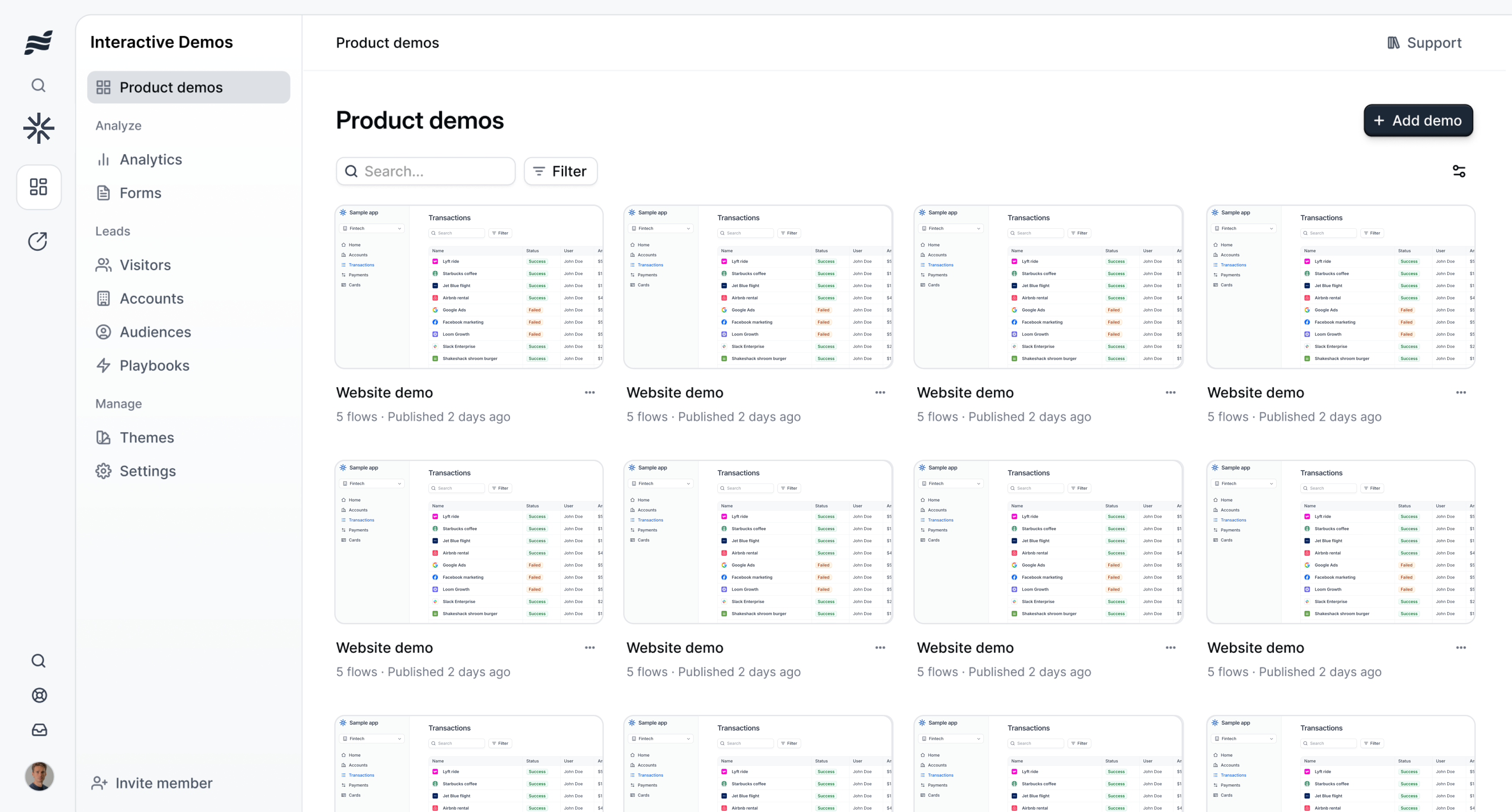
HowdyGo is an interactive demo platform built around a Chrome extension. You install the extension, click through your product, and HowdyGo captures each step as an HTML snapshot. The result is a clickable, self-guided tour that prospects can navigate at their own pace. It is a manual, step-by-step process: you decide every click, every screen, every transition. Pricing starts at $159 per month for the Starter plan with unlimited users.
Demosmith is an AI Demo Agent. You paste a product URL, describe the demo you want in plain English, and an autonomous AI agent opens your product in a cloud browser, navigates through it, records the session, and delivers a finished MP4 video with voiceover, captions, transitions, and branding in about 10 minutes. No extension. No manual capture. No editing. Pricing starts at $40 per month with a free trial.
This comparison breaks down what each tool does, where each one excels, and how to pick the one that fits your use case.
At a Glance: Demosmith vs HowdyGo
| Feature | HowdyGo | Demosmith |
|---|---|---|
| Primary Use Case | Interactive HTML click-through demos | Product demo video generation |
| Output Format | Interactive HTML tour | MP4 video + shareable link |
| How It Works | Chrome extension captures HTML snapshots | AI agent navigates your product from a URL |
| Creation Effort | Manual: click through every step yourself | Autonomous: describe the flow, AI handles it |
| AI Voiceover | No | Yes, 29 languages |
| Auto-Editing | No | Yes: zooms, transitions, pacing |
| Free Trial | No trial, no free tier | Yes, no credit card required |
| Multi-Language | No | 29 languages (voiceover + captions) |
| Starting Price | $159/mo (Starter, unlimited users) | $40/mo (monthly billing) |
| Setup Time | 30 min to several hours per demo | Minutes |
| Best For | Interactive website tours and sales leave-behinds | Video demos for marketing, sales, and PLG |
What HowdyGo Does
HowdyGo is an Australian-founded interactive demo platform that lets teams create self-guided HTML tours of their product. Founded by three co-founders, the company has been building aggressively on SEO with 89 published blog posts targeting demo-related keywords. Here is what the platform offers.
Chrome Extension Capture
HowdyGo's capture workflow centres on a Chrome extension. You install it, open your product, and click through the flow you want to demonstrate. The extension grabs an HTML snapshot at each step: the layout, the text, the form fields, the buttons. These snapshots are stitched into a clickable, interactive tour where viewers can advance through screens at their own pace, clicking the same buttons they would in your real product.
The HTML approach has a clear advantage for website embeds. The demo loads fast because it is not a video file. It responds to the viewer's clicks. It works as a self-guided experience that a prospect can explore without a sales rep on the line. The trade-off is that every step of the capture is manual. You decide each click, each screen, each transition. If your product has a multi-step onboarding flow with ten screens, you click through all ten.
Interactive HTML Output
The finished demo is an interactive HTML experience, not a video. Viewers click through screens, fill in fields, and navigate the flow as if they were using the real product. This makes HowdyGo demos well suited for website embedding, where a visitor can explore your product without leaving the page.
HTML demos do have limitations. They cannot be uploaded to YouTube, embedded in a LinkedIn post, attached to an email, or played on a conference booth screen. They require a browser and a viewer willing to click through. For teams that need video rather than interactive HTML, the output format is a hard constraint.
Sandbox Environments
HowdyGo offers a sandbox add-on at $99 per month that lets teams build demos from a safe, isolated copy of their product. This is useful when you do not want to capture your live production environment or when you need to show features behind login walls without exposing real user data. The sandbox creates a detached version of your product that the demo can reference independently.
Flat-Rate Pricing
HowdyGo's Starter plan costs $159 per month and includes unlimited users. This flat-rate model is attractive for teams that want to share demo creation across multiple people without per-seat pricing. The sandbox add-on brings the total to $258 per month. There is no free tier and no trial period. You pay before you try.
SEO and Content Investment
HowdyGo has published 89 blog posts, many targeting competitor and comparison keywords. This is an aggressive content strategy aimed at capturing search traffic from teams evaluating demo tools. For a company with three founders, the SEO output is substantial and signals a clear investment in organic acquisition.
What Demosmith Does
Demosmith approaches demo creation from the opposite direction. Instead of capturing your screen manually, it generates a finished video from your product URL using an autonomous AI agent. The workflow is a URL and a text prompt, and the output is a branded MP4 ready to publish anywhere.
Autonomous Product Navigation
You provide a URL and describe the demo flow in plain English. Demosmith's AI agent opens your product in a cloud browser and navigates autonomously. It clicks buttons, fills forms, scrolls pages, and moves through multi-step workflows on its own. No Chrome extension. No manual screen capture. No step-by-step instructions for each click.
The agent injects realistic test data into forms. Instead of "test@test.com" and "John Doe," it generates contextually appropriate names, emails, and content that make the demo look like a genuine user session. This detail matters more than people expect. A demo filled with placeholder data looks unfinished.
AI Voiceover in 29 Languages
Demosmith generates natural-sounding voiceover narration synchronised to what is happening on screen. The script is written by AI to match each visual step, and the voice tracks with the pacing of the demo rather than sitting as a disconnected audio layer. Twenty-nine languages are supported, including English, Spanish, French, German, Japanese, Korean, Portuguese, Chinese, and Arabic.
For teams selling into international markets, one prompt produces the demo in your primary language. Regenerating in another language takes minutes. No translator. No recording session. No separate localisation project. This is one of the reasons teams exploring AI demo video generators choose Demosmith over capture-based tools.
Auto-Editing and Brand Kit
The raw capture goes through automated post-production. Demosmith adds smooth transitions between scenes, dynamic zoom effects that highlight the relevant part of the interface, synchronised captions for accessibility and silent viewing, and pacing that matches the voiceover. You set your brand colours, logo, fonts, and intro/outro sequences once, and every video matches your brand identity automatically.
The output does not require a trip through Premiere Pro or Final Cut. The video arrives ready to publish. Teams that need granular adjustments can make them, but most users find the auto-editing sufficient for marketing and sales content.
MP4 + Shareable Link
Every Demosmith demo produces a downloadable MP4 file and a hosted shareable link. The MP4 works anywhere video works: YouTube, LinkedIn, sales decks, email attachments, website embeds, conference displays, learning management systems. Video is the most portable format in B2B marketing. And since September 2026, any finished demo can also be compiled into an interactive, clickable walkthrough for the places where a video cannot go.
10-Minute Turnaround
From URL to finished video, the typical turnaround is under 10 minutes. There is no onboarding call, no extension to install, and no multi-day setup. You sign up, paste a URL, and get a polished demo video before your next meeting. For teams that have read our HowdyGo alternatives comparison, this speed difference against manual capture tools is the most frequently cited reason for switching.
Key Differences Between Demosmith and HowdyGo
Output Format: Interactive HTML vs MP4 Video
This used to be the most important difference: HowdyGo produced an interactive HTML click-through, Demosmith produced an MP4 video, and neither could do the other's job. As of September 2026, Demosmith compiles interactive demos from the same recordings, so both formats come out of one run. The difference that remains is how the demo gets made: HowdyGo captures through a Chrome extension while you click through the product, Demosmith records autonomously from a URL.
An HTML click-through works well on a website where a visitor can explore at their own pace. It loads fast and responds to clicks. It does not work on YouTube, in a LinkedIn post, in an email attachment, on a conference screen, or in a paid video ad. Interactive demos require a browser and a viewer willing to click through.
A video works everywhere. It plays on any device, in any channel, at any time, without someone to operate it. It is passive: viewers watch a predetermined flow rather than exploring on their own. With Demosmith you no longer have to pick. The same recording gives you the MP4 for video-first channels and the interactive tour for website embeds where self-guided exploration matters.
Creation Effort: Manual Capture vs Autonomous Generation
HowdyGo requires you to capture every demo manually. You install the Chrome extension, open your product, and click through each step of the flow. For a simple three-screen tour, this takes minutes. For a complex onboarding flow with branching paths, it can take hours. Every demo you build requires someone sitting in front of a browser, clicking through the product.
Demosmith generates demos autonomously. You paste a URL and type a description of the flow. The AI agent handles the clicking, scrolling, and navigation on its own. The effort is a text prompt, not a manual walkthrough. When your product ships a UI update, you re-run the same prompt and get a fresh video. The maintenance burden scales with the number of prompts you have saved, not the hours on someone's calendar.
Maintenance: Re-Capture vs Regenerate
When your product changes, HowdyGo demos that show the old interface need re-capturing. You open the extension, click through the updated flow again, and replace the old snapshots. For products that ship weekly, this creates steady maintenance work. The more demos you have, the more re-capture sessions pile up each sprint.
With Demosmith, you re-run the original prompt. The AI agent navigates the updated product and produces a new video. Twenty demos can be regenerated in parallel. There is no manual re-capture step. This is the core advantage of an autonomous approach over a capture-based one, and it compounds as your demo library grows.
Distribution: Website Embed vs Everywhere
HowdyGo demos live on websites and in sales links. They work where a browser and a click-ready viewer exist. Demosmith videos live everywhere video lives: YouTube channels, LinkedIn feeds, email sequences, paid ad campaigns, conference booth loops, sales deck slides, onboarding portals, and support documentation. If your distribution strategy extends beyond your website, video reaches more people in more places.
Teams running PLG motions where the demo needs to sell the product without a human guide benefit from a self-contained video. A prospect watching a two-minute video on LinkedIn gets the full pitch without downloading anything or clicking through an interactive tour. Video meets the viewer where they already are.
Pricing: $159/mo vs $40/mo
HowdyGo's Starter plan is $159 per month with unlimited users. The sandbox add-on is $99 per month extra, bringing the total to $258 per month for the full feature set. There is no free tier and no trial.
Demosmith starts at $40 per month. Pro is $99 per month. Business is $250 per month. A free trial is available with no credit card required. You can sign up and generate your first demo in minutes. The annual cost of Demosmith's Pro plan ($1,188) is roughly 62% of HowdyGo's Starter plan ($1,908) for a single user, and the gap widens if you factor in the sandbox add-on.
HowdyGo's unlimited-user model makes it more cost-effective for large teams sharing demo creation across many people. For a solo founder, a small marketing team, or a company that needs one or two people building demos, the per-person value flips in Demosmith's favour.
When HowdyGo Is the Better Choice
HowdyGo is the right tool when your primary need is an interactive, self-guided product tour embedded on your website. If your marketing site has a "Try it yourself" section where visitors click through your product without signing up, HowdyGo's HTML output delivers that experience natively. The demo loads fast, responds to clicks, and feels like using the real product.
Sales teams that use interactive demos as leave-behinds after discovery calls benefit from HowdyGo's format. A prospect who has seen a live demo can revisit the interactive version on their own time, clicking through the screens that matter most to them. The HTML format works well for this because it does not require replaying a linear video to find a specific feature.
Teams that want unlimited users on a flat rate will find HowdyGo's pricing model appealing. If five or more people on your team need to build demos regularly, the $159 per month for unlimited seats is competitive compared to per-seat pricing models. The Chrome extension capture workflow is straightforward, and the editor gives you control over every step of the tour.
HowdyGo is also a reasonable choice for teams that specifically want interactive HTML output and do not need video. If your distribution plan is limited to website embeds and sales links, the interactive format serves that purpose well. Teams that need video output should look at HowdyGo alternatives that produce MP4 files instead.
When Demosmith Is the Better Choice
Demosmith is the right tool when you need polished demo videos that work across every distribution channel, not just website embeds. Product marketing teams producing hero videos for the homepage, YouTube content, social media clips, and sales enablement libraries get more from a video output than an interactive click-through. Video goes where HTML cannot: LinkedIn feeds, email attachments, conference screens, paid ads, and onboarding portals.
Teams that do not have time for manual capture benefit from the autonomous approach. Instead of installing a Chrome extension and clicking through every screen yourself, you describe the demo in a sentence and the AI agent handles the navigation, recording, editing, voiceover, and branding. The time investment goes from 30 minutes to several hours per demo down to the time it takes to write a text prompt.
Teams selling internationally benefit from 29-language voiceover and caption support that turns a multi-week localisation project into an afternoon. One prompt produces the English version. Regenerating in Spanish, French, German, Japanese, or any of the other 25 supported languages takes minutes. No translator. No recording studio. No separate project.
If you need to keep your demo library current as your product ships updates, the regeneration workflow matters. Re-running a saved prompt produces a fresh video against the updated UI in 10 minutes. No re-capture. No manual walkthrough. For teams with more than a handful of demos, this compounds quickly into hours saved every month.
The Bottom Line
HowdyGo and Demosmith serve different jobs. HowdyGo captures interactive HTML click-throughs from your screen. Demosmith generates finished video demos from your URL using an AI agent. The choice comes down to the output format you need, the effort you can invest, and the channels where your demos will live.
If your primary use case is an interactive product tour embedded on your website or shared as a sales leave-behind, HowdyGo's HTML output is built for that. The Chrome extension capture gives you control over every step, and the flat-rate pricing with unlimited users works well for larger teams.
If your primary use case is producing demo videos for marketing, sales enablement, social distribution, email sequences, multilingual markets, or any channel where video is the native format, Demosmith produces that output autonomously at a lower price point. The AI agent removes the capture step, the editing step, and the maintenance burden that makes demo libraries fall behind.
HowdyGo captures your clicks into an interactive tour. Demosmith turns your URL into a finished video. One needs a Chrome extension and your time. The other needs a URL.
Key Takeaways
- HowdyGo creates interactive HTML click-throughs via a Chrome extension. Demosmith generates polished MP4 demo videos autonomously from a URL. They produce different outputs for different channels.
- HowdyGo starts at $159 per month with no free trial. Demosmith starts at $40 per month with a free trial that requires no credit card.
- HowdyGo requires manual capture for every demo. You click through each step yourself. Demosmith generates demos from a text prompt in about 10 minutes with no manual effort.
- Demosmith supports AI voiceover in 29 languages and produces video that works on YouTube, LinkedIn, email, conference screens, and paid ads. Interactive HTML tours do not work in these channels.
- When your product UI changes, HowdyGo demos need manual re-capture. Demosmith demos can be regenerated by re-running the original prompt against the updated product in minutes.