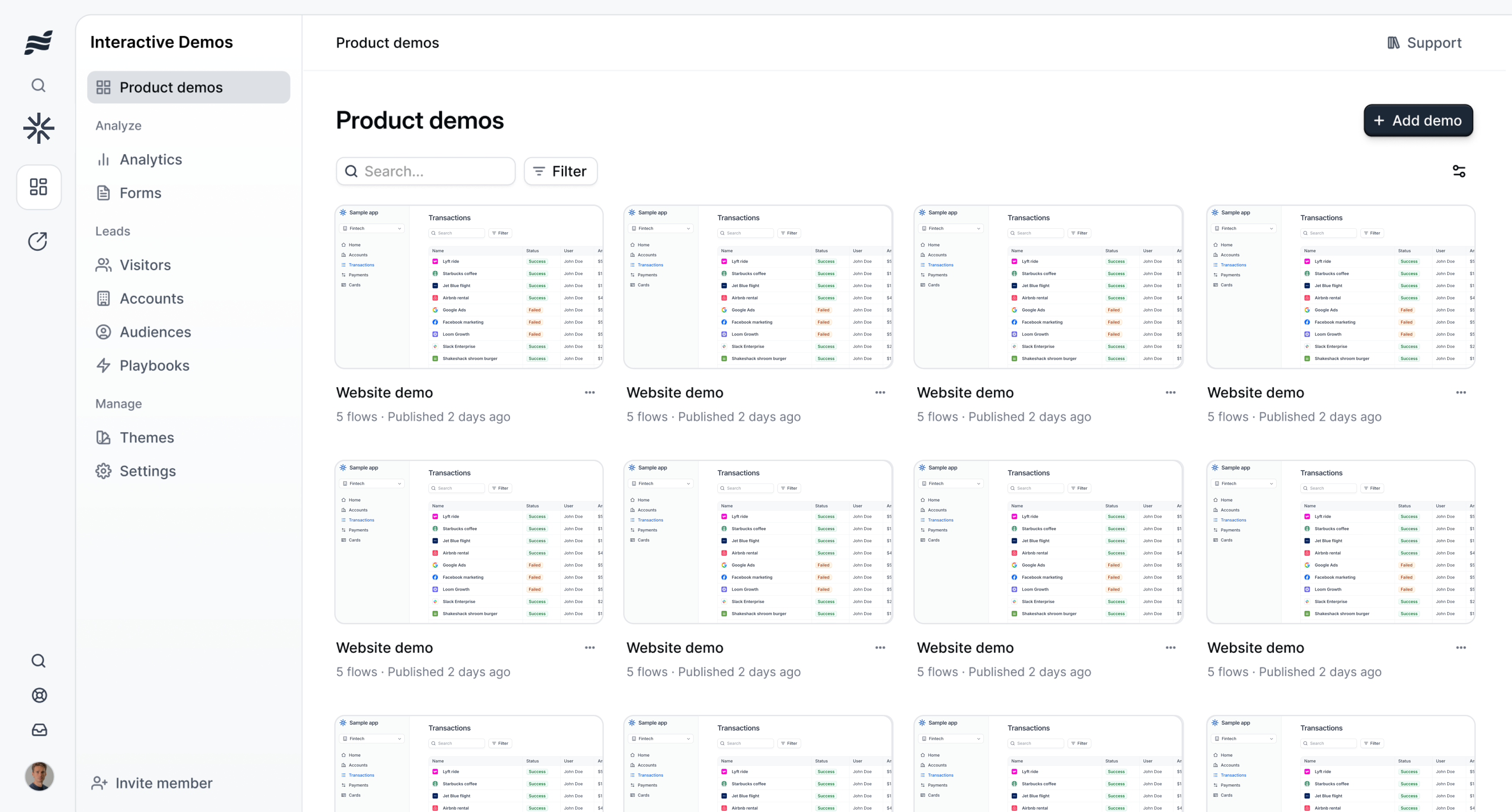
Demosmith vs Navattic: Video Demo Agent vs Interactive Demo Platform
Navattic and Demosmith sit in adjacent spaces. One builds interactive HTML demos that prospects click through. The other generates video demos from a product URL using an AI agent. The output formats are different, the workflows are different, and the teams that get the most from each tool tend to look different too. If you are comparing them, the real question is not which one is better. It is which output format, video or interactive, matches the way your team actually uses demos.
Navattic is the established leader in interactive demo software. It holds a 4.8 out of 5 rating on G2 with roughly 700 reviews, making it one of the highest-rated tools in the category. Customers include Dropbox, Ramp, Brex, Fivetran, and PagerDuty. The product captures your application as pixel-perfect HTML that prospects can explore in their browser. Recent additions include Agent Demos, where an AI agent runs an autonomous interactive session with a prospect, and Navattic MCP, which connects the platform to Claude, Cursor, and ChatGPT.
Demosmith is an AI Demo Agent. You paste a product URL, describe the flow you want in plain English, and an autonomous AI agent navigates your product in a cloud browser, captures the screens, and delivers a finished MP4 video with voiceover, transitions, captions, and branding in about 10 minutes. No HTML capture. No manual editing. No recording. Pricing starts at $40 per month with a free trial.
This comparison lays out what each tool does, where the meaningful differences are, and which use cases favour each approach. The goal is to help you decide, not to sell you on one over the other. Many teams will find that the two tools are complementary rather than competing.
At a Glance: Demosmith vs Navattic
| Feature | Navattic | Demosmith |
|---|---|---|
| Primary Use Case | Interactive HTML demos for sales and marketing | Video, interactive demos, and docs from one prompt |
| Output Format | Interactive HTML (click-through) | MP4 video, shareable link, interactive demo, docs (Docusmith) |
| How It Works | Captures your product as pixel-perfect HTML | AI agent navigates your product from a URL |
| AI Voiceover | Yes, paid tiers only | Yes, 29 languages |
| Free Tier | Yes, Starter plan (1 seat, 1 demo) | Yes, free trial with no credit card |
| Multi-Language | No built-in voiceover localisation | 29 languages (voiceover + captions) |
| Starting Price | Free Starter | Base from ~$500/mo (annual) | $40/mo | Monthly billing |
| Creation Time | Hours to days per demo | ~10 minutes from URL to finished video |
| G2 Rating | 4.8/5 (~700 reviews) | Newer product, building reviews |
| Best For | Interactive product tours and live demo environments | Video demos for marketing, sales, and international teams |
What Navattic Does
Navattic has built the most polished interactive demo platform on the market. The G2 scores and customer list speak for themselves. Here is what the product covers and where it has been investing heavily.
Pixel-Perfect HTML Capture
Navattic captures your application as an HTML replica. The result looks and behaves like your real product, but runs independently. Prospects can click buttons, navigate menus, and explore workflows inside their browser without touching your production environment. The capture quality is one of Navattic's strongest differentiators. Reviewers consistently mention how closely the demo mirrors the actual product.
For teams that need prospects to experience the product interactively, whether embedded on a website, shared in an email, or used in a live call, this is the gold standard. The viewer clicks through at their own pace. They choose where to explore. That sense of agency is something a video cannot replicate.
Agent Demos
In 2026, Navattic launched Agent Demos. An AI agent runs an autonomous interactive demo session with a prospect, guiding them through the product and answering questions in real time. This is a genuine innovation. Instead of requiring a human sales rep to walk through every demo, the agent can handle initial prospect engagement, qualify interest, and hand off to a rep when the conversation gets serious.
Agent Demos are still early. The feature works best for structured, predictable flows. Complex products with branching workflows may need human intervention. That said, the direction is clear. Navattic is investing in AI that reduces the manual burden of running interactive demos.
Navattic Copilot and AI Features
The Copilot suite covers the demo creation workflow. Copilot Generate creates demos from text descriptions. Copilot Prompt lets you modify demos using natural language commands. Copilot Review provides feedback on demo quality. AI voiceover adds narration to interactive flows. AI avatars bring a human presenter element to the experience. These features reduce the time it takes to build and maintain demos, though the output remains interactive HTML rather than video.
Launchpad and Integrations
Navattic Launchpad acts as a demo hub where teams can organise, share, and track demo performance. Twenty-five plus integrations connect Navattic to Salesforce, HubSpot, Marketo, Slack, and other tools in the sales and marketing stack. Demo analytics track which screens prospects view, where they spend time, and where they drop off. For revenue teams that tie demo engagement to pipeline metrics, this visibility is valuable.
Navattic MCP
Navattic MCP connects the platform to AI coding assistants and chat tools like Claude, Cursor, and ChatGPT. Developers and demo creators can manage and modify demos from within their existing AI workflows. This is a forward-looking integration that signals where Navattic sees the market heading: demo creation becoming an AI-assisted, conversational process rather than a manual editor-driven one.
What Navattic Does Not Do
Navattic does not produce video. The output is interactive HTML. If you need an MP4 for YouTube, a LinkedIn post, a conference booth screen, an email attachment, or a paid ad, Navattic does not generate that. You would need a separate tool to record and edit video from your interactive demo or from your live product.
The interactive format also requires the viewer to actively click through. In channels where people consume content passively, scrolling a feed, watching a presentation, viewing a webinar recording, an interactive demo cannot reach them. A video can.
What Demosmith Does
Demosmith approaches the demo problem from a different angle. Instead of capturing your product as interactive HTML, it generates a finished video from your product URL. The process is fully autonomous.
Autonomous Product Navigation
You provide a URL and a plain-English description of the demo flow. Demosmith's AI agent opens your product in a cloud browser and navigates autonomously: clicking buttons, filling forms, scrolling pages, and moving through multi-step workflows. No Chrome extension. No manual screen capture. No step-by-step instructions for each click.
The agent injects realistic test data into forms. Instead of "test@test.com" and "John Doe," it generates contextually appropriate names, emails, and content that make the demo look like a genuine user session. This detail matters more than people expect. A demo that shows realistic data looks credible. One that shows placeholder text looks unfinished.
AI Voiceover in 29 Languages
Demosmith generates natural-sounding voiceover narration synchronised to the visual flow. The script is written by AI to match what is happening on screen, and the voice tracks with the pacing of the demo rather than sitting as a disconnected audio layer. Twenty-nine languages are supported, covering English, Spanish, French, German, Japanese, Korean, Portuguese, Chinese, Arabic, and nineteen more.
For teams selling into international markets, one prompt produces the demo in your primary language. Regenerating in another language takes minutes. No translator. No native speaker recording session. No separate localisation project. This is where the video format has a practical advantage over interactive HTML for global teams. A video with a local-language voiceover can be distributed immediately. An interactive demo localised into twenty markets requires twenty separate HTML builds.
Auto-Editing and Brand Kit
The raw capture goes through automated post-production. Demosmith adds smooth transitions between scenes, dynamic zoom effects that highlight the relevant part of the interface, synchronised captions for accessibility and silent viewing, and pacing that matches the voiceover. You configure your brand colours, logo, fonts, and intro/outro sequences once, and every video matches your brand identity automatically.
The output does not require a trip through Premiere Pro or Final Cut. The video arrives ready to publish. Teams that need granular adjustments can make them, but most users find the auto-editing sufficient for marketing and sales content.
MP4 + Shareable Link
Every Demosmith demo produces a downloadable MP4 file and a hosted shareable link. The MP4 works anywhere video works: YouTube, LinkedIn, sales decks, email attachments, website embeds, conference displays, learning management systems. The shareable link provides a hosted viewing experience with analytics. Video is the most portable format in B2B marketing. It reaches channels where interactive HTML simply cannot go. For teams exploring AI demo video generators, this distribution flexibility is one of the most frequently mentioned advantages.
10-Minute Turnaround
From URL to finished video, the typical turnaround is under 10 minutes. There is no setup period, no onboarding call, and no multi-day configuration. You can sign up, paste a URL, and have a polished demo video before your next meeting.
What Demosmith Does Not Do
Demosmith does not clone your product into a live environment. Its interactive demos are guided walkthroughs compiled from its own recording of your product: the viewer clicks through real captured screens in the recorded order, and any finished demo can become one. They are not live connections to your app, and they do not respond to a prospect's own data during a call.
Products with complex authentication flows, multi-factor login, or deeply nested permissions may need additional guidance in the prompt for the AI agent to navigate successfully. The agent handles most standard SaaS products without issue, but edge cases exist.
Key Differences Between Demosmith and Navattic
Output Format: Interactive HTML vs MP4 Video
This used to be the defining difference. Navattic produces an interactive demo that prospects click through in their browser. Demosmith produced a video that prospects watched. As of September 2026, Demosmith also compiles interactive demos, and it does so from the same recording that produced the video, so demos made months ago can become clickable tours without re-capturing anything. The formats now differ less by output and more by how they are made: Navattic captures through your browser with an extension, Demosmith records autonomously from a URL and compiles.
An interactive demo works well when the viewer is actively engaged, exploring your product on a website, clicking through a guided tour in an email, or following along during a live sales conversation. It gives the viewer agency. They choose where to click and what to explore. The trade-off is that interactive demos need a browser, need the viewer to take action, and do not work in channels where people consume content passively.
A video works everywhere. YouTube, LinkedIn feeds, email attachments, conference screens, paid social ads, webinar recordings, investor decks. The viewer does not need to do anything except press play. The trade-off is that video is passive: viewers watch a predetermined flow. When someone would rather drive, the same recording can be compiled into an interactive, clickable walkthrough. For a deeper look at this trade-off, see our breakdown of interactive demos vs video demos.
Creation Effort: Manual Build vs Autonomous Generation
Navattic requires manual capture and assembly. You navigate your product, capture each screen, configure click targets, build guided flows, add tooltips and annotations, and test the result. The Copilot AI features reduce some of this effort, but the workflow still involves hands-on work in the editor. Building a polished interactive demo takes hours to days depending on product complexity.
Demosmith requires a URL and a text prompt. The AI agent handles the navigation, capture, editing, voiceover, and branding. Ten minutes from start to finished MP4. There is no editor to learn and no multi-step workflow to master.
Maintenance: Recapture vs Regenerate
When your product ships a UI update, every Navattic demo that shows the old interface needs attention. Screens need re-capturing, click targets need re-configuring, guided flows need re-testing. For products with active development cycles, this creates ongoing maintenance work. Navattic's AI features help with this, but the process is not fully autonomous.
With Demosmith, you re-run the original prompt. The AI agent navigates the updated product and produces a new video. The maintenance burden is a single click. For teams managing large demo libraries, this is the difference between demo content that stays current and demo content that goes stale.
Distribution: Browser-Only vs Everywhere
Interactive demos require a browser. They live as embeds on websites, links in emails, or shared URLs. They do not work on YouTube. They do not work in LinkedIn video feeds. They do not work in conference presentations. They do not work as email attachments. Every channel that only supports video is a channel where interactive demos cannot reach.
Video works in all of those channels and more. For teams that need demo content across their entire distribution strategy, not just web embeds, video is the more portable format. Many teams solve this by using an interactive tool for website tours and a video tool for everything else.
Pricing: $500+/mo vs $40/mo
Navattic offers a free Starter plan with 1 seat and 1 demo. The Base plan starts around $500 per month billed annually. Growth starts around $1,200 per month billed annually. Enterprise is custom pricing. Navattic has recently hidden its Base and Growth prices on the pricing page, which typically signals a price increase. The paid plans require annual commitments.
Demosmith starts at $40 per month with monthly billing. Pro is $99 per month. Business is $250 per month. A free trial is available with no credit card required. The annual cost of Demosmith's Pro plan ($1,188) is less than one month of Navattic's Growth tier at its previous pricing. For teams that have explored Navattic alternatives, the pricing gap is hard to ignore.
Target Buyer: Demo Builder vs Demo Generator
Navattic targets teams that want to build and maintain interactive demo experiences. These tend to be revenue operations, sales engineering, and product marketing teams at mid-market and enterprise companies. The investment in building interactive demos pays off when those demos are used repeatedly across the sales cycle.
Demosmith targets teams that need demo videos fast and at scale. Product marketers creating website hero videos and YouTube content. Sales teams building demo libraries. Customer success teams producing onboarding walkthroughs. International teams localising demos across markets. Growth teams running PLG motions where the demo needs to sell the product without a human present.
When Navattic Is the Better Choice
Navattic is the right tool when your primary demo need is interactive. If prospects need to click through your product themselves, explore at their own pace, and experience the interface first-hand, Navattic's pixel-perfect HTML capture produces that experience better than anything else on the market. The 4.8 G2 rating and customer list are not accidents. The product is excellent at what it does.
Teams that get the most from Navattic typically have a dedicated person or team building and maintaining interactive demos. A demo engineer, a sales engineer, or a revenue operations manager who owns the demo library. The creation and maintenance effort is real, and teams without someone to own it find that their demos go stale quickly.
The new Agent Demos feature is worth watching. If your sales team runs high volumes of initial prospect conversations and you want an AI agent to handle the early demo calls before handing off to a rep, Navattic's agent-powered interactive sessions are purpose-built for that. No other platform offers this at the same level of maturity.
Navattic also makes sense for teams that have already invested in interactive demo infrastructure. If your website embeds Navattic demos, your sales team uses them in calls, and your analytics are tied to Navattic engagement data, switching away would mean rebuilding that foundation. Teams evaluating Navattic against Storylane and Arcade in the interactive demo category should compare those three directly rather than looking at video tools.
If your budget supports $500 to $1,200 per month (or more), your product has a clean HTML front-end that captures well, and your prospects expect interactive, self-guided evaluations, Navattic is a strong fit.
When Demosmith Is the Better Choice
Demosmith is the right tool when you need polished demo videos that work across every distribution channel, not just browser-based interactive experiences. Product marketing teams producing website hero videos, YouTube content, social media clips, and sales enablement libraries get more from a video output than an interactive demo. Video reaches places interactive HTML cannot.
Teams running product-led growth motions, where the demo needs to sell the product without a human present, benefit from a self-contained video that communicates the full value proposition in two to three minutes. The viewer presses play and gets the story. No clicking. No navigation. No risk of the prospect getting lost or dropping off before reaching the key feature.
International teams benefit most from Demosmith's 29-language voiceover and caption support. One prompt produces the English demo. Regenerating in Japanese, German, Spanish, or Portuguese takes minutes. For companies selling into multiple markets, collapsing a multi-week localisation project into an afternoon is not a marginal improvement. It changes how teams think about demo localisation.
Teams without dedicated demo engineering resources benefit from the autonomous approach. There is no editor to learn, no HTML to capture, and no multi-day build process. The AI agent handles the entire workflow from a URL and a text prompt. For teams that need to produce demo content at scale and keep it current as the product ships updates, regeneration from a saved prompt is faster than any manual recapture process.
If you need demo content on YouTube, in LinkedIn posts, in email campaigns, on conference screens, in investor decks, or in paid video ads, Demosmith produces that output directly. Navattic does not.
How Navattic Compares to Kaon Interactive and Walnut
Buyers researching Navattic often weigh it against two other platforms that get grouped into the same shortlist. The three sit in genuinely different categories, so the comparison is worth making explicit.
Kaon Interactive vs Navattic
Kaon Interactive is not an interactive demo tool in the Navattic sense. Kaon builds photo-realistic 3D product models and solution storytelling applications, including augmented reality scenes, for complex physical products. Think medical devices, laboratory equipment, semiconductors, and industrial hardware. A Kaon application lets a buyer spin a machine, open its drawers, and explore a configuration that would be impractical to ship to a trade show booth. Kaon also distributes those experiences through sales enablement platforms such as Showpad, and it runs as an enterprise engagement rather than self-serve software.
Navattic solves a different problem. It captures the HTML front-end of a software product so prospects can click through the real interface in a browser. If you sell a SaaS application, Kaon has nothing to capture and Navattic is the relevant tool. If you sell physical equipment with no web UI to demo, Navattic has nothing to capture and Kaon is the relevant tool. Teams that describe their need as "product demonstrations" sometimes reach the wrong shortlist because that phrase covers each category.
Neither platform produces a narrated video of your live software. Kaon renders 3D models, Navattic renders clickable HTML, and Demosmith records the real product and exports an MP4. Teams selling software who need a video asset for YouTube, email, or paid channels are choosing between Navattic and a demo video generator, not between Navattic and Kaon.
Walnut vs Navattic
Walnut and Navattic overlap far more. Each builds interactive, click-through demos of software, and each targets revenue teams at mid-market and enterprise companies. The practical split is who the demo is for. Walnut leans toward sales-led motions, with heavy personalisation per prospect and per account, and its pricing and onboarding reflect an enterprise sales engineering buyer. Navattic leans toward marketing-led and product-led motions, with demos embedded on websites and shared as leave-behinds at scale.
Teams comparing the two directly should look at how many demo variants they expect to maintain. Personalising a demo for every named account favours Walnut. Publishing a handful of polished tours to a website and a sales sequence favours Navattic. Readers evaluating that decision can also compare our Walnut alternatives breakdown and the Navattic, Storylane and Arcade comparison.
The Bottom Line
Navattic and Demosmith are not direct competitors. They are adjacent tools that solve different problems. Navattic builds interactive demos that prospects click through. Demosmith generates video demos that prospects watch. The best tool depends on which output format matches the channels you use, the buyers you serve, and the resources you have available.
If your primary use case is interactive product tours embedded on your website, shared in sales sequences, or used in live prospect conversations, Navattic's HTML capture, engagement analytics, and new Agent Demos are purpose-built for that workflow. The product is mature, the G2 ratings are excellent, and the customer base is strong. Teams that need interactive demos should start with Navattic.
If your primary use case is producing demo videos for marketing, sales enablement, website content, social distribution, multilingual markets, or any channel where video is the native format, Demosmith produces that output autonomously at a fraction of the cost and time. A URL and a prompt replace the entire capture-edit-voiceover-localise pipeline.
Some teams will use the two together. An interactive platform for product tours and live sales conversations. A video tool for YouTube, LinkedIn, email, conferences, and international markets. The two formats are complementary. A combined approach often produces better coverage across the full buyer journey than either tool alone.
Navattic lets prospects explore your product themselves. Demosmith turns your product into a video anyone can watch, anywhere. One requires the viewer to click. The other requires them to press play. Many teams will find they need both.
Key Takeaways
- Navattic creates pixel-perfect interactive HTML demos that prospects click through in their browser. Demosmith generates polished MP4 demo videos autonomously from a URL. They produce different outputs for different channels.
- Navattic starts with a free Starter plan (1 seat, 1 demo), with paid tiers from roughly $500 per month billed annually. Demosmith starts at $40 per month with monthly billing and a free trial requiring no credit card.
- Navattic's pixel-perfect capture, Agent Demos, and engagement analytics are the best in the interactive demo category. The 4.8 G2 rating across 700 reviews confirms this. Teams that need interactive demos should start here.
- Demosmith supports AI voiceover in 29 languages and produces video that works on YouTube, LinkedIn, email, conference screens, and paid ads. Interactive HTML demos do not work in these channels.
- Navattic requires hours to days to build and maintain each demo as your product changes. Demosmith requires a URL and a text prompt, and regenerates updated demos in roughly 10 minutes.
- For interactive, self-guided product experiences, Navattic is the stronger tool. For video-first demo content across all distribution channels, Demosmith is the stronger tool. Many teams will benefit from using both together.