Why SaaS teams outgrow Synthesia for product demos
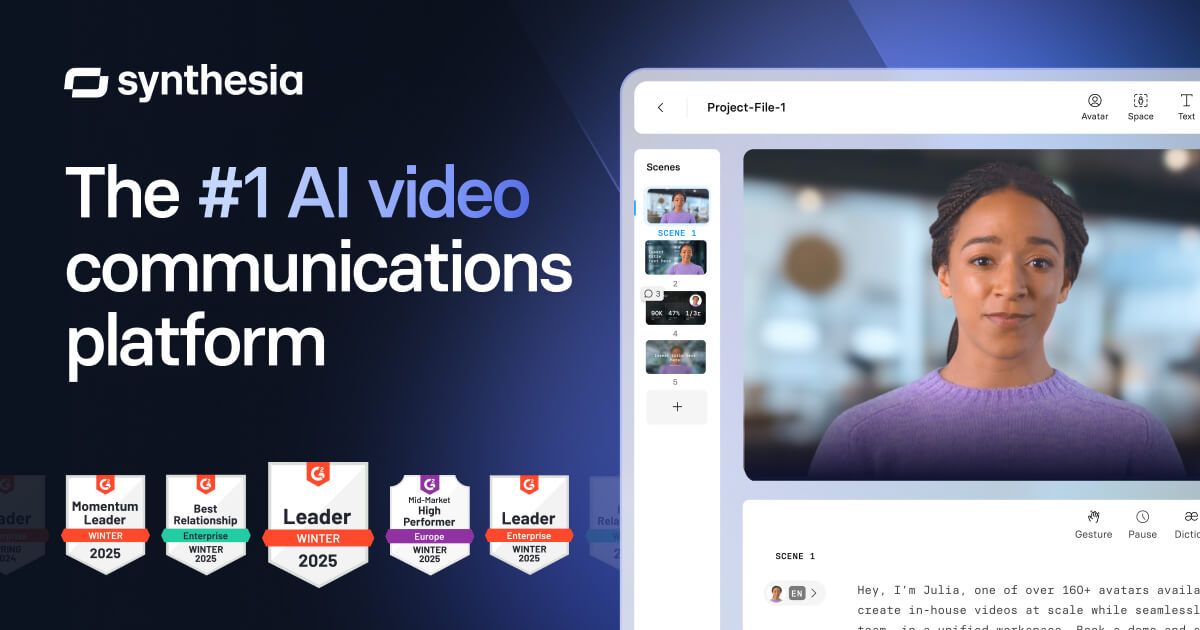
Synthesia is the dominant AI video platform for enterprises. Over 50,000 companies use it, including BBC, Reuters, and Xerox. It generates professional-looking videos using AI avatars that speak in 140+ languages, and it does this faster and cheaper than hiring a video production team. For corporate training, L&D, compliance, and internal communications, Synthesia is the category leader for good reason.
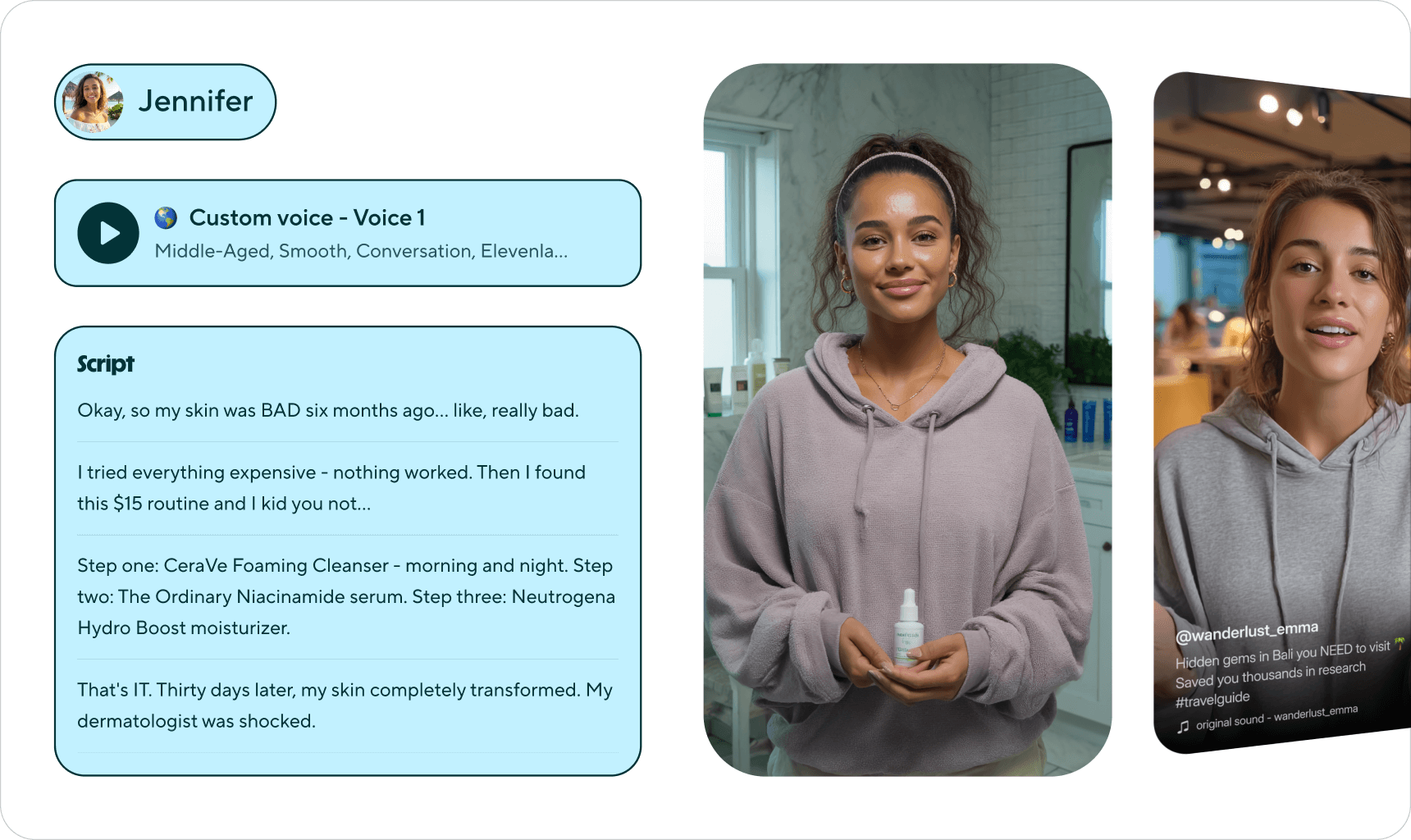
SaaS product marketers see those polished outputs and naturally wonder whether Synthesia can produce their product demos too. They sign up, write a script, pick an avatar, and generate a video. The result looks sharp. A realistic AI presenter speaks clearly over slides or uploaded footage. But the video does not show the product in action. It shows an avatar talking about the product.
That is the gap. Synthesia creates presentation-style videos where a digital human narrates a script. It does not open your product, click through your UI, or demonstrate how a feature actually works. If you want a product walkthrough that shows real screens, real clicks, and real workflows, Synthesia requires you to record that footage separately and upload it as a background layer. The avatar then talks over it. The product is backdrop, not the focus.
For buyers evaluating SaaS tools, this distinction matters. They do not want a polished presenter describing your dashboard. They want to see the dashboard. They want to watch someone navigate from signup to value, clicking through actual menus and forms. If you are evaluating your options more broadly, the best AI demo video generators in 2026 cover tools built specifically for this use case.
This guide gives Synthesia fair credit for what it does well and identifies where it falls short for SaaS product demos. It then walks through the alternatives that address those gaps.
What Synthesia does well
Synthesia earned its market position. Knowing where it excels makes it easier to judge where a different tool would work better for product demos.
AI avatar quality and variety
Synthesia offers over 230 AI avatars, ranging from diverse professional presenters to custom avatars trained on your own team members. The lip-sync is among the best in the industry. Gestures, expressions, and delivery feel natural enough for corporate settings. For training videos where a consistent, professional presenter adds trust and engagement, the avatar quality sets it apart. No other platform matches the breadth and realism of Synthesia's avatar library at this scale.
Language coverage
With 140+ languages and accents, Synthesia has the widest language coverage in the AI video space. A script written in English can be re-delivered in Japanese, Arabic, Portuguese, or Hindi without re-recording anything. For global enterprises that need to localise training content across dozens of markets, this coverage eliminates separate translation and voiceover workflows entirely. The localisation happens inside the platform.
Enterprise trust and adoption
When BBC, Reuters, and Xerox use a tool, procurement teams at other enterprises take notice. Synthesia has the compliance certifications, security posture, and enterprise sales infrastructure that large organisations require. SOC 2 compliance, GDPR readiness, and dedicated account management make it an easy procurement decision. The 50,000+ company count is not a vanity metric. It reflects real enterprise adoption.
Template library
Synthesia provides 80+ video templates designed for common enterprise use cases: onboarding, compliance training, product updates, and internal announcements. These templates reduce the time from idea to finished video because the visual structure is already in place. You add your script and branding, select an avatar, and generate. For L&D teams that produce high volumes of training content, templates eliminate the blank-page problem and maintain visual consistency across a library.
Express mode for fast creation
Synthesia recently launched Express mode, which generates a complete video from a text prompt. You describe what you want, and the platform selects a template, avatar, and visual layout automatically. For simple announcement videos or internal updates, this reduces creation time to minutes. A real time-saver for teams that previously spent time selecting templates and configuring avatar settings manually.
Compliance and L&D focus
Synthesia was built for the training video use case, and it shows. Knowledge checks, interactive elements within videos, and learning management system integrations show a product team that understands the L&D buyer. Compliance videos that need to be updated when regulations change can be regenerated with a new script without re-filming. This is where Synthesia delivers the most value and has the deepest feature set.
Where Synthesia falls short for SaaS demos
These are not bugs or gaps in execution. They reflect a product designed for a different job. Synthesia was built to replace corporate video production, not to demonstrate software products. The constraints become visible when SaaS teams try to use it for product demos.
No product navigation
This is the fundamental issue. Synthesia does not open your product. It does not click through your UI. It does not navigate from your login screen to your dashboard, create a project, or demonstrate a workflow. The avatar talks over your product. It does not interact with your product. If you want real product footage in a Synthesia video, you record it yourself using a separate screen recorder, upload it as a background layer, and then have the avatar narrate over it. The product is wallpaper, not the protagonist.
For SaaS buyers who need to see the actual interface before making a purchase decision, an avatar describing features is not a substitute for watching those features in action.
Assembly required for product content
To get anything resembling a product demo from Synthesia, you need to stitch together a multi-step workflow. Record your screen separately. Edit the recording to remove mistakes and dead time. Upload it to Synthesia. Write a script that aligns with the footage. Select an avatar. Generate the video. Review and adjust timing. This is not a single-tool workflow. It is a production pipeline that happens to use Synthesia for the avatar layer.
Synthesia recently added a screen recording integration, but it remains manual. You record, then Synthesia adds the avatar on top. The recording step, and all its friction, is still yours.
Avatar-centric output
Synthesia's output centres on the avatar. The digital presenter occupies screen real estate, the visual design frames it as the focal point, and the entire experience is built around a person speaking to camera. For training videos, this is exactly right. A presenter builds trust and holds attention during instructional content.
For product demos, it is backwards. Buyers want to see the product, not a digital face describing it. Every pixel the avatar occupies is a pixel not showing your UI. The output format itself works against the goal of a product walkthrough.
Enterprise pricing for demo-grade output
Synthesia's Starter plan at $22 per month includes just 10 minutes of video per month. That is roughly two to three short demos before hitting the limit. The Creator plan at $64 per month adds more capacity but still limits features. For teams that need collaboration, custom avatars, and API access, the Enterprise plan starts at around $1,000 per month with custom pricing.
Paying enterprise pricing for a tool that still requires you to record your own product footage and assemble the final output manually is a hard cost to justify when the goal is product demos rather than training content.
Video length limits on lower plans
The 10-minute monthly video limit on the Starter plan constrains what teams can produce. A thorough product walkthrough for a complex SaaS tool can easily consume that entire allowance in a single video. Teams that need to maintain a library of demos across features, personas, and use cases will exhaust the Starter limit quickly and face a significant jump to higher tiers for the capacity they need.
What to look for in a Synthesia alternative for SaaS demos
If Synthesia's avatar-presentation model does not fit your product demo needs, these are the criteria that matter most when evaluating alternatives.
Autonomous product capture
The biggest differentiator is whether a tool can navigate your product on its own. Autonomous capture means you provide a URL and a description of the flow you want demonstrated. The tool opens your product, clicks through the interface, and captures real footage without human intervention. This eliminates both the manual recording step and the need to assemble footage in a separate tool.
Real UI footage without an avatar layer
SaaS buyers want to see your product, not a digital presenter. The alternative should produce videos where the product interface is the visual focus. Full-screen product footage with clean transitions and highlighted interactions communicates more about your product in 60 seconds than an avatar describing it for three minutes.
AI voiceover without avatars
Professional narration adds context and guides the viewer through the demo. But narration does not require a visible avatar. AI voiceover layered over product footage gives you the explanatory benefit of a presenter without sacrificing screen space to a digital face. The voice guides. The product demonstrates.
Fast regeneration cycle
SaaS products ship updates frequently. When your UI changes, every demo that shows the old interface becomes stale. An alternative should let you regenerate a demo quickly, ideally by re-running the same prompt against the updated product. If updating a demo takes as long as creating it from scratch, your demo library will always lag behind your product.
Pricing that scales with demo volume
Synthesia's pricing is built for training video production, not high-volume demo libraries. An alternative should offer pricing that makes sense for teams producing dozens of demos across features, personas, and languages. Per-minute limits that force you to choose which demos to create and which to skip undermine the goal of full product coverage.
Best Synthesia alternatives for SaaS product demos
1. Demosmith, best overall Synthesia alternative for product demos
Demosmith is an AI demo agent, a category of tool that did not exist when Synthesia was built. Where Synthesia generates avatar presentations from scripts, Demosmith generates product walkthroughs from URLs. The difference in input defines the difference in output. Synthesia starts with what you write. Demosmith starts with what your product actually does.
The workflow is direct. You paste your product URL into Demosmith. You describe the flow you want in plain English: "Show a new user creating their first project, inviting a teammate, and publishing a report." Demosmith's AI agent opens your product in a real browser, navigates through every step of that flow, captures the screens, and produces a finished video with smooth transitions, dynamic zoom on key UI elements, synchronised captions, and AI voiceover narration.
The output is a polished MP4 video and a shareable link. The average turnaround from prompt to finished video is under 10 minutes. No screen recording. No script writing. No avatar selection. No footage assembly. The product is the content.
This fills the core gap with Synthesia for SaaS teams. Your demo shows your real product, navigated by an AI that clicks through the actual interface. Buyers see what they would see if they were using the product themselves.
Where Demosmith improves on Synthesia for product demos:
- Autonomous product navigation. Demosmith's AI agent opens your product and navigates it. No recording, no uploading, no assembling footage from separate tools.
- Product-first output. The video shows your actual UI full-screen. No avatar occupying screen space. The product is the focal point.
- AI voiceover in 29 languages. Arabic, Bulgarian, Chinese, Croatian, Czech, Danish, Dutch, English, Filipino, Finnish, French, German, Greek, Hindi, Indonesian, Italian, Japanese, Korean, Malay, Polish, Portuguese, Romanian, Russian, Slovak, Spanish, Swedish, Turkish, Ukrainian, and Vietnamese. Professional narration without a visible presenter.
- Auto-editing. Transitions, dynamic zoom, captions, and brand customisation are applied automatically. No separate editing step.
- Fast regeneration. When your product UI changes, re-run the same prompt. The agent navigates the updated product and produces a fresh video in minutes.
- Multi-channel distribution. MP4 output works on YouTube, LinkedIn, in sales emails, in onboarding sequences, and at conference displays.
Pricing: Free trial available, no credit card required. Starter at $40/mo, Pro at $99/mo, Business at $250/mo, Enterprise custom.
Limitations to know:
- Demosmith supports 29 languages compared to Synthesia's 140+. For teams that need voiceover in less common languages, Synthesia's language coverage remains unmatched.
- No AI avatars. If a visible presenter is important for your use case, Synthesia is purpose-built for that.
- Complex flows involving third-party authentication may need a second generation pass or manual guidance.
- Updated September 2026: Demosmith also compiles interactive demos from its own recordings of your product, so teams needing both formats no longer need a second tool.
Best for: SaaS product marketing teams, sales teams, and growth teams that need polished demo videos showing their real product UI. Particularly strong for teams that ship frequently and need demos that stay current without re-recording.
An AI product demo generator that captures your live product takes the opposite approach, and the category page has the details.
Synthesia puts an avatar in front of your product. Demosmith puts your product in front of your buyer. For SaaS demos, the product should be the star.
2. HeyGen, avatar videos with more template variety
HeyGen operates in the same category as Synthesia: AI avatar-based video generation. You write a script, select an avatar, and generate a video where a digital presenter delivers your content. The avatar quality is competitive with Synthesia, and HeyGen offers strong template variety for social media content, marketing clips, and short-form video.
Where HeyGen differentiates is in its pricing accessibility and social media focus. The Creator plan starts at $24 per month, which undercuts Synthesia's equivalent tier. HeyGen's templates are optimised for platforms like TikTok, Instagram Reels, and LinkedIn, making it a better fit for teams producing high volumes of short social content. For a detailed comparison, see the HeyGen alternatives guide.
The core limitation for product demos is identical to Synthesia's. HeyGen does not navigate your product. It generates avatar presentations. You provide the script and optionally upload screen recordings as background footage. The avatar talks over your product without interacting with it. The output is a presenter-led video, not a product walkthrough.
HeyGen is worth considering if your primary need is avatar-based marketing content for social channels and you want a lower price point than Synthesia. For SaaS product demos where buyers need to see the actual UI, the same gap applies.
3. Guidde, browser-captured walkthroughs with AI voiceover
Guidde takes a fundamentally different approach from Synthesia. Instead of generating avatar presentations, Guidde captures your actual product via a browser extension and adds AI voiceover to the recording. The output shows real product UI with narration, which is closer to a genuine product demo than anything Synthesia or HeyGen produces.
The workflow is straightforward. Install the Chrome extension, navigate your product while Guidde records, and the platform generates a narrated video walkthrough with step annotations. Guidde offers over 400 AI voice options and integrates with Slack, Zendesk, Confluence, and Notion for easy distribution. A free plan makes it accessible for teams evaluating the approach.
The limitation is the manual recording step. You still need someone to open the product, click through every step, and capture it in real time. If the recording has mistakes, you re-record. If your product ships a UI update, you re-record every affected walkthrough. There is no autonomous navigation.
Guidde is best suited for support documentation and internal knowledge base content. It produces genuine product footage, which puts it ahead of Synthesia for demo purposes, but the manual capture requirement limits how far it scales.
4. Clueso, polished videos from screen recordings
Clueso sits between Synthesia and Guidde in terms of approach. You record your screen, and Clueso's AI transforms that recording into a polished product video with AI voiceover, automatic zoom effects, and professional transitions. The output shows real product UI, and the post-processing quality is high. For a deeper look at how Clueso compares, see the Clueso alternatives guide.
Clueso supports 37+ languages for AI voiceover and holds SOC 2 Type II and ISO 27001 certifications, which matters for teams in regulated industries. Pricing starts at $120 per month, reflecting the enterprise positioning.
Like Guidde, Clueso requires a manual screen recording as input. The AI polish is applied after the fact. There is no autonomous product navigation, and every demo starts with someone clicking through the product with a recorder running. Clueso produces better output than Synthesia for product demos because it shows real UI, but the recording bottleneck remains.
Synthesia vs alternatives: avatar presentations vs. real product walkthroughs
The choice between Synthesia and these alternatives is not really about which tool has better features. It is about which type of video your audience needs.
Training videos benefit from a presenter. A visible avatar builds trust, holds attention during instructional content, and gives viewers a consistent reference point across a series of modules. Synthesia was designed for this, and it does it well. An L&D team rolling out compliance training across a global organisation is well served by an avatar speaking in 140 languages.
Product demos benefit from the product. A SaaS buyer evaluating your tool wants to see the interface, watch the workflow, and understand what the experience feels like. Every second spent looking at an avatar is a second not spent looking at the product. The format that converts is a focused product walkthrough, not a presentation about the product. The differences between these formats and where each performs best are covered in the interactive demos vs video demos comparison.
Different tools for different jobs. Synthesia for training. Product-focused alternatives for demos. Trying to force one into the other's role produces worse results both ways.
Synthesia vs alternatives: side-by-side comparison
Here is how Synthesia compares against the best alternatives across the dimensions that matter most for SaaS product demos:
| Feature | Synthesia | Demosmith | HeyGen | Guidde | Clueso |
|---|---|---|---|---|---|
| Primary Output | Avatar presentation video | MP4 product walkthrough + shareable link | Avatar presentation video | Narrated screen recording + guides | Polished screen recording video |
| Product Navigation | No, avatar talks over product | Yes, autonomous AI agent | No, avatar talks over product | Manual recording via extension | Manual recording via extension |
| AI Voiceover | Yes, 140+ languages | Yes, 29 languages | Yes, 40+ languages | Yes, 400+ voices | Yes, 37+ languages |
| Autonomous Capture | No | Yes | No | No | No |
| Multi-Language | 140+ languages | 29 languages | 40+ languages | Limited | 37+ languages |
| Starting Price | $22/mo (10 min video) | $40/mo (Starter) | $24/mo (Creator) | Free / $16/creator/mo | $120/mo |
| Best For | Training, L&D, compliance videos | SaaS product demos, all channels | Social media avatar content | Support docs, knowledge bases | Enterprise teams, regulated industries |
Conclusion: training videos or product demos?
Synthesia is the best AI avatar video platform available. Full stop. For corporate training, L&D, compliance, onboarding presentations, and internal communications, it is the right tool. The avatar quality, language coverage, and template library are unmatched. If your goal is to produce a professional presenter-led video without hiring a production team, Synthesia delivers.
The issue is category, not quality. Synthesia produces avatar presentations. SaaS product demos need product walkthroughs. An avatar describing your dashboard is not the same as watching someone navigate your dashboard. Buyers who are evaluating your product want to see the product, not a digital face talking about it.
Demosmith fills that gap. Its AI agent opens your product, navigates the interface on its own, and produces a polished video where your UI is the entire visual focus. No avatars. No manual recording. No assembling footage from separate tools. For SaaS teams that need their demos to show what the product actually does, this is the output format that converts.
Guidde and Clueso sit in the middle: real product footage from manual recordings, polished with AI voiceover. They solve the avatar problem but not the recording problem. HeyGen is Synthesia's closest competitor with similar avatar-based output at a lower price, but the same fundamental gap for product demos.
The decision is not which tool is better. It is which job you are hiring the tool to do. Training content needs a presenter. Product demos need the product.
Synthesia is the best tool for putting an AI presenter in front of a camera. For SaaS demos, the camera should be pointed at the product.
Key takeaways
- Synthesia is the market leader in AI avatar video generation, used by 50,000+ companies. Its strength is corporate training, L&D, and compliance content, not SaaS product demos.
- Synthesia does not navigate your product. The avatar talks over uploaded footage or slides. For SaaS buyers who need to see real product UI in action, this output format falls short.
- Demosmith is an AI demo agent that navigates your product autonomously from a URL and produces polished MP4 walkthroughs with AI voiceover in 29 languages, in under 10 minutes. No avatars, no recording, no assembly.
- HeyGen offers similar avatar-based output to Synthesia at a lower price point ($24/mo vs $22/mo), but shares the same limitation: avatars, not product walkthroughs.
- Guidde and Clueso produce real product footage from manual screen recordings. They solve the avatar problem but introduce a recording bottleneck that limits scale.
- Training videos and product demos are different jobs. Synthesia is the right tool for one. For the other, you need a tool that puts the product front and centre.