Why teams are looking beyond HeyGen for product demos
HeyGen is the number one AI video platform on G2 for a reason. It produces polished AI avatar videos faster than any competitor. For training content, marketing explainers, and social media clips where a digital presenter reads a script on camera, HeyGen is excellent. It has earned its 4.7-star rating and its position as the market leader in avatar-based video creation.
But SaaS teams that sign up expecting to create product demos quickly discover a gap. HeyGen does not navigate your product. It does not open your app, click through a workflow, or capture your UI in action. What it does is generate a video of an AI avatar talking. If you want that avatar to talk about your product, you need to provide the product footage yourself. You record your screen separately, import it into HeyGen, and then layer the avatar on top.
This is not a bug. It is HeyGen's design. The platform creates presentation videos with AI avatars. It does not create walkthrough videos of your product. For teams that need their actual software on screen, with real clicks and real UI transitions, HeyGen is a presentation tool, not a demo tool.
The distinction matters more than it might seem. B2B buyers evaluating your software want to see the product itself. They want to watch someone navigate the dashboard, create a report, configure a setting. An AI avatar explaining what your product does, without showing it in action, does not satisfy that need. It feels like a pitch, not a proof.
Teams searching for HeyGen alternatives for product demos typically want tools that do the thing HeyGen skips: navigate the actual product and produce real walkthrough videos. This guide covers the strongest options, with particular attention to tools that generate demo videos autonomously. For a broader view of the category, the best AI demo video generators guide covers the full space.
What HeyGen does well
HeyGen is a market leader for a reason. Before evaluating alternatives, it is worth understanding exactly what HeyGen brings to the table and why it has built such a large user base across marketing, training, and content teams.
AI avatars with 200+ templates
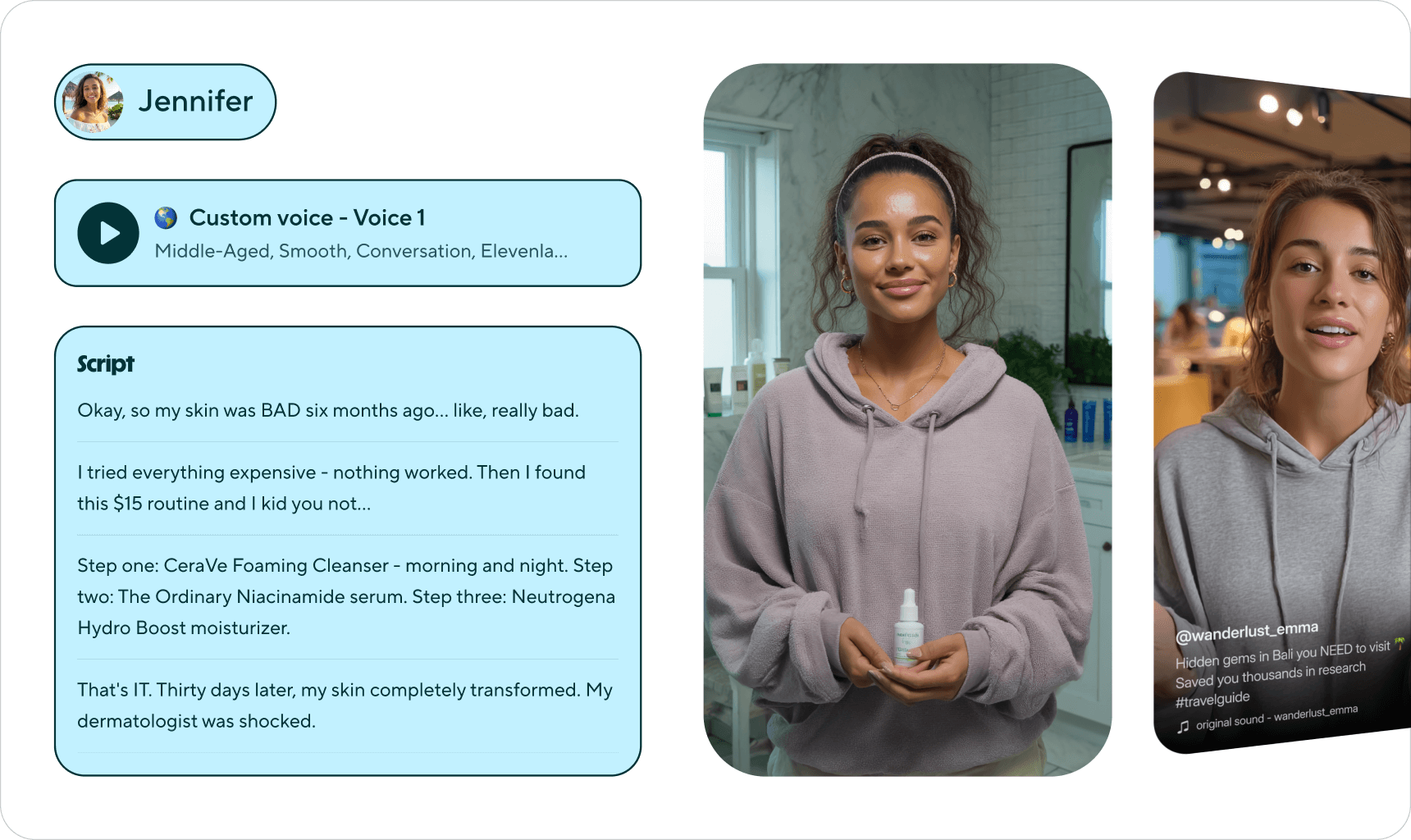
HeyGen's core strength is its avatar library. Over 200 avatar templates cover a range of appearances, styles, and demographics. You select an avatar, paste in a script, and HeyGen generates a video of that digital presenter speaking your words with lip-synced animation. For teams that want a human-like presenter without putting anyone on camera, this library provides variety and speed that no human recording workflow can match.
Multilingual support in 175+ languages
HeyGen supports over 175 languages for avatar video generation. This is one of the broadest language coverage numbers in the AI video category. For global companies producing training content or marketing videos in dozens of languages, HeyGen can generate localised versions from a single script without re-recording anything. The avatar speaks each language with lip-sync matched to the audio, which is technically impressive.
Script-to-video workflow
The production workflow in HeyGen is fast. You write a script, select an avatar, choose a voice, and HeyGen renders the video. No filming, no lighting setup, no retakes. For talking-head content that would traditionally require a studio session, HeyGen compresses the production cycle from days to minutes. The script-to-video pipeline is where HeyGen delivers its clearest value.
Template library and brand kits
HeyGen offers pre-built video templates for common use cases: product introductions, onboarding welcomes, sales outreach, and training modules. Brand kits allow teams to apply consistent colours, logos, and fonts across all their avatar videos. For marketing teams producing high volumes of branded content, these templates reduce the time spent on each video and keep visual consistency across the library.
API access for programmatic video generation
HeyGen provides API access on its higher-tier plans, allowing teams to generate avatar videos programmatically. This opens use cases like personalised sales outreach at scale, where each prospect receives a video with their name and company mentioned by the avatar. For teams with engineering resources and high-volume video needs, the API is a real differentiator that most competitors in the avatar space do not offer at the same level.
Where HeyGen shines
HeyGen is the right tool when the video you need is a person talking. Training videos where a presenter explains a concept. Marketing explainers where a friendly face delivers a message. Sales outreach where personalisation drives engagement. For these use cases, HeyGen is the market leader, and it has earned that position through consistent execution on its core promise.
Where HeyGen falls short for product demos
HeyGen's limitations for product demos are not failures. They are consequences of building a tool designed for avatar-based presentations, not product walkthroughs. Here is where those design choices create concrete gaps for SaaS demo teams.
No product navigation
HeyGen cannot open your product, log in, click through a workflow, or capture your UI in any way. It generates avatar videos from scripts. If you want your product on screen, you must record it yourself using a separate screen recording tool, then import that footage into HeyGen and layer the avatar alongside it. You end up maintaining two workflows: one for capturing the product, another for generating the avatar narration. The demo production process is not simplified. It is split across two tools.
For teams producing product demos at scale, this split workflow is the fundamental constraint. Every product UI change requires a new screen recording. Every new feature demo requires someone to set up test data, navigate the flow, and capture it manually. HeyGen cannot help with any of that.
Avatar-centric output when buyers want to see the product
B2B software buyers do not want to watch a digital face explain what your product does. They want to see the product do it. HeyGen's output is, by design, centred on the avatar. The digital presenter is the star of the video. For training content or marketing messages, that works. For product demos, it creates a disconnect. The buyer came to see your software in action. Instead, they get a synthetic person describing it.
G2 reviews note that avatar lip-sync can sometimes feel off, which compounds the issue. An avatar that looks slightly unnatural narrating a product the viewer cannot see in action does not build confidence. It creates distance between the buyer and the product.
Assembly required for actual demos
Creating a product demo with HeyGen requires assembling multiple pieces. You record your screen footage separately. You write a script for the avatar. You import the footage into HeyGen. You sync the avatar narration with the product visuals. You adjust timing so the avatar's words match what is happening on screen. This assembly process is manual, time-consuming, and breaks easily. A single timing mismatch between the avatar's narration and the product footage makes the entire video feel disjointed.
Compare this to a tool that captures and narrates the product in a single pass. The assembly step is where HeyGen's demo workflow breaks down for teams that need to produce at volume.
Cost at scale for long-form content
HeyGen's Creator plan costs $24 per month but includes only 3 minutes of video. The Business plan at $108 per month provides 30 minutes. For short avatar clips, these allocations work. Product demos often run 3 to 10 minutes each, and the math gets expensive quickly. A team producing ten 5-minute product demos per month needs 50 minutes of video, which exceeds even the Business plan allocation. And remember: you are paying for avatar generation time, not for demo generation. The screen recording and assembly work is still on you.
Limited editing for product-specific workflows
HeyGen's editing tools are designed for avatar videos: adjusting script timing, swapping avatars, changing backgrounds. They are not designed for product demo editing: zooming into a button click, inserting callouts on form fields, or trimming navigation dead time between steps. G2 reviewers note limited customisation options for non-avatar content. If your product footage needs editing, you need a third tool on top of HeyGen and your screen recorder.
What to look for in a HeyGen alternative for product demos
If you have identified that HeyGen's avatar-first approach does not solve your product demo needs, here are the criteria that matter most when evaluating alternatives.
Autonomous product navigation
The most important criterion. Can the tool open your product URL, navigate through the workflow you describe, and capture the UI on its own? Autonomous navigation eliminates the screen recording step entirely. You describe the flow in plain English. The tool does the clicking, scrolling, and capturing. This is the difference between "script an avatar" and "generate a real demo."
Real UI capture, not avatars
Product demos need to show the product. Not a digital face talking about it. Look for tools that capture your actual application UI with real clicks and real transitions. The output should look like a polished product walkthrough, not a presentation with a synthetic spokesperson.
Auto-editing and voiceover in a single pass
HeyGen splits demo production across multiple tools and steps. The alternative should produce a finished video in a single workflow: capture, edit, narrate, export. Auto-zoom on key UI elements, smooth transitions between steps, and synchronised voiceover narration should all happen without manual assembly.
Multi-language support without re-recording
HeyGen's 175+ language coverage is strong for avatar videos. For product demos, the relevant question is whether generating a new language version requires re-recording the product footage or simply selecting a different language. The best alternatives let you regenerate the same demo in a new language without touching the product capture at all.
Fast regeneration when the product changes
SaaS products ship UI changes constantly. If updating a demo means re-recording your screen, re-importing into HeyGen, and re-syncing the avatar narration, your demo library will always lag behind your product. Look for tools where updating a demo is as fast as re-running the original prompt against the current version of your product.
Best HeyGen alternatives for product demo videos
1. Demosmith, best overall alternative for real product demos
Demosmith is the most direct answer to the gap HeyGen leaves open. It is an AI demo agent, a fundamentally different category of tool. Where HeyGen generates avatar videos from scripts, Demosmith generates product walkthrough videos from your actual application. No avatars. No screen recording. No assembly.
The workflow is straightforward. You paste your product URL into Demosmith. You describe the flow you want in plain English: "Walk through the dashboard, create a new project, assign team members, and set a deadline." Then you step back. Demosmith's AI agent opens your product in a real browser, navigates through the flow you described, captures every screen, and produces a finished video with smooth transitions, dynamic zoom effects on key UI elements, synchronised captions, and AI voiceover narration.
The output is a polished MP4 video and a shareable link. Average turnaround is under 10 minutes. No avatar. No screen recording. No manual editing. No importing footage into a separate tool. The entire process happens in a single pass.
This is the core difference. HeyGen produces a video of a digital person talking about your product. Demosmith produces a video of your product in action. For B2B buyers evaluating software, the second format is what they actually want to see.
Where Demosmith differs from HeyGen:
- Autonomous product capture. The AI agent navigates your product in a real browser. No screen recording. No manual click-through.
- Real UI footage, not avatars. The output shows your actual product with real clicks and real data on screen.
- AI voiceover in 29 languages. Arabic, Bulgarian, Chinese, Croatian, Czech, Danish, Dutch, English, Filipino, Finnish, French, German, Greek, Hindi, Indonesian, Italian, Japanese, Korean, Malay, Polish, Portuguese, Romanian, Russian, Slovak, Spanish, Swedish, Turkish, Ukrainian, and Vietnamese. Natural-sounding narration synced to the visual flow.
- Built-in professional editing. Branded transitions, dynamic zoom, captions, and visual pacing applied automatically to every video.
- Single-pass production. Capture, editing, and narration happen in one workflow. No assembling footage from multiple tools.
- Under 10 minutes per video. Faster than setting up a screen recording session and importing it into HeyGen.
Pricing: Free trial available, no credit card required. Starter at $40/mo, Pro at $99/mo, Business at $250/mo, Enterprise custom.
Limitations to know before choosing:
- Demosmith produces video, not avatar-based presentations. If you need a digital spokesperson for training or marketing content, HeyGen is still the better tool for that specific use case.
- 29 languages versus HeyGen's 175+. If your team needs voiceover in less common languages, HeyGen's coverage is broader.
- Complex flows involving third-party authentication or deeply nested application states may require a second generation pass or manual guidance.
Best for: Product marketing teams, sales teams, and growth teams that need polished demo videos showing their actual product in action, as how different teams use Demosmith illustrates. Particularly strong for teams producing demos at volume or updating videos frequently as the product evolves.
The AI product demo generator that records real UI category page makes the contrast explicit.
HeyGen shows a digital face talking about your product. Demosmith shows your product doing the talking. For B2B buyers, the product itself is the most persuasive presenter.
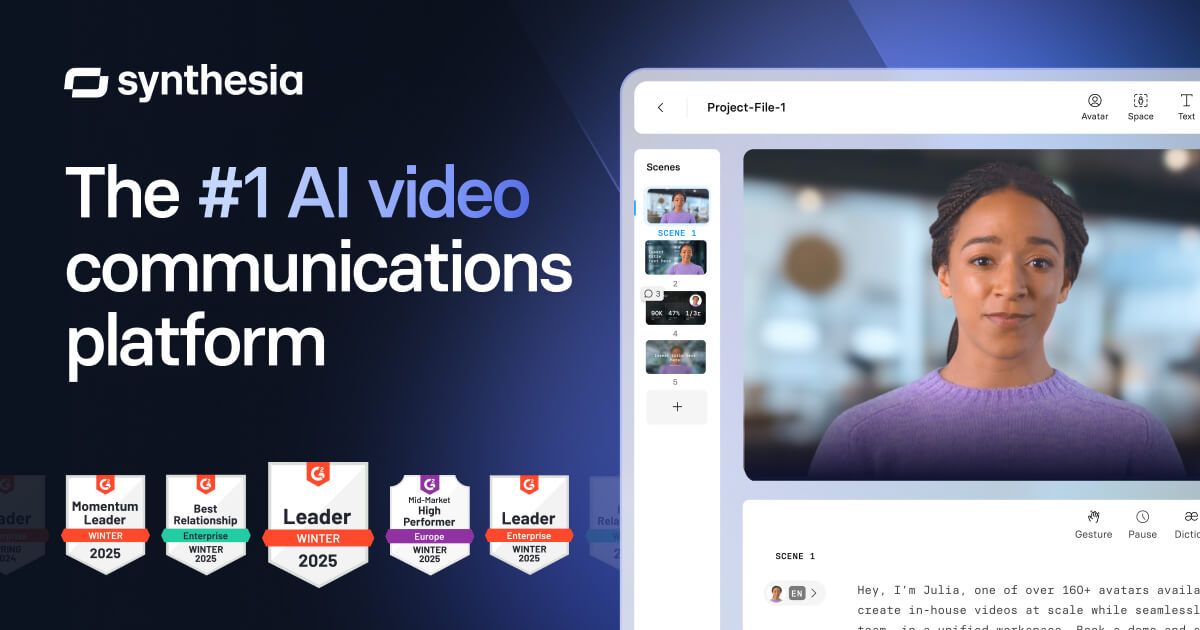
2. Synthesia, enterprise avatar videos with deeper customisation
Synthesia occupies the same avatar-based category as HeyGen but with a stronger enterprise focus. It offers 230+ AI avatars, supports 140+ languages, and provides deeper customisation for brand consistency across large organisations. For companies that have decided avatar-based video is the right format for their content, Synthesia is the most direct HeyGen competitor.
Where Synthesia differentiates is in its enterprise features. Custom avatar creation (trained on your own team members), advanced brand kits, SOC 2 compliance, and team collaboration tools make Synthesia a better fit for large organisations with strict governance requirements. The avatar quality is competitive with HeyGen, and some users find Synthesia's lip-sync more natural in certain languages.
Pricing starts at $22 per month for the Starter plan, which is slightly cheaper than HeyGen's entry tier. Enterprise plans with custom avatars and advanced features are priced on request.
The fundamental limitation for product demos is identical to HeyGen. Synthesia does not navigate your product. It does not capture your UI. It generates avatar videos from scripts. If you need a real product walkthrough, Synthesia has the same gap as HeyGen. You still need to record your screen separately and assemble the pieces yourself.
3. Guidde, browser extension capture with AI voiceover
Guidde takes a different approach from both HeyGen and Synthesia. Instead of generating avatar videos, Guidde captures your actual product through a Chrome browser extension. You install the extension, click through your product workflow, and Guidde records the flow and generates a video with AI voiceover. The output shows your real product UI, which is already closer to what a product demo needs to look like.
Guidde's integration depth is its strongest differentiator. It connects natively with Zendesk, Salesforce, Slack, and other platforms where support and sales teams already work. For customer success teams that need to produce how-to videos and attach them directly to support tickets, this integration layer adds real value that standalone video tools cannot match.
The AI voiceover library includes over 400 voices, and a free plan is available for individuals. Paid plans start at $16 per creator per month, making Guidde one of the most affordable options in this category. For small teams or individual contributors producing how-to guides and documentation videos, the price-to-capability ratio is strong.
The limitation is that Guidde still requires manual recording. You click through your product yourself using the browser extension. The AI does not navigate on your behalf. For quick support guides and documentation, the manual capture is fast enough. For teams producing demos at scale across dozens of features and multiple languages, manual capture scales linearly with production volume. Every new demo costs someone's time.
4. Loom, simple screen recording for quick walkthroughs
Loom appears in HeyGen alternative discussions because it produces video, it is widely adopted, and nearly every SaaS team already has it installed. For a quick product walkthrough sent to a prospect after a sales call, or an internal training clip explaining a new feature, Loom is the fastest path from "I need to show this" to "here is the video."
The distinction is clear: Loom is a communication tool, not a demo production tool. The output is a raw screen recording with optional webcam overlay. There is no AI polish, no auto-zoom, no dynamic transitions, no AI voiceover. What you record is what you get. For personalised async follow-ups, that is fine. For a library of polished product demos that represent your brand, Loom's output quality falls short. Teams evaluating Loom for demo production may find the Loom alternatives for product demos guide useful for a deeper comparison.
Loom's free plan supports recordings up to five minutes. The Business plan at $15 per user per month removes time limits and adds analytics. But every video still requires a human to record it in real time, and the output is unedited footage.
HeyGen vs alternatives: avatar videos vs. product walkthroughs
The format question for product demos is not just "interactive or video." There is a prior question that HeyGen brings into focus: should the video feature an avatar talking, or should it feature the product itself?
Avatar-based videos serve a purpose. When the goal is to deliver a message, explain a concept, or put a friendly face on a brand, avatars work. Product demos have a different goal. They exist to show buyers what the product looks like, how it works, and what the experience feels like. An avatar standing beside a static screenshot does not accomplish this. A walkthrough video showing real navigation and real output does.
The strongest demo strategies use both formats where they make sense. Avatar videos for top-of-funnel brand messaging and training. Product walkthrough videos for mid-funnel evaluation and bottom-funnel conversion. The mistake is using an avatar tool for a job that requires a product capture tool. The interactive demos vs video demos comparison explores how output format affects conversion outcomes across the funnel.
For teams currently using HeyGen for product demos, the shift is not about abandoning HeyGen. It is about recognising that product demos are a different job, and that job requires a different tool.
HeyGen vs alternatives: side-by-side comparison
Here is how HeyGen compares to the alternatives across the dimensions that matter most for product demo video production:
| Feature | HeyGen | Demosmith | Synthesia | Guidde | Loom |
|---|---|---|---|---|---|
| Primary Output | AI avatar video | MP4 video + shareable link | AI avatar video | Video guides | Screen recording |
| Product Navigation | No | Yes, autonomous | No | Manual via extension | Manual recording |
| AI Voiceover | Yes, 175+ languages | Yes, 29 languages | Yes, 140+ languages | Yes, 400+ voices | No |
| Autonomous Capture | No | Yes | No | No | No |
| Multi-Language | 175+ languages | 29 languages | 140+ languages | Multiple voices | No |
| Starting Price | $24/mo (3 min) | $40/mo (Starter) | $22/mo (Starter) | Free / $16/creator/mo | Free / $15/user/mo |
| Best For | Avatar videos, training | Autonomous product demos | Enterprise avatar videos | Support how-to guides | Quick async walkthroughs |
Conclusion: the right tool depends on what you're demoing
HeyGen is a well-built platform that leads its category. For AI avatar videos, it is the best tool available in 2026. The avatar quality, the 175+ language coverage, the script-to-video speed, and the API for programmatic generation are real strengths that no product demo tool replicates. If your goal is to put a digital presenter on screen, HeyGen is the right choice.
The question is whether an avatar on screen is what your demo needs. If you are producing training videos where a presenter explains a concept, HeyGen works. If you are producing product demos where a buyer needs to see your software in action, HeyGen does not solve that problem. It solves a different one.
For actual product demos, you need a tool that navigates your product. Demosmith does this autonomously: paste a URL, describe the flow, and receive a finished walkthrough video in under 10 minutes. No avatar. No screen recording. No assembly. The product is on screen, doing the work that no avatar can do for it.
The two tools are not competitors. They serve different jobs. The mistake is using an avatar tool when you need a demo tool, or the reverse. Clarity about which job you are hiring for makes the choice straightforward.
An AI avatar can explain your product. Only a real walkthrough can prove it works.
Key takeaways
- HeyGen is the market leader for AI avatar videos, with 200+ avatars, 175+ languages, and a 4.7 G2 rating. For training and marketing content featuring a digital presenter, it is the best tool available.
- HeyGen does not navigate your product. Every product demo created with HeyGen requires separate screen recording, manual import, and assembly. The avatar is a layer on top of footage you provide yourself.
- B2B buyers evaluating software want to see the product, not a digital face talking about it. Avatar-based demos create distance between the buyer and the product experience.
- Demosmith eliminates the gap by navigating your product autonomously. Paste a URL, describe the flow, and receive a finished walkthrough video in under 10 minutes. Pricing starts at $40 per month with a free trial.
- Synthesia offers a stronger enterprise alternative within the avatar category, but shares the same fundamental limitation: no product navigation.
- The right answer for many teams is to use both categories. Avatar videos for training and brand content. Product walkthrough videos for demos, sales enablement, and buyer evaluation.