Why Teams Are Looking Beyond Vidyard
Vidyard is one of the most recognisable names in the video-for-sales space. Sales teams around the world use it to send personalised video messages to prospects, track who watched what and for how long, and pipe that engagement data directly into their CRM. It is a genuinely useful tool for a specific, well-defined job: helping sales reps connect with prospects in a more human way than a plain-text email.
But there is a fundamental mismatch between what Vidyard is built to do and what product marketing teams, growth teams, and content teams need when they search for a "product demo video" solution. Vidyard is a sales messaging platform. It is optimised for short, personalised, talking-head videos where a sales rep looks into the camera and says "Hi John, I noticed you signed up last week." That is its core use case, and it does it well.
Product demo videos are a different thing entirely. A product demo video is a polished, narrated walkthrough of your software that shows a feature or workflow in motion. It is the kind of content that lives on your homepage, your YouTube channel, your sales decks, your LinkedIn feed, and your email nurture sequences. It needs to look professional, showcase your product's actual interface in detail, include voiceover that explains what the viewer is seeing, and hold attention for two to three minutes without a human face in the frame.
Vidyard cannot produce that content autonomously. It never could. The core Vidyard workflow is still: open the recorder, press record, navigate through your product manually while narrating, stop recording, wait for processing, trim the clip. Every time your product UI changes, you do it again. Every new feature, every new persona, every new language market means another recording session.
If you are on this page, you have probably already figured out that Vidyard is excellent at what it does, but what it does is not what you need. This guide walks through the best AI demo video generators that actually solve the product demo problem: tools that produce polished, professional demo videos without requiring you to sit in front of a screen recorder.
We will give Vidyard fair credit first, explain the specific gaps it leaves when applied to product demo creation, and then cover the best alternatives starting with the tools purpose-built for this job.
What Vidyard Does Well
Vidyard has earned its position in the sales tech stack, and before we talk about alternatives, it is worth being clear about where the platform genuinely excels. The limitations we discuss later are specific to the product demo video use case; they are not general criticisms of the product. For its intended audience (sales reps, SDRs, account executives), Vidyard is a strong tool.
Personalised Sales Video Messaging
This is Vidyard's core strength and the reason it became the dominant player in its category. The platform makes it easy for sales reps to record short, personalised video messages and send them to prospects via email. The workflow is fast: open the browser extension, record a 60-second video, share the link. The recipient gets a branded video page with the rep's face, a clear call to action, and a professional thumbnail in their inbox.
This format works for outreach. One Vidyard customer reported that personalised video messages drove an 8x improvement in click-through rates and a 4x improvement in reply rates compared to plain-text emails. Those are not fabricated numbers; personalised video genuinely outperforms text for cold and warm outreach because it signals human effort and creates a sense of direct connection.
Deep CRM Integrations
Vidyard integrates natively with HubSpot, Salesforce, Marketo, Salesloft, and Zapier. When a prospect watches a video, that engagement data flows directly into the CRM: who watched, how long they watched, whether they rewatched specific sections, and whether they clicked the CTA. This is valuable for sales teams who need to prioritise follow-up based on buyer intent signals.
For an outbound sales team, knowing that a prospect watched your video three times in one afternoon is exactly the kind of signal that justifies an immediate follow-up call. Vidyard surfaces these signals reliably and routes them into the tools sales teams already use.
Real-Time Analytics
The analytics layer in Vidyard is well-built for its audience. You can see per-viewer data: not just aggregate view counts, but individual viewer-level information including watch time, re-watches, and CTA clicks. For teams doing account-based outreach, this granularity is useful. You can tell whether a specific buying committee member watched the video and for how long before you send a follow-up.
AI Avatars for Personalised Video at Scale
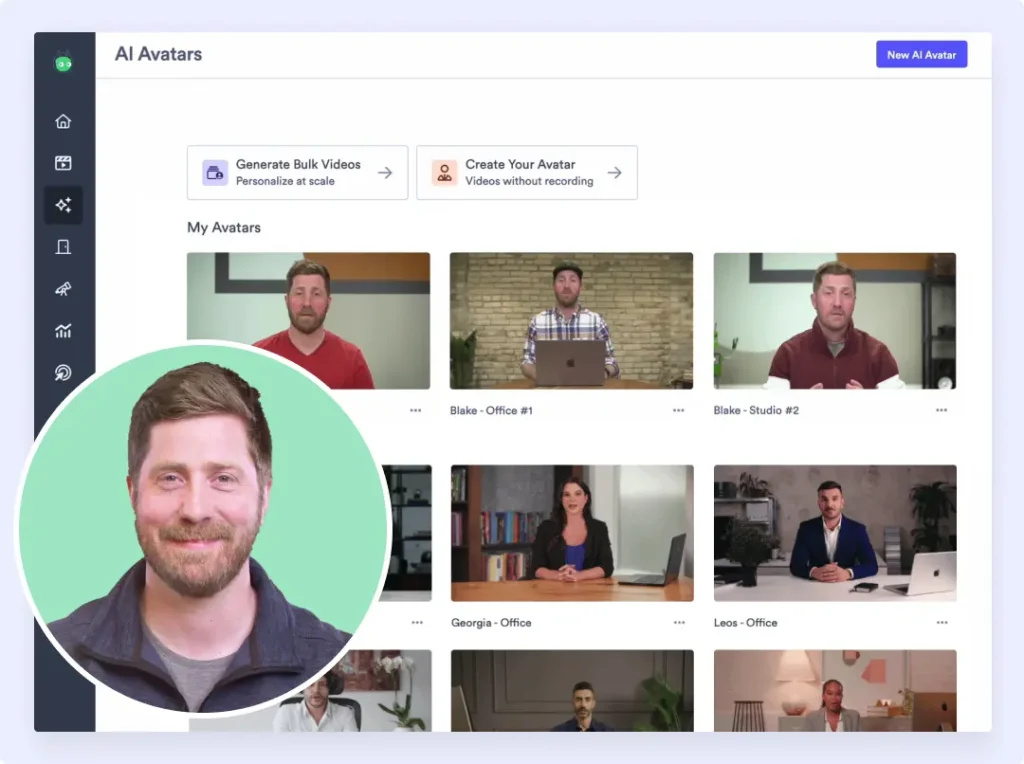
Vidyard has invested significantly in AI Avatars, which allow a sales rep to create a personal AI avatar from a short recording session. Once the avatar is trained, the rep can generate personalised video messages at scale without re-recording. The avatar says the prospect's name, references their company, and delivers a personalised message, all without the rep sitting in front of a camera again.
Standard plans include up to 15 AI avatar videos, with higher tiers offering more. For sales teams doing high-volume outreach, this is a meaningful time saver. It is important to note, however, that Vidyard's AI Avatar is specifically designed for talking-head personalisation, not for product demo production. The avatar is a person's face and voice, not a product navigation agent.
Video Agent for Automated Outreach Workflows
Vidyard's Video Agent feature connects video creation to CRM workflows and marketing automation tools. You can configure workflows that automatically generate personalised videos when certain triggers fire, such as a lead reaching a certain score, or a prospect moving to a new pipeline stage. The videos are generated by the AI Avatar, inserted into email sequences, and sent automatically.
This is powerful for outbound automation at scale. It replaces a rep's manual recording time with a system that generates personalised video messages in response to CRM events. Again, this is excellent for sales messaging; it does not help with product demo production.
Interactive CTAs Within the Video Player
Vidyard allows you to add interactive calls to action directly inside the video player: buttons, forms, links, calendar booking widgets. A prospect watching a product overview video can click "Book a Demo" without leaving the video player. This conversion layer is well-implemented and works across the email, web, and social contexts where Vidyard videos are typically shared.
Free Tier and Accessible Entry Point
Vidyard offers a free plan that supports up to five videos per month with basic features. For individuals or very small teams just getting started with video outreach, this is a generous enough entry point to evaluate the platform. The Starter plan at $59 per user per month adds unlimited videos and more features, with the Teams plan at $99 per user per month unlocking CRM integrations, folder management, and custom CTAs.
Where Vidyard Shines
Vidyard is at its best in the hands of a sales team doing personalised outreach. SDRs sending cold outreach, account executives reconnecting with stalled deals, customer success managers delivering QBR summaries, and onboarding managers sending welcome videos to new customers: these are the use cases Vidyard was designed for, and it handles them better than any other tool in its category. If that is the primary problem you are trying to solve, Vidyard deserves to be on your shortlist.
Where Vidyard Falls Short for Product Demos
Now let us be specific about where Vidyard's design choices create real limitations for teams trying to produce product demo videos. These are not criticisms of Vidyard's core product; they are gaps that emerge when you try to apply a sales messaging tool to a product marketing or content production problem.
Recording Is Still Manual
This is the central limitation. Despite all of Vidyard's AI investment, the fundamental workflow for capturing a product demo still requires a human to sit down, open the recorder, navigate through the product, and record the entire flow. If you make a mistake, you re-record. If your product changes, you re-record. If you need the same demo in five languages, you record it five times (or once and use AI dubbing, which is a separate workflow).
There is no concept in Vidyard of describing what you want to demonstrate and having the system navigate your product autonomously. The AI Avatar generates personalised talking-head videos; it does not navigate your software. The Video Agent automates the distribution of those personalised videos; it does not automate the capture of a product walkthrough. Every product demo video still starts with a human pressing record.
Not Designed for Product Demo Production
Vidyard is optimised for "Hi John, here is a quick video for you" style content: short, personal, face-to-camera messages. The platform's entire UX, from the recording interface to the sharing page to the analytics, is designed around this use case. When you try to use it to produce a professional, two-minute product demo video with voiceover narration, dynamic zoom effects, and smooth transitions between UI screens, you are fighting against the grain of the product.
There are no scene transitions. There is no automatic zoom to highlight specific UI elements. There is no structured production workflow for multi-scene demo videos. The output of a Vidyard recording is a screen capture with the user's voiceover layered on top, and that is what it is intended to be. For a quick outreach message, that is fine. For a polished product demo video destined for your homepage or YouTube channel, it falls short of professional production standards.
Basic Editing Only
Vidyard's editing capabilities are intentionally limited: trim the start and end, split the clip, insert chapters. That is approximately the full editing toolkit. There are no transition effects, no automatic zoom, no caption generation, no multi-scene timeline editing, and no brand overlay customisation beyond basic settings.
For a sales rep sending a 90-second outreach message, trim-and-split is enough. For a product marketer producing a two-and-a-half-minute demo video that needs to showcase three different product features with professional transitions and narration synced to UI actions, Vidyard's editing layer is simply not equipped for the job.
Audio-Video Sync Problems
Users have documented recurring audio-video synchronisation issues in Vidyard, particularly after editing clips. A video where the narration is slightly out of sync with the product navigation is noticeably unprofessional; viewers notice immediately. For a personalised outreach message where the rep's face is visible and the content is conversational, minor sync issues are tolerable. For a polished product demo video that represents your brand, they are not.
Processing Delays
Several Vidyard users have reported delays during video upload and processing, particularly for longer recordings. When you are iterating quickly on a product demo, waiting for a clip to process before you can review it is a friction point. The delays are not constant, but they are documented often enough to be worth noting if you plan to produce a high volume of demo content.
Per-User Pricing Becomes Expensive for Teams
Vidyard's meaningful features require the Teams plan at $99 per user per month. For a sales team of ten people, that is $990 per month just for the video messaging tool. If your goal is to produce product demo videos for marketing and distribution (rather than personalised sales outreach), you do not need ten seat licences. You need one well-built demo production workflow. Per-user pricing models designed for sales teams become poor value when applied to a content production use case.
AI Avatars Are Not Product Demo Agents
It is worth being explicit about this because the term "AI-generated video" can create confusion. Vidyard's AI Avatar generates videos of a person's face delivering a personalised spoken message. It is impressive technology for what it does. But it does not navigate your product. It does not capture UI interactions. It does not produce a video of your software doing something. It produces a video of a virtual human talking to a prospect, which is a fundamentally different output from a product demo video.
If a prospect wants to see how your product works, an AI avatar saying "Here is how our product works" and then describing it verbally is not the same as a video that actually shows the product working. Product demo videos need to show the interface: real screens, real interactions, real workflows. Vidyard's AI capabilities are aimed at a different problem.
What to Look For in a Vidyard Alternative
If you have concluded that Vidyard does not fit your product demo video needs, here are the criteria that should guide your evaluation of alternatives.
Autonomous Product Capture
The biggest bottleneck in demo video production is the capture step. Any tool that still requires you to manually record your screen is solving a different problem from the one that motivated your search. Look for tools where the capture process is either fully autonomous (an AI agent navigates your product without you) or substantially reduced (the tool handles the tedious parts of the capture automatically). The less human effort the capture step requires, the faster you can produce demos and the easier it is to keep them up to date.
Video as the Primary Output
This seems obvious but is worth stating clearly: the tool should produce video as its primary output. Not interactive click-throughs. Not presentation slides. Not a GIF slideshow. A real MP4 video file that you can upload to YouTube, embed in a page, attach to an email, drop into a sales deck, and play at a trade show. When video is the primary output, the entire production pipeline is optimised for video quality.
AI Voiceover in Multiple Languages
If you are producing product demo videos for distribution, they need narration. The best tools include AI voiceover that sounds natural, syncs with the visual flow of the demo, and supports multiple languages. For teams selling into international markets, multi-language support is not a nice-to-have: it is the difference between having localised demo content and not having it. Look for tools that support at least the major business languages without requiring you to hire a voiceover artist for each one.
Professional Editing Built In
A raw screen capture is not a finished product demo. Professional demo videos include scene transitions, dynamic zoom effects that draw the viewer's eye to the relevant part of the UI, captions for accessibility and silent viewing, and a consistent visual style applied throughout. The tool should handle this editing layer automatically or with minimal manual input. You should not need to take the raw capture into a separate video editing suite to make it presentable.
Brand Kit Application
Every demo video you produce should look like it came from your company. Brand colours, logo placement, font choices, intro and outro sequences: these should be configurable once and applied automatically to every video the tool produces. This matters especially as your demo volume grows, because manually branding each video is not a sustainable workflow at scale.
Pricing That Fits the Use Case
Per-user pricing designed for large sales teams is the wrong structure for a demo production tool. Look for tools that price based on output or usage rather than seats, so that a small product marketing team can produce a high volume of demos without paying for licences they do not need. Flat monthly pricing with generous output limits is the model that makes the most sense for this use case.
Best Vidyard Alternatives for Product Demo Videos
The tools below take meaningfully different approaches to the video demo problem. Some eliminate recording entirely. Others reduce the effort involved. Before diving in, it is worth noting that this is not a list of Vidyard direct competitors in the sales messaging space; if you need a Vidyard-style personalised outreach tool, Loom is the most direct comparison. This list is specifically for teams who need to produce product demo videos, which is a different problem.
For a broader view of the category, the best AI demo video generators roundup covers the full landscape across autonomous agents, AI avatars, and interactive builders.
1. Demosmith -- Best Overall Vidyard Alternative for Product Demo Videos
Demosmith is an AI Demo Agent: a fundamentally different kind of tool from Vidyard. Where Vidyard records what you do, Demosmith navigates your product autonomously and produces a finished demo video without you touching a recorder. The distinction matters more than it might initially seem, because it changes not just the workflow but the quality ceiling of what you can produce.
The workflow is as follows. You paste your product URL into Demosmith. You describe the flow you want to demonstrate in plain English: for example, "Show how a user creates a new campaign, selects an audience segment, and schedules it for delivery." Then the AI agent opens your product in a browser, navigates through the flow you described, captures the screens and interactions, and produces a finished video complete with smooth transitions, dynamic zoom on the relevant UI elements, synchronised AI voiceover, and captions throughout.
The output is a polished MP4 video and a shareable link. Average time from prompt to finished video is under 10 minutes. No screen recording. No Chrome extension. No clicking through your own product. No video editing.
This is the core difference between Demosmith and Vidyard for product demo production: Vidyard starts with you pressing record. Demosmith starts with you writing a sentence. That difference in starting point produces a different experience for everyone involved: your team spends less time producing content, and your audience receives a more consistently polished output.
Where Demosmith beats Vidyard for product demo videos:
- No recording required. Demosmith's AI agent navigates your product autonomously. You never open a screen recorder. You never manually click through your own product to capture it. You describe the flow and let the agent work.
- AI voiceover in 29 languages. Vidyard requires you to narrate the demo live while recording, or record separate audio and sync it manually. Demosmith generates natural-sounding narration automatically in Arabic, Bulgarian, Chinese, Croatian, Czech, Danish, Dutch, English, Filipino, Finnish, French, German, Greek, Hindi, Indonesian, Italian, Japanese, Korean, Malay, Polish, Portuguese, Romanian, Russian, Slovak, Spanish, Swedish, Turkish, Ukrainian, and Vietnamese, all synced to the visual flow of the demo.
- Professional editing built in. Demosmith applies transitions, dynamic zoom, captions, and your brand kit automatically. Vidyard's editing is limited to trim and split.
- Purpose-built for product demo production. Vidyard is designed for personalised sales messaging. Demosmith is designed specifically for showcasing a product's features and workflows with professional production quality.
- Flat pricing, not per seat. Demosmith's Starter plan at $40 per month gives a product marketing team everything they need to produce demos at scale. Vidyard's Teams plan at $99 per user per month is designed for a sales headcount, not a content production workflow.
- Easy to update. When your product UI changes, you re-run the prompt. Demosmith regenerates the demo in under 10 minutes. With Vidyard, you re-record the entire walkthrough manually.
Pricing: Free trial available, no credit card required. Starter at $40/mo, Pro at $99/mo, Business at $250/mo, Enterprise custom.
Limitations to be honest about:
- Demosmith produces product demo videos, not personalised sales video messages. If you need the "Hi John" outreach format with a rep's face and name, you need Vidyard or Loom for that use case alongside Demosmith.
- Complex flows that involve third-party authentication or multi-service integrations may need a second generation pass or some guidance on the initial setup.
- The output is less "human" in feel than a talking-head recording. For prospects who respond well to seeing a real person, personalised outreach videos still serve a purpose. Demosmith handles the product showcase; a separate tool handles the personal touch.
Best for: Product marketing teams, growth teams, and sales engineers who need polished product demo videos for websites, YouTube, sales decks, email nurture, and social media. Strong for teams producing demos at scale, teams serving international markets, and anyone who has spent too many hours re-recording demos after UI updates.
The product demo video generator category page covers the generation-first approach.
Vidyard records what you do. Demosmith does the recording for you. That is the entire difference, and for product demo production, it changes everything about how fast you can ship content and how consistently professional it looks.
2. Loom -- Closest Direct Vidyard Competitor
Loom is the most natural comparison point for Vidyard in the async screen recording space. Like Vidyard, it is a screen and camera recorder built for quick async communication. The core Loom workflow mirrors Vidyard's: open the extension, record your screen and face, share the link. Loom is widely used across teams for internal communication, customer updates, and lightweight product walkthroughs.
Where Loom differentiates from Vidyard is primarily in pricing and simplicity. At $15 per user per month for the Business plan, Loom is significantly cheaper than Vidyard's Teams plan at $99 per user per month. For teams who need basic async video sharing without the depth of Vidyard's CRM integrations and AI Avatar features, Loom is often the better value option.
Loom has also invested in AI editing features: auto-generated captions, background noise removal, filler word removal, and basic transcript editing. These features reduce the friction of polishing a raw recording before sharing it, which is a meaningful quality-of-life improvement over a tool with no editing at all.
Teams looking for Loom-style async recording but needing more from the product demo side will find a more detailed breakdown in this guide to Loom alternatives for product demos.
Pricing: Free plan available. Starter at $15/user/mo. Business at $15/user/mo (billed annually). Enterprise custom.
Where Loom compares to Vidyard:
- Significantly cheaper for teams at every tier.
- Simpler product with a lower learning curve.
- AI editing features (captions, filler word removal) reduce post-recording friction.
- Better for general async communication and team video, not specifically for sales CRM workflows.
- Does not have Vidyard's depth of CRM integration or AI Avatar capabilities.
Limitations as a product demo tool:
- Recording is still entirely manual. You open the extension, record your product walkthrough, and that is the workflow. There is no autonomous capture.
- No AI voiceover. You narrate while recording, so every different language or voice version requires a new recording session.
- Editing is AI-assisted but basic: no dynamic zoom, no professional transitions, no multi-scene production.
- Better suited to quick async updates and internal sharing than to polished product demo video production.
Best for: Teams who want cheaper Vidyard-style async recording without needing deep CRM integration. Not a replacement for purpose-built product demo video production.
3. Wistia -- Video Marketing and Hosting Platform
Wistia sits in a different part of the video landscape from Vidyard and Loom. Where those tools are primarily recording tools, Wistia is primarily a video hosting and marketing platform. Its core value proposition is giving businesses a branded, professional home for their video content: a video player that matches your brand, lead generation forms embedded directly in the player, detailed viewer analytics, and integrations with marketing automation tools.
Wistia does offer a recording tool called Soapbox that allows screen and camera recording, similar in concept to Vidyard and Loom. But recording is not Wistia's primary identity. The platform is strongest when you already have a finished video and need a professional place to host it, distribute it, and measure its performance.
The analytics layer in Wistia is particularly strong from a marketing perspective. You can see heatmaps of where viewers rewound or dropped off, identify which video content drives the most leads, and connect video engagement data to your marketing automation workflows. For teams running video-led demand generation programs, Wistia provides the infrastructure to measure whether the content is actually working.
Pricing: Free plan available (up to 10 videos, 200GB bandwidth). Plus at $24/mo. Pro at $99/mo. Advanced and Premium tiers for enterprise use cases.
Where Wistia stands out:
- Best-in-class video hosting with branded player, custom domain, and professional presentation.
- Strong lead generation features: Turnstile email capture, CTAs, and forms embedded in the video player.
- Detailed viewer analytics with heatmaps and engagement scoring.
- Marketing automation integrations for connecting video engagement to lead nurturing workflows.
- Chapters and interactive menus within longer videos for navigation.
Limitations as a product demo tool:
- Wistia does not produce videos for you. You still need to create the demo video (by recording, hiring a video editor, or using a tool like Demosmith) and then host it on Wistia.
- The Soapbox recording tool is basic compared to purpose-built recording tools, and significantly less capable than an autonomous demo production system.
- Wistia solves a hosting and distribution problem, not a production problem. If your bottleneck is creating the demo, Wistia does not help.
Best for: Teams that already have finished video content and need a professional hosting platform with strong marketing analytics and lead generation. Works well alongside a production tool like Demosmith: Demosmith produces the demo, Wistia hosts and markets it.
4. Camtasia -- Screen Recording with Full Editing Suite
Camtasia is a desktop screen recording and video editing application from TechSmith. It has been in the market for over two decades and represents the traditional approach to screen recording done properly: you record your screen, then use a full-featured video editor to cut, annotate, add transitions, apply zoom effects, and produce a polished final video.
Where Camtasia has an advantage over Vidyard and Loom is in editing depth. Camtasia includes a timeline-based video editor with a library of transitions, animated callouts, zoom-and-pan effects, background music, and customisable themes. For teams willing to invest the time in the editing process, Camtasia can produce genuinely professional-looking product demo videos.
The trade-off is exactly that: time. Recording a 10-minute product walkthrough in Camtasia and editing it down to a polished 2-minute demo video is a half-day project for a non-editor and a 2-hour project for someone with video editing experience. It produces good output, but the production cost is high. Teams evaluating Camtasia often end up exploring Camtasia alternatives for this reason.
Pricing: One-time purchase at $299.99 per user. Subscription option at $179.88 per user per year. Volume licensing available.
Where Camtasia stands out:
- Full video editing suite: timeline editing, transitions, zoom-and-pan, animated callouts, background audio.
- One-time purchase option is appealing for teams that do not want recurring SaaS fees.
- Maximum editing control: you can produce exactly the video you want if you are willing to do the editing work.
- Strong TechSmith support ecosystem and tutorial library.
- Good for training content, documentation videos, and tutorials in addition to product demos.
Limitations as a product demo tool:
- Recording is still entirely manual. You drive every step of the capture.
- Editing is entirely manual. The tool gives you the capability; you provide the hours.
- No AI voiceover or autonomous capture. Every element of production requires human effort.
- Desktop application, not browser-based. Workflow is less flexible than cloud tools.
- For teams producing demos at scale, the per-video time investment becomes the binding constraint.
Best for: Teams that need maximum editing control and are willing to invest the production time to achieve it. Good for documentation teams, training content producers, and anyone who already has video editing skills they want to apply to demo production.
5. Supademo -- Interactive Screenshot-Based Demos
Supademo is an interactive demo tool, not a video tool, so it is worth including a note on why it appears in a Vidyard alternative list. The comparison is relevant because many teams researching Vidyard alternatives are actually looking for a better way to demonstrate their product, and for some use cases, an interactive screenshot-based demo is a better fit than either a sales video message or a full product demo video.
Supademo lets you capture your product via Chrome extension (screenshot-based), then build an interactive click-through walkthrough with AI-generated annotations and tooltips. The output is an embeddable interactive demo that prospects can click through at their own pace, not a video. It is affordable (Pro at $27 per month), fast to build, and useful for website embeds and documentation.
The distinction from Vidyard is total: Vidyard is for recorded video messages sent to named individuals; Supademo is for interactive product tours embedded on a website or shared as a link. They do not compete. But if the underlying need is "I want to show my product to people who visit my website without booking a call," Supademo addresses that need at a lower cost than most alternatives and more interactively than a Vidyard-style video.
Pricing: Free plan available. Pro at $27/mo. Scale at $38/mo. Enterprise custom.
Where Supademo stands out:
- Affordable and fast to build interactive demos for website embeds.
- AI-generated annotations reduce the manual work of building each demo step.
- Good for documentation, help centres, and self-serve product tours.
- Very different use case from Vidyard: interactive tour vs. personal video message.
Limitations:
- Not a video tool at all. Output is interactive click-through, not MP4.
- Screenshot-based only: captures static images, not live product interactions.
- Manual capture required via Chrome extension.
- Does not solve the product demo video production problem.
Best for: Teams who need interactive product tours for their website and documentation and want an affordable, fast-to-build option. Not a video demo solution, and not a Vidyard replacement for sales outreach.
Screen Recording vs. AI Demo Generation
One of the clearest fault lines in the demo video landscape in 2026 is between tools that require you to record and tools that record for you. Vidyard, Loom, Camtasia, and most of the established players in this space sit in the first category. Demosmith sits in the second. Understanding the practical implications of that distinction helps clarify which approach fits your team's needs.
The Screen Recording Model
Screen recording tools (Vidyard, Loom, Camtasia) all share a common workflow: a human navigates the product while the tool captures what they do. The quality of the output is directly proportional to the skill and patience of the person doing the recording. Did they navigate the flow smoothly? Did they pause in the right places? Did they narrate clearly without stumbling? Did they avoid accidentally showing something they should not have?
This model has been the standard for over a decade, and it works. The limitation is not that it produces bad content; in skilled hands, a well-recorded and well-edited screen capture can be excellent. The limitation is the cost of that skill and time at scale. Producing a single polished product demo video by screen recording typically takes between 2 and 6 hours when you include setup, recording, re-recording, editing, voiceover, captions, and export. For a team that needs to maintain 20 demos across 5 personas in 3 languages, the math on that time investment becomes difficult quickly.
There is also the maintenance problem. Every time your product UI changes (which, for an actively developed SaaS product, happens every sprint), any demo that includes the changed screens is potentially stale. Someone needs to review each demo, identify the outdated screens, and re-record those sections. For teams using screenshot-based interactive tools, the problem is even more acute: every changed button or relocated menu item means a re-capture.
The AI Generation Model
AI-powered demo generation tools like Demosmith take a different approach. Instead of recording what a human does, they send an autonomous agent to navigate your product based on a text description. The agent understands the product's UI, executes the flow you described, captures the interaction, and feeds the raw footage into an automated post-production pipeline that applies transitions, zoom, voiceover, captions, and brand styling.
The output quality is determined not by how well you performed on camera, but by how well the AI navigates your product and how mature the post-production pipeline is. For most product demo use cases, the quality ceiling of a well-configured AI agent is at least as high as a careful screen recording, and the time cost is dramatically lower. You can create a demo video without recording in a fraction of the time, and regenerating it after a product update takes minutes rather than hours.
The trade-off is control. If you have very specific ideas about the exact pacing, the exact framing of each shot, and the exact wording of every line of narration, a screen recording tool gives you that control because you are doing every step manually. AI generation tools trade some of that fine-grained control for speed and consistency. For most product demo use cases, the trade is worth making.
Which Model Fits Your Situation
If you are a solo creator or a very small team producing a handful of evergreen demos per year, the manual recording model is workable. The time investment per video is manageable, and the control over every detail may be worth the cost. Camtasia or a well-configured Loom workflow can produce good results.
If you are a product marketing team, a growth team, or a sales engineering team that needs to produce demos at scale, cover multiple features and personas, serve international markets, and keep content current through frequent product updates, the manual recording model becomes the bottleneck. An AI demo agent like Demosmith removes that bottleneck by making the production step fast enough that it no longer constrains your content output.
Vidyard vs Alternatives: Side-by-Side Comparison
Here is how Vidyard stacks up against the best alternatives across the dimensions that matter most for product demo video creation:
| Feature | Vidyard | Demosmith | Loom | Wistia | Camtasia |
|---|---|---|---|---|---|
| Primary Use Case | Personalised sales video messaging | AI-generated product demo videos | Async screen recording and sharing | Video hosting and marketing | Screen recording with full editing |
| Autonomous Capture | No | Yes — AI agent navigates | No | No | No |
| Manual Recording Required | Yes — always | No | Yes — always | Yes (via Soapbox) | Yes — always |
| AI Voiceover | No — record your own | Yes — 29 languages | No | No | No |
| Video Quality | Screen capture quality | Professional with auto-editing | Screen capture quality | Hosting only, depends on source | High with manual editing |
| Starting Price | Free (5 videos/mo), $59/user/mo Starter | Free trial, $40/mo Starter | Free, $15/user/mo Starter | Free (10 videos), $24/mo Plus | $299.99 one-time or $179.88/yr |
| Best For | Sales reps sending personalised video outreach | Product demo videos for all channels | Async team communication and quick updates | Hosting finished videos with lead gen | High-control manual demo production |
Conclusion: Choosing the Right Tool for the Job
Vidyard is a good product. For sales teams doing personalised video outreach, it is arguably the best tool in its category. Its CRM integrations are deep, its analytics are genuinely useful for sales prioritisation, and its AI Avatar feature solves a real problem for high-volume outbound teams. None of that is in dispute.
The issue is not whether Vidyard is good. The issue is whether Vidyard is the right tool for producing product demo videos. It is not. It was not designed for that use case, and trying to use it for that purpose means fighting against a product that is optimised for something different: short, personal, human-faced video messages sent to named individuals. That is a legitimate and valuable use case, but it is not the same as producing a polished, narrated product walkthrough for your homepage, your YouTube channel, or your sales deck.
For product demo video production, the tools that actually solve the problem are the ones where video production, not video messaging, is the core design intent. Demosmith is the strongest option for teams who want to eliminate the recording and editing bottleneck entirely. Its autonomous AI agent navigates your product and produces finished demo videos in under 10 minutes, with voiceover in 29 languages and professional editing applied automatically.
Loom is the right answer if you want cheaper, simpler async recording in the same vein as Vidyard. Wistia is the right answer if you have finished video content and need a professional hosting and marketing infrastructure around it. Camtasia is the right answer if you have the time and editing skills to produce polished demo videos manually and want maximum control over every detail.
For most product marketing and growth teams in 2026, the practical choice is to use Vidyard or Loom for personalised sales outreach (the use case those tools were built for) and Demosmith for product demo video production (the use case it was built for). The two tools are complementary, not competitive: they serve different people in your organisation with different needs.
Vidyard is the right tool for "Hi John, I wanted to reach out personally." Demosmith is the right tool for "Here is how our product works." Both matter, but they are different jobs for different tools.
Key Takeaways
- Vidyard is excellent at personalised sales video messaging. It was not designed for product demo video production, and its limitations in that context (manual recording, basic editing, no AI voiceover) are a direct consequence of that design focus.
- If you need product demo videos for your website, YouTube channel, sales decks, or social media, look for tools where product demo production is the primary use case, not an afterthought.
- Demosmith is the strongest alternative for teams who need to eliminate recording and editing from their demo production workflow. Its autonomous AI agent produces polished MP4 demos in under 10 minutes, with voiceover in 29 languages.
- Loom is the most direct Vidyard competitor on price and simplicity, suitable for teams who need async screen recording without Vidyard's CRM depth or per-user cost.
- Wistia solves a hosting and marketing problem, not a production problem. It pairs well with a production tool like Demosmith but does not replace one.
- The smartest approach for most teams is to use Vidyard or Loom for personalised sales outreach and Demosmith for product demo video production. The tools serve different functions and are best used together, not instead of each other.