Why Teams Are Looking Beyond Supademo
Supademo has built a genuinely useful product. With over 15,000 users across 80 countries, it has found a strong audience among PLG teams, customer success managers, and product marketers who need a fast, affordable way to publish interactive product walkthroughs. If speed-to-publish and low cost are your primary criteria, Supademo competes with the best in its category.
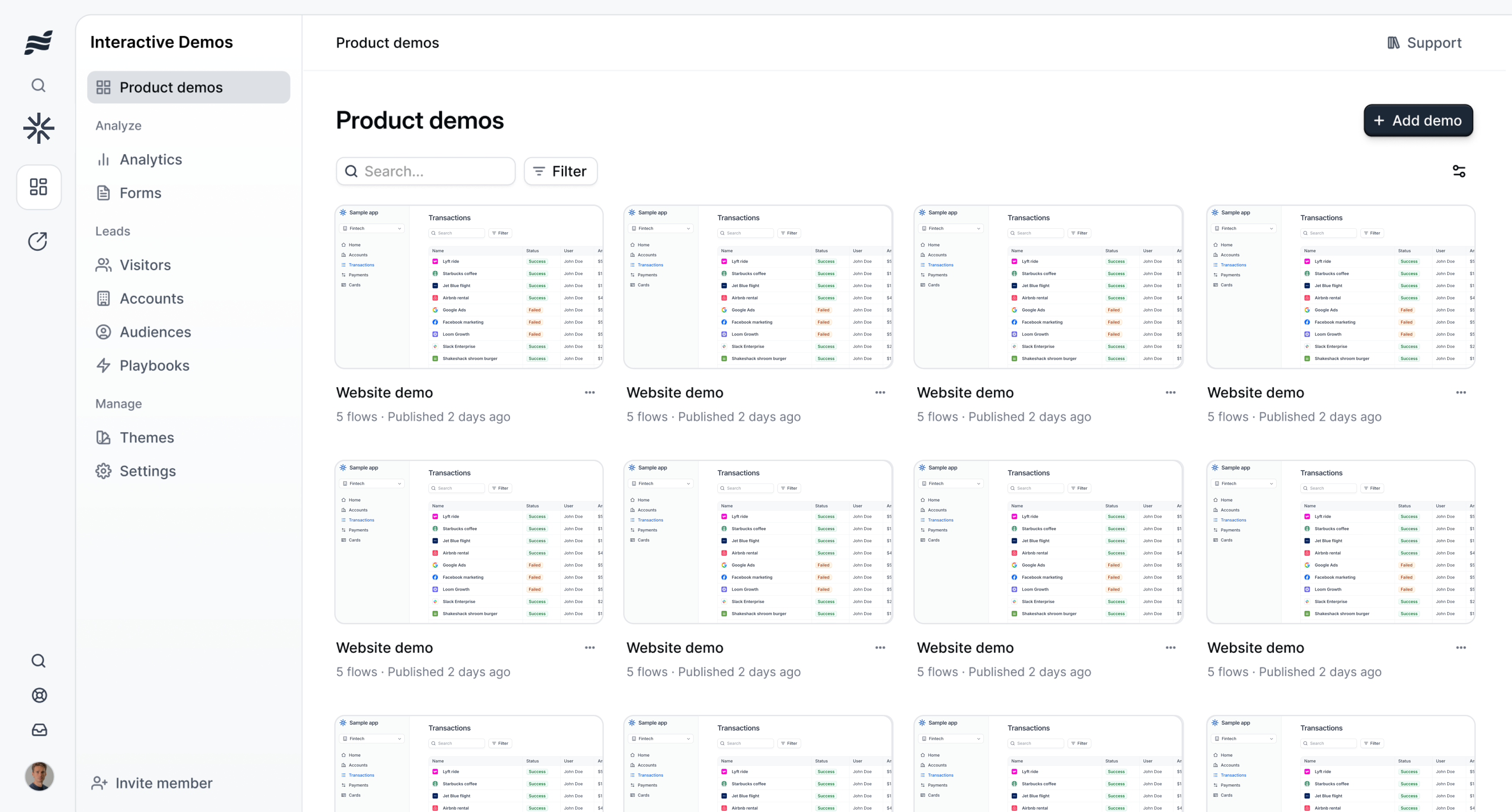
But Supademo is a screenshot-based interactive demo tool. Its output is an embeddable click-through walkthrough: a series of annotated screenshots that a viewer navigates step by step, either on your website or via a shared link. That format is useful in specific contexts. It is not video.
Teams run into the same wall consistently. They build a Supademo walkthrough for their docs or their pricing page, and then someone asks for a video to use in a sales deck, or a clip for LinkedIn, or a narrated walkthrough to drop into a nurture email. Supademo cannot produce that. The output format is fixed: interactive click-through, not MP4.
The gap is not a bug in Supademo. It is a fundamental design choice. Supademo was built to produce interactive demos, not video. Teams searching for a Supademo alternative are almost always searching because they need a different output format: something they can upload to YouTube, embed in a presentation, or post as a native video on social media.
This guide is for those teams. We will give Supademo genuine credit for what it does well, explain precisely where it falls short for video use cases, and then walk through the best AI demo video generators that fill that gap. Every tool in the alternatives section was chosen because it addresses the specific limitations Supademo has when video is the required output.
What Supademo Does Well
Supademo earns its user base. It is not the right tool for every use case, but in the use cases it was designed for, it is fast, affordable, and genuinely well-executed. Before we talk about alternatives, here is an honest look at what Supademo brings to the table.
Fast Time to Publish
This is Supademo's clearest strength. From installation of the Chrome extension to a published demo, the workflow is remarkably short. You install the extension, click through your product flow, and Supademo captures each screen automatically as you navigate. The platform then assembles those screenshots into a guided walkthrough with AI-generated annotations already in place. For teams that need a demo out the door quickly, with minimal setup and no design work, Supademo is hard to beat on pure speed.
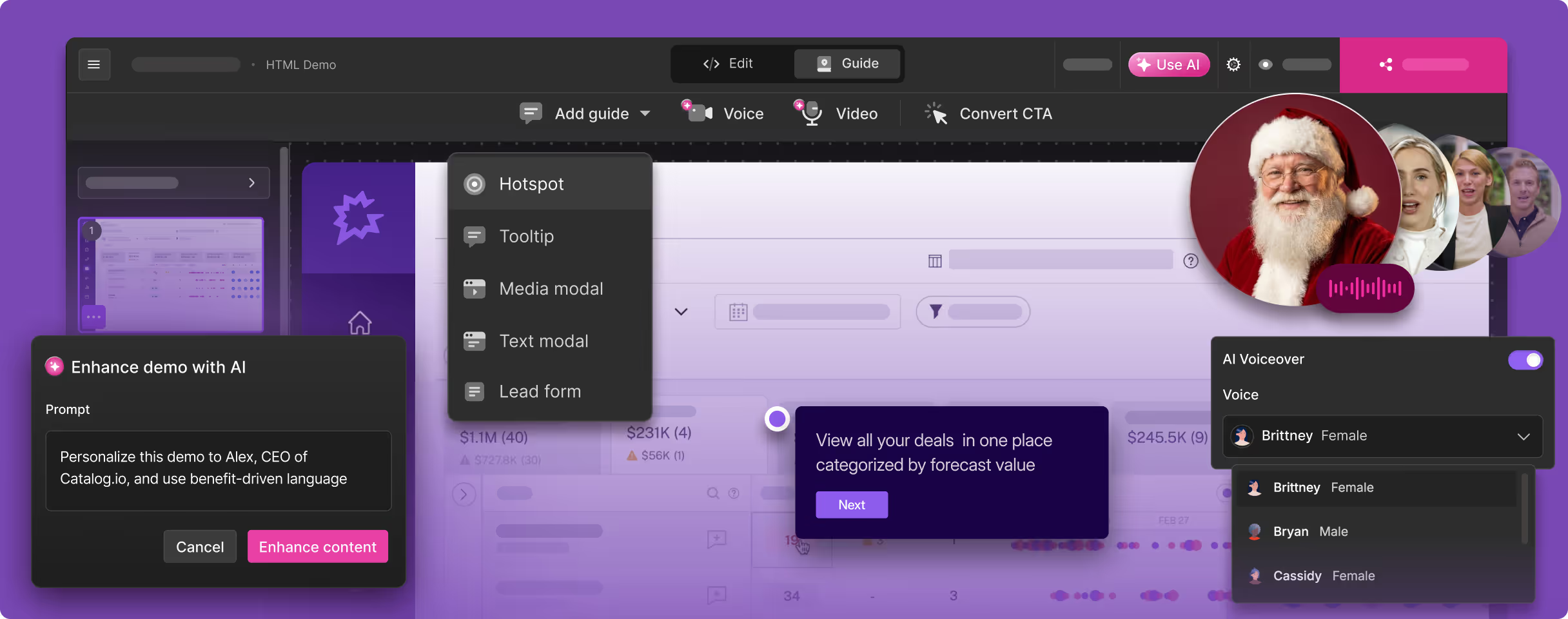
The AI annotation feature accelerates things further. Rather than writing tooltip text from scratch for every step, you get a starting point generated automatically from the content on screen. You review, adjust, and publish. Many users report going from zero to a published demo in under 30 minutes, which is a real operational advantage for small teams without dedicated demo resources.
Accessible Pricing
Supademo's free plan allows up to five demos, which is genuinely functional for evaluation and small-scale use. The Pro plan at $27 per user per month is one of the lowest price points in the interactive demo category. The Scale plan at $38 per creator per month adds unlimited demos, custom branding, and AI voiceover features. The Growth plan at $350 per month for five creators unlocks HTML editing and more extensive training features.
For startups and early-stage companies that need interactive demos without a significant budget commitment, this pricing structure is genuinely accessible. Supademo's entry point sits well below Navattic, Storylane's higher tiers, and most enterprise demo tools.
AI Voiceover on Scale Plans
Supademo includes AI voiceover on its Scale and Growth plans. This is a meaningful differentiator from many competitors in the screenshot-based demo category. You can add narration to your interactive walkthrough without recording it yourself, which improves the guided experience for viewers who prefer listening to reading tooltips. The voiceover is attached to the interactive demo format, not a video export, but within the context of an interactive walkthrough, it adds real production value.
Conditional Branching and Chapter Creation
Supademo supports conditional branching paths, which allows you to build persona-specific demo experiences from within a single demo. A viewer can select "I am an admin" or "I am an end user" and see a flow tailored to their role. Chapter creation lets you organize longer demos into labeled sections, making it easier for viewers to navigate to the parts most relevant to them.
These features move Supademo beyond simple linear slideshows and into genuinely interactive territory. For sales teams that need to demonstrate a product to different buyer personas, branching demos reduce the need to maintain multiple separate demos for each audience.
Analytics and Viewer Engagement Tracking
Supademo provides analytics on demo views, viewer engagement, and step-by-step drop-off data. You can see which prospects viewed your demo, how far they progressed, and which steps held their attention longest. For customer success and sales teams, this data helps prioritize follow-up and identify which parts of the product resonate most strongly in demos.
The platform also tracks engagement across functions: Supademo reports that 78 percent of its customers use demos across two or more teams, including sales, onboarding, support, and marketing. The analytics layer supports that cross-functional use by giving each team visibility into how their specific demo assets are performing.
Customizable Branding and Shareable Links
On paid plans, Supademo allows custom branding: your logo, your color scheme, your domain. Demos can be shared via direct link, embedded in documentation sites, help centers, support articles, websites, and emails. The platform supports translation and localization features, which helps teams operating in multiple markets maintain a consistent demo experience across languages without rebuilding demos from scratch.
Where Supademo Shines: Support Docs, Onboarding, and Website Embeds
Supademo is at its best in contexts where the viewer has a specific task in mind and wants step-by-step guidance. Help center articles, onboarding checklists, support documentation, and website product tours are natural homes for Supademo demos. When a customer wants to learn how to configure a specific feature, a screenshot-based walkthrough embedded in a support article is exactly the right format. The viewer clicks at their own pace, reads each annotation, and follows the steps without needing to schedule a call or watch a video.
Where Supademo Falls Short for Video Demos
The limitations we are about to describe are not criticisms of poor execution. Supademo does what it was designed to do. The issue is that what it was designed to do is not what teams need when they ask for video demos. Here is where the gap becomes concrete.
The Output Is Interactive Screenshots, Not Video
This is the core limitation. Supademo's output is a series of annotated screenshots assembled into an interactive click-through experience. It is not an MP4 file. It is not a video. You cannot upload a Supademo demo to YouTube. You cannot attach it to a sales email as a video that plays on click. You cannot embed it natively on LinkedIn or Twitter as a video post. You cannot include it in a PowerPoint or Google Slides deck as a video that plays during a presentation.
Every distribution channel that requires video simply cannot use Supademo output. This includes YouTube, all social media native video formats, video ads, conference displays, video-enabled email clients, and any presentation context where a playing video is expected. If your go-to-market motion touches any of these channels, and in 2026, almost every team's does, you need a separate tool for that portion of your demo strategy.
Screenshot-Based Demos Go Stale with Every UI Change
Supademo's screenshot capture means your demo is a snapshot of your product's UI at a specific moment in time. Every time your product ships a UI update, any demo that includes the changed screens is immediately out of date. The button moved. The menu was renamed. The layout shifted. None of that updates automatically in your Supademo demos.
For teams with products that ship UI changes frequently, this creates a maintenance burden that scales with the number of demos you have published. Recapturing a demo means going through the Chrome extension workflow again for every affected step, reviewing annotations, and republishing. Multiply that across a library of ten, twenty, or fifty demos, and demo maintenance becomes a recurring time cost that shows up on someone's calendar every sprint.
Chrome Extension Required: Still a Manual Process
Creating a Supademo demo requires installing the Chrome extension, opening your product, and manually clicking through every step of the flow you want to capture. The tool captures each screen as you navigate, but you are still the one driving. If you miss a step, skip a screen, or navigate the wrong path, you recapture. If your product requires test accounts, sample data, or specific preconditions to demonstrate certain features, you set all of that up manually before each capture session.
This is a meaningful constraint for teams that need to produce demos at scale. One or two demos per month is manageable. A library of demos covering every feature, every persona, and every use case requires a proportional investment of someone's time in the capture workflow. There is no concept in Supademo of giving the tool a URL and a description and having it navigate the product autonomously.
No Autonomous Product Navigation
Every step in a Supademo demo was put there by a human clicking through the product. The tool does not understand your product, does not know what a logical demo flow looks like, and cannot navigate to a feature on its own. This is a fundamental architectural constraint, not a missing feature. Supademo is a capture and annotation tool, not an AI agent.
For teams evaluating demo tools in 2026, autonomous capture is an increasingly relevant criterion. Tools that can be given a URL and a plain-English description of the desired flow, and then navigate the product and produce output without human intervention, represent a qualitatively different level of effort reduction. Supademo does not operate in that mode.
HTML Editing Locked Behind the Growth Plan
Supademo's Growth plan, at $350 per month for five creators, unlocks HTML editing capabilities that make demos more interactive and customizable. But the Pro and Scale plans, which cover the vast majority of Supademo's user base, do not include HTML editing. Screenshot-based demos on lower tiers are essentially guided slideshows: you can add annotations and tooltips, but you cannot replicate the actual interactive behavior of your product.
This means teams on cheaper plans get a fundamentally different (and less capable) product than teams who pay for Growth. For teams whose primary use case requires HTML-level interactivity, the jump from $38 per creator to $350 for five creators is a significant pricing cliff.
No Offline Demos
Supademo demos require an internet connection to view. This is a limitation that comes up repeatedly in user reviews, particularly for sales teams who present at client sites, conferences, or events where reliable connectivity is not guaranteed. If a sales rep needs to demo the product in a location with poor or no internet, a Supademo demo is not reliable. This is not a dealbreaker for most use cases, but it is worth flagging for field sales teams.
Demo Centers and Presenter Notes on Higher Tiers Only
Demo centers, which allow you to host a curated library of demos in one place that prospects can browse, are not available on lower-tier Supademo plans. Presenter notes, which allow the person walking through the demo to have private notes visible alongside each step, are similarly restricted to higher tiers. For sales teams that want to use Supademo as a structured sales enablement tool rather than just a documentation embed, these missing features on cheaper plans are a noticeable gap.
What to Look For in a Supademo Alternative
If you have concluded that Supademo's interactive screenshot format does not meet your video output requirements, here are the criteria that should guide your evaluation of alternatives. These are not generic feature checklists: each criterion maps directly to a gap that Supademo leaves open.
Video as the Primary Output, Not an Afterthought
Some tools offer video export as a secondary feature bolted onto an interactive demo builder. The video export tends to reflect that secondary status: it looks like a recording of someone clicking through a demo, because that is what it is. Look for tools where video is the primary output format, not an add-on. When video is the core product, the capture process, editing workflow, voiceover integration, and export quality are all optimized for video from the ground up.
AI Voiceover with Multi-Language Support
Supademo offers AI voiceover on Scale plans, but it is attached to the interactive demo format, not to a video. For video demos, voiceover is not optional: a silent video demo is not a usable video demo. The right alternative should include AI-generated narration that sounds natural, syncs with the visual flow, and supports multiple languages. If your company sells in multiple markets, multi-language voiceover needs to be a native capability, not something you achieve by recording audio externally for each language.
Autonomous or Significantly Reduced Capture Effort
The Chrome extension workflow in Supademo is fast by interactive demo standards, but it is still a manual process. For teams that need to produce demo videos at scale, or teams that want to eliminate the capture step entirely, look for tools that use AI agents to navigate your product autonomously. You provide the URL and describe the flow. The tool does the navigation. The difference in output volume between a manual capture tool and an autonomous one compounds quickly as demo libraries grow.
Built-In Professional Editing
Raw screen captures, whether from a Chrome extension or an AI agent, need post-processing to become professional demos. Transitions, zoom effects that highlight key UI elements, captions, consistent visual pacing: these are what separate a finished demo from a raw recording. The best alternatives handle this editing automatically, so you are not required to open a separate video editor to make the output presentable. Auto-editing that applies consistently to every demo is also far more scalable than manual editing in Premiere or Final Cut.
Brand Kit Integration Across Every Output
Supademo supports custom branding on paid plans, and any serious alternative should too. But the more important criterion for video tools is whether branding is applied automatically to every output: intro sequences, lower thirds, color overlays, logo placement, outro cards. Configure it once, and every video that comes out of the tool looks like it came from your company without manual branding work per video.
Broad Distribution Compatibility
The reason you are looking beyond Supademo is likely distribution: you need demos in formats that work on YouTube, social media, in sales presentations, in email, and at events. The right alternative should produce output that works natively in all of these contexts without additional conversion steps. An MP4 file that you can upload anywhere is the baseline. A shareable video link with an embeddable player is the complement. Together, they cover every distribution scenario where Supademo falls short.
Best Supademo Alternatives for Product Demo Videos
1. Demosmith -- Best Overall Supademo Alternative for Video Demos
Demosmith is the most direct answer to the video output problem that Supademo cannot solve. It is an AI Demo Agent: a fundamentally different category of tool. Where Supademo captures screenshots and assembles click-through walkthroughs, Demosmith autonomously navigates your product and produces polished video demos with AI voiceover, professional editing, and brand customization applied automatically.
The workflow is built around eliminating the manual steps that slow down demo production. You paste your product URL into Demosmith. You describe the flow you want to show in plain English: "Walk through the onboarding flow for a new user, create a project, and invite a team member." Then you step back. Demosmith's AI agent opens your product in a browser, navigates through the flow you described, captures every screen, and auto-edits the footage with smooth transitions, dynamic zoom effects to draw the viewer's eye to key UI elements, synchronized captions, and AI voiceover narration in your chosen language.
The output is a polished MP4 video and a shareable link. The average turnaround from prompt to finished video is under 10 minutes. No Chrome extension. No manual click-through capture. No screenshot management. No separate video editing step.
Where Demosmith beats Supademo for video use cases:
- Video-first output. Every demo Demosmith produces is a purpose-built video, not an interactive walkthrough exported as video. The capture process, editing pipeline, and output format are all designed around video from the start.
- AI voiceover in 29 languages. Supademo offers AI voiceover only on Scale and Growth plans, and only attached to the interactive demo format. Demosmith generates natural-sounding narration in Arabic, Bulgarian, Chinese, Croatian, Czech, Danish, Dutch, English, Filipino, Finnish, French, German, Greek, Hindi, Indonesian, Italian, Japanese, Korean, Malay, Polish, Portuguese, Romanian, Russian, Slovak, Spanish, Swedish, Turkish, Ukrainian, and Vietnamese, synced to the visual flow of the video.
- Autonomous capture. No Chrome extension, no clicking through your product, no screenshot sequencing. Demosmith's AI agent handles the entire navigation and capture process without human intervention.
- Auto-editing with professional production. Transitions, dynamic zoom, captions, and brand kit are applied automatically to every video. You do not need to open a video editor to make the output look professional.
- Multi-channel distribution. The MP4 output works on YouTube, LinkedIn, Twitter, in Google Slides, in sales emails, at conference displays, in paid video ads, and in onboarding sequences. Supademo's interactive format does not work in any of these contexts.
- Lower maintenance overhead. When your product UI changes, you regenerate the demo with the same prompt. The AI agent navigates the updated UI and produces a fresh video. No screenshot-by-screenshot recapture, no tooltip repositioning.
Pricing: Free trial available, no credit card required. Starter at $40/mo, Pro at $99/mo, Business at $250/mo, Enterprise custom.
Limitations to know before choosing:
- Updated September 2026: Demosmith also compiles interactive demos from its own recordings of your product, so click-through walkthroughs for websites or support docs no longer require a separate tool. Supademo's in-app guides and quiz features remain its own ground.
- Complex flows that involve third-party authentication, multi-service integrations, or deeply nested application states may need a second generation pass or some manual guidance to navigate correctly.
- Frame-by-frame editing control is less granular than a dedicated video editor like Premiere Pro or Final Cut. For most product demo use cases, the auto-editing is more than sufficient, but teams with very specific editorial requirements should factor this in.
Best for: Product marketing teams, sales teams, growth teams, and anyone who needs to produce polished demo videos for distribution across multiple channels without a dedicated video editor or a manual recording process. Particularly strong for teams that need multilingual demos or that are scaling demo production beyond what manual capture can support.
There is a full walkthrough of how to generate the demo video automatically from a URL on the category page.
Supademo starts with your screenshots. Demosmith starts with your URL. That single difference in starting point produces a fundamentally different output format, and a fundamentally different set of distribution possibilities.
2. Arcade -- Interactive Demo Builder with Video Export
Arcade is an interactive demo platform in the same category as Supademo, but with more mature video export capabilities as a secondary output. Like Supademo, the core product is a browser-based interactive demo builder: you capture your product via a browser extension, arrange the screens into a guided walkthrough, and add annotations, callouts, and hotspots to direct the viewer through the flow.
Where Arcade differentiates from Supademo is in its video export feature and in its branching path capabilities. The video export allows you to take an interactive demo you have already built and output it as a video file. This gives teams a degree of flexibility that Supademo's purely interactive output does not: one demo can be distributed as both an embeddable click-through and as a video file, without completely rebuilding it in a separate tool.
The branching path feature is more mature in Arcade than in many competitors. You can build persona-specific flows into a single demo, letting viewers self-select their role or use case and see a tailored path through the product. For sales enablement on websites where you need to serve multiple buyer types, this is a genuine advantage.
Pricing: Free plan available. Pro at $32 per user per month. Team and Enterprise tiers available with custom pricing.
Where Arcade compares to Supademo:
- Video export gives you more distribution options than Supademo's interactive-only output.
- Branching paths for persona-specific demos are more developed than Supademo's equivalent feature.
- The free plan is functional enough for evaluation without a credit card commitment.
- Per-user pricing on Pro means costs scale as your team grows.
Limitations as a video demo tool:
- Video is still a secondary output. The platform is built around interactive demos, and the exported video reflects that: it is essentially a recording of the interactive experience rather than a purpose-built video with cinematic editing, dynamic zoom, or professional production pacing.
- No AI voiceover. Arcade does not include native voiceover in exported video, which means exported videos are silent or require external audio work.
- Chrome extension capture means the same manual workflow as Supademo. There is no autonomous navigation.
- Per-user pricing can become expensive for larger teams that need multiple people building and maintaining demos.
Best for: Teams who primarily need interactive demos for their website and occasionally want to repurpose one of those demos as a video. Not the right choice if video is your primary output requirement or if you need voiceover in the exported video.
3. Navattic -- Enterprise Interactive Demo Platform
Navattic is a well-regarded interactive demo platform that positions itself primarily at enterprise revenue teams. It competes with Supademo in the same interactive demo category, but at a higher price point and with a correspondingly deeper feature set. Teams evaluating Navattic for the same reasons they are evaluating Supademo alternatives often find they are circling the same fundamental issue, which is why many then look at Navattic alternatives focused on video output.
Navattic's screenshot and HTML capture options give it more flexibility than Supademo's screenshot-only approach on lower plans. The HTML capture clones your product's front-end code and creates a near-perfect interactive replica that viewers can interact with almost like the real product. Combined with deep CRM integrations (Salesforce, HubSpot) and advanced engagement analytics, Navattic is a strong choice for enterprise teams building interactive demo programs at scale.
The AI Copilot feature in Navattic can auto-generate demo flows and annotations from your product, reducing some of the manual effort in the build process. For teams creating many demos across a large product surface, this speeds up the production pipeline meaningfully.
Pricing: Starter Plus at $40/mo. Base at $500/mo. Growth at $1,200/mo. Enterprise custom.
Where Navattic compares to Supademo:
- HTML capture (on Base and above) creates more authentic interactive experiences than Supademo's screenshot-only approach on lower plans.
- Enterprise CRM integration and lead scoring based on demo engagement are significantly more developed than Supademo's analytics.
- The AI Copilot speeds up demo creation for teams with large product catalogs.
- Pricing is substantially higher: the Base plan at $500/mo is a significant step up from Supademo's most comparable tier.
Limitations as a video demo tool:
- Same fundamental limitation as Supademo: the output is interactive, not video.
- No native video export, no AI voiceover for video, no video editing pipeline.
- Does not solve the distribution problem for channels that require video format.
- The Growth plan at $1,200/mo makes Navattic one of the most expensive interactive demo tools in the market. Teams who need both interactive and video demos would be combining Navattic's cost with a separate video tool.
Best for: Enterprise revenue teams with complex products and mature sales motions who need interactive demos with deep CRM integration and granular analytics. Not a video demo tool, and not a replacement for Supademo if cost is a primary constraint.
4. Loom -- Async Video Messaging
Loom is a different kind of tool from the others in this list. It is not an interactive demo builder, and it is not an AI demo generator. It is an async video messaging platform: you record your screen and webcam simultaneously, and share the result as a video link that recipients can watch in their own time.
Loom comes up frequently in conversations about Supademo alternatives because it produces actual video output, which Supademo does not. Teams looking for a quick way to share a video walkthrough of their product will reach for Loom first, because it is familiar, fast, and produces a shareable link immediately after recording.
For certain use cases, Loom is entirely appropriate. A sales rep doing a personalized async follow-up video for a specific prospect is a natural Loom use case. A customer success manager recording a quick walkthrough of a feature in response to a support ticket is another. These are high-context, low-scale scenarios where personal delivery matters more than production polish.
Pricing: Free plan available with basic features and a 5-minute recording limit per video. Starter at $15 per user per month. Business at $12.50 per user per month (billed annually). Enterprise custom.
Where Loom compares to Supademo:
- Produces actual video output: Loom recordings are shareable video files, not interactive demos. That alone makes it more distribution-flexible than Supademo.
- No specialized setup: most knowledge workers are already familiar with Loom, so adoption friction is low.
- Webcam overlay adds a personal, human element that interactive demos and automated video tools cannot replicate.
Limitations as a product demo tool:
- Manual recording required. Every Loom video requires a human to record it in real time. There is no automation, no AI navigation, no autonomous capture. Producing a polished product demo in Loom requires the same skills and effort as any other screen recording.
- No AI voiceover, no auto-editing, no professional transitions. The output is exactly what you recorded, with no post-processing. If you stumble, pause awkwardly, or navigate the wrong path, that is in the video.
- Not scalable for demo libraries. Creating and maintaining a library of Loom demos for every feature, persona, and use case requires someone to manually re-record every time the product changes.
- Loom is a communication tool, not a demo production tool. The output does not look like a professionally produced product demo: it looks like a screen recording, because it is.
Best for: One-to-one async communication: personalized follow-ups, ad hoc feature walkthroughs, internal training clips. Not suitable for polished marketing demos, scalable demo libraries, or multi-language output.
5. Storylane -- Interactive Demo with Screenshot and HTML Capture
Storylane is a direct competitor to Supademo in the interactive demo space. It offers both screenshot-based demos on its lower tiers and HTML-based demos (which clone your product's actual front-end code) on its higher tiers. Teams who find Supademo's screenshot-only approach limiting often evaluate Storylane as an upgrade within the same interactive demo category. Teams who have already gone through that evaluation and still find themselves needing video output often then look at Storylane alternatives for the same reasons covered in this guide.
Storylane's HTML capture is its primary differentiator versus Supademo. Where Supademo captures screenshots and assembles them into an annotated slideshow, Storylane's HTML capture clones your product's front-end and creates a demo that viewers can interact with more authentically: text fields are editable, dropdowns work, and the experience feels closer to the real product. This matters for complex products where the interactive fidelity of the demo affects how well prospects understand the value.
Storylane also has stronger CRM and marketing integrations than Supademo at comparable price points, and its analytics dashboard is more granular. For enterprise sales enablement teams who need to tie demo engagement to lead scoring in Salesforce or HubSpot, Storylane's integrations are a meaningful step up from Supademo.
Pricing: Starter at $40/mo (screenshots only). Growth at $500/mo (HTML capture, advanced integrations). Enterprise custom.
Where Storylane compares to Supademo:
- HTML capture on Growth plans provides significantly more interactive fidelity than Supademo's screenshot approach.
- CRM integrations and analytics are more mature than Supademo at comparable tiers.
- Larger user base and longer track record in the enterprise segment.
- Pricing is higher: Storylane's Growth plan at $500/mo is notably more expensive than Supademo's Growth plan at $350/mo.
Limitations as a video demo tool:
- Same core limitation: the output is interactive, not video. Storylane does not produce MP4 files suitable for YouTube, social media, or sales presentations.
- Limited video export: like Supademo, Storylane has some video export capability, but it is not the platform's primary competency and the output quality reflects that.
- No AI voiceover for video output.
- HTML capture is significantly more expensive and still does not solve the video distribution problem.
Best for: Teams who need interactive demos with higher fidelity than Supademo's screenshots and who are willing to invest in the Growth plan to get HTML capture. Still not a video demo tool.
Supademo vs Alternatives: Interactive vs. Video Demos
The comparison between Supademo and tools like Demosmith is often framed as a simple question of which is better. That framing misses the real issue. Interactive demos and video demos are different output formats designed for different contexts. The question is not which is better in the abstract; it is which format is right for the channel and use case you are targeting.
Understanding this distinction matters because it shapes how you build your demo stack, how you allocate budget, and how you set expectations with your team about what each tool can and cannot do.
Where Interactive Demos Are the Right Format
Interactive demos are at their best when the viewer has specific intent and is willing to engage actively. Someone who clicks "See a demo" on your pricing page, or who is looking for step-by-step guidance in your help center, is in the right mindset for a click-through interactive experience. They want to explore the product at their own pace. They want to click on the features most relevant to them. They may want to go back, re-read an annotation, or skip ahead to a specific section. The interactive format serves all of that.
Supademo, Storylane, Navattic, and Arcade all do this well. The interactive format is genuinely superior to video in documentation, support articles, onboarding checklists, and website product tours where self-directed exploration is the expected behavior.
Where Video Demos Are the Only Option
Video is not just preferred in certain contexts: it is the only format that works. You cannot post an interactive Supademo demo as a native video on LinkedIn. You cannot play it in a Google Slides presentation. You cannot run it as a YouTube pre-roll ad. You cannot include it in a video-enabled sales email that shows a thumbnail and plays on click. The format is simply incompatible with these distribution channels.
For the channels where most modern go-to-market teams spend the majority of their content budget, including social media, email outreach, paid video advertising, YouTube, conference displays, and sales presentations, video is not a nice-to-have. It is the only format that the channel supports. Teams that rely exclusively on Supademo for their demo strategy cannot reach prospects through any of these channels with their demo content. That gap compounds as more distribution moves toward video-first formats.
The broader question of which format drives better conversion outcomes in comparable contexts is explored in detail in the interactive demos vs video demos comparison. The short answer is that neither format universally outperforms the other: they each convert better in the contexts they were designed for.
The Practical Stack: Interactive for Your Site, Video for Everything Else
The most effective approach in 2026 is to use both formats, each in the contexts where it performs best. Interactive demos belong on your website: pricing pages, feature pages, landing pages, and help centers. Video demos belong everywhere else: social media, email outreach, sales presentations, paid advertising, YouTube, onboarding sequences, and conference materials.
This is not an extravagant stack. Supademo's Pro plan at $27 per user per month paired with Demosmith's Starter plan at $40 per month gives a small team both formats for under $70 per month total. That covers every distribution channel your go-to-market team operates in, without gaps.
Supademo vs Alternatives: Side-by-Side Comparison
Here is how Supademo stacks up against the best alternatives across the dimensions that matter most for video demo creation:
| Feature | Supademo | Demosmith | Arcade | Navattic | Loom |
|---|---|---|---|---|---|
| Primary Output | Interactive click-through | MP4 video + shareable link | Interactive + optional video | Interactive click-through | Screen recording video |
| Video Export | No | Yes — primary output | Yes — secondary, basic | No | Yes — manual recording |
| AI Voiceover | Scale+ plans only (interactive) | Yes — 29 languages | No | No | No |
| Autonomous Capture | No — Chrome extension | Yes — AI agent navigates | No — Chrome extension | No — manual capture | No — manual recording |
| Multi-Language | Localisation features only | 29 languages with voiceover | Limited | UI text only | No |
| Starting Price | Free / $27/user/mo Pro | $40/mo (Starter) | $32/user/mo (Pro) | $40/mo (Starter Plus), $500/mo (Base) | Free / $15/user/mo |
| Best For | Docs, support, website embeds | Video demos for all channels | Interactive + occasional video | Enterprise interactive with CRM | Personal async video messaging |
Conclusion: Choosing the Right Tool for the Job
Supademo is a well-designed product that does what it was built to do. Its speed-to-publish, affordable pricing, and AI annotation features have earned it a user base across 80 countries and 15,000 teams. For the use cases it targets, including help center documentation, onboarding walkthroughs, support articles, and website product tours, it is a reasonable choice that delivers genuine value without requiring significant budget or technical resources.
The limitation is the output format. Supademo produces interactive screenshot walkthroughs. It does not produce video. That distinction is not a flaw in Supademo's execution; it is a fundamental constraint of what the tool was designed to output. Teams who need MP4 files for YouTube, social media, sales presentations, paid advertising, and email outreach will hit this wall regardless of how well they use the platform.
If video output is what you need, the tools that actually deliver it are built differently. Demosmith, as the strongest alternative for video production, eliminates both the capture step (replaced by an AI agent that navigates your product autonomously) and the editing step (replaced by automated post-production that applies transitions, zoom effects, captions, and AI voiceover). The result is a finished demo video in under 10 minutes, in any of 29 languages, with your brand applied automatically.
For most teams, the right answer is not to choose one or the other. Interactive demos serve their purpose on your website and in your documentation. Video demos serve an entirely different set of channels where interactive format simply does not work. Running both tools in parallel covers the full distribution spectrum without gaps, and the combined cost at entry-level plans is lower than many single-tool solutions in the enterprise demo category.
The decision comes down to a simple question: what format do the channels you care most about require? If the answer is video, any tool that only produces interactive click-throughs, including Supademo, Navattic, and the screenshot tiers of Storylane and Arcade, is the wrong starting point.
Supademo is a strong tool for the format it produces. The question is whether that format works in the channels where your buyers actually spend their time.
Key Takeaways
- Supademo is a capable, affordable interactive demo tool that excels at screenshot-based walkthroughs for documentation, support articles, onboarding, and website embeds. Its limitations around video output are a design choice, not a flaw in execution.
- Supademo's primary output is an interactive click-through, not a video. It cannot produce MP4 files for YouTube, social media native video, sales presentations, or paid video advertising.
- Demosmith is the strongest alternative for teams whose primary need is video. Its autonomous AI agent navigates your product and produces polished MP4 demos with AI voiceover in 29 languages, without any manual recording or editing.
- Arcade offers video export as a secondary feature alongside interactive demos, which may be sufficient for teams who only occasionally need video. The exported video lacks voiceover and professional editing.
- Navattic and Storylane are Supademo competitors in the interactive demo category, not video alternatives. They share the same fundamental output format limitation.
- Loom produces video but requires manual recording and delivers personal screen-recording quality rather than polished product demo production. It is the right tool for one-to-one async communication, not for scalable demo libraries.
- The most effective approach for most go-to-market teams in 2026 is to combine an interactive demo tool (for website and documentation) with a video demo tool (for every other channel). The combined cost at entry-level plans is lower than most enterprise alternatives.