Why Teams Look for Navattic Alternatives
Navattic has earned its reputation as one of the most mature interactive demo platforms on the market. Since its founding, the company has built a strong foothold with mid-market and enterprise B2B teams who need no-code interactive product tours for their websites, sales processes, and ABM campaigns. If your primary goal is embedding a click-through product experience on your marketing site, Navattic is a serious contender.
But here is the reality that many teams run into after evaluating, or even adopting, Navattic: interactive demos and video demos serve fundamentally different buyer needs. They are not interchangeable, and choosing one does not eliminate the need for the other.
Interactive demos require active engagement. The viewer clicks through guided steps, explores specific features, and follows a predefined path within a sandboxed version of your product. This is powerful when someone is already on your website, already curious, and willing to invest time clicking around. The format rewards intentional exploration.
Video demos, on the other hand, work for passive channels. Think about where your prospects actually spend their time: scrolling through LinkedIn, scanning sales emails, watching YouTube, browsing product review sites, sitting in a meeting where someone shares a screen. In all of these contexts, a video plays automatically or with a single click. There is no learning curve, no interface to navigate, and no commitment beyond pressing play.
The distinction matters more than most teams realize. A well-crafted two-minute video demo can be embedded in a cold email, posted to social media, uploaded to YouTube for SEO, dropped into a sales deck, and shared in a Slack channel, all without requiring the viewer to do anything other than watch. An interactive demo, no matter how polished, cannot do any of those things.
This guide is for teams who have evaluated Navattic and realized they need video output, either alongside their interactive demos or as a replacement. We will be fair to Navattic throughout. It is a strong platform with real strengths. But if video is what your go-to-market strategy requires, you need to understand where Navattic stops and where other tools pick up.
What Navattic Does Well
Before discussing alternatives, it is worth understanding what makes Navattic a respected platform in the interactive demo space. Dismissing its strengths would be dishonest, and it would also make it harder to identify what, specifically, you might be missing.
No-Code Interactive Demo Builder with AI Copilot
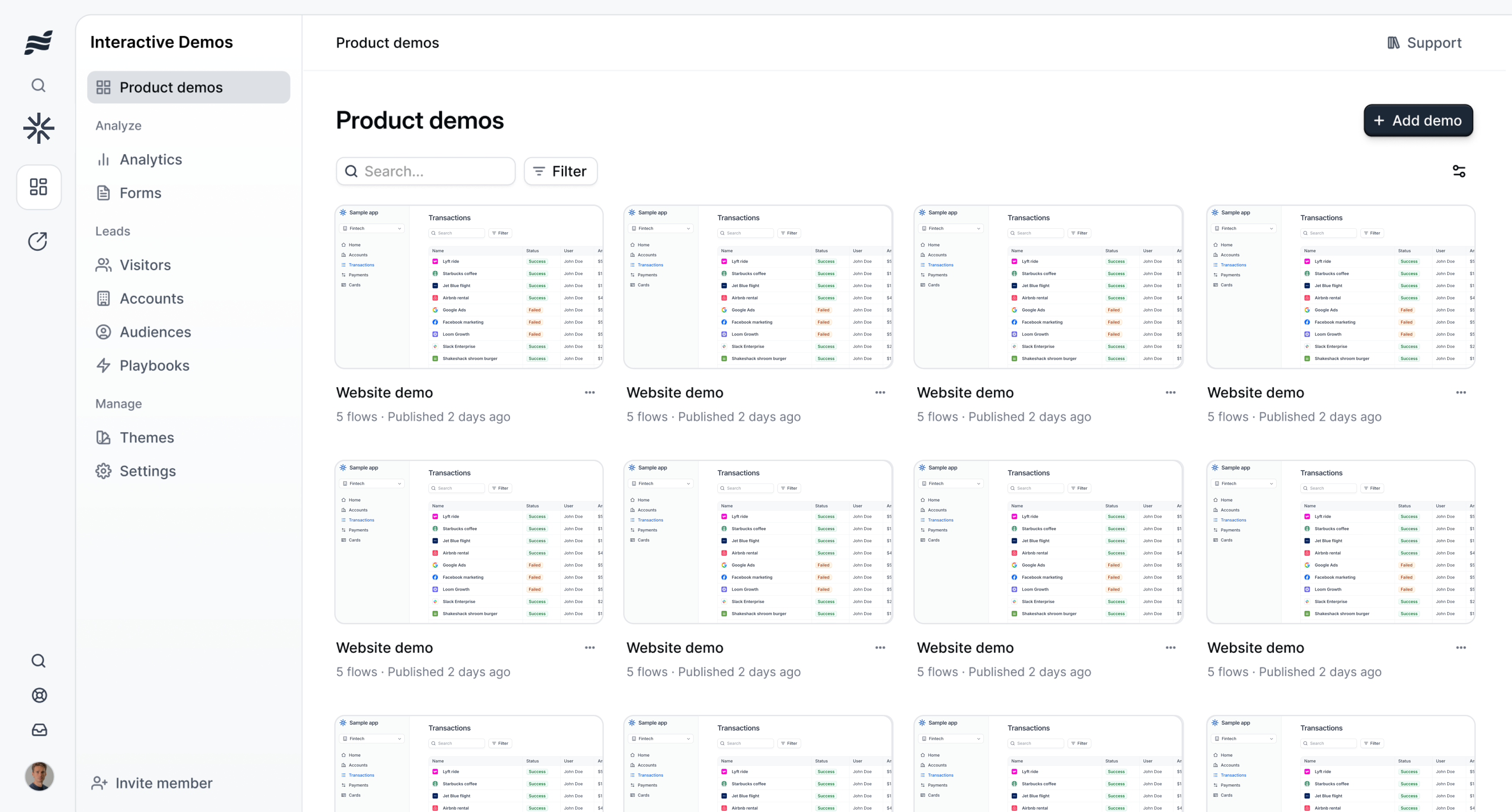
Navattic lets product marketing teams build interactive demos without writing a single line of code. You capture your product using their browser extension, then assemble the captured screens into a guided tour with tooltips, callouts, and conditional logic. Their recently introduced AI Copilot assists with writing tooltip copy, suggesting flow improvements, and auto-generating demo descriptions, reducing the time from capture to publish.
The builder itself is mature. It supports multi-step flows, branching paths based on user choices, and customizable styling to match your brand. For teams that have been building interactive demos for a while, the editing experience feels refined and predictable.
Strong CRM and Marketing Automation Integrations
One of Navattic's genuine differentiators is its integration depth with enterprise CRM and marketing automation platforms. It connects natively with Salesforce, HubSpot, and Marketo, which means demo engagement data flows directly into your existing lead scoring and attribution models. When a prospect views your interactive demo, that activity shows up in their CRM record. Your sales team can see exactly which features the prospect explored and how long they spent on each step.
For enterprise sales organizations that live inside Salesforce, this level of integration is not a nice-to-have. It is table stakes. Navattic understands that its buyers operate within complex GTM stacks, and the product reflects that understanding.
Advanced Analytics: Heatmaps, Completion Rates, and Engagement Data
Navattic's analytics go beyond simple view counts. You get heatmaps showing where viewers click, completion rates for each step in your demo, time-on-step breakdowns, and drop-off analysis. The platform also supports account identification, which means you can see not just that someone viewed your demo, but which company they work for, even without a form fill.
These analytics are particularly valuable for ABM (account-based marketing) strategies where you need to know exactly which target accounts are engaging with your content and how deeply they are exploring specific features.
A/B Testing for Demo Variations
Navattic supports A/B testing different demo versions, which lets you experiment with different opening screens, tooltip copy, flow length, and CTA placement. For data-driven marketing teams, this is a meaningful feature: you can systematically optimize your demos based on actual engagement data rather than guesswork.
Multi-Language Support and Launchpad
Interactive demos can be localized into multiple languages, which matters for companies selling into international markets. Navattic also offers Launchpad, a purpose-built demo sharing tool for sales teams. Instead of reps digging through a shared drive for the right demo link, Launchpad provides an organized portal where they can find, customize, and share the right demo for each prospect.
Transparent Pricing
Navattic publishes its pricing openly, starting at $40/mo for Starter Plus. While the price scales significantly as you move to Base ($500/mo) and Growth ($1,200/mo) tiers, the transparency itself is commendable in a market where many competitors hide pricing behind a "Contact Sales" button.
Best For
Navattic shines brightest for mid-market and enterprise B2B companies running account-based marketing programs, with existing Salesforce or HubSpot implementations, who need interactive product tours embedded on their website and shared through sales outreach. If that describes your team, Navattic is a strong choice in its category.
Where Navattic Falls Short for Video Demos
Now let us talk about the gaps, specifically, the gaps that surface when your team needs video demo output.
No Video Output at All
This is the most fundamental limitation and the primary reason teams look for alternatives. Navattic produces interactive demos only. There is no video export, no MP4 download, no way to generate a video from your interactive content. The output is always an embeddable, clickable experience, which is excellent for certain use cases, but entirely absent for others.
This means you cannot use Navattic content on YouTube. You cannot embed it in a sales email as a video thumbnail. You cannot post it to LinkedIn, X, or TikTok. You cannot include it in a sales deck that will be presented over Zoom. You cannot upload it to a video hosting platform for SEO. Any channel that expects video content is simply out of reach.
Interactive Demos Require Active Clicking
Interactive demos demand something from the viewer: attention, intention, and physical interaction. The viewer must click buttons, follow tooltips, and navigate through steps. This is a strength when the viewer is highly motivated, when they are on your pricing page, for example, and genuinely evaluating your product. But it is a weakness for top-of-funnel and passive consumption scenarios.
Consider how most people consume content on social media. They are scrolling quickly. They pause on something that catches their eye for three to five seconds. If it holds their attention, they watch for another thirty seconds to a minute. They do not want to click through an interactive experience while they are on the train or eating lunch. They want to watch.
Video meets people where they are. Interactive requires people to come to you.
Significant Pricing Jumps Between Tiers
While Navattic's Starter Plus plan at $40/mo is accessible, the pricing curve steepens quickly. The Base plan jumps to $500/mo (a 12.5x increase) and the Growth plan reaches $1,200/mo. For growing startups and mid-stage companies, that kind of pricing escalation can be painful, especially when you realize you need the higher tiers to unlock features like CRM integrations and advanced analytics that are core to the platform's value proposition.
The quarterly minimum commitment adds another consideration. There is no true month-to-month option, which means you are committing at least three months of spend before you can fully evaluate whether the platform delivers ROI for your specific use case.
Steep Learning Curve for Complex Demos
Building simple demos in Navattic is straightforward. But creating sophisticated multi-path demos with conditional logic, persona-specific branching, and custom integrations requires a meaningful learning investment. You need to understand user flow design, think through branching scenarios, configure conditional logic, and test multiple paths. For teams without a dedicated demo specialist, this can become a bottleneck.
Mobile Experience Limitations
Interactive demos were designed for desktop browsers. On mobile devices, the touch interactions do not always translate cleanly. Tooltips can be hard to tap, scrolling within a demo can conflict with page scrolling, and the overall experience can feel clunky on smaller screens. Given that a significant percentage of B2B content consumption now happens on mobile (especially from social media links) this is a real friction point.
Video, by contrast, is a native mobile format. It plays inline, scales to any screen size, and requires no touch interaction beyond a play button.
No AI Voiceover or Narration
Navattic's interactive demos are silent by default. There is no AI voiceover, no narration track, and no audio component. While tooltips and annotations carry the narrative, the absence of audio means the demos cannot take advantage of one of the most effective communication channels: the human voice explaining what the viewer is seeing.
Manual Capture Required
Every Navattic demo starts with someone manually clicking through the product to capture screenshots and interactions. There is no autonomous navigation, no AI that explores your product on its own. When your product UI changes (a new button here, a redesigned settings page there) someone needs to go back and re-capture those screens manually. For fast-shipping product teams, this maintenance burden accumulates over time.
What to Look For in a Navattic Alternative for Video Demos
If you are evaluating alternatives because you need video output, here are the criteria that matter most. Not every tool needs to check every box, but understanding these dimensions will help you make a sharper comparison.
Video as the Primary Output Format
This sounds obvious, but it is worth stating explicitly. The tool should produce video: actual MP4 files or embeddable video players, as its core output. Not video as an afterthought. Not "export to GIF" as a workaround. Video should be the thing the product is built to create.
AI Voiceover with Multi-Language Support
A demo video without narration is just a screen recording with transitions. Voiceover transforms a visual walkthrough into a guided experience. Look for AI voiceover that sounds natural, supports multiple languages for international teams, and can be customized in tone and pacing. The best tools let you describe what the voiceover should say and generate it automatically: no script writing, no recording sessions.
Autonomous or Minimal Recording Workflow
The whole point of moving away from manual screen recording is to reduce the human effort required. The ideal alternative captures your product automatically, either by navigating it autonomously (given a URL) or by requiring minimal manual input. If you are still spending 30 minutes per demo on recording and setup, you have not actually solved the problem.
Professional-Quality Output
The video needs to look polished. That means smooth transitions between steps, dynamic captions that are properly timed and styled, branded intro and outro sequences, and consistent visual quality throughout. Marketing teams are producing content that represents their brand; the output quality has to meet that standard.
Affordable Pricing Without Massive Tier Jumps
One of the pain points with Navattic is the $40 to $500 pricing jump. Look for alternatives where the pricing scales more gradually and where core features (like video export, voiceover, and branding) are available at accessible price points rather than locked behind enterprise tiers.
Works Across All Channels
The video should work everywhere: embedded on your website, posted to YouTube, shared on LinkedIn and X, included in sales email sequences, dropped into a Notion doc, presented in a Zoom call, and uploaded to your learning management system. Versatility of distribution is the whole advantage of video over interactive formats.
Best Navattic Alternatives for Product Demo Videos
1. Demosmith -- Best Overall Navattic Alternative for Video
Demosmith takes a fundamentally different approach from Navattic. While Navattic builds interactive click-through demos, Demosmith is an AI Demo Agent that produces polished video demos autonomously. You paste your product URL, describe the workflow you want to demonstrate, and the AI agent navigates your product, captures the screens, edits the footage, adds transitions and dynamic captions, generates AI voiceover, applies your brand kit, and delivers a finished MP4 video, all in under 10 minutes.
There is no recording step. There is no manual screenshot capture. There is no editing phase where you stitch clips together in a timeline. The AI handles the entire pipeline from product navigation to final render.
Key Features:
- Autonomous product navigation: The AI agent opens your product in a real browser and walks through the workflow you describe. You do not need to record your screen or capture screenshots.
- AI voiceover in 29 languages: Natural-sounding narration that explains what the viewer is seeing. Supports Arabic, Bulgarian, Chinese, Croatian, Czech, Danish, Dutch, English, Filipino, Finnish, French, German, Greek, Hindi, Indonesian, Italian, Japanese, Korean, Malay, Polish, Portuguese, Romanian, Russian, Slovak, Spanish, Swedish, Turkish, Ukrainian, and Vietnamese.
- Brand kit auto-applied: Upload your logo, colors, and fonts once. Every video is automatically branded to match your visual identity.
- MP4 export + shareable link: Download the raw video file for use anywhere, or share a hosted link with built-in analytics.
- Demo library: Organize all your demo videos in one place, with easy re-generation when your product updates.
- Dynamic captions: Auto-generated, properly timed captions that enhance comprehension and accessibility.
Pricing: Free trial available. Starter at $40/mo, Pro at $99/mo, Business at $250/mo, Enterprise custom.
Why it is the best Navattic alternative for video: Demosmith does not try to be an interactive demo platform. It is purpose-built for video output, and that focus shows in the quality and speed of what it produces. The autonomous workflow means you can generate a new demo video in less time than it takes to set up a single interactive demo flow in Navattic. And the output works everywhere (YouTube, LinkedIn, email, sales decks, your website, Slack, Notion) without requiring the viewer to click through anything.
For teams currently using Navattic for interactive demos, Demosmith is not a replacement; it is a complement. Navattic handles the interactive experience on your website. Demosmith handles video for every channel interactive cannot reach.
The key insight is that Navattic and Demosmith solve different problems. Interactive demos let prospects explore your product. Video demos let your product reach prospects wherever they are.
Best for: Product marketing teams, growth teams, sales enablement, and other teams who need video demos across channels where interactive experiences are not viable: social media, email outreach, YouTube, sales presentations, and partner enablement.
The AI demo video generator page covers the agent workflow in depth.
2. Storylane -- Interactive Platform with Some Video Capabilities
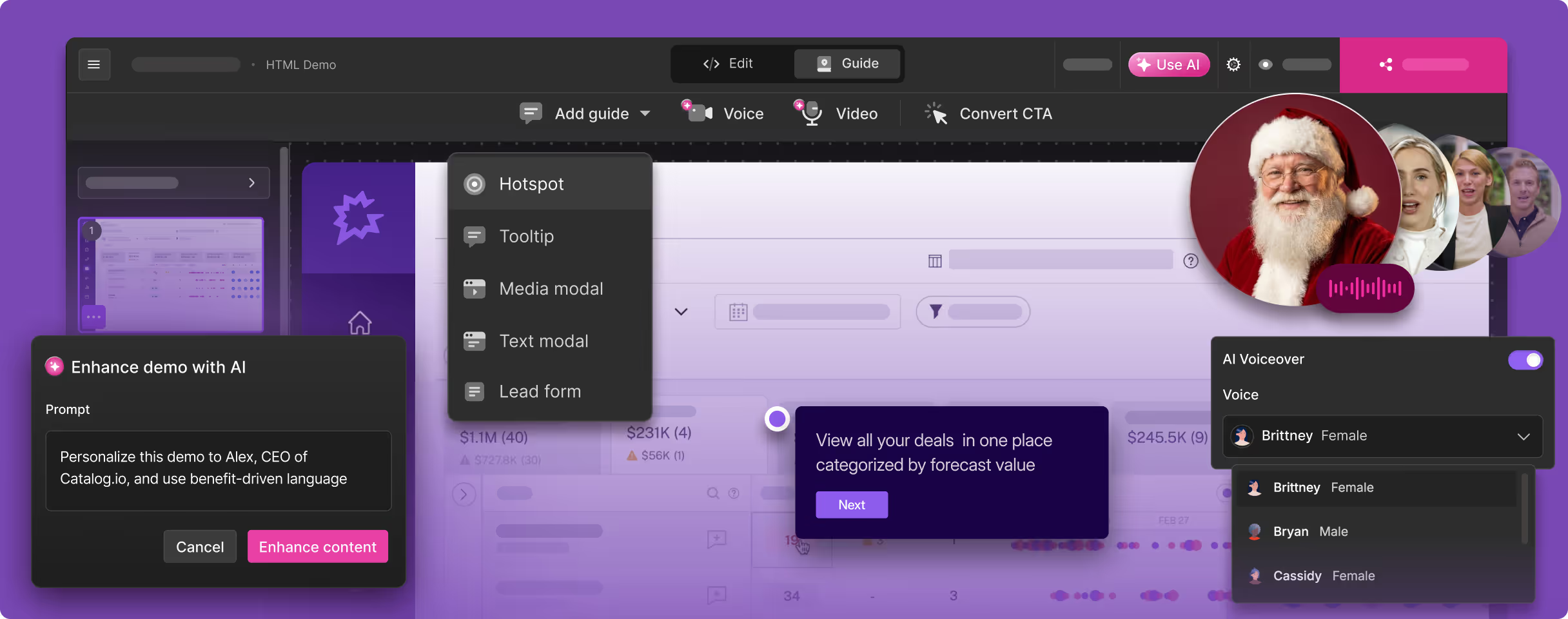
Storylane occupies a similar space to Navattic but positions itself as more accessible and easier to get started with. Teams evaluating Storylane alternatives will find a similar tradeoff at play here. It is an interactive demo platform that supports both screenshot-based and HTML capture modes, with AI-powered annotations and tooltips. In recent updates, Storylane has introduced limited video export capabilities, though the output is more of a screen-captured recording of the interactive demo than a purpose-built video.
Key Features:
- Dual capture modes: Screenshot capture for quick demos, HTML capture for more dynamic and realistic interactive experiences.
- AI-powered tooltips and annotations: Auto-generates step descriptions and tooltip copy based on the captured content.
- Demo customization: Personalize demos with viewer name, company logo, and custom messaging for ABM outreach.
- Some video export: Export your interactive demo as a video, though the output quality and flexibility are limited compared to dedicated video tools.
- Analytics and lead capture: Track viewer engagement, capture leads through in-demo forms, and integrate with CRMs.
Pricing: Free tier with limited features. Starter at $40/mo, Growth at $500/mo, Enterprise custom.
How it compares to Navattic: Storylane is generally more accessible than Navattic, with a lower learning curve and a more generous free tier. The pricing structure is similar, with the same kind of jump from $40 to $500 at the mid-tier. Where Storylane has a slight edge is in its ease of setup: teams report getting their first demo live faster with Storylane than with Navattic.
Limitations as a video alternative: Storylane is still fundamentally an interactive demo platform. The video export feature exists, but it is not the primary workflow. The exported videos lack AI voiceover, autonomous capture, and the production polish you get from a video-first tool. If video is your main need, Storylane does not fully solve the problem.
Best for: Teams who want an interactive demo platform similar to Navattic but with slightly easier onboarding and a more accessible entry point. Not ideal as a standalone video demo solution.
3. Arcade -- Interactive Builder with Built-In Video Export
Arcade is an interactive demo builder that differentiates itself with a strong emphasis on video export alongside its interactive format. You capture your product through a browser extension or desktop recorder, build an interactive demo with callouts, annotations, and branching paths, and then export the result as either an interactive embed or a video file.
Key Features:
- Dual output: Create once, export as both interactive demo and video. This is Arcade's most compelling differentiator in this comparison.
- Branching paths: Build persona-specific demo flows where viewers choose their own path through the product.
- Callouts and annotations: Rich editing tools for highlighting specific features, adding context, and guiding the viewer's attention.
- Marketing integrations: Connects with common analytics and marketing tools for tracking demo performance.
- Collaborative editing: Multiple team members can work on demos simultaneously.
Pricing: Free plan available. Pro at $32/mo per user. Team and Enterprise tiers available.
How it compares to Navattic: Arcade is less enterprise-focused than Navattic. Its CRM integrations are not as deep, and its analytics are simpler. But the video export capability is something Navattic lacks entirely. For teams that need both interactive and video output from a single platform, Arcade is the most versatile option in the interactive demo category.
Limitations as a video alternative: The video export is a secondary feature, not the primary product. The exported video is essentially a recording of the interactive experience; it does not include AI voiceover, autonomous capture, or the production quality of a purpose-built video tool. The per-user pricing model can also become expensive for larger teams. And because you still need to manually record your product through the browser extension, the maintenance burden when your UI changes is the same as Navattic's.
Best for: Teams who want the flexibility of both interactive and video output from a single tool, and who are comfortable with the trade-off that video is a secondary capability rather than the core product.
4. Supademo -- Lightweight and Affordable Interactive Builder
Supademo positions itself as the simplest and most affordable interactive demo builder on the market. It focuses on speed and accessibility: install the browser extension, click through your product, and Supademo generates a step-by-step interactive demo with AI-generated annotations. The platform is intentionally lightweight, prioritizing ease of use over the feature depth of platforms like Navattic and Storylane.
Key Features:
- Fastest time to first demo: Supademo consistently produces interactive demos faster than any other tool in this comparison. The browser extension captures each click as a step, and AI fills in the annotations.
- AI annotations: Auto-generated step descriptions, tooltips, and callouts that are surprisingly accurate and require minimal editing.
- Easy embed: Embed interactive demos in websites, docs, help centers, and onboarding flows with a simple code snippet.
- Analytics: View-level analytics including completion rates, time per step, and drop-off points.
- Team collaboration: Shared workspace for teams to build, review, and publish demos together.
Pricing: Free plan with limited demos. Pro at $27/mo, Scale at $38/mo, Enterprise custom.
How it compares to Navattic: Supademo is significantly more affordable and easier to use than Navattic, but it is also less powerful. It lacks Navattic's depth of CRM integrations, advanced analytics, A/B testing, and account identification features. Supademo is the right choice when simplicity and speed matter more than enterprise features.
Limitations as a video alternative: Supademo does not produce video at all. There is no video export, no MP4 download, and no video-related features. The output is strictly interactive. If you need video, Supademo will not help. It is included in this comparison because teams often evaluate the entire interactive demo category when considering Navattic alternatives, and Supademo represents the simplest option in that space, and teams evaluating it will find a similar tradeoff covered in our guide to Supademo alternatives.
Best for: Small teams and startups that need basic interactive demos quickly and affordably. Not a video demo solution.
The Case for Both Interactive and Video Demos
Here is something that gets lost in most "alternative" comparisons: interactive demos and video demos are not competing formats. They serve different purposes at different stages of the buyer journey, and the most effective go-to-market strategies use both.
Top of Funnel: Video for Awareness
At the top of the funnel, your goal is to reach prospects where they already are and give them a reason to care about your product. This is the domain of social media, YouTube, paid ads, blog content, and email outreach. In all of these channels, video is the native format.
A 90-second product demo video on LinkedIn can reach thousands of potential buyers who would never have navigated to your website to try an interactive demo. A YouTube video can rank for product-category keywords and bring in organic traffic for months. A video embedded in a cold email gives the prospect a zero-effort way to understand what your product does.
You cannot achieve any of this with an interactive demo. The format simply does not travel to these channels.
Mid Funnel: Interactive for Deep Exploration
Once a prospect is on your website and actively evaluating your product, interactive demos become incredibly powerful. The visitor is already motivated. They want to see specific features. They want to click around and understand the workflow. An interactive demo embedded on your features page, pricing page, or product tour page gives them exactly that experience: guided, hands-on exploration without needing to sign up for a trial.
This is where Navattic excels. The heatmaps, completion analytics, and CRM integration ensure that the engagement data from these mid-funnel interactions flows back to your sales team, helping them prioritize outreach and personalize conversations.
Bottom of Funnel: Personalized Video for Sales Follow-Up
After a sales call, when a prospect is comparing your product against competitors and building an internal business case, a personalized video demo is one of the highest-impact assets a rep can send. The prospect can share it with their team (their engineering lead, their VP, their procurement department) and everyone can understand the product without needing another live demo.
A 3-minute video that walks through the specific use case discussed on the call, branded to your company, with professional voiceover, is a powerful leave-behind. It keeps your product top of mind and reduces the friction of internal evangelism.
Interactive demos are less effective here because you cannot guarantee that every stakeholder will click through the entire experience. A video plays the same way for everyone.
The Smart Approach: Use Both
The most sophisticated GTM teams are not choosing between interactive and video. They are using both, each where it is strongest:
- Navattic (or another interactive tool) for on-site product tours, in-app experiences, and high-engagement website embeds where analytics and CRM integration matter.
- Demosmith (or another video tool) for social media, YouTube, email sequences, sales follow-ups, partner enablement, and any channel where the viewer just needs to press play.
This is not about replacing Navattic. It is about filling the gap that Navattic cannot cover. Your interactive demos engage the visitors who come to you. Your video demos go out and find the prospects who do not know you exist yet.
Navattic vs. Alternatives: Side-by-Side Comparison
Here is how Navattic compares to the alternatives across the dimensions that matter most for teams evaluating video demo capabilities. For a broader look across the full market, see our roundup of the best AI demo video generators in 2026.
| Feature | Navattic | Demosmith | Storylane | Arcade | Supademo |
|---|---|---|---|---|---|
| Primary Output | Interactive demos only | Video (MP4 + link) | Interactive (limited video) | Interactive + video export | Interactive demos only |
| Video Capable | No | Yes — video-first | Limited | Yes — secondary | No |
| AI Voiceover | No | Yes — 29 languages | No | No | No |
| Autonomous Capture | No — manual screenshots | Yes — AI navigates | No — manual | No — manual | No — manual |
| CRM Integration | Deep (Salesforce, HubSpot, Marketo) | Shareable links + analytics | HubSpot, Salesforce | Basic | Limited |
| Starting Price | $40/mo / $500/mo (Base) | Free trial / $40/mo | Free / $40/mo | Free / $32/user/mo | Free / $27/mo |
| Best For | Enterprise interactive + CRM analytics | Autonomous video demos for all channels | Accessible interactive + basic video | Interactive and video from one tool | Fast, affordable interactive demos |
Conclusion: Choosing the Right Navattic Alternative
Navattic is a strong platform. It has earned its position in the interactive demo market by building deep enterprise integrations, sophisticated analytics, and a mature demo builder that handles complex, multi-path product tours. For mid-market and enterprise B2B teams running account-based marketing programs through Salesforce or HubSpot, Navattic delivers genuine value.
But interactive demos have a ceiling. They work on your website. They work when someone clicks through to an embedded experience. They do not work on YouTube. They do not work in a LinkedIn feed. They do not work in a sales email that gets forwarded to six stakeholders. They do not work in a partner deck or a conference presentation or a product review site.
Video covers all of those channels. And if video is what your go-to-market strategy demands, you need a tool that was built for video from the ground up.
Demosmith is the strongest alternative for teams whose primary need is video demo output. The autonomous AI workflow eliminates the recording and editing burden entirely, and the output quality (with AI voiceover, branded captions, and polished transitions) is production-ready without post-processing. At $40/mo for Starter, it is accessible without the steep tier jumps that characterize enterprise interactive platforms.
Arcade is the best fit for teams who want both interactive and video from a single tool and are comfortable with the trade-off that video is a secondary capability.
Storylane makes sense for teams primarily seeking an interactive demo platform that is more accessible than Navattic, with the flexibility of limited video export as a bonus.
Supademo is ideal for small teams that need fast, affordable interactive demos but have no video requirements.
For many teams, the smartest move is not replacing Navattic at all. It is keeping Navattic for what it does best (enterprise interactive demos with CRM-integrated analytics) and adding Demosmith for what Navattic cannot do: producing video demos that reach prospects on every channel where video is the native format.
For a detailed head-to-head comparison, see our Demosmith vs Navattic comparison, or read the full Navattic Review 2026. Interactive and video are not competing formats. They are complementary. The teams that understand this and invest in both will have a meaningful advantage over those still trying to make one format serve every purpose. For a deeper dive, read our Navattic vs Storylane vs Arcade comparison.
Key Takeaways
- Navattic is a strong enterprise interactive demo platform with deep CRM integrations, advanced analytics, and mature A/B testing, but it produces zero video output.
- Interactive demos and video demos serve different buyer needs: interactive rewards active exploration, video enables passive consumption across all channels.
- Demosmith is the best alternative for teams that need autonomous, AI-generated video demos with voiceover and branding: no recording required.
- Arcade offers both interactive and video export from a single platform, though video is a secondary feature.
- The most effective GTM strategies use both formats: interactive for on-site engagement, video for social, email, YouTube, and sales enablement.