Storylane in 2026: What You Need to Know
Storylane has established itself as one of the most popular interactive demo platforms on the market. With roughly 1,590 reviews on G2 and a 4.7/5 rating, it has built the largest and a generally satisfied user base in the category. But ratings only tell part of the story.
The product has changed significantly since its founding in 2021. Storylane has pushed into AI territory with features like the Lily AI Sales Agent, AI voiceover and video avatars, and an HTML capture editor. The pricing has shifted too, with critical features moving behind higher-tier paywalls and add-on charges that are easy to miss during the buying process.
This review covers what Storylane does well, where it falls short, who it works best for, and what alternatives exist if it turns out to be the wrong fit. We have looked at public documentation, user reviews, and the product itself.
If you are evaluating interactive demo tools in 2026, this is what you need to understand before making a decision.
What Is Storylane?
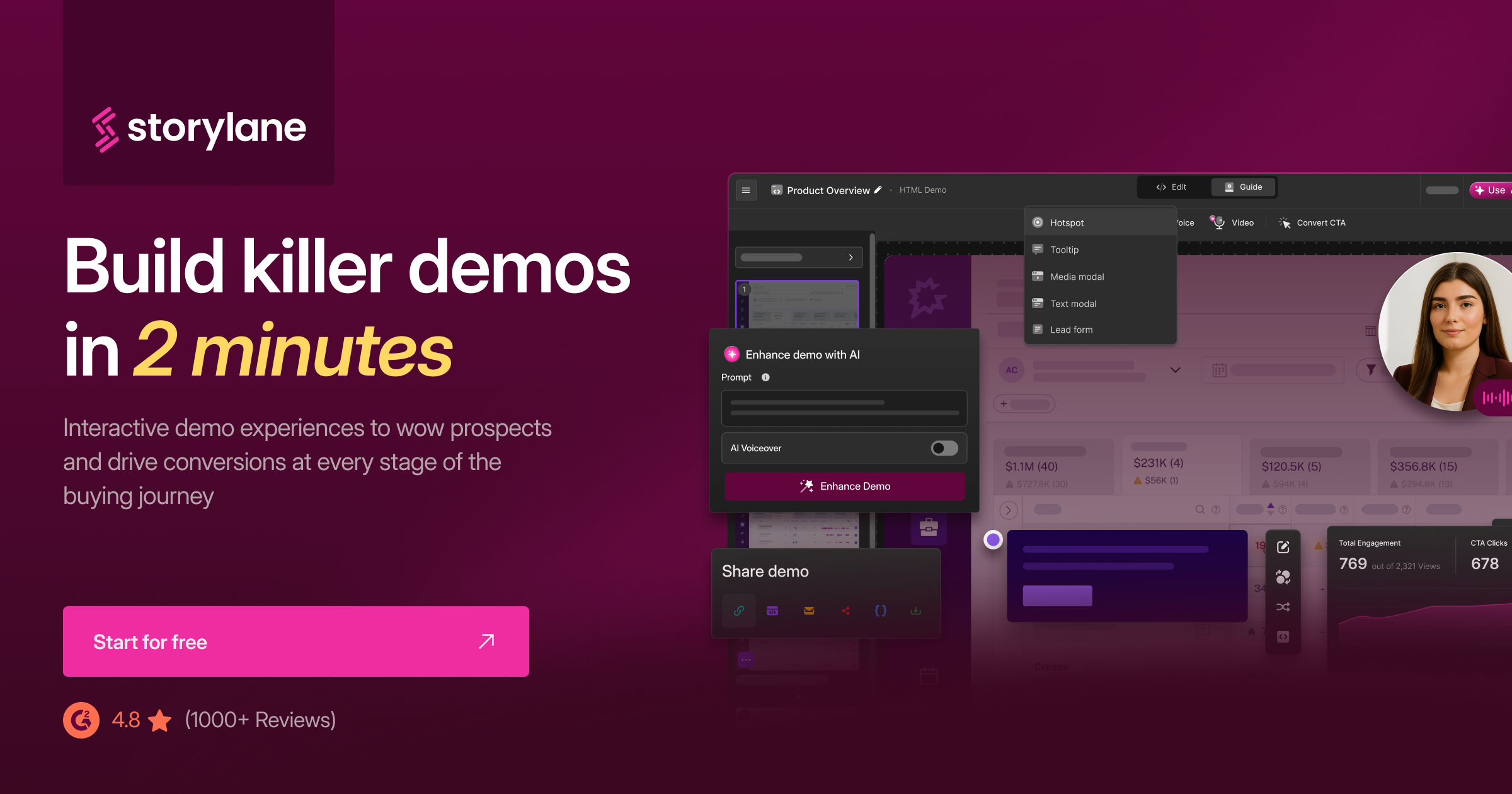
Storylane is an interactive demo platform that lets you create click-through product tours. You capture your product using a Chrome extension, HTML capture, or a desktop app, arrange the result into a guided sequence, add annotations and tooltips, and publish an interactive experience that viewers click through at their own pace. On top of that capture layer, Storylane now runs an AI suite: its Lily AI sales agent, AI voiceover, AI avatars, and translations. The company was founded in 2021 and has grown quickly, particularly among marketing teams at B2B SaaS companies.
The core value proposition is straightforward: prospects can experience your product without signing up for a trial or sitting through a sales call. Marketing teams embed these interactive demos on landing pages, in email campaigns, and inside sales enablement content. It fills a real gap between static screenshots and full product access.
Storylane operates in the same category as Navattic, Arcade, Walnut, and Tourial. Each of these tools produces interactive click-through experiences rather than video output. If you have read our comparison of Navattic, Storylane, and Arcade, you know the differences between them. This review focuses specifically on Storylane and whether it delivers on its promises in 2026.
Storylane Features Worth Knowing
Chrome Extension Capture
Storylane's primary capture method is a Chrome extension that takes screenshots of your product as you click through it. You navigate your product normally, the extension captures each screen, and Storylane stitches the screenshots into a clickable sequence. The process is fast for simple flows. A five-step product tour can be assembled in under ten minutes.
The limitation is that these are screenshots, not live product environments. If your product has animations, dynamic content, or complex interactions, the static captures can feel flat. What you gain in speed you lose in fidelity.
No-Code Editor
Once captured, you edit demos in a visual, no-code editor. You add hotspots (clickable areas that advance the demo), tooltips, modals, and guided annotations. You can blur sensitive data, swap out text, replace images, and customise the appearance without touching code. The editor is where Storylane's ease-of-use reputation comes from. Marketing teams can build and publish demos without engineering support.
The editing works well for straightforward modifications. Where it struggles is with more complex changes. Altering layout elements, adjusting responsive behaviour, or making the demo feel truly dynamic requires workarounds that can eat into the time you saved during capture.
HTML Capture (Growth Plan and Above)
On the Growth plan ($500/month) and above, Storylane offers HTML capture. Instead of taking screenshots, it captures a clone of your product's front-end code, producing a more interactive and realistic demo environment. Users can type into form fields, interact with dropdowns, and experience the product closer to how it actually works.
HTML capture is a significant upgrade over screenshot-based demos. The output feels more like a real product and less like a slideshow. The HTML editor, though, has drawn criticism for being too basic. Complex applications with heavy JavaScript, iframes, or third-party embeds often do not capture cleanly, requiring manual fixes that can be time-consuming.
Lily AI Sales Agent
Storylane's newest addition is Lily, an AI sales agent that sits inside your interactive demos. Lily can answer prospect questions in real time, guide viewers through the demo based on their interests, and qualify leads during the demo experience. It connects to your product documentation and sales materials to generate contextual responses.
The concept is compelling. Instead of a passive click-through, the demo becomes a conversation. Early feedback suggests Lily works best when the product documentation it draws from is comprehensive. Thin or outdated docs produce thin or inaccurate responses.
AI Voiceover and Video Avatars
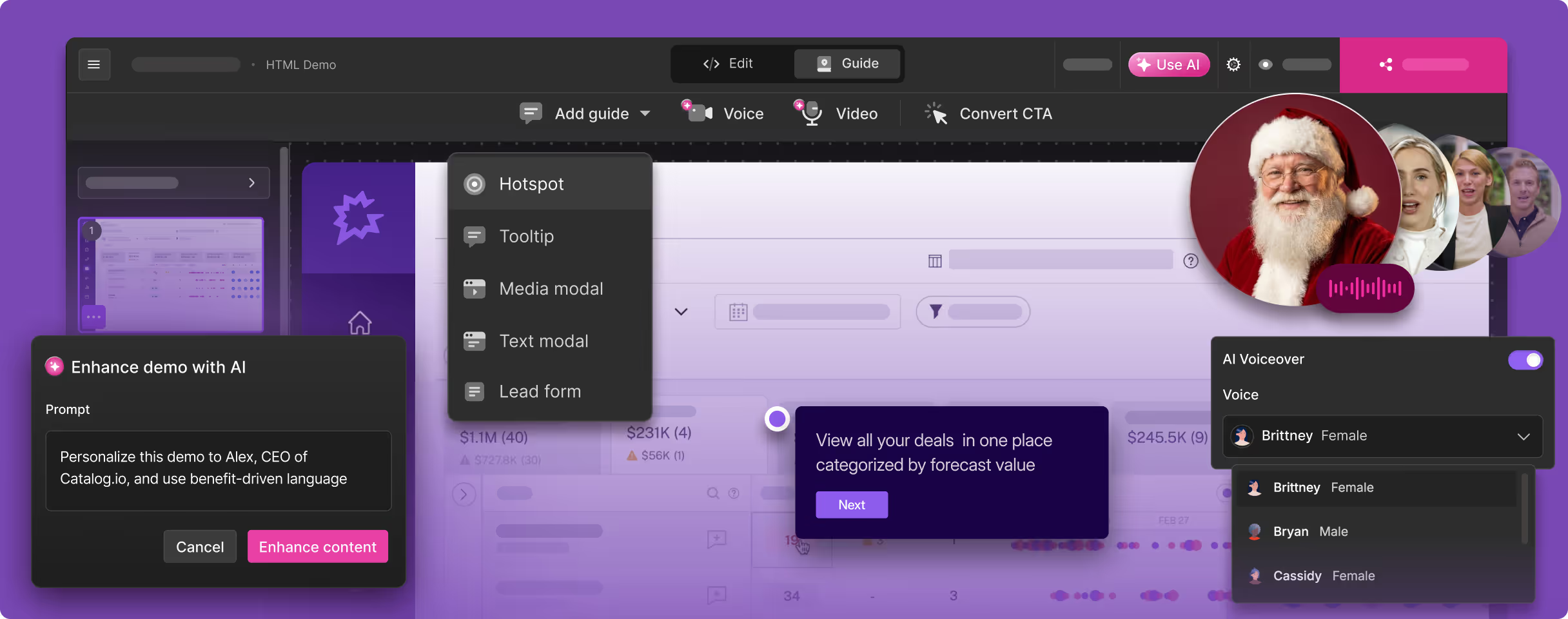
Storylane has added AI-generated voiceover narration and video avatar presenters to its demos. You can add a narrated walkthrough without recording your own voice, and video avatars can present the demo on camera. These features move Storylane closer to video output, though the primary format remains an interactive click-through experience.
The voiceover quality is functional. It handles scripted narration well enough for product tours, though it lacks the natural pacing and emphasis you get from purpose-built voice synthesis tools. The video avatars add a visual presence but can feel generic if not customised carefully.
Analytics and Integrations
Storylane tracks how viewers interact with your demos: which steps they complete, where they drop off, how long they spend on each screen, and whether they reach the CTA. These analytics feed into integrations with HubSpot, Salesforce, Marketo, and other marketing and sales tools. You can trigger workflows based on demo engagement, score leads by demo completion, and route qualified prospects to sales.
The analytics are one of Storylane's genuine strengths. For marketing teams that need to connect demo engagement to pipeline metrics, the integration layer is well built and well documented.
25+ Language Translation
Storylane supports translation of demo content into over 25 languages. You can localise tooltips, annotations, and guide text for different markets. For companies selling internationally, this reduces the overhead of creating separate demos for each region.
The translation covers the overlay content (tooltips, modals, guide text) but not the underlying product screenshots. If your product UI is in English, the translated demo will show English UI with localised annotations. For a fully localised experience, you need to capture the product in each language separately.
Storylane Pricing in 2026
Storylane's pricing has multiple tiers with meaningful feature gates between them. Here is the full breakdown.
| Plan | Price | Key Features |
|---|---|---|
| Free | $0 (1 demo only) | Single published demo, basic editor, Storylane branding |
| Starter | $50/user/month (2-seat minimum) | Unlimited screenshot demos, custom branding, basic analytics, lead capture forms |
| Growth | $500/month | HTML capture, advanced analytics, CRM integrations, 5 user seats included |
| Premium | $1,200/month | Lily AI Sales Agent, account-level analytics, sandbox environments, priority support |
| Enterprise | $25,000-$125,000/year | Custom integrations, dedicated CSM, SSO, SLA, advanced security |
A few things to note about the pricing. The Starter plan is per-user with a two-seat minimum, so the real entry cost is closer to $100/month rather than $50. The jump from Starter to Growth is steep ($50/user to $500 flat), but Growth unlocks HTML capture, which is the feature most teams actually want. The Lily AI Sales Agent sits behind the Premium tier at $1,200/month. AI voiceover and video avatars are available as add-ons, adding cost on top of the base plan.
Enterprise pricing varies widely ($25,000 to $125,000 per year), which makes it difficult to compare directly without a quote. Several users have noted that what looks like affordable entry-level pricing becomes significantly more expensive once you add the features that make the platform useful for serious demo programmes.
What Users Like About Storylane
Based on G2 and Capterra reviews (Storylane holds 4.7/5 on G2 with roughly 1,590 reviews, 85% of which are 5-star), here is what users consistently praise.
- Fast time to first demo. The Chrome extension capture is genuinely quick. Users regularly mention going from nothing to a published demo in under 30 minutes, especially for simple product flows.
- Low learning curve. The no-code editor is accessible to non-technical users. Marketing teams can build and maintain demos without filing tickets with engineering. This independence is a major selling point.
- Strong CRM integrations. The connections to HubSpot, Salesforce, and Marketo are well implemented. Leads captured through demos flow into existing sales workflows without manual data entry.
- Useful analytics. Step-level engagement data gives marketing teams visibility into how prospects interact with demos. Drop-off points and completion rates inform content strategy and sales follow-up alike.
- Responsive support team. Multiple reviews highlight fast and helpful customer support, particularly for users on Growth and above. The onboarding experience gets consistently positive mentions.
- Large template library. Pre-built templates and demo frameworks reduce the time to get started, especially for teams new to interactive demos.
What Users Complain About
No product is without trade-offs. Here is what users consistently flag as problems.
- Screenshot editing is painful. When your product UI changes, updating screenshot-based demos means recapturing and re-editing every affected screen. For products that ship frequently, maintenance becomes a recurring time sink. This is the most common complaint across review sites.
- HTML editor is too basic. Users who upgrade to Growth specifically for HTML capture often find the editor limited. Complex applications with dynamic content, iframes, or heavy JavaScript do not capture cleanly, and the tools for fixing issues are not powerful enough for non-trivial products.
- Pricing surprises. Several reviewers mention that key features they expected to be included turned out to be add-ons or locked behind higher tiers. The gap between the Starter and Growth plans ($50/user with a two-seat minimum to $500 flat) catches teams off guard when they realise screenshot demos are not sufficient.
- Demos feel less real than live product. Screenshot-based demos, by nature, lack the dynamism of a real product. Animations do not play. Dropdowns do not open. Transitions do not happen. For complex or visually rich products, the static nature of screenshot demos is a limitation that no amount of tooltip editing can overcome.
- Limited customisation depth. While the no-code editor handles basic modifications well, users who need deeper customisation (custom CSS, advanced interactions, conditional logic) hit walls. The platform trades flexibility for simplicity.
- Technical bugs with complex captures. Users report intermittent issues with capturing multi-page flows, authentication-gated screens, and applications with complex front-end architectures. These bugs are not universal, but they appear frequently enough in reviews to flag.
Who Should Use Storylane
Storylane works best for B2B SaaS marketing teams that want to embed interactive product tours on their website, in outbound campaigns, and across sales enablement content. If your goal is to let prospects click through a guided version of your product before they talk to sales, Storylane does that job well. The combination of fast capture, easy editing, and strong CRM integrations makes it a practical choice for teams that measure demo engagement as part of their pipeline metrics.
It is particularly well suited to products with relatively stable UIs and straightforward user flows. If your product does not change dramatically sprint-to-sprint, and the flows you want to demo are linear (step 1, step 2, step 3), Storylane's screenshot capture workflow is efficient. Teams with five or fewer people who need basic interactive demos will find the Starter plan sufficient.
Where Storylane is less suited: teams that need video output (Storylane produces interactive experiences, not MP4s), teams whose products change frequently (screenshot maintenance becomes a burden), and teams that need deep customisation or fully realistic product environments (HTML capture helps, but it has limits). If your use case falls into any of those categories, the alternatives below are worth evaluating.
Storylane Alternatives to Consider
Demosmith
Demosmith takes a fundamentally different approach. Instead of capturing screenshots or cloning HTML, this product demo video generator uses an AI Demo Agent that navigates your product autonomously from a URL and generates a polished demo video. The output is an MP4 file with AI voiceover, transitions, zoom effects, and captions, plus a shareable link. No Chrome extension, no manual clicking, no screenshot editing.
The video output means Demosmith demos work everywhere: websites, YouTube, LinkedIn, email, sales decks, conference displays. You can see the format for yourself in these SaaS demo video examples. AI voiceover supports 29 languages, and the entire process takes under 10 minutes from URL to finished video. Pricing starts at $40/month (Starter), with Pro at $99/month, Business at $250/month, and Enterprise custom. Free trial, no credit card required.
If your primary need is video demos, or video plus interactive demos from one recording, Demosmith is the strongest alternative. See our detailed Demosmith vs Storylane comparison for a full breakdown, or read about why teams are switching in our best Storylane alternative guide.
The two tools aim at overlapping outputs now. Storylane captures your product into an interactive tour a prospect self-navigates. Demosmith produces a finished video you can send or embed, and since September 2026 the same recording also compiles into an interactive tour. Here is how they line up.
| Capability | Storylane | Demosmith |
|---|---|---|
| Primary output | Interactive click-through tour | Narrated MP4 + interactive demo |
| How the demo is built | Capture via Chrome extension or app, then edit | AI agent navigates from a URL and prompt |
| AI voiceover and captions | Voiceover and avatars on tours | Built in, 29 languages |
| Autonomous capture | Manual capture | Fully autonomous |
| Starting price | Free; Starter $50/mo (2 seats) | $40/mo |
| Best for | Interactive tours with deep analytics | Demo videos for sales, onboarding, launches |
Navattic
Navattic is the closest direct competitor to Storylane in the interactive demo space. It captures your product's front end and creates click-through experiences, similar to Storylane's HTML capture. Navattic tends to appeal to slightly more technical teams and offers strong analytics and integration capabilities.
The key differences between Navattic and Storylane come down to capture quality and pricing structure. Navattic's capture tends to handle complex applications somewhat better, while Storylane offers a lower entry point and a larger user community. Our Navattic vs Storylane vs Arcade comparison covers the specifics.
Arcade
Arcade produces interactive demos with a focus on visual polish and guided storytelling. It captures your product via browser extension and lets you build step-by-step flows with annotations, callouts, and custom styling. Arcade's output tends to look more polished out of the box than Storylane's, though the feature set is narrower.
Arcade is a good fit for teams that prioritise visual quality in their interactive demos and do not need the depth of analytics or integrations that Storylane provides. It is less suited for enterprise teams that need advanced lead routing or CRM workflows.
Supademo
Supademo is a more affordable entry point into interactive demos. It captures screenshots and packages them into clickable walkthroughs with AI-generated annotations. The pricing is significantly lower than Storylane, making it attractive for early-stage companies or teams with smaller budgets. The trade-off is fewer features, simpler analytics, and limited enterprise capabilities.
Our Verdict
Storylane is a solid interactive demo platform that has earned its user base. The ease of use is real, the analytics are useful, and the CRM integrations work well. For marketing teams at B2B SaaS companies that want to add interactive product tours to their website and sales workflow, it is a reasonable choice in 2026.
The caveats are real too. Screenshot maintenance is tedious for fast-moving products. The pricing escalates quickly once you need HTML capture or AI features. The demos, by their nature, feel less dynamic than the actual product. And if your goal is video output rather than click-through experiences, Storylane is the wrong category entirely. For teams evaluating demo tools, the best starting point is our guide to the best AI demo video generators in 2026, which covers the full landscape.
Storylane does interactive demos well. The question is whether interactive demos are what you actually need. If you need video, if you need multilingual output, or if you need demos that update themselves when your product changes, the answer may be a different category of tool altogether.
Key Takeaways
- Storylane is an interactive demo platform that creates click-through product tours from screenshots or HTML capture. It is well suited for B2B marketing teams that want to embed guided product experiences on their website and in sales workflows.
- The platform is genuinely easy to use. Non-technical users can build and publish demos quickly, and the CRM integrations (HubSpot, Salesforce, Marketo) are well implemented.
- Screenshot-based demos require manual maintenance whenever your product UI changes. For teams shipping frequently, this becomes a meaningful time investment.
- Pricing escalates quickly. The Starter plan ($50/user/month with a two-seat minimum) covers basic screenshot demos, but HTML capture requires the Growth plan ($500/month), and the Lily AI Sales Agent requires Premium ($1,200/month). AI voiceover and avatars are add-ons.
- Storylane produces interactive experiences, not video. If you need MP4 output for YouTube, LinkedIn, sales decks, or email, you need a different tool.
- For teams that need video demo output with AI voiceover and multilingual support, Demosmith is the strongest alternative. For teams that want interactive demos specifically, Navattic and Arcade are the closest competitors.
Disclosure: Demosmith is our product. We have done our best to present Storylane fairly and accurately based on public information, user reviews, and our own evaluation. All pricing and feature information was current as of March 2026.