Why Teams Are Looking Beyond Arcade
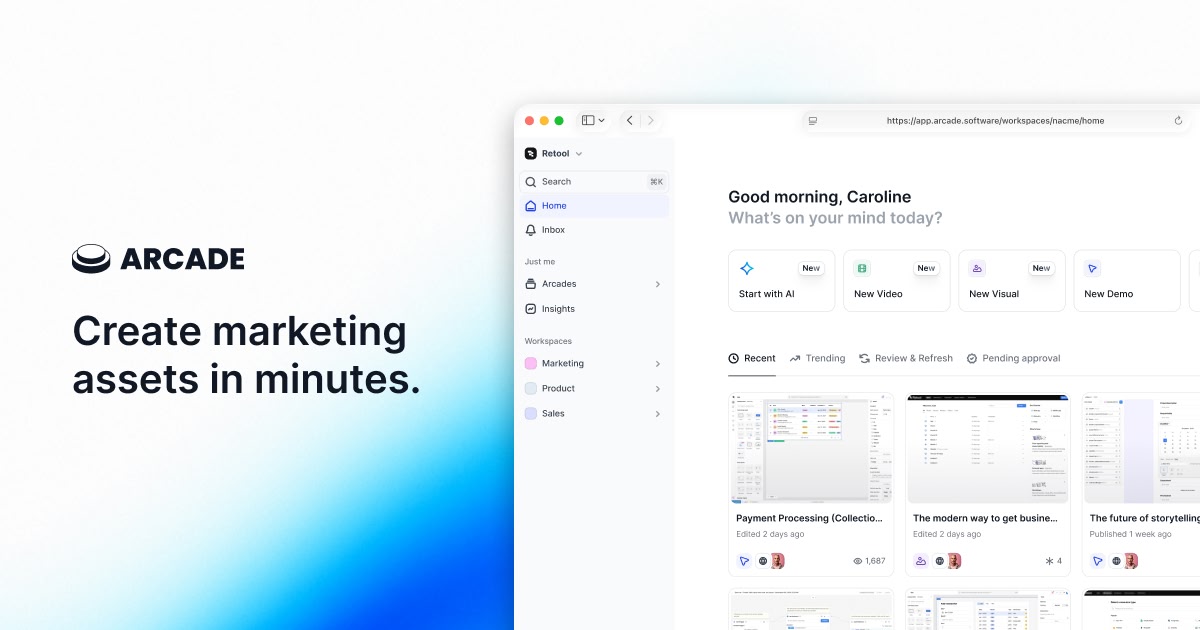
Arcade has built a genuinely strong reputation in the SaaS demo space. If you have spent any time looking at tools for product-led growth, you have likely come across it. Product marketing teams use it to create polished, click-through walkthroughs in minutes. The median time from starting a capture to publishing a demo is reported at around six minutes. That is fast by any measure.
Arcade's engagement numbers are also compelling. Teams using the platform report 7.2x higher engagement compared to static content. For website demos, blog embeds, and product tours, that is a meaningful lift. When your audience arrives at your pricing page or product page with curiosity and time to explore, Arcade delivers the kind of interactive experience that keeps them engaged.
But there is a gap that even Arcade's most satisfied users eventually run into: the output is an interactive click-through, not a video. And in 2026, the channels where you need to distribute product content largely require video. YouTube requires video. LinkedIn native posts perform far better as video than as links. Sales email thumbnails drive more clicks when they show a video preview. Sales decks play video. Paid ads run on video. Conference booths loop video.
Arcade does offer a video export option. But it is a secondary feature, not a core capability. The video you get from Arcade's export is essentially a recording of the interactive experience: screen captures stitched together without professional transitions, without AI voiceover synced to the narrative, without the cinematic production quality that makes demo videos actually watchable. That gap becomes obvious the first time you try to post one to YouTube or drop it into a pitch deck.
There is also the capture question. Every Arcade demo starts with you manually opening Chrome, navigating your product through the browser extension, and clicking through every step you want to capture. That process works well for a handful of demos. For teams that need to produce demo content at scale, covering multiple features, multiple buyer personas, and frequent product updates, the manual Chrome-based capture becomes a meaningful bottleneck.
This guide is for teams who have already evaluated Arcade or are currently using it and need to understand what the alternatives look like for video demo production. We will give Arcade a fair review of what it does genuinely well before covering the gaps, and then we will walk through the best AI demo video generators available in 2026, starting with the tools built specifically for video output.
What Arcade Does Well
Before we cover alternatives, Arcade deserves honest credit for what it has built. This is not a hit piece. Arcade is a well-designed product in its category, and for teams whose primary need is interactive product tours, it is one of the better tools available. Here is a fair account of where it performs.
Genuinely Fast to Publish
Arcade's median time to publish a demo is six minutes. That is not marketing copy: it reflects how streamlined the capture-to-publish workflow actually is. You open the Chrome extension, navigate your product, and the tool captures each screen as you click. You then move to the editor, apply annotations and callouts, and publish. For teams that need to get demos out quickly without spending hours in a video editor, that speed is a real advantage.
Compared to traditional screen recording workflows (where you record, import, trim, add captions, add music, export, and re-export when you find a mistake), Arcade's approach cuts the process dramatically. Even compared to other interactive demo tools, Arcade's capture-to-publish pipeline is notably efficient.
Clean, Modern Editor
The editor inside Arcade is well-designed. The interface follows a slide-based workflow: each captured screen becomes a slide, and you annotate, arrange, and configure each one in sequence. The UI is intuitive enough that non-technical team members can build and update demos without training or engineering support. Product marketers, sales engineers, and customer success managers all regularly build Arcade demos independently.
The editor has received consistent positive feedback from users on review platforms. The learning curve is shallow. Someone new to the platform can build a functional demo on their first day without reading a tutorial.
Page Morph: Edit Text Without Re-Recording
One of Arcade's more impressive features is Page Morph. It lets you directly edit the text that appears on captured product screens without re-recording those steps. If your product UI shows placeholder data or generic copy that you want to replace for a specific demo, you can edit it directly in the Arcade editor. The text renders as if it were always there, with no visible sign of editing.
This feature addresses one of the biggest maintenance headaches in screenshot-based demos: the need to re-record every time copy changes. With Page Morph, a text change becomes a 30-second edit rather than a full recapture. For teams who produce demos for different customers or verticals, this is genuinely useful.
Pan and Zoom Controls
Arcade includes Pan and Zoom controls that let you direct the viewer's attention to specific areas of the screen without post-production. You can configure a step to zoom into a particular UI element, pan across the interface, or highlight a specific button or field. This functionality replaces what you would otherwise do in a video editor: manually keyframing zoom effects for each important moment.
For interactive demos, directing focus matters. If you are walking a prospect through a complex dashboard, the ability to zoom into the relevant section of each screen makes the experience cleaner and easier to follow. Arcade handles this directly in the editor without requiring any video editing knowledge.
Blurring for Sensitive Data
Arcade provides built-in blurring tools that let you hide sensitive information in captured screens. Customer names, email addresses, internal metrics, confidential pricing: you can blur any element of any captured screen before publishing. This is a practical necessity for teams demoing products that contain real customer data, and Arcade handles it well within the editor without requiring external image editing.
Branching Paths for Persona-Specific Demos
Arcade supports branching demo flows, which means you can create choose-your-own-path experiences for prospects. A viewer can select their role ("I'm a developer" versus "I'm a product manager") and be routed to a different demo flow tailored to that persona. This is a meaningful capability for teams selling to multiple buyer types from a single website embed.
Branching paths require more upfront planning and production time, but for high-traffic demo pages where you are reaching diverse audiences simultaneously, the ability to serve persona-specific content within a single embedded demo is a strong advantage.
Synthetic Voiceover (AI-Generated, Paid Tiers)
Arcade offers AI-generated synthetic voiceover on paid tiers. This feature lets you add narration to your interactive demos without recording a human voice. The voiceover is multi-language in capability, which helps teams operating in international markets. Note that this voiceover lives within the interactive demo experience: it is not available in the exported video format, which is one of the limitations covered in the next section.
2026 Features: Automated Demo Updates and Videos to Arcades
Arcade has been active in its development roadmap through early 2026. Two features are worth noting. Automated Demo Updates uses AI to re-capture changed UI elements and presents them for your review, which reduces the manual effort of maintaining demos as your product evolves. This is in beta but addresses a real pain point in screenshot-based demo maintenance.
Videos to Arcades (also in beta as of early 2026) allows you to upload an existing video and convert it into an interactive Arcade demo. This is an interesting capability for teams who have produced screen recordings and want to convert them into click-through experiences without starting from scratch.
Free Plan for Evaluation
Arcade offers a free plan that supports up to three static screenshot demos. This is a functional evaluation tier: you can build real demos and share them with your team or prospects before committing to a paid plan. For teams at the research stage, having a free tier that produces publishable output (not just a sandbox) is a practical advantage over tools that require a credit card for any meaningful trial.
Where Arcade Shines
Arcade is at its best when the output is an embedded interactive demo that lives on your website or in a knowledge base. Product tours on your pricing page, feature walkthroughs in your help center, persona-specific demos on landing pages: these are the use cases where Arcade's speed, clean editor, and interactive features combine to deliver genuine value. For PLG motions where you want prospects to self-serve through a product experience without booking a demo call, Arcade is a strong tool.
Where Arcade Falls Short for Video Demos
With Arcade's genuine strengths acknowledged, here is where the tool creates friction for teams whose primary or secondary need is video demo output.
The Output Is Interactive, Not Video
Arcade's primary deliverable is an interactive, embeddable click-through experience. It is not a video. You cannot upload an Arcade demo to YouTube. You cannot embed it as a video in a Google Slides presentation. You cannot share it as a native video on LinkedIn or use it in a paid video ad campaign.
Arcade does offer a video export feature, but this is not the platform's core competency. The exported video is fundamentally a recording of the interactive experience: a series of screenshots with basic transitions, stitched together into a file. It lacks the production quality of a purpose-built video demo: no dynamic zoom effects synchronized to narration, no professional transitions, no cinematic pacing. The gap between an Arcade video export and a purpose-built demo video is visible immediately, and visible to your prospects.
No AI Voiceover in Exported Video
Arcade's synthetic voiceover feature, which is available on paid tiers, only works within the interactive demo experience. When you export a video from Arcade, the voiceover does not carry over. The exported video is silent. That means if you want a narrated video demo, you need to take the silent export into a separate audio tool, record or generate narration, sync it manually, and re-export. That workflow is neither fast nor scalable.
For teams that specifically need video with professional voiceover narration (which is most teams, since silent demo videos rarely hold attention), Arcade's video export creates more work than it saves.
Chrome-Only Capture Workflow
All Arcade demo creation runs through a Chrome browser extension. If your product requires Firefox, Safari, or a desktop application, Arcade cannot capture it. If members of your team use Firefox or Safari as their primary browser, they are excluded from the demo creation workflow entirely. This Chrome dependency is not a dealbreaker for most SaaS products, but it is a genuine constraint for teams building cross-browser experiences or non-web products.
More fundamentally, the Chrome extension workflow means someone on your team needs to manually navigate through every step of every demo, every time. That person needs the right account, the right test data, and the time to click through the flow cleanly. For teams with complex products or high demo volumes, this manual dependency is a capacity constraint.
Analytics Locked Behind Paid Tiers
Arcade's free plan includes no engagement analytics. To see how many people viewed your demos, where they dropped off, or which steps generated the most interaction, you need a paid tier. The Pro plan at $32/user/month unlocks analytics, but per-user pricing means the cost scales with team size. A team of five people paying for Pro is $160/month just for the analytics feature. That is a meaningful cost for what is arguably table-stakes functionality for any serious demo program.
No Integrations with Key GTM Tools
Arcade's integration list is limited compared to competitors. Teams looking to connect their demo engagement data to Chili Piper, Marketo, Zapier, ZoomInfo, or customer email platforms will find those integrations absent or underdeveloped. For enterprise revenue teams that expect their entire GTM stack to be connected, this gap can be a disqualifying factor, especially when platforms like Storylane and Navattic offer deeper CRM and marketing automation integrations.
Per-User Pricing Scales Quickly
Arcade's Pro plan is priced per user at $32/user/month. That is reasonable for a single user or a small two-person team. But for a marketing team of ten or a sales enablement team with fifteen contributors, the math adds up to $320 to $480 per month for a tool whose video output still requires supplementation. Enterprise contracts reportedly range from $5,000 to $70,000 per year depending on scope, which positions Arcade in a price tier where the limitation of its video capabilities becomes harder to justify.
Still Requires Manual Capture
Despite Arcade's efficiency improvements and 2026 AI features, demo creation still begins with a human manually clicking through the product in Chrome. There is no mechanism to hand the tool a URL and a description and have it produce a demo autonomously. For teams looking to eliminate the human capture step entirely (not just make it faster, but remove it), Arcade's architecture does not support that workflow.
What to Look For in an Arcade Alternative
If you have decided that video output is a requirement, or that you need to move beyond Arcade's manual Chrome capture workflow, here are the criteria that matter most when evaluating alternatives.
Video as the Primary Output Format
The tool should produce video as its core output: MP4 files, shareable video links, embeddable video players designed for video. When video is the primary output, the entire product is built around video quality: the capture process, the editing, the voiceover integration, the export settings. Tools that treat video as a secondary export from an interactive demo platform will always produce a secondary quality result.
AI Voiceover Included in Video Output
Professional demo videos require narration. A silent demo video is a screen recording with a soundtrack problem. The best tools in 2026 generate AI voiceover that is included in the final video output, synchronized with the visual flow, and available in multiple languages. If voiceover requires additional tools, additional recording time, or additional cost, that is friction worth factoring into your evaluation.
Autonomous or Near-Autonomous Capture
The manual capture step is the biggest time cost in demo creation. Look for tools that minimize or eliminate it. Some tools use AI agents that navigate your product autonomously based on a plain-English description of the flow. Others use intelligent screen capture with auto-detection. Either approach reduces the dependency on having a specific person available to click through the product every time a demo needs to be created or updated.
Built-In Professional Editing
Raw screen captures, whether from manual recording or automated agents, are not finished demo videos. Professional demo videos include smooth transitions, zoom effects that draw attention to the right UI element at the right moment, synchronized captions for silent viewing, and a consistent visual pace. Look for tools that handle this editing automatically. If you need to take the output into Premiere Pro or Final Cut to make it presentable, the tool is saving you less time than it appears to.
Brand Consistency Across All Videos
Every demo video your company produces should look like it came from your company. Colors, fonts, logo placement, intro and outro sequences should be set once and applied automatically to every video. This matters especially for teams producing demos at scale, where manually applying brand guidelines to each individual video is not realistic.
Multi-Language Support
If your company sells internationally, the ability to generate demo videos in multiple languages without hiring voiceover artists or running separate recording sessions is a meaningful cost and time advantage. Look for tools that handle language variations as part of the core workflow, not as a paid add-on or a manual process.
Best Arcade Alternatives for Product Demo Videos
1. Demosmith -- Best Overall Arcade Alternative for Video Demos
Demosmith is an AI Demo Agent: a fundamentally different kind of tool than Arcade. Where Arcade captures screenshots via Chrome extension and builds interactive click-throughs, Demosmith autonomously navigates your product and produces polished MP4 video demos with AI voiceover, professional editing, and brand customization applied automatically.
The workflow removes the manual steps that define every other tool in this category. You paste your product URL into Demosmith. You describe the demo flow in plain English: something like "Show a new user creating their first project, adding team members, and running their first report." Then the AI agent takes over. It opens your product in a browser, navigates the flow you described, captures each step, and auto-edits the footage with transitions, dynamic zoom effects, synchronized captions, and AI voiceover narration.
The output is a finished MP4 video plus a shareable link. The average turnaround from prompt to finished video is under ten minutes. There is no Chrome extension to install. There is no clicking through your product. There is no video editing. The demo you described becomes a polished video while you do something else.
Where Demosmith beats Arcade for video use cases:
- Video-first output. Demosmith produces video as its primary output format: an actual, purpose-built video with professional production quality designed for every channel where video is required. Since September 2026, any finished demo can also be compiled into an interactive, clickable walkthrough from the same recording.
- AI voiceover in 29 languages. Arcade's synthetic voiceover only works within the interactive demo experience and does not carry into video exports. Demosmith generates natural-sounding narration in Arabic, Bulgarian, Chinese, Croatian, Czech, Danish, Dutch, English, Filipino, Finnish, French, German, Greek, Hindi, Indonesian, Italian, Japanese, Korean, Malay, Polish, Portuguese, Romanian, Russian, Slovak, Spanish, Swedish, Turkish, Ukrainian, and Vietnamese, and that narration is baked into every video output.
- Zero manual capture. No Chrome extension, no clicking through your product, no screenshot management. Demosmith's AI agent handles the entire capture process autonomously based on a plain-English description of the flow.
- No Chrome dependency. Demosmith operates server-side. Your team members do not need Chrome, do not need a browser extension, and are not excluded by browser preference.
- Brand kit auto-applied. Configure your colors, logo, fonts, and intro/outro once. Every video Demosmith generates automatically matches your brand identity without manual application.
- Multi-channel distribution from day one. The MP4 output works on YouTube, LinkedIn, Twitter, in sales emails, in Google Slides, in PowerPoint, on conference displays, in onboarding sequences, and anywhere else video plays natively. Arcade's interactive demos are limited to contexts where click-through interaction is technically possible.
- Simplified maintenance. When your product UI changes, you run the same prompt again. The AI re-navigates your updated product and produces a new video. No screenshot-by-screenshot recapture. No tooltip repositioning. The maintenance cost scales with the number of prompts you run, not with the number of screenshots you have published.
Pricing: Free trial available, no credit card required. Starter at $40/mo, Pro at $99/mo, Business at $250/mo, Enterprise custom.
Limitations:
- Updated September 2026: Demosmith also compiles interactive demos from its own recordings of your product, so website click-through tours no longer require a second tool. Arcade's editor is still deeper for tour design: branching, annotations, and per-step styling are its specialty.
- Complex flows involving third-party authentication, multi-service integrations, or intricate multi-step sequences may benefit from a second generation pass or additional guidance in the prompt.
- Frame-by-frame editing control is more limited than a traditional video editor like Premiere Pro or Final Cut. For most demo use cases, the auto-editing is more than sufficient, but teams with very specific production requirements may want more granular control.
Best for: Product marketing teams, growth teams, and sales teams that need demo videos at scale without a dedicated video editor. You can see how different teams use Demosmith across sales, marketing, and support. Particularly strong for teams distributing across YouTube, LinkedIn, sales email sequences, pitch decks, and paid advertising: all the channels where Arcade's interactive format simply does not work.
For full video output from your product URL, the category page walks through the whole flow.
Arcade starts with your screenshots. Demosmith starts with your URL and a sentence. The difference in starting point produces a fundamentally different output: interactive click-throughs versus polished video demos ready for every channel.
2. Supademo -- Affordable Interactive Demo Builder
Supademo takes the screenshot-based interactive demo concept and makes it more accessible on price. Where Arcade charges $32/user/month for Pro, Supademo's Pro plan comes in at $27/month, and its free tier is similarly functional for basic evaluation. If you are looking for an interactive demo tool that does what Arcade does at a lower cost, Supademo is the most direct comparison.
The core workflow is similar to Arcade: you capture your product screens via a Chrome extension, and Supademo assembles them into a guided, annotated click-through experience. One area where Supademo distinguishes itself is its AI-generated annotations. After capturing your screens, Supademo's AI automatically writes descriptions for each step, suggests tooltip text, and identifies the key elements that should be highlighted. You review and edit, but the starting point cuts creation time meaningfully.
Supademo also supports branching flows, custom branding on paid tiers, and basic analytics. For small teams and startups that need interactive product tours on their website or in their help center, it competes effectively with Arcade at a lower price point. Teams considering Supademo alongside Arcade may also want to review Supademo alternatives for a broader picture of the interactive demo landscape.
Pricing: Free plan available. Pro at $27/mo. Scale at $38/mo. Enterprise custom.
Where Supademo compares to Arcade:
- More affordable at every comparable tier.
- AI-generated annotations speed up the creation process.
- Simpler interface with a shallower learning curve.
- No per-user pricing on core plans, which makes it more predictable for teams.
Limitations as a video demo tool:
- Same fundamental output limitation as Arcade: the deliverable is an interactive click-through, not a video.
- Screenshot-based only: no HTML capture option like Storylane's.
- No video export, AI voiceover in video, or video editing capabilities.
- Less suitable for enterprise use cases due to more limited analytics and integrations compared to Arcade or Navattic.
Best for: Startups and small teams that want an affordable interactive demo tool for their website and documentation. Not a replacement for video demo production.
3. Navattic -- Enterprise Interactive Demo Platform
Navattic sits in the same product category as Arcade, competing directly for enterprise revenue teams that need interactive product tours with strong CRM integration and advanced analytics. We compare all three platforms in our Navattic vs Storylane vs Arcade guide. The platform uses HTML-based capture on its higher tiers, which creates a more authentic interactive experience than screenshot-based tools: text fields work, dropdowns function, and the demo feels close to using the actual product.
Where Navattic differentiates from Arcade is on the analytics and integration side. Navattic offers detailed engagement data that pipes directly into Salesforce and HubSpot for lead scoring based on demo interaction. Intent signals from demo engagement can trigger sales rep notifications or automated follow-up sequences. For enterprise sales teams where demo engagement is a meaningful signal in the lead qualification process, Navattic's integrations are more mature than Arcade's.
The AI Copilot feature that Navattic has been building reduces some of the manual effort in demo creation, auto-generating demo flows and annotations from your product. But the fundamental output is still an interactive click-through, and the fundamental capture process still requires someone to navigate the product.
Pricing: Starter Plus at $40/mo. Base at $500/mo. Growth at $1,200/mo. Enterprise custom.
Where Navattic compares to Arcade:
- More enterprise-grade analytics and CRM integrations.
- HTML-based capture (on higher tiers) produces a more authentic demo experience than screenshots.
- Stronger for complex enterprise deals where demo engagement data needs to feed into CRM lead scoring.
- Significantly higher price: the jump from $40/mo to $500/mo for meaningful features is steeper than Arcade's pricing curve.
Limitations as a video demo tool:
- Same core limitation as Arcade: the output is interactive, not video.
- No native video export or video editing capabilities.
- Does not address any of the video distribution requirements that bring teams to look beyond Arcade.
Best for: Enterprise revenue teams who need interactive demos with deep CRM integration. Not a video demo tool, and not a direct replacement for what teams are looking for when they search for an Arcade alternative for video.
4. Loom -- Async Video Messaging with Screen Recording
Loom occupies different territory from the other tools in this comparison. Where Arcade, Supademo, and Navattic are all interactive demo builders, Loom is an async video messaging platform built around screen recording. You record your screen (with optional webcam overlay), and Loom hosts and shares the resulting video. It is widely used for internal communication, sales prospecting, customer support, and informal product walkthroughs.
For teams looking for video output specifically, Loom is a more direct answer than interactive demo tools. The recordings produce real video files that can be shared via link, embedded in emails, and watched passively. Loom also includes AI-generated transcripts, chapter markers, and basic editing features that help make recordings more navigable.
Teams considering Loom as an Arcade alternative for video should also look at Loom alternatives for a broader comparison of async video tools versus purpose-built demo production platforms.
Pricing: Free plan available. Business at $15/user/month. Business Plus at $25/user/month. Enterprise custom.
Where Loom beats Arcade for video use cases:
- The output is actual video: shareable links, embeddable players, watchable files.
- Much faster for informal walkthroughs: record your screen, stop, share the link.
- AI transcripts and chapters help viewers navigate longer recordings.
- Good for async sales prospecting and customer support walkthroughs.
Limitations as a demo production tool:
- Still entirely manual. You record your screen in real time, which means every mistake requires a re-record.
- No AI voiceover or text-to-speech. You narrate live as you record, which requires a good microphone, a quiet environment, and a clean delivery.
- The output has the production quality of a screen recording: functional but not polished. Loom demos rarely match the visual quality expected for marketing content, YouTube, or formal sales presentations.
- No auto-editing, no brand kit application, no dynamic zoom effects. What you record is what you get.
- Per-user pricing scales quickly for larger teams.
Best for: Async internal communication, sales prospecting videos, and customer support walkthroughs. Not ideal for polished marketing demo videos or high-volume demo production.
5. Camtasia -- Full-Featured Screen Recording and Video Editor
Camtasia is a traditional screen recording and video editing application. Unlike every other tool in this comparison, Camtasia is desktop software: you download it, install it, and use it like a video editor. It offers a full feature set: multi-track timeline editing, built-in effects, callouts, zoom and pan animations, transitions, quizzes, and a library of pre-built templates. It is the most powerful tool in this list for teams with video production skills.
For teams who have a dedicated video editor or a content producer comfortable with timeline-based editing, Camtasia can produce demo videos that match any quality standard. The zoom and pan effects are smooth and configurable. The callout library is extensive. The export options cover every common format. If production quality is the primary goal and you have someone with the skills to use the tool, Camtasia delivers.
Pricing: One-time license at $299. Annual subscription at $179/year. Free trial available.
Where Camtasia beats Arcade for video use cases:
- The output is professional video: timeline-edited, polished, exportable in any format.
- Full editorial control over every frame, transition, and effect.
- One-time pricing option makes long-term cost predictable.
- Extensive template library for consistent visual styling.
Limitations as a modern demo production tool:
- Entirely manual from start to finish. You record your screen, import into the editor, trim, add effects, add captions, add narration, and export. That is a multi-hour workflow for each demo.
- No AI capabilities. No autonomous capture, no AI voiceover, no auto-editing. Every element requires human production effort.
- Windows-first. The Mac version exists but has historically lagged in feature parity and stability.
- Requires video editing skills. A non-technical product marketer cannot pick up Camtasia and produce a polished demo without training.
- Does not scale. If you need to produce ten demos a month covering different features and personas, Camtasia requires ten separate manual production workflows.
Best for: Teams with a dedicated video editor who need full production control and are not prioritizing speed or scale. Not suitable for teams that need to produce demo videos autonomously or at volume.
Arcade vs Alternatives: Interactive vs. Video Demos
The reason teams end up searching for an Arcade alternative is almost always a mismatch between what Arcade produces and what specific channels require. Understanding that mismatch clearly makes the evaluation much simpler.
Interactive demos are the right format when the viewer has intent and attention. Someone who arrives at your pricing page and clicks "See a demo" is ready to engage actively. They will click through the steps. They will read the tooltips. They will explore the branches. An Arcade demo placed in that context delivers a genuinely good experience. The 7.2x engagement lift Arcade users report reflects exactly this: engaged, high-intent visitors who are willing to interact with a guided product tour.
But most of your content distribution does not happen in that context. Your LinkedIn posts reach a feed where users are scrolling passively. Your sales emails land in inboxes where prospects have 15 seconds to decide if the preview is worth opening. Your paid ads play before YouTube videos people are waiting to watch. Your pitch deck plays in a conference room where the prospect is looking at the presenter, not clicking through a link. Your conference booth screen is visible to people walking past who have not opted into anything.
For all of those contexts, the interactive format does not work. A link to an Arcade demo in a cold email is asking a busy prospect to opt into an interactive experience when what they wanted was a quick demonstration of value. A video plays. An interactive demo requires a decision to engage. That difference in friction produces measurable differences in click-through rate, view completion, and downstream conversion.
The practical answer for most teams is not to choose between interactive demos and video demos, but to use both for the right contexts. The comparison against interactive demos vs video demos in terms of conversion data and use case fit is worth reviewing in detail if you are building your demo strategy from scratch. For an even broader view that includes AI demo agents as a third format, see our guide to interactive demos vs video demos vs AI demo agents. The short version: interactive demos for your website and help center, video demos for every other channel. Arcade for the former, a video-first tool for the latter.
Arcade vs Alternatives: Side-by-Side Comparison
Here is how Arcade stacks up against the best alternatives across the dimensions that matter most for video demo production:
| Feature | Arcade | Demosmith | Supademo | Navattic | Loom |
|---|---|---|---|---|---|
| Primary Output | Interactive click-through | MP4 video + shareable link | Interactive click-through | Interactive click-through | Screen recording video |
| Video Export | Limited — secondary, basic quality | Yes — primary output, production quality | No | No | Yes — raw recording quality |
| AI Voiceover | Interactive only — not in video export | Yes — 29 languages, in video output | No | No | No — live recording required |
| Autonomous Capture | No — Chrome extension, manual | Yes — AI agent navigates autonomously | No — Chrome extension, manual | No — manual capture | No — manual screen recording |
| Chrome Dependency | Yes — Chrome only | None — server-side capture | Yes — Chrome only | Primarily Chrome | Primarily Chrome |
| Starting Price | Free / $32/user/mo (Pro) | $40/mo (Starter) | Free / $27/mo (Pro) | $40/mo (Starter Plus) | Free / $15/user/mo (Business) |
| Best For | Fast interactive demos for websites | Video demos for all channels | Affordable interactive website demos | Enterprise interactive with CRM | Async video messaging |
Conclusion: Choosing the Right Tool for the Job
Arcade is a good product. It earns its position in the interactive demo market. For teams who need to publish polished, click-through product tours quickly (six minutes from capture to publish is genuinely fast), and for teams whose primary distribution channel is their own website, Arcade is a reasonable choice. The Page Morph feature, the branching paths, the clean editor, and the free tier for evaluation all reflect a product team that has thought carefully about its users' workflows.
But the question that brings most teams to this page is not whether Arcade is good at what it does. It is whether what it does covers the full range of channels where you need to show your product. For most SaaS companies in 2026, the answer is no. YouTube, LinkedIn, sales emails, pitch decks, paid ads, conference displays: these channels need video, and Arcade's video export does not produce the quality of output those channels demand.
If video demos are a primary requirement, the most direct answer in this comparison is Demosmith. Its autonomous AI agent replaces the manual Chrome capture process, its output is purpose-built video with professional editing and AI voiceover in 29 languages, and its pricing starts at $40/month, comparable to Arcade's Pro tier for a single user. Since September 2026 it also compiles interactive demos from the same recordings, so the two formats no longer require two tools.
For teams whose need is specifically a more affordable interactive demo tool, Supademo is the most direct Arcade comparison. For enterprise teams with deep CRM integration requirements, Navattic has more mature integrations. For informal async video messaging where production quality is not the priority, Loom works. For teams with a dedicated video editor and full production capability, Camtasia delivers the most editorial control.
The clearest path for most teams is to use Arcade (or a comparable interactive tool) for their website and help center, and add a video-first tool for every other channel. That combination covers the full buyer journey, from the engaged prospect exploring your pricing page to the cold prospect who received a video in a LinkedIn message and watched it in a meeting room without clicking anything.
Arcade's six-minute publish time is genuinely impressive for interactive demos. The gap is not in speed: it is in the channels that speed cannot reach.
Key Takeaways
- Arcade excels at fast, polished interactive demos for website embeds and product tours, but its primary output is click-through interactivity, not video. The video export is limited in quality and lacks voiceover.
- AI voiceover is available in Arcade's interactive experience on paid tiers, but it does not carry through to video exports. If you need narrated video, you need a different tool.
- Arcade's Chrome dependency excludes non-Chrome users from the capture workflow and limits the product types it can demo effectively.
- Demosmith is the strongest alternative for teams whose primary need is video. Its autonomous AI agent eliminates manual capture, and its output includes AI voiceover in 29 languages, professional editing, and brand kit application, all in under 10 minutes.
- Supademo is the closest affordable alternative for teams who want interactive demos at a lower price than Arcade's per-user Pro plan.
- The most effective demo strategy in 2026 uses both formats: interactive demos (Arcade or similar) for website contexts where click-through engagement makes sense, and video demos (Demosmith or similar) for every other channel where passive viewing is the norm.