Why Teams Are Looking Beyond Walnut
Walnut has positioned itself as a premium enterprise sales demo platform. Since launching in 2020, it has attracted a specific kind of customer: large B2B sales teams with complex products, long sales cycles, and the budget to invest in a dedicated demo tool. The pitch is compelling. Walnut claims to accelerate sales cycles by 34%, and for enterprise accounts with the right profile, that kind of improvement in pipeline velocity is worth paying for.
But Walnut's pricing tells you exactly who it was built for. The platform starts at $9,200 per year, there is no free trial, and the only way to see the product before signing a contract is to book a sales call. That is not a product-led buying experience. That is a traditional enterprise sales motion wrapped around a demo automation tool, which creates a notable irony: a platform designed to reduce friction in your customers' buying journey creates significant friction in its own.
The consequence is predictable. Plenty of teams, especially at growth-stage companies, startups, and mid-market SaaS businesses, investigate Walnut, hit the pricing wall, and start looking for alternatives. Some of those teams need an interactive demo tool at a more accessible price point. Others have discovered that what they actually need is not interactive demos at all: they need demo videos. MP4 files that work on YouTube, in sales emails, on LinkedIn, in pitch decks, at trade shows, in onboarding sequences. Formats that Walnut, as an HTML-based interactive platform, does not produce.
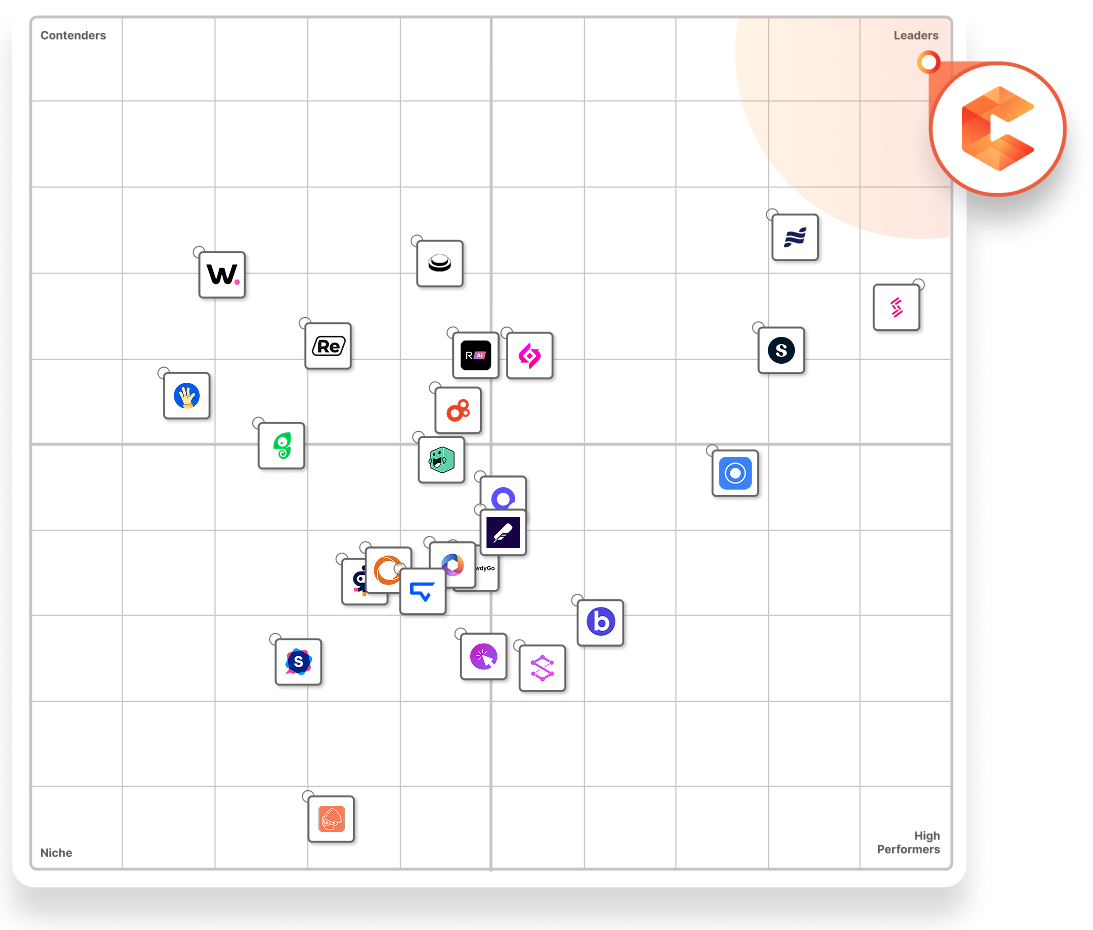
There is also the matter of Walnut's G2 satisfaction score. Despite its enterprise positioning and strong feature set, Walnut ranks 17th in the demo automation category on G2 with a satisfaction score of 32 out of 100. That gap between the price being charged and the satisfaction being delivered is a consistent pattern in the reviews: users find the platform powerful in specific ways but frustrating to adopt, maintain, and justify to leadership given the annual commitment required.
This guide covers both audiences. We will give Walnut genuine credit for what it does well, specifically for the enterprise sales teams it was designed to serve. We will then walk through the specific gaps that send teams searching for alternatives. And we will cover the best AI demo video generators and interactive demo tools that fill those gaps, starting with the tools best suited to replace or supplement Walnut for teams that need video output.
What Walnut Does Well
Walnut is a sophisticated platform. Before discussing its limitations, it deserves fair credit for the capabilities it offers, particularly for the enterprise sales use cases it was purpose-built to serve.
AI Mode: Conversational Demo Creation
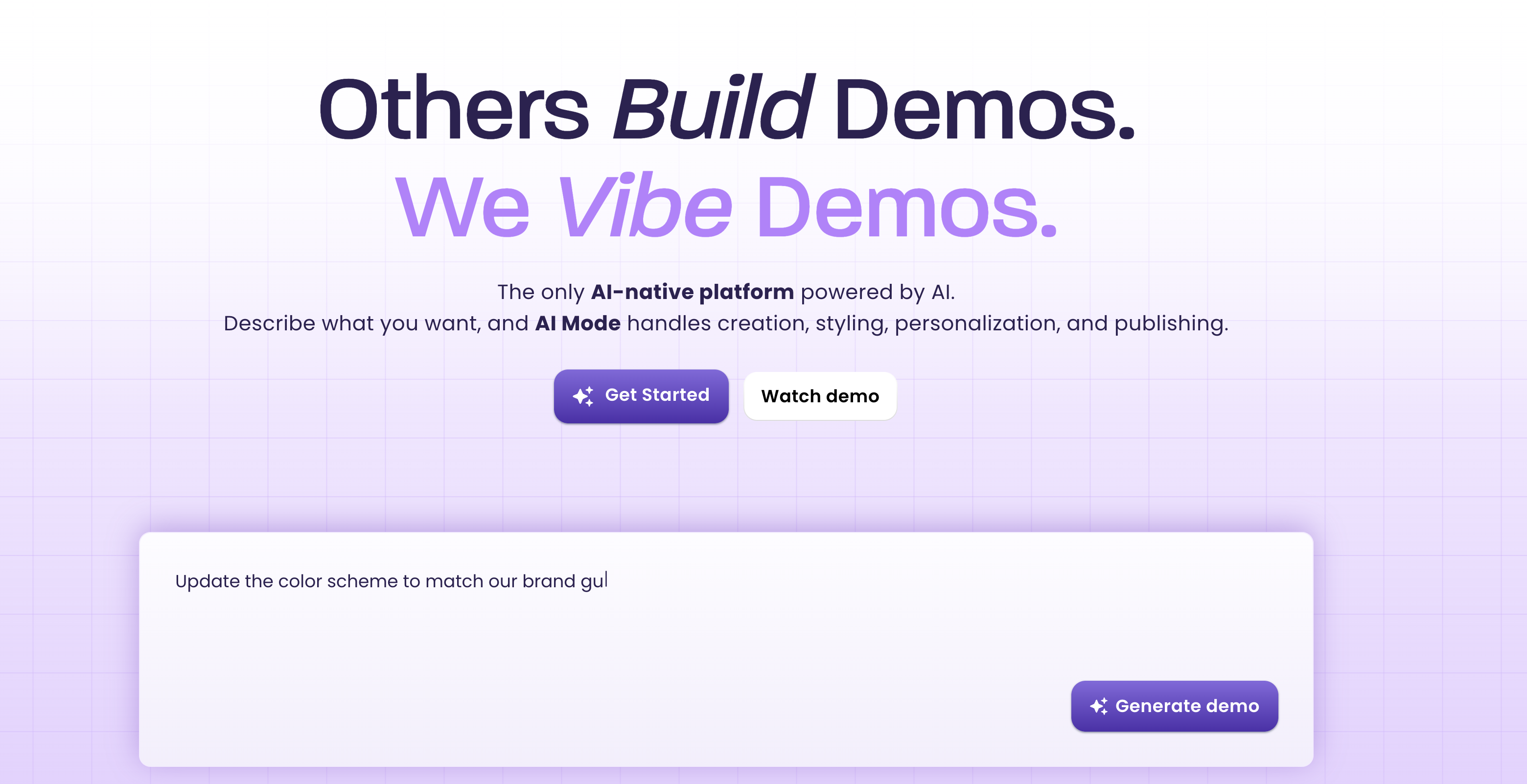
One of Walnut's most impressive capabilities is its AI Mode, which brings a conversational interface directly into the demo editor. Rather than manually adjusting every element, sales engineers can describe what they want in plain language and have the AI generate guide steps, rewrite tooltip copy, apply styling changes, and personalise demo content based on CRM data. This is a genuine productivity accelerator for teams that need to produce large volumes of customised demos for enterprise prospects.
The AI personalisation component deserves particular attention. Walnut can pull prospect data from CRM systems and apply it to demo content automatically, so a prospect from a healthcare company sees a demo populated with healthcare-relevant examples, while a prospect from financial services sees their industry's context instead. That level of personalisation at scale is technically impressive and genuinely differentiating for enterprise sales teams with large prospect pools.
Demo Playlists for the Full Sales Journey
Walnut's Demo Playlists feature lets sales teams curate sequences of demos that can be shared before a call, during a presentation, or as a post-demo follow-up. Instead of sending a single demo link, a sales engineer can share a structured journey that walks the prospect through multiple aspects of the product in a logical order.
This is more thoughtful than a simple link-share model. Pre-call playlists warm prospects up before the live meeting. Post-demo playlists reinforce the key points covered in the call and give decision-makers additional context to share with stakeholders who were not in the room. For enterprise deals with multiple stakeholders and long evaluation cycles, this kind of structured demo delivery can meaningfully improve deal progression.
Codeless Demo Editing Without Engineering
Walnut's codeless editor allows sales and marketing teams to capture product UI and edit demos without requiring engineering involvement. This is a core value proposition of the entire interactive demo category, and Walnut executes it well. Non-technical users can capture screens, rearrange steps, update text fields, and publish polished demos without writing any code.
For enterprise sales teams where the sales engineers or product marketing managers are the primary demo creators, removing the engineering dependency is significant. Demos can be updated quickly when the product changes, personalised for specific accounts, and published without waiting for developer time.
Deep CRM and Intent Data Integrations
Walnut integrates with the full enterprise go-to-market stack: HubSpot, Salesforce, Marketo, and Pardot on the CRM and marketing automation side, plus ZoomInfo, Demandbase, 6sense, and Clearbit for identifying anonymous demo viewers. The latter is a notably powerful capability: when an unknown visitor interacts with a Walnut demo, the platform can identify their company using intent data providers and surface that information to the sales team.
For account-based marketing and enterprise sales teams running outbound prospecting, this kind of account identification turns demo analytics from a reporting tool into a live signal for sales follow-up. A prospect from a target account spending significant time in your demo becomes a warm lead the sales team can act on immediately.
AI-Powered Analytics
Walnut has invested in analytics capabilities that go beyond standard engagement metrics. Their AI-powered analytics allow teams to query demo performance data conversationally, asking questions like "which demos have the highest completion rates for deals over $100K" without needing to build custom reports. For enterprise sales operations teams that want to correlate demo engagement with pipeline outcomes, this depth of analytics is a genuine advantage.
Demo Personalisation at Scale via Demo Wizard
Walnut's Demo Wizard allows a single demo template to be personalised for hundreds of prospects in one click by updating the prospect name, company, industry context, and relevant data points throughout the demo. For enterprise sales teams running high-volume outbound with account-specific demos as part of their sequence, this reduces personalisation effort from hours to seconds per account.
Walnut claims that interactive demos created on the platform see 67% completion rates and 32% improvements in conversion rates. These are significant numbers, and for the right use case (highly personalised, enterprise B2B, long-cycle sales), they are plausible outcomes for teams that invest in building and maintaining quality demo content.
Enterprise Security and Customer Success
Walnut offers SSO, SOC 2 compliance, and dedicated customer success management for enterprise accounts. These are table stakes for large enterprise customers with security and compliance requirements. The dedicated CSM support is particularly relevant given the platform's complexity: enterprise accounts get a named contact to help them get the most out of the platform. For the right customer, Walnut is best-in-class for deep enterprise personalisation at scale, provided budget is not a constraint.
Where Walnut Falls Short
Walnut's strengths are real, but they come with significant constraints that make the platform a poor fit for many teams, and an impossible fit for teams whose primary need is video demo output.
$9,200 Per Year with No Way to Test First
Walnut's starting price of $9,200 per year, with some enterprise configurations running $20,000 or higher depending on team size and features, would be defensible if you could evaluate the platform before committing. You cannot. There is no free trial. There is no free tier. There is no self-serve way to create a single demo and see if the tool fits your workflow before signing a contract.
The only path to product access is through a sales conversation. That means committing to a four-to-six-week evaluation process involving demos from the Walnut sales team, followed by a contract negotiation, before a single person on your team has personally used the product to build anything. The financial and time commitment required to simply evaluate Walnut is itself significant, which is a strange position for a platform that is supposed to reduce friction in the buying process.
G2 Satisfaction Score of 32 Out of 100
Walnut ranks 17th in the demo automation category on G2, with a user satisfaction score of 32 out of 100. This is a striking data point given the platform's enterprise pricing and ambitious feature set. A product that costs $9,200 per year or more should be delivering exceptional user satisfaction. The gap between the price and the satisfaction score suggests that a meaningful portion of Walnut's customer base finds the platform harder to use, maintain, or justify than the sales pitch implied.
Common themes in Walnut reviews include a steep learning curve for teams without HTML and CSS familiarity, friction in the demo building process, and challenges in keeping demos updated as the product evolves. For enterprise teams with dedicated sales engineers who can invest in mastering the platform, these friction points are manageable. For smaller teams without that dedicated resource, they become a serious adoption barrier.
No Video Output of Any Kind
Walnut is built on HTML capture technology. It clones your product's front-end code to create interactive demos. This approach produces excellent interactive experiences, but it produces no video output. You cannot export a Walnut demo as an MP4. You cannot upload it to YouTube. You cannot embed it as a native video in LinkedIn or Twitter. You cannot use it in a video ad campaign. You cannot play it as a loop at a conference booth without someone sitting at a computer clicking through it manually.
For teams that need demo content across multiple channels, this creates a hard constraint. Walnut serves the interactive demo use case well, but every video use case requires a completely separate tool. That means a separate video tool, a separate video creation workflow, a separate budget line item, and a separate set of assets to maintain. The total cost and complexity of your demo stack effectively doubles the moment you acknowledge that video is a requirement alongside interactive demos.
Steep Learning Curve for Non-Technical Users
Walnut's advanced customisation capabilities require familiarity with HTML and CSS concepts. The platform is codeless in the sense that you do not write code directly, but understanding how Walnut's capture and editing system works, why certain elements do or do not behave as expected, and how to troubleshoot issues that arise during demo creation all benefit from a working knowledge of how web front-ends are structured.
For sales engineers with a technical background, this is manageable. For the product marketers, content managers, and customer success leads who increasingly need to create demos without engineering support, it introduces a learning curve that not every team can absorb. Reviews consistently note that onboarding takes longer than expected and that the platform's depth becomes a liability for non-technical users rather than an asset.
Sales-Team-Only Design Creates Cross-Functional Friction
Walnut was built for enterprise sales teams. Its features, workflows, and integrations are optimised for that use case. This creates friction when other teams in the organisation, product marketing, customer success, demand generation, or developer relations, want to use demo content as part of their workflows.
A product marketer who wants to embed a demo on the website, a customer success manager who wants to send a demo in an onboarding email, or a demand generation team that wants to use demo clips in paid ads will all find that Walnut's feature set is oriented toward the sales engineer building personalised one-to-one demos, not the broader content needs of a go-to-market organisation. This siloed design means teams often still need additional tools to serve non-sales use cases.
No Self-Serve Entry for Smaller Teams
The minimum $9,200 annual commitment means Walnut is effectively inaccessible to startups, early-stage companies, and mid-market businesses that have not yet scaled their sales team to the point where enterprise demo automation software is justified. There is no lower-tier plan, no startup pricing, and no path to grow into the platform gradually. You are either an enterprise customer paying the full price, or you are not a Walnut customer at all.
This leaves an enormous segment of the market looking for alternatives: teams who want sophisticated demo capabilities but cannot justify (or cannot access) Walnut's entry price before seeing results from their demo program.
What to Look For in a Walnut Alternative
Whether you are looking for a more accessible interactive demo tool, a video-first demo solution, or both, here are the criteria that matter most when evaluating Walnut alternatives.
A Path to Try Before You Commit
This is the most basic requirement that Walnut fails to meet. Any credible alternative should offer either a free trial, a free tier, or at minimum a self-serve demo environment where you can build something and evaluate the tool based on your own experience, not based on a vendor-led demo of their own product. In 2026, asking customers to sign a five-figure annual contract without trialling the software is an unusual ask in the SaaS market.
Appropriate Pricing for Your Team Size
Enterprise pricing is appropriate for enterprise teams. But most teams are not enterprise. They need demo capabilities that scale with their stage of growth, starting at a price point they can justify based on current revenue, with the ability to scale up as their demo program matures. Look for tools with transparent self-serve pricing and a lower entry point that does not require an annual contract negotiation before you can publish your first demo.
Video Output for Multi-Channel Distribution
If any part of your demo distribution strategy involves YouTube, LinkedIn, Twitter, sales emails with video thumbnails, video ads, conference displays, or sales decks that play video natively, you need a tool that produces video as a first-class output. An interactive demo tool, no matter how sophisticated, cannot serve these use cases. Identify whether you need interactive demos, video demos, or both, and evaluate accordingly.
Accessible for the Full GTM Team
Demos are not just a sales team asset. Product marketing needs demos for website content and campaigns. Customer success needs demos for onboarding. Developer relations needs demos for technical audiences. Demand generation needs demo clips for paid campaigns. Look for tools that are accessible across the organisation, not just to technically fluent sales engineers. The right alternative should reduce friction for all of these use cases, not just optimise for one.
Voiceover and Narration for Video Use Cases
If video is part of your requirement, narration is non-negotiable. A product demo video without voiceover is a silent screen recording. Look for tools that include AI voiceover natively, with multiple language support if you sell internationally. Adding narration should not require a separate workflow, a separate tool, or a recording session with a voice actor.
Manageable Maintenance When Your Product Changes
Demos go stale. Every time your product updates its UI, your existing demos show the old interface. The right alternative should minimise the time and effort required to keep demos current: either by making recapture fast and straightforward, or by using an approach (like AI-driven autonomous capture) that makes regenerating demos as simple as re-running a prompt.
Best Walnut Alternatives for SaaS Demos
1. Demosmith -- Best Overall Walnut Alternative for Video Demo Output
Demosmith approaches the demo problem from a fundamentally different angle than Walnut. Where Walnut captures your product's HTML to build interactive click-throughs for one-to-one sales personalisation, Demosmith is an AI Demo Agent that autonomously navigates your product and produces polished MP4 video demos with AI voiceover, professional editing, and brand customisation applied automatically.
The workflow inverts the traditional demo creation process. Instead of you navigating your product while a tool captures each screen, you describe the flow you want in plain English and Demosmith's AI agent does the navigation. You paste your product URL, describe what you want to show ("walk through the project creation flow from an empty workspace to the first task being assigned"), and the agent opens your product in a browser, navigates through the described flow, captures the screens, and produces a finished video with transitions, zoom effects, captions, and AI voiceover.
The output is an MP4 video plus a shareable link. The average turnaround is under 10 minutes. No screen recording, no Chrome extension, no manual click-through, no video editing in a separate application.
Where Demosmith addresses Walnut's core gaps:
- Free trial, no credit card required. You can build and evaluate a real demo before committing to any plan. Demosmith Starter is $40 per month, not $9,200 per year.
- Video output for all channels. The MP4 output works on YouTube, LinkedIn, Twitter, in sales emails, in Google Slides, at conference booths, in paid video ads, and anywhere else video plays. Walnut's interactive demos cannot serve any of these channels natively.
- AI voiceover in 29 languages. Demosmith generates natural-sounding narration in Arabic, Bulgarian, Chinese, Croatian, Czech, Danish, Dutch, English, Filipino, Finnish, French, German, Greek, Hindi, Indonesian, Italian, Japanese, Korean, Malay, Polish, Portuguese, Romanian, Russian, Slovak, Spanish, Swedish, Turkish, Ukrainian, and Vietnamese. Each voiceover is synchronised to the visual flow of the demo.
- Zero manual capture. No Chrome extension to install, no clicking through your product, no screenshot-by-screenshot recapture when your UI changes. Demosmith's agent handles the capture autonomously.
- Brand kit auto-applied. Configure your colours, logo, fonts, and intro/outro once. Every video Demosmith generates automatically reflects your brand identity.
- Accessible to the full GTM team. Product marketing, customer success, demand generation, and sales can all use the same tool and the same output format without requiring HTML knowledge or technical configuration.
- Fast maintenance cycle. When your product UI changes, regenerate the demo by re-running the same prompt. An updated video in minutes, not an afternoon of screenshot recapture and tooltip repositioning.
Pricing: Free trial available, no credit card required. Starter at $40/mo, Pro at $99/mo, Business at $250/mo, Enterprise custom.
Limitations to be honest about:
- Updated September 2026: Demosmith also compiles interactive demos from its own recordings of your product. They are guided walkthroughs, not live environments: for live sales conversations with a prospect's own data on screen, Walnut-style platforms still serve that job.
- Complex flows involving third-party authentication or multi-service integrations may need a second generation pass or manual guidance to complete cleanly.
- Frame-by-frame video editing control is more limited than professional editing software like Premiere Pro or Final Cut. For most demo use cases, the automated post-production is more than sufficient, but for teams that need precise frame-level control, this is worth knowing.
Best for: Teams that need to produce demo videos at scale for YouTube, social media, sales emails, paid ads, and presentations. Particularly strong for product marketing, demand generation, and customer success teams that have been locked out of Walnut's enterprise price point or frustrated by the lack of video output.
The SaaS demo video generator page shows the video-led alternative for enterprise SaaS teams.
Walnut was built for the enterprise sales engineer who needs deeply personalised interactive demos for one-to-one prospect conversations. Demosmith was built for the team that needs polished video demos distributed across every channel. Different tools for different jobs, and if you need video, there is no version of Walnut that gets you there.
2. Navattic -- Interactive Demo Platform at a More Accessible Price
Navattic is a direct competitor to Walnut in the interactive demo space, and it competes on two dimensions where Walnut is weak: price accessibility and self-serve entry. Teams who have evaluated Navattic and still feel it does not fit their needs may want to explore Navattic alternatives as part of a broader comparison, but for many teams coming off a Walnut evaluation, Navattic is a natural next stop.
Like Walnut, Navattic captures your product HTML and builds interactive click-through demos. It offers CRM integrations with Salesforce and HubSpot, analytics dashboards, and an AI Copilot that accelerates demo creation by auto-generating flow suggestions and annotations. Unlike Walnut, Navattic has a functional Starter Plus plan at $40 per month, a Base plan at $500 per month with more advanced features, and a Growth plan at $1,200 per month for enterprise-grade analytics and integrations.
The entry price difference alone is significant. Where Walnut requires a minimum $9,200 annual commitment before you can access the product, Navattic's $40 per month plan lets teams start building immediately and scale their investment as they see results. That self-serve entry is a material operational advantage for teams who want to prove the ROI of interactive demos before making a large budget commitment.
Navattic's analytics are also a strength, with detailed engagement data and lead identification capabilities that integrate directly into CRM workflows. For revenue teams that want to see which accounts are engaging with demos and trigger sales follow-up based on those signals, Navattic delivers this without the $9,200 minimum.
Pricing: Starter Plus at $40/mo. Base at $500/mo. Growth at $1,200/mo. Enterprise custom.
Limitations compared to Walnut:
- Enterprise personalisation features, particularly the AI-driven one-click personalisation that Walnut's Demo Wizard offers, are less mature in Navattic at lower price tiers.
- The same fundamental limitation applies: no video output. Interactive demos only. You still need a separate video tool for YouTube, social, and sales deck use cases.
- Demo Playlists equivalent features are available but the sequencing capabilities are less developed than Walnut's.
Best for: Teams who want Walnut-style interactive demos at a price point that is accessible without an enterprise sales conversation. Particularly good for mid-market teams that want CRM integration and analytics without the $9,200 minimum commitment.
3. Storylane -- Lower Entry Point with Screenshot and HTML Options
Storylane is another interactive demo platform that sits below Walnut in price while offering a comparable feature set for most mid-market use cases. Teams evaluating Walnut alternatives often land on Storylane as a credible interactive demo option, and for those who want to evaluate further, the Storylane alternatives guide covers where Storylane itself has gaps.
Storylane offers two capture methods that give teams flexibility depending on their technical requirements. Screenshot-based demos are fast to create, work well for straightforward product flows, and are available on the Starter plan at $40 per month. HTML-based demos, which clone the actual front-end code of your product to create more interactive and authentic experiences, are available on the Growth plan at $500 per month. The tiered approach lets teams start at a lower price and upgrade as their demo program becomes more sophisticated.
For teams who were evaluating Walnut specifically for its HTML capture capabilities and enterprise personalisation, Storylane's Growth plan provides most of that functionality at a price roughly one-eighteenth the cost of Walnut's entry tier. The analytics, CRM integrations (Salesforce, HubSpot, Marketo), and demo embedding capabilities are all present and functional at that tier.
Storylane has also invested in AI features: auto-generated tooltip text, step annotations, and flow suggestions that reduce the manual effort of building interactive demos from scratch. For teams building large libraries of demos covering multiple product areas and personas, the AI assistance is a meaningful time saver.
Pricing: Starter at $40/mo (screenshots). Growth at $500/mo (HTML). Enterprise custom.
Limitations compared to Walnut:
- Deep enterprise personalisation features, specifically the AI-driven CRM-connected Demo Wizard that Walnut offers, are not matched at Storylane's price tiers.
- Anonymous visitor identification via ZoomInfo, Demandbase, and 6sense integrations are not available in the same way as Walnut's enterprise capabilities.
- No video output. The platform is interactive-only. Teams that need video must use a separate tool regardless of which Storylane tier they are on.
- HTML capture is locked behind the $500/mo Growth plan, so teams on the Starter plan are working with screenshot-based demos that have the same staleness problem as any screenshot tool.
Best for: Teams looking for interactive demo capabilities at a fraction of Walnut's price. Good for product marketing and sales teams who need embeddable product tours but do not require the enterprise-scale personalisation that Walnut specialises in.
4. Consensus -- Sales Demo Automation with Video-Based Delivery
Consensus takes a distinctly different approach from the other tools in this list. Rather than building interactive HTML demos or generating autonomous video, Consensus focuses on demo automation through pre-recorded video: a library of product demo videos that sales teams can share in automated, branching sequences that adapt based on viewer responses.
The model works as follows. Sales engineers record demo videos once, organised by feature area, persona, and use case. When a prospect is sent a Consensus demo, they answer a short questionnaire about what they care about most, and the platform assembles a personalised demo experience from the pre-recorded video library, serving the prospect the specific demo segments most relevant to their answers. Teams evaluating this model may also want to review Consensus alternatives to understand how the approach compares to other demo automation platforms.
For enterprise B2B sales teams with large video libraries and complex products with many features, this branching video approach has real merit. It scales personalisation without requiring a separate recording session for every prospect. And because the output is video (not HTML), the content works in more distribution contexts than Walnut's interactive demos.
Pricing: Enterprise-focused pricing. Contact sales for current rates.
Limitations:
- Relies on pre-recorded videos, meaning someone still needs to record and maintain a library of demo segments. When the product UI changes, relevant video segments need to be re-recorded.
- The branching model is powerful for sales enablement but less suited for marketing use cases like YouTube content, paid ads, or social media distribution where you need a single self-contained video.
- Enterprise-only pricing and sales-driven purchasing process mirror some of Walnut's accessibility problems, though for a different category of tool.
- Less suited for teams who need a finished, polished, standalone demo video rather than a curated sequence of recorded segments.
Best for: Large enterprise sales teams with complex products who want to scale personalised video demo delivery across a high volume of prospects. Different use case than Walnut, but overlapping audience.
5. Arcade -- Accessible Interactive Demos with Limited Video Export
Arcade is the most accessible option in this list from a price and setup perspective. At $32 per user per month for the Pro plan, with a functional free tier available, Arcade gives teams a way to start building interactive demos immediately without any sales conversation or annual commitment. The contrast with Walnut's $9,200/year no-trial model is stark.
The Arcade editor is clean and intuitive. You install the Chrome extension, navigate through your product, and Arcade captures each screen and auto-generates a guided walkthrough. The platform supports branching paths, which lets you create persona-specific demo flows: a prospect who identifies as a developer sees different steps than one who identifies as a product manager. For sales teams using demos in website embeds or outreach sequences, this personalisation capability is useful.
Arcade also offers video export as a secondary feature, which gives it a flexibility advantage over Walnut. You can take an interactive demo you have built and export it as a video file. The export is a recording of the interactive experience rather than a purpose-built video, so the production quality is different from a dedicated video tool, but it does give teams the ability to use the same content in both interactive and video contexts without completely separate workflows.
Pricing: Free plan available. Pro at $32/user/mo. Team and Enterprise tiers available.
Limitations:
- Enterprise-scale personalisation, the kind Walnut delivers with AI Mode and Demo Wizard, is not available in Arcade.
- Video export is a secondary feature: no AI voiceover, no autonomous capture, and the exported video reflects the interactive demo rather than being purpose-built for video distribution.
- Per-user pricing scales quickly for larger teams: a team of ten on the Pro plan is already $320 per month before accounting for any volume-based enterprise requirements.
- Anonymous visitor identification and deep CRM integration for lead scoring are less mature than Walnut or Navattic's enterprise capabilities.
Best for: Small to mid-sized teams that want interactive demos without enterprise lock-in. A good starting point for teams building their first demo program who want to evaluate the interactive demo format without a large financial commitment.
Walnut vs Alternatives: Interactive vs. Video Demos
One of the clearest patterns in teams evaluating Walnut alternatives is the discovery that they have been conflating two distinct demo formats: interactive demos and video demos. These are not the same thing, they do not serve the same audiences, and they do not perform equally across the channels where go-to-market teams need to distribute product content.
What Walnut and Interactive Demos Do Well
Walnut and the other interactive demo platforms in this guide, Navattic, Storylane, Arcade, are built for a specific context: a motivated prospect with the time and intention to engage actively with a product experience. When someone clicks "See it in action" on your pricing page and starts exploring a click-through demo, the interactive format is ideal. They can move at their own pace. They can focus on the features most relevant to them. They can skip steps they already understand and spend more time on what matters to their evaluation.
Interactive demos also work well in sales conversations where the sales engineer shares a link and walks the prospect through it in real time, using the demo as a guided exploration rather than a passive presentation. Walnut's Demo Playlists are particularly well-suited to this context: a structured sequence that takes the prospect through the product story in a logical order, with the ability to branch or skip based on the conversation.
Where Video Demos Are Necessary
Video becomes the required format the moment you move outside of website embeds and live sales conversations. Consider the channels where most go-to-market teams need to distribute demo content:
- YouTube and video search. Interactive demos cannot be uploaded to YouTube. A product demo on YouTube requires an MP4 file with voiceover narration and professional editing. For teams using video SEO as a discovery channel, there is no interactive demo workaround.
- LinkedIn, Twitter, and social media. Native video posts on social platforms receive dramatically higher organic reach than links to external interactive demos. The algorithm rewards content that keeps users on the platform, and a link that takes the viewer off LinkedIn to an interactive demo hosted on your website does not compete with a native video that plays inline.
- Sales email outreach. A video thumbnail in a cold email or a sales follow-up consistently outperforms a plain text link to an interactive demo. Recipients are more likely to click on a thumbnail that promises a short video than a link that implies clicking through a multi-step interactive experience.
- Pitch decks and investor materials. An executive presenting to a board or a sales AE presenting to a buying committee cannot embed an interactive Walnut demo inside Google Slides or PowerPoint and have it play seamlessly. They need a video that plays as part of the presentation without requiring the audience to switch contexts.
- Conference displays and event booths. Screens at trade shows play video on loop. An interactive demo requires a person to stand there and navigate it constantly. A video loops independently and draws attention without requiring human operation.
- Paid video advertising. LinkedIn video ads, YouTube pre-roll, and social video ads all require MP4 files. Interactive demos are not a usable format for any paid video advertising channel.
The Two-Tool Stack That Most Teams Need
The practical answer for most go-to-market teams is not a single tool that does everything, it is a deliberate combination of two tools, each used where it performs best. An interactive demo platform handles website embeds, live sales conversations, and guided prospect explorations. A video demo tool handles YouTube, social, email outreach, presentations, advertising, and events.
The cost of this two-tool approach is often lower than the cost of Walnut alone. Navattic's Starter Plus at $40 per month plus Demosmith's Starter at $40 per month gives a team both interactive and video demo capabilities for $80 per month, less than one-hundredth the cost of Walnut's $9,200 annual minimum. The two formats are complementary rather than competitive, and teams that deploy both consistently report broader demo coverage across their entire go-to-market motion.
Walnut vs Alternatives: Side-by-Side Comparison
Here is how Walnut stacks up against the best alternatives across the dimensions that matter most for modern product demo programs:
| Feature | Walnut | Demosmith | Navattic | Storylane | Arcade |
|---|---|---|---|---|---|
| Primary Output | Interactive HTML demo | MP4 video + shareable link | Interactive click-through | Interactive click-through | Interactive + optional video |
| Video Export | No | Yes — primary output | No | Limited — not primary | Yes — secondary, basic |
| AI Voiceover | No | Yes — 29 languages | No | No | No |
| Free Trial | No — sales call required | Yes — no credit card | Yes | Yes | Yes |
| Autonomous Capture | No — manual HTML capture | Yes — AI agent navigates | No — manual capture | No — Chrome extension | No — Chrome extension |
| Starting Price | $9,200/year (no free trial) | $40/mo (Starter) | $40/mo (Starter Plus) | $40/mo (Starter) | $32/user/mo (Pro) |
| Best For | Enterprise sales personalisation | Video demos for all channels | Mid-market interactive with CRM | Accessible interactive demos | Simple interactive + occasional video |
Conclusion: Choosing the Right Tool for the Job
Walnut is a genuinely powerful platform for the audience it was built to serve. Enterprise B2B sales teams with complex products, large prospect pools, long evaluation cycles, and dedicated sales engineering resources get real value from Walnut's AI Mode, Demo Wizard personalisation, Demo Playlists, and enterprise analytics. If you have the budget, the technical resources to adopt the platform, and a sales motion that maps precisely to what Walnut offers, it is best-in-class for that specific use case.
The problem is that a large majority of teams searching for Walnut alternatives do not fit that profile. They are startups and growth-stage companies that cannot justify a $9,200 annual commitment before seeing results. They are mid-market teams whose go-to-market needs span channels that Walnut's HTML-based interactive demos cannot serve. They are product marketing teams who need video for YouTube, social, and paid advertising, not interactive demos that only work in a browser. And they are organisations where the demo creation responsibility is spread across functions, not concentrated in a single sales engineering team.
For teams in those situations, the alternatives covered in this guide offer better fits at lower prices, with fewer adoption barriers. Navattic and Storylane provide interactive demo capabilities comparable to Walnut's core feature set at prices ranging from $40 to $500 per month, with free trials that let you validate fit before committing. Arcade offers an even more accessible entry point for teams just starting their demo program. And Demosmith solves the video gap entirely by producing polished MP4 demos autonomously, covering every distribution channel that interactive demos cannot reach.
The most effective approach for most go-to-market teams is a deliberate two-tool stack: an interactive demo tool for website embeds and live sales conversations, and a video demo tool for every channel where passive viewing is the norm. That combination covers the full buyer journey at a fraction of Walnut's cost, with free trials that let you prove value before any significant budget commitment. The demo-led growth model that leading GTM teams are building in 2026 requires both formats, deployed intelligently across the channels where each performs best.
Walnut costs $9,200 per year and produces no video. Demosmith costs $40 per month and produces video, interactive demos, and documentation from one recording of your product. You no longer need two tools to get both sides.
Key Takeaways
- Walnut is genuinely best-in-class for enterprise sales teams that need deeply personalised interactive demos at scale, but its $9,200 minimum with no free trial makes it inaccessible for most companies at most stages of growth.
- Walnut's G2 satisfaction score of 32 out of 100, ranked 17th in its category, suggests the platform's complexity and pricing are not delivering proportionate user satisfaction compared to alternatives at lower price points.
- Walnut produces no video output. Any team that needs MP4 demos for YouTube, social media, sales emails, paid ads, or presentations requires a separate video tool regardless of their investment in Walnut.
- Demosmith is the strongest alternative for the video gap: its autonomous AI agent produces polished MP4 demos with AI voiceover in 29 languages, starting at $40 per month with a free trial and no credit card required.
- Navattic and Storylane are the best interactive demo alternatives to Walnut for teams that need click-through product tours at accessible price points, with free trials and transparent self-serve pricing.
- The optimal setup for most go-to-market teams is a two-tool stack: an interactive demo tool for website embeds and sales conversations, plus Demosmith for every channel that requires video.