Most SaaS demo videos fail. They open with a logo animation, walk through a list of features nobody asked about, and end with a generic "get started today" slide. The viewer clicks away in 15 seconds.
The demos that actually convert do something different. They show a real person with a real problem, then demonstrate exactly how the product solves it. No fluff, no filler, no feature parade.
This guide breaks down 20+ SaaS demo videos worth studying. For each one, we explain what the company does, why the demo works, and what you can steal for your own.
Why the Best SaaS Demo Videos Are Worth Studying
The numbers tell a clear story. According to Wyzowl's 2026 Video Marketing Report, 91% of businesses now use video as a marketing tool, and 87% of buyers say a demo video convinced them to purchase a product. Websites with demo videos see up to 86% higher conversion rates than those without.
But raw stats hide the gap between demos that convert and demos that collect dust. A third of viewers drop off after 30 seconds. Nearly half leave before the one-minute mark. The difference between a demo that holds attention and one that loses it comes down to a handful of decisions the creator made before they hit record.
This guide covers five categories of SaaS demo videos: homepage demos, product walkthroughs, sales and outreach demos, onboarding demos, and AI-generated demos made with a SaaS demo video generator. Each category serves a different purpose in the buyer journey, and the best companies treat each one differently.
What Separates a Great Demo Video from a Forgettable One
Five patterns show up again and again in the examples below.
Lead with the Problem, Not the Feature
The best demos open with a pain point the viewer already feels. "Tired of spending hours building reports from scratch?" hits harder than "Our reporting module lets you create custom dashboards." The viewer needs to recognize their own frustration before they care about your solution.
This follows the Pain-Solution-Proof framework. The first 10 seconds hook the viewer with a problem. The middle demonstrates the solution. The close proves it works with a result, a testimonial, or a clear next step.
Keep It Short (60 to 120 Seconds Is the Sweet Spot)
Demo videos under two minutes have an 88% completion rate. Stretch past three minutes and completion drops to around 50%. The best homepage demos land between 60 and 90 seconds. Product walkthroughs can go longer (three to five minutes) because the viewer has already expressed intent by clicking deeper into your site or funnel.
If you have more ground to cover, break it into multiple short videos. A series of three focused demos outperforms one sprawling walkthrough every time. For the full data on optimal lengths by use case and platform, see our guide on how long a product demo video should be.
Show Real Workflows, Not Feature Lists
A feature list tells the viewer what your product can do. A workflow shows them what it feels like to use it. The distinction matters. When Canva shows someone designing a social media post from scratch in 60 seconds, the viewer imagines themselves doing the same thing. When a competitor lists "500+ templates, drag-and-drop editor, brand kit management," the viewer imagines reading a spec sheet.
Use Professional Audio
Bad audio kills a demo faster than bad visuals. Viewers will tolerate slightly rough footage if the narration is clear and well-paced. They will not tolerate echo, background noise, or a monotone voiceover. Invest in a decent microphone or use AI-generated voiceover. Modern TTS voices from providers like ElevenLabs sound indistinguishable from human narrators.
End with a Clear Next Step
Every demo should answer the question: "What do I do now?" Whether it is "Start your free trial," "Book a demo," or "Watch the full walkthrough," the CTA needs to be specific and immediate. Vague endings like "Learn more at our website" waste the momentum the demo just built.
What Makes a Product Demonstration Video Work
A product demonstration video shows the product doing the job the buyer cares about, in the order they would do it themselves. The strongest ones share three traits: they open on the problem rather than the interface, they show a complete task end to end instead of touring features, and they stay under two minutes.
The examples below are grouped by where the demonstration sits in the funnel, because a homepage demo and a sales follow-up demo are solving different problems for different viewers.
Homepage Demo Video Examples
Homepage demos carry the highest stakes. They are often the first interaction a potential buyer has with your product. These demo videos for your landing page and marketing need to communicate the core value proposition in under 90 seconds while making the product look approachable.
Slack: Where Work Happens (Product Tour)
Slack's product overview does not start with a feature list. It starts with the core problem: information silos and fragmented communication. The video demonstrates how Slack brings project channels, direct messages, and external partnerships (Slack Connect) into one unified interface. It highlights the power of organized conversations and how teams can find exactly what they need with a universal search that reaches into messages, files, and channels.
What makes it work: Slack sells the transition from "chaos" to "clarity." The demo walks through a real project lifecycle, from planning in a dedicated channel to executing with integrated tools. It visualizes the shift from fragmented emails to a single source of truth, making the value proposition immediate and tangible.
What to steal: Focus on the "Operating System" concept. Show how your product doesn't just add a new task, but replaces a broken system. Use high-contrast visuals to show the difference between the cluttered "before" and the streamlined "after."
Linear: Letting Speed Speak for Itself
Linear's demo takes a different approach. It leans hard into the product's speed. The video shows issue creation, filtering, and project navigation happening almost instantly, with keyboard shortcuts and snappy transitions. There is no slow build-up or context-setting. The demo drops the viewer directly into the product and lets the interface speak for itself.
What makes it work: Linear's target audience (engineering teams frustrated with slow project management tools) immediately recognizes the speed difference. The demo does not explain why speed matters. It assumes the viewer already cares and proves the product delivers.
What to steal: If your product's core differentiator is visible on screen (speed, simplicity, design), let the product do the talking. Strip away narration that explains what the viewer can already see.
Notion: Consolidation in a Box (Product Tour)
Notion's tour is all about ending tool sprawl. It documents a page's evolution from a plain text thought to a project board, and then into a fully integrated team wiki. The AI isn't just a sidekick here; it's active, summarizing pages and drafting first versions of docs to keep work moving. It proves that Notion is where your notes, tasks, and data finally start talking to each other.
What makes it work: It demonstrates the "block-based" DNA that makes Notion unique. By showing one page layer on complexity as a user's needs grow, it makes a powerful platform feel surprisingly approachable.
What to steal: If your product is flexible, show its "evolution." Start with the simplest use case and gradually build toward the most complex. It proves power without overwhelming the user with everything at once.
Webflow: Precision Design (Product Tour)
Webflow's tour walks the tightrope between 2025 AI-assisted speed and the pixel-perfect control that designers actually need. It shows how their visual interface translates directly into clean production code without a developer in the middle. The "Webflow Flow" moment, going from design prompts to a live build, is a jaw-dropper that every marketing team should see.
What makes it work: It captures both the "Designer's" fine-grained control and the "Editor's" ease for marketing updates. It addresses the big fear for pros, that automation will ruin quality, by showing that precision and speed can actually live in the same place.
What to steal: Don't apologize for your product's depth, make it feel like superpower. If you have granular controls, show them off. Highlight the precision as a differentiator from "simpler" competitors that limit your options.
Stripe: Scalable Payments (Product Tour)
Scaling a financial stack is usually a nightmare of legacy APIs and one-off integrations. Stripe's 2024 tour shows a different path. It walks through 50+ updates that make everything from modular checkout components to global tax compliance feel like a single conversation. It isn't just about "accepting payments", it's about building a platform where the first sale and the millionth use the same unified infrastructure.
What makes it work: The demo bridges the gap between technical power and business results. Developers see clean, modular components; business leaders see a path to global expansion without a complete rebuild of their billing system.
What to steal: If your product handles complex back-end logic, show the "Compound Value." Demonstrate how one tool solves three adjacent problems. It makes the decision feel like a strategic platform choice rather than just adding another feature to the pile.
Vercel: Showing Deploy Speed as a Feature
Vercel's homepage demo centers on one moment: pushing code and watching it deploy in seconds. The demo shows a developer making a change in their code editor, pushing to Git, and seeing the live site update almost instantly. The entire sequence takes about 30 seconds.
What makes it work: The demo captures the exact "aha moment" of using Vercel. Developers who have waited minutes for deploys on other platforms immediately understand the value. The brevity is the message: deployment should be this fast.
What to steal: Identify your product's single most impressive moment and build the entire demo around it. If you can make the viewer's jaw drop in under 30 seconds, you have won.
Product Walkthrough Demo Video Examples
Product walkthroughs go deeper than homepage demos. They target viewers who have already expressed interest and want to understand how the product works in practice. These videos typically run three to five minutes and follow a user through a complete workflow.
Figma: The Product Speaks for Itself
Figma's product walkthrough demos, particularly those shown at their Config conference, skip the traditional voiceover entirely. They show a designer working through a real project: creating components, using auto-layout, collaborating with a teammate in real time. No narration needed. The cursor movements are precise and intentional, the design work is beautiful, and the viewer feels like they are watching a master class rather than a sales pitch.
What makes it work: Figma's interface is visually compelling enough to carry a demo without narration. Tight framing, deliberate cursor tracking, and zoom effects remove cognitive overload. Advanced features feel intuitive. The real-time collaboration moments (two cursors moving on the same canvas) stand out.
What to steal: If your product is visually rich, consider a narration-light or narration-free demo. Let the work happening on screen tell the story. Add zooms and highlights to direct attention to the most important interactions.
Airtable: From Spreadsheet to Application
Airtable's walkthrough demonstrates a transformation: taking a basic spreadsheet and turning it into a fully functional application with views, filters, automations, and a Kanban board. The demo follows a project manager setting up a content calendar, starting with raw data and ending with a polished workflow.
What makes it work: The demo shows progression. The viewer watches raw data transform into something organized and useful. Each step builds on the previous one, creating a sense of momentum. By the end, the viewer can see exactly how Airtable would replace their current (clunky) workflow.
What to steal: Show transformation. Start with the messy "before" state and walk the viewer through to the polished "after." This before-and-after arc creates a narrative that feature lists cannot match.
Canva: Design for the Rest of Us (Product Tour)
I genuinely don't know how anyone designed social media assets before Canva introduced "Magic" features. Their 2024 tour is basically a highlight reel of removed friction. It starts with a blank canvas and a prompt, literally, and ends with a professional layout in seconds. It covers a unified workflow where a presentation becomes a social post, then a video, all while keeping the brand kit intact.
What makes it work: The demo is all about empowerment, not tools. It focuses on the specific moments where a non-designer would usually give up, like separating a subject from a messy photo background or resizing a deck for Instagram, and shows the AI handling it instantly.
What to steal: Identify the single biggest reason people quit using your product or get stuck. Show them exactly how you automate that pain away. Canva doesn't sell a "brush tool"; they sell the ability to skip the hard parts of design.
ClickUp: One App to Replace Them All (Product Tour)
ClickUp's tour leans hard on the "One App" messaging. The demo shows tasks, docs, chat, and goals all living in a single, deeply integrated hierarchy. It highlights the "Everything" view, which lets users see the whole company status from top-down while individual team members see their own specific daily tasks. It avoids the feature-parade by framing everything as "reducing context-switching."
What makes it work: ClickUp shows "depth" and "breadth" simultaneously. By following a task from a simple to-do item into a sub-task, then onto a whiteboard, then as a linked item in a shared Doc, it proves that "Everything is connected."
What to steal: If your USP is deep integration, don't just say it. Show one piece of data (like a project task) appearing in three different places (a list, a doc, a whiteboard) in under 30 seconds.
Monday.com: The Work OS (Product Tour)
Monday.com's product tour highlights its flexibility as a Work OS. It focuses on the "Boards" as the central structure, then shows how those boards can be visualized as Gantt charts, Kanban boards, or Dashboards. The demo is fast-paced, illustrating how automations (like "Status Changes to 'Done', Email Client notified") save team time.
What makes it work: Monday is all about high-speed, visual impact. The demo uses bright colors and clean UI movements. It focuses on "Work Without Limits," proving that the platform scales from simple tasks to complex enterprise resource planning.
What to steal: Color-code your demo categories. Make it visually distinct which parts are "Tasks," which are "CRM," and which are "Inventory." A logical, color-coded interface helps the viewer categorize complex features instinctively.
Asana: Product Tour (2025-2026)
Asana's latest product tour focuses heavily on "work management," not just project tracking. The demo shows a unified workspace where goals, projects, and tasks intersect. It demonstrates how AI can "Auto-Summarize" status updates across dozens of projects, saving managers hours of manual reporting. It focuses on the "Work Graph" which connects everything from a high-level goal down to a single task.
What makes it work: The demo moves from "planning" (setting a goal) directly into "execution" (managing the tasks). It uses the AI summary as a "hook" to show how the tool creates value independently of manual input. It emphasizes clarity and team accountability.
What to steal: If your tool helps managers, show them the view they care about most, the "Summary View." Demonstrate how the tool makes people *below* them more accountable without constant checking-in.
Sales and Outreach Demo Video Examples
Sales demos serve a different purpose than marketing demos. They target mid-funnel prospects who need to see how the product applies to their specific situation. The best sales demo videos feel tailored, even when they are pre-recorded. For a deeper look at using demo videos in outbound, read our guide on using demo videos in cold email and sales outreach.
HubSpot: Role-Specific Pain Points
HubSpot creates separate demo videos for sales teams, marketing teams, and customer success teams. Each video addresses the exact pain points that role experiences. The sales demo shows a rep managing their pipeline, logging calls, and using sequences. The marketing demo shows campaign creation and lead scoring. Each one feels purpose-built.
What makes it work: HubSpot repeatedly emphasizes that the CRM is "free for life," removing the barrier to trial. Each role-specific demo lets the viewer think, "This was made for me." The demos show real sales scenarios (responding to a lead, following up after a discovery call) that reps recognize from their own day.
What to steal: Create separate sales enablement videos for each buyer persona. A sales rep and a VP of Marketing have different pain points. Speaking to each one directly increases the odds that the viewer watches through to the CTA.
Intercom: AI-First Customer Service (Tour)
Intercom has basically bet the house on "Fin," their AI agent, and this tour shows why. It starts with the customer, getting an instant, accurate answer from the help center without a human ever touching the keyboard. Then it flips to the agent's view. The transition is seamless; the human teammate gets the full AI-generated context so they aren't starting from scratch on the tough stuff.
What makes it work: It sells "Resolution," not "Messaging." The demo leads with the win (the solved customer problem) and shows the back-end plumbing as the supporting act. It solves the biggest fear in CS: that AI will sacrifice quality for speed.
What to steal: If you're building with AI, show the end-customer experience first. Prove the value before you explain the settings. Success in the wild is easier to sell than technical complexity in the dashboard.
Gong: Using Customer Data as the Demo
Gong takes a unique approach to sales demos. Instead of showing the product's interface, many of their demo videos show the insights the product generates: talk-to-listen ratios, competitor mentions in sales calls, deal risk signals. The viewer sees the output before they see the tool that creates it. This flips the typical demo structure and leads with the value.
What makes it work: Sales leaders care about results, not interfaces. By showing insights first (your reps talk 72% of the time on losing deals but only 46% on winning deals), Gong makes the viewer want to see their own data. The product demo becomes the delivery vehicle for insights the viewer already wants.
What to steal: If your product generates insights or analytics, lead with the output. Show the viewer what they would learn about their own business, then reveal the product that surfaces those insights. Data-led demos create urgency that feature-led demos cannot.
Salesloft: The Revenue Orchestration Platform
Salesloft has moved way past being a "dialer" or an email tool. This tour follows a rep's day as it's literally prioritized for them by AI. It shows "Rhythm", the platform's suggestion engine, telling the seller exactly who to call and why, based on real buyer signals. For managers, it's a window into deal health that doesn't require nagging the team for updates.
What makes it work: It demonstrates "Revenue Orchestration" through the lifecycle of a single lead. You aren't just seeing a list of features; you're seeing how data from a call feeds into a deal score that a manager uses to forecast. It makes the tool feel like a strategic partner rather than just another login.
What to steal: Follow a single "object" (like a lead or a project) through your entire system. It builds a narrative arc that keeps people watching. Seeing how one action triggers value across different teams is much more powerful than a feature tour.
Onboarding and Training Demo Video Examples
Onboarding demos serve existing users, not prospects. Their job is to reduce time to value, prevent churn, and drive feature adoption. The best onboarding demos are short, task-focused, and appear at the exact moment the user needs them. For a full breakdown of building onboarding video systems, see our guide on automating product onboarding videos at scale. And if you want to turn demo videos into help center articles, the process is simpler than most teams expect.
Loom: Dogfooding Excellence
Loom uses its own video message tool for the product tour, a meta-experience that is smart and efficient. It walks through recording a first video, using "Loom AI" to auto-generate titles and summaries, and sharing links that can be viewed instantly without an account. The proof is in the format: the demo itself is a Loom, delivered exactly the way you would send one to a colleague.
What makes it work: Seeing a video demo delivered in the exact format the product creates removes all doubt about quality. The "Face Bubble" and instant share links are not just features. They are the differentiator that makes the platform worth using. You can watch their product tour directly at loom.com.
What to steal: If your product outputs a piece of content, use a finished example for your demo format. Dogfooding your tech is the fastest way to build credibility and show you actually believe in what you're selling.
Mixpanel: Fast Product Analytics (Demo)
Mixpanel's demo highlights self-serve analytics, how any team member can answer a data question. It documents a user moving from "Why do people drop off in checkout?" to a visualized answer in exactly four clicks using Insights, Funnels, and Cohorts. It manages to make high-contrast, real data visualization look clean and actionable.
What makes it work: It addresses "Time to Answer," the core pain for data teams. The demo focuses on the "Speed of Discovery', how easy it is to ask a natural question and get an instant, visual result without complex SQL. It's essentially information compression in four clicks.
What to steal: If your tool is about data, ask a specific question out loud in your narration and then answer it instantly with the UI. This "Challenge-Response" structure proves that your software is as fast as your prospective user's brain.
Amplitude: The Digital Analytics Platform (Tour)
Amplitude's product tour spans more than just simple event tracking. The demo covers the "Analytics" for understanding users, "Experimentation" for A/B testing, and "Session Replay" for the full context of user sessions. It highlights the power of "Cohorts" as the shared language across the whole company, showing how marketing, product, and engineering can all use the same user segment for their specific workflows.
What makes it work: Amplitude sells its "Platform" as an ecosystem where teams can not only measure but *experiment* and *fix* user issues in one place. By showing how to go from a data drop-off into a session replay (to see *why* people dropped off), it solves a common data analyst frustration: knowing what's happening but not why.
What to steal: If your product links two different data types (like "what" and "why"), highlight the "Hand-off" between reports. Show how a user can double-click a data point to see the source of the data automatically.
Datadog: Unified Observability (Product Tour)
Datadog is a technical powerhouse, but its product tour is remarkably clear. It demonstrates unified monitoring across infrastructure, applications, and core logs. It highlights the "Service Map" to see how microservices talk to each other and shows a live alert turning into a root-cause investigation. It manages to make "high-scale monitoring" look visually organized and actionable.
What makes it work: Datadog's demo solves "The Alert Fatigue" problem. It demonstrates how the tool filters noise to show only what matters. By showing cross-platform correlations (like "higher latency coincident with memory spikes"), it explains value without using too many technical words.
What to steal: If your product monitors something at high volume, show the "Aggregation" as a value. Illustrate how your tool turns 1,000,000 data points into 1 clear action. That "Information Compression" is your real value proposition.
AI-Generated Demo Video Examples
A new category of demo video is emerging: fully AI-generated product demos. No human records these videos. An AI agent navigates the product, captures footage, edits it, generates narration, and renders the final video. The results are often indistinguishable from professionally produced demos. For a deep dive into how this technology works, read our explainer on what an AI demo agent is and how it works.
What AI-Generated Demos Look Like Today
Modern AI demo tools produce videos with smooth cursor movements, professional voiceover in multiple languages, automatic zoom effects on key interactions, and clean transitions between steps. The footage captures the actual product UI (not screenshots or mockups) because the AI navigates the live product in a real browser.
Do not take our word for it. Here are real demos generated by Demosmith, with zero manual recording, zero editing, and zero production work. The AI agent navigated each product, captured the footage, wrote the script, generated the voiceover, and rendered the final video. Each one started from a single written brief, and how to write a Demosmith prompt breaks down the structure behind them with worked examples.
Demosmith + Notion: Building a Product Roadmap
In this demo, Demosmith's AI agent signed into Notion, created a Product Roadmap database with custom properties (Status, Priority, Target Launch Date, Customer Impact, and Owner), then populated it with six real feature entries. Total time from URL to finished video: under 4 minutes of output, generated in about 10 minutes.
This entire demo was generated autonomously by Demosmith. No screen recording. No editing. No human involvement.
Demosmith + Typeform: Creating a Lead Capture Form
The AI agent signed into Typeform, created a "Product Demo Request" form from scratch with four question types (short text for company name, dropdown for company size, email field, and long text for qualifying details), then previewed the finished form. The whole demo runs just under 3 minutes.
Demosmith + Cal.com: Setting Up a Scheduling Page
This 76-second demo shows the AI agent creating a "30-Minute Discovery Call" event type on Cal.com, complete with Google Meet integration and availability settings. From URL to polished video in minutes.
Demosmith + Airbnb: Searching and Filtering Listings
The AI agent searched Airbnb for Napa Valley accommodations, applied filters for property type, price range, bedrooms, and amenities. This demo shows that Demosmith works with any web application, not just SaaS tools. The finished video is just over 2 minutes.
You can explore all of these and more in the Demosmith Demo Catalog.
Every demo above was created with zero recording, zero editing, and zero manual work. The AI agent did everything: navigation, capture, script, voiceover, and final render. That is what AI-generated demos look like in 2026.
What to steal: AI-generated demos eliminate the biggest bottleneck in demo production: the time and skill required to record, edit, and narrate. If you need more than a handful of demos, or if your product changes frequently, AI generation is the only approach that scales.
How to Create Demo Videos Like These (Without the Production Budget)
The examples above include companies with dedicated video teams and six-figure production budgets. But you do not need either one to create demos at this level. There are two paths forward.
The Traditional Approach: Hire an Agency
Professional video production agencies charge between $5,000 and $30,000 per demo video. That includes scripting, storyboarding, screen capture, editing, voiceover, and revisions. The quality is high, but the cost and timeline (typically two to four weeks per video) make this impractical for most SaaS teams. That goes double for teams that need to update demos regularly as their product evolves.
This approach makes sense for a flagship launch video or a high-stakes enterprise sales demo. It does not make sense for the 10 to 20 other demo videos your marketing, sales, and support teams need.
The Modern Approach: AI Demo Generation
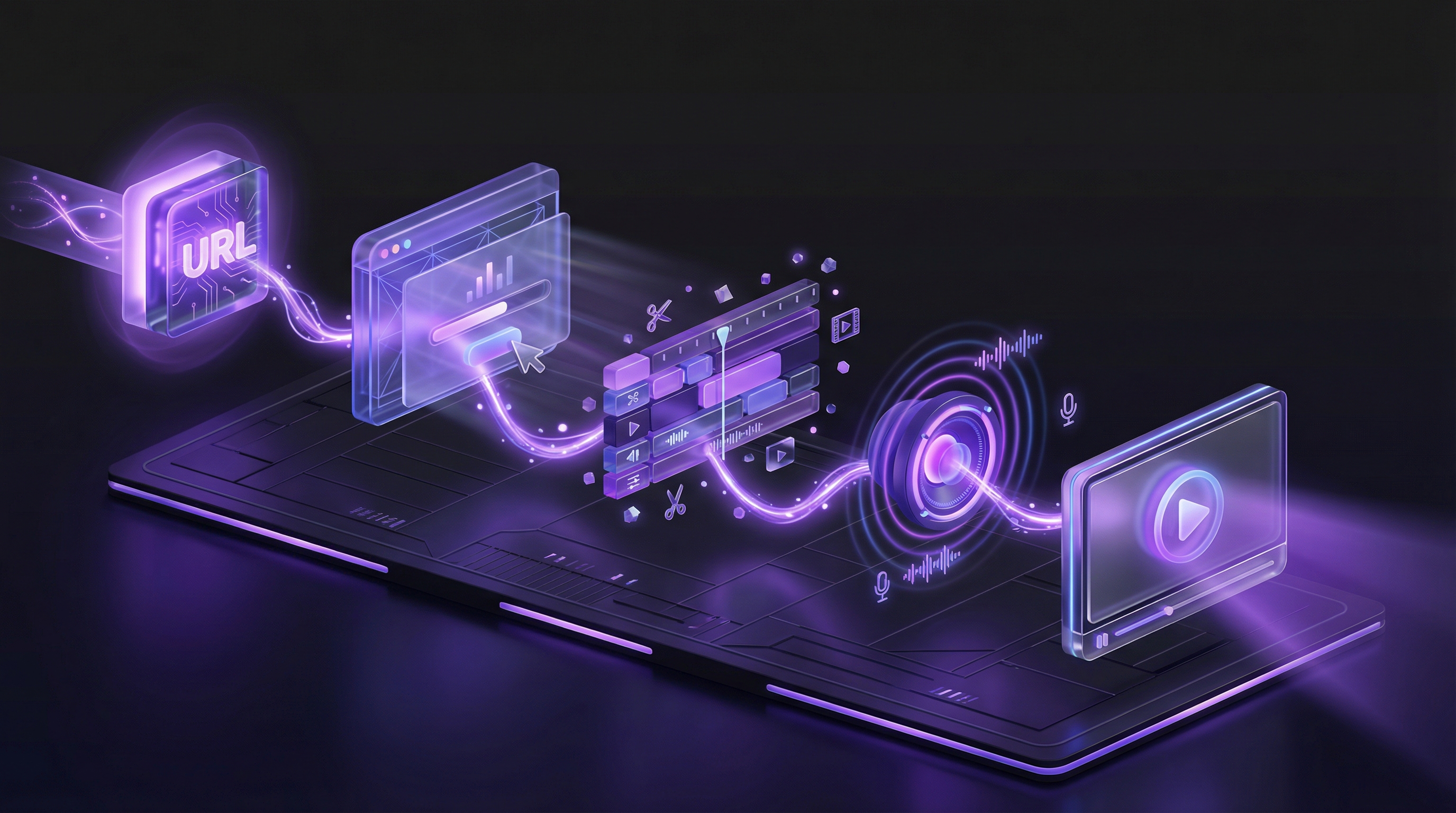
AI demo generation tools like Demosmith produce studio-quality demo videos in under 10 minutes. The process is simple: paste your product URL, describe the workflow you want to demonstrate, and the AI handles everything else (navigation, capture, editing, voiceover, branding).
The math shifts dramatically. Instead of $5,000 and three weeks per video, you spend $99/mo (Demosmith Pro plan) and 10 minutes per video. A team can build an entire demo library in a single afternoon. When the product updates, they regenerate the affected demos in minutes instead of commissioning a reshoot.
For a step-by-step walkthrough of this process, see our guide on how to make a product demo video. If you want to compare different AI demo tools, check out our roundup of the best AI demo video generators in 2026.
A SaaS Demo Video Template You Can Copy
Every demo below follows roughly the same skeleton. Use it as a starting structure rather than a script to read aloud.
- The problem, in one sentence. Name the job the viewer is stuck on.
- The starting state. Show the screen they would actually begin from.
- The core workflow. Three to five steps, no detours.
- The result. The finished output, on screen, not described.
- The next step. One action, stated plainly.
Keep the whole thing between 60 and 120 seconds. Anything longer needs a reason. For a deeper walkthrough of each stage, see our guide on how to make a product demo video yourself.
Making One of These Without Recording It
Every demo on this page was recorded by a person. Demosmith generates the same kind of video from a product URL and a written prompt, so the recording and editing steps disappear. See how the SaaS demo video generator works, or browse demos the agent produced.
Start With One Demo Video
Do not try to create 20 demo videos this week. Pick your single highest-impact use case and start there. For most SaaS companies, that is one of three things: a homepage overview demo, a demo for your most popular feature, or a sales enablement video for your most common buyer persona.
Build one demo. Measure its impact on conversion, engagement, or sales cycle length. Then build the next one. The teams that build effective demo libraries do it incrementally, not all at once.
The best demo video is not the one with the highest production value. It is the one that shows the right person solving the right problem at the right moment in their buying journey.
Whether you record it yourself, hire an agency, or generate it with AI, the principles are the same. Lead with the problem. Show real workflows. Keep it short. End with a clear next step. The companies in this guide did not create great demos by accident. They studied what works, applied it deliberately, and iterated on the results. Now you can do the same.
Key Takeaways
- Lead with the problem your audience already feels. The best SaaS demos open with pain, not features. Slack sells focus, not channels. Canva sells confidence, not templates.
- Keep homepage demos under 90 seconds. A third of viewers leave after 30 seconds. Get to the value proposition fast and save the deep dive for walkthrough videos.
- Build role-specific demos for sales enablement. HubSpot, Monday.com, and Datadog all create separate demos for different personas. Generic demos convert at a fraction of the rate.
- Embed onboarding demos inside your product. Mixpanel's in-app video tours achieve 56% completion rates. Help center tutorials buried three clicks deep get ignored.
- AI-generated demos close the production gap. You do not need a $30,000 budget to create studio-quality demos. Tools like Demosmith produce them in 10 minutes at a fraction of the cost.
- Start with one video, then iterate. Pick your highest-impact use case, build one demo, measure the results, and expand from there.