Your prospect's inbox has 50 to 150 unread prospecting emails right now. Yours is one of them. It looks like every other cold email: a text block, a value prop, a meeting link. Delete.
That is the reality of cold outreach in 2026. Average cold email reply rates sit around 3.4%, and falling. Open rates have dropped to 27.7% as spam filters, Apple Mail Privacy Protection, and sheer inbox fatigue do their work. The reps who are still booking meetings have found something that breaks through the noise: demo videos.
A HubSpot account executive sent 191 personalized video emails in a single month and generated 50 sales opportunities. That is a 27% opportunity creation rate from cold outreach. Across the broader sales org, reps using video saw a 77% click-through rate on their prospecting emails. These are not outlier numbers. They represent what happens when you replace text with something a prospect can actually watch.
The catch? Recording a custom demo video for every prospect takes 10 to 15 minutes per person. An SDR sending 50 emails a day would need over eight hours just for video creation. It does not scale. This guide covers how to use demo videos in cold email effectively, and how to create them without recording each one by hand.
Why Demo Videos in Cold Email Outperform Text-Only Outreach
A demo video does three things that text cannot.
First, it creates pattern interruption. When every other email in the inbox is a paragraph of text, a video thumbnail with a play button demands attention. The visual contrast alone increases the likelihood that a prospect stops scrolling and engages.
Second, it builds trust faster. Software buyers increasingly avoid talking to sales reps. They want to evaluate products on their own terms. A demo video lets them see your product in action before committing to a call, lowering the barrier from "book 30 minutes with a stranger" to "watch a 60-second video."
Third, it communicates density. You can show more about your product in 45 seconds of video than you can describe in 500 words of email copy. The prospect sees the interface, watches a workflow, and understands the value proposition without reading a single sentence of feature description.
These three factors compound. Pattern interruption gets the click. Trust gets the watch. Communication density gets the reply.
The Numbers: How Video Changes Cold Email Performance
Reply Rates
The average cold email reply rate sits at 3.4%. Campaigns with personalized video pull between 10% and 16% reply rates. Deeply personalized videos, those that reference the prospect's company, product, or specific pain points, have hit 30% reply rates in documented case studies. That is a 3x to 5x improvement over text-only outreach.
Vidyard's research shows an 8x improvement in click-through rates and a 4x improvement in reply rates when sales reps use personalized video messages in their sequences.
Open Rates
Including the word "video" in a cold email subject line increases open rates by 19%, according to HubSpot research. This is one of the few subject line tactics that has held up consistently as inbox providers have tightened spam filters. It works because it signals value: the prospect knows they are getting something visual, not another block of text.
Click-Through Rates
Video thumbnails with play buttons generate 200% to 300% higher click-through rates compared to text-only emails. One study found that video thumbnail emails average a 10.3% CTR versus 6.1% for static-image emails. The play button itself is one of the most universally recognized call-to-action symbols on the internet.
Close Rates
Bluleadz, a HubSpot agency partner, tracked close rates across deals where they used personalized video follow-ups versus deals without video. The result: a 63% close rate with video compared to 46% without it. Their largest deals, including clients paying $35,000 per month, were all closed with video in the sequence.
Wyzowl's 2026 State of Video report puts the broader trend in context: 83% of video marketers say video has directly increased sales. More than 60% of sales reps using video for outreach report higher response rates.
Three Types of Demo Videos for Sales Outreach
Not every outreach email needs the same kind of video. Match the video type to where the prospect sits in your funnel. This is the heart of sending a demo before the first call: the right video meets the prospect at the stage they are actually in.
The Quick Intro Demo (30 to 45 Seconds)
This is your top-of-funnel video. The prospect has never heard of you. They do not know what your product does. Your only goal is to spark curiosity and earn a reply.
What to include:
- A single, compelling workflow that shows the core value of your product
- No feature tour. Pick one use case and show it end to end.
- A clear CTA at the end: "Want to see how this works for [their use case]?"
Keep it under 45 seconds. Vidyard's data shows that 65% of viewers watch a business video all the way through if it is under 60 seconds. After that, completion rates drop fast.
The Prospect-Specific Demo (60 to 90 Seconds)
This is the high-conversion video. You record or generate a demo that shows your product solving a problem specific to the prospect's company. You might show their website, reference their product, or demonstrate how your tool handles their exact use case.
What to include:
- A reference to the prospect's product, company, or industry within the first 5 seconds
- A walkthrough showing your product applied to their specific scenario
- Real or realistic data relevant to their business, not generic placeholder content
This video type takes more effort to produce, which is exactly why it works. The prospect can tell you did research. That effort signals credibility, and credibility earns replies. Reserve these for high-value accounts where the deal size justifies the time investment.
The Feature Deep-Dive (2 to 3 Minutes)
Use this after a prospect has shown initial interest. They replied to your first email, asked a question, or clicked on your intro video. Now they want more detail.
What to include:
- A thorough walkthrough of the feature or workflow they expressed interest in
- Integration points with tools they already use
- Results or outcomes that relate to their specific goals
This video replaces the "let me show you on a call" step. If the prospect can watch a 2-minute deep-dive and come to the call already understanding the product, your meeting becomes a closing conversation instead of a discovery session. Teams running demo-led growth motions have found that sending pre-call demos shortens sales cycles by 27%.
How to Create Demo Videos at Scale (Without Recording Each One)
The biggest objection to video outreach is time. If each video takes 10 to 15 minutes to record, edit, and upload, an SDR sending 30 emails a day is spending five or more hours just on video creation. That is not a sales workflow. That is a full-time production job.
There are two approaches to solving this.
The Manual Way: Loom and Vidyard
Tools like Loom and Vidyard let reps record their screen and face simultaneously. The rep narrates while clicking through the product. The video uploads automatically and generates a shareable link with a thumbnail.
The advantages are simplicity and a personal touch. The prospect sees a real person talking to them, which builds rapport.
The limitations are real, though:
- Time per video: 10 to 15 minutes for recording, re-recording (most reps need 2 to 3 takes), and uploading
- Quality inconsistency: Every rep records differently. Cursor speed, narration quality, and pacing vary wildly across a team.
- No scalability: Each video is a one-off. You cannot reuse or adapt a Loom recording for a different prospect without re-recording the whole thing.
- Maintenance burden: When your UI changes, every existing video becomes outdated
For AEs doing targeted outreach to a handful of enterprise accounts per week, manual recording works fine. For SDRs running high-volume sequences, it breaks down.
The AI Way: Generate From a URL
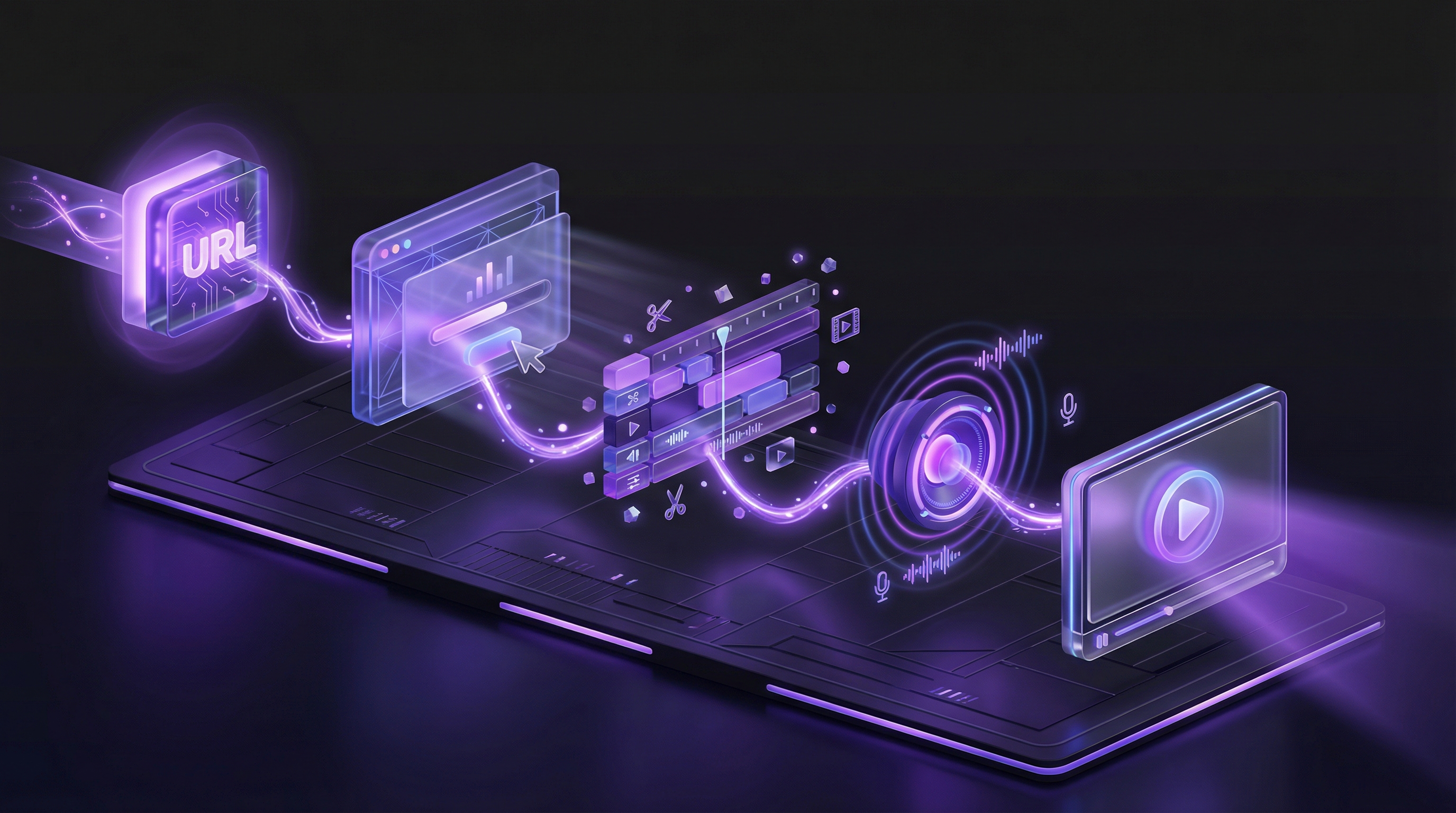
AI demo agents take a different approach entirely. Instead of recording your screen, you paste your product URL and describe the workflow you want to show. The AI launches a cloud browser, navigates your product autonomously, captures the footage, edits it with smart cuts and zooms, generates a voiceover script, and renders the final video. If a face helps your prospects, an optional AI presenter can narrate the demo from a corner of the video.
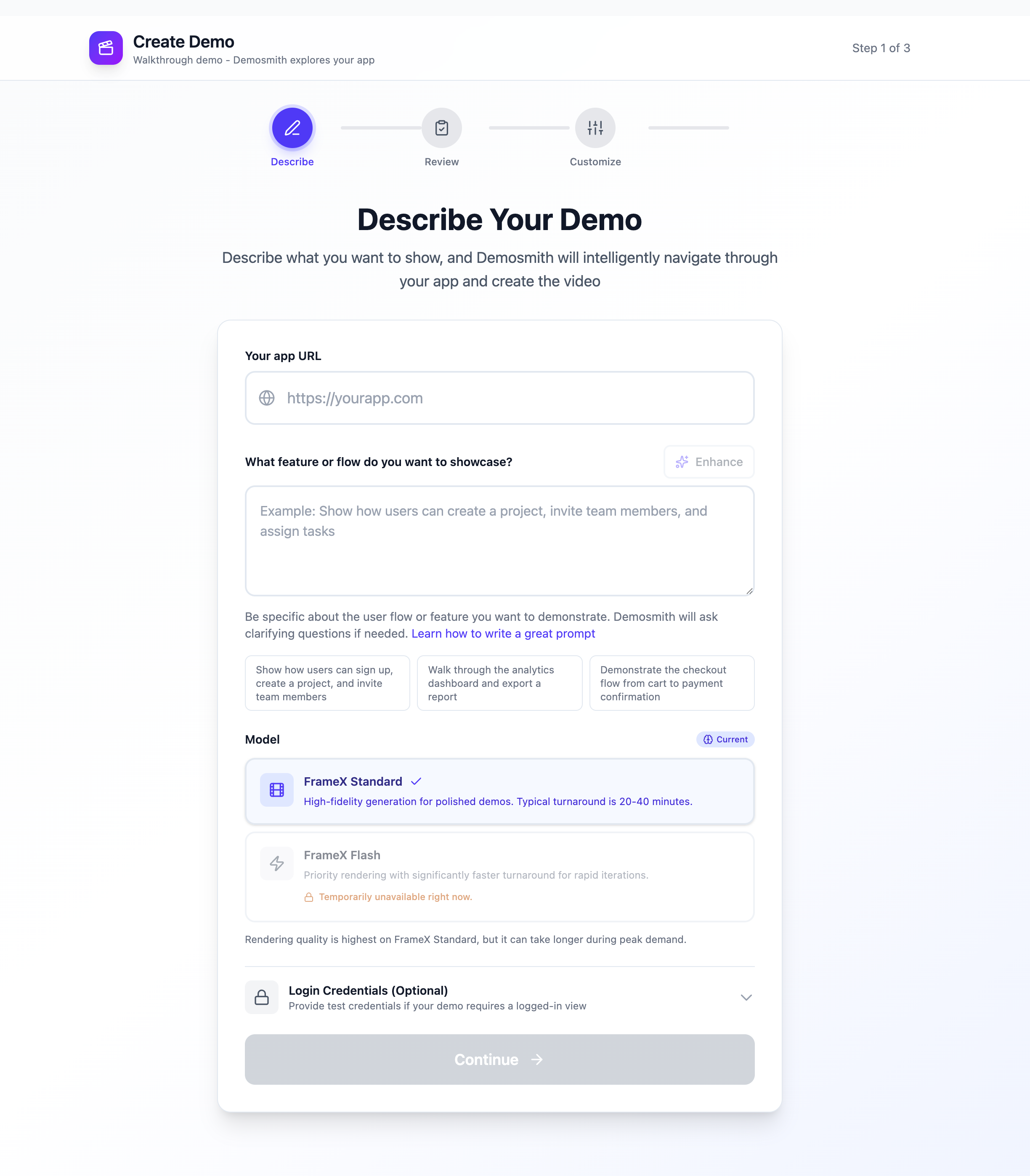
Paste your product URL, describe the flow, and Demosmith generates a polished demo video in minutes.
With Demosmith, the entire process takes under 10 minutes:
- Paste your product URL
- Describe the flow you want to demonstrate in plain language
- The AI navigates your product, capturing every click, scroll, and transition
- Smart editing trims dead space, adds zooms and highlights, and sets proper pacing
- AI voiceover narrates the demo naturally, available in 31 languages
- You get an MP4 file and a shareable link
The key difference for outreach: you create one high-quality demo per ICP segment and reuse it across your entire sequence. When your product ships a new feature or changes the UI, you regenerate the demo in 10 minutes instead of spending a morning re-recording. For a full walkthrough, see our guide on how to make a product demo video from scratch.
How to Embed Demo Videos in Cold Emails (Without Killing Deliverability)
Here is the technical reality: you cannot embed a video directly in a cold email. Gmail, Outlook, Apple Mail, and nearly every major email client strip out HTML5 video tags and JavaScript. If you attach an MP4 file, spam filters will flag it immediately. Your email will land in the promotions tab or, worse, the spam folder.
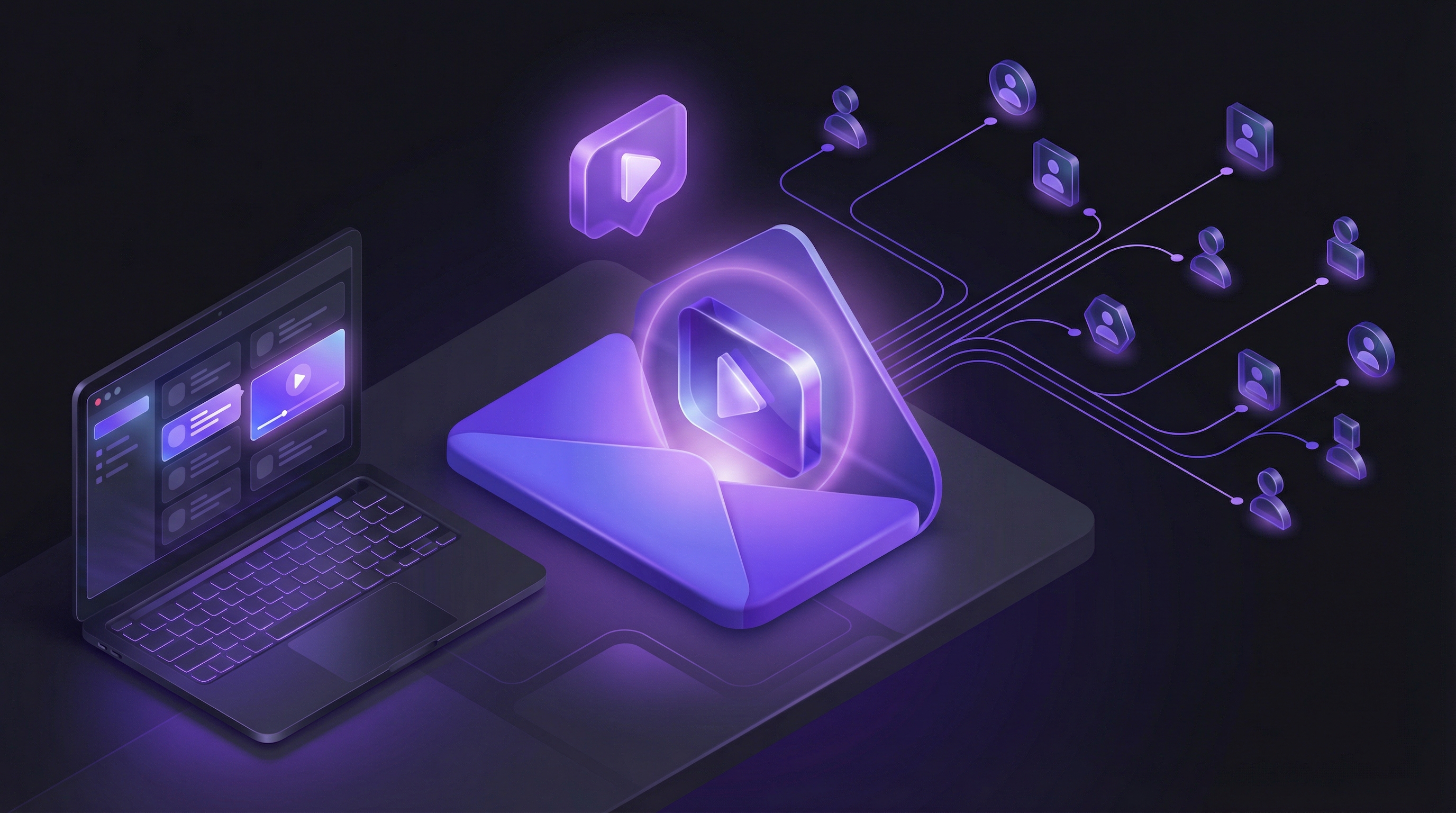
The approach that works is simple: use a static thumbnail image with a play button overlay, linked to your hosted video.
The Thumbnail Strategy
Your thumbnail is the most important element of a video email. It determines whether the prospect clicks or scrolls past.
- Use a clear, high-contrast frame from your demo as the base image. Pick a moment that shows your product UI in an interesting state.
- Add a visible play button overlay. The play icon is one of the most universally recognized CTAs. It tells the prospect instantly that clicking will show them a video.
- Consider animated GIF thumbnails. A 2 to 3 second looping GIF of your product in action catches the eye more than a static image. Keep the file under 500KB to avoid deliverability issues. Many teams target under 200KB.
- Personalize the thumbnail when possible. Writing the prospect's name on a whiteboard, or showing their company logo on screen, significantly increases click rates.
Where to Host Your Video
The thumbnail links to a hosted version of your demo. Your hosting choice matters for tracking and deliverability.
- Demosmith shareable links: Every demo you generate comes with a hosted link. No additional setup needed, and you get view analytics out of the box. You can also embed Demosmith demos on a custom landing page for a branded experience.
- YouTube (unlisted): Free hosting with no view limits. The downside is limited analytics and a YouTube-branded viewing experience.
- Vidyard: Purpose-built for sales video with detailed viewer analytics. Tracks who watched, how long, and what they rewatched.
- Loom: Simple hosting with basic analytics. Good for personal recordings, limited for product demos.
Deliverability Rules
Follow these rules to keep your video emails out of spam folders:
- Never attach video files. Attachments over a few hundred KB trigger spam filters.
- Limit tracking links. Use one link (the video thumbnail) per email. Multiple tracking links from different domains raise red flags.
- Maintain text-to-image ratio. Include 2 to 3 sentences of plain text alongside your thumbnail. Do not send an email that is just an image.
- Warm up your domain. If you are starting video outreach for the first time, ramp from 5 to 30 sends per day over two weeks.
- Authenticate your domain. SPF, DKIM, and DMARC records are non-negotiable for cold email deliverability in 2026.
The email copy and video should complement each other, not repeat each other. Your email text sets the context ("I recorded a quick demo showing how X works for companies like yours"). Your video delivers the proof. If the prospect reads the email and watches the video and hears the same thing twice, you have wasted one of those touchpoints.
Cold Email Templates with Demo Videos
These templates are starting points. Adapt the specifics to your product, your ICP, and your voice.
Template 1: The "See It in Action" Intro
Use this for first-touch outreach to prospects who have never heard of you.
Subject line: Quick demo for {{company_name}}
Hi {{first_name}},
I put together a 45-second demo showing how [your product] helps [their role] at companies like {{company_name}} [do specific thing].
[VIDEO THUMBNAIL WITH PLAY BUTTON]
Worth a look if you are dealing with [specific pain point].
Happy to walk through it live if it resonates.
Why it works: Short, curiosity-driven, and low-pressure. The email gives the prospect a reason to click (the demo is made for them) without asking for a 30-minute meeting upfront. The video does the selling.
Template 2: The "Built This for You" Personalized Demo
Use this for high-value accounts where you have created a prospect-specific demo.
Subject line: Made this for {{company_name}}
Hi {{first_name}},
I was looking at {{company_name}}'s [product/website/process] and noticed [specific observation]. I built a quick demo showing how [your product] handles that exact scenario.
[VIDEO THUMBNAIL WITH PLAY BUTTON]
Takes 60 seconds to watch. I think you will find the [specific section] especially relevant to what you are building.
Let me know if it lands.
Why it works: The prospect sees you did real research. Mentioning a specific observation about their company proves the video is genuinely custom. The phrase "built this for you" triggers reciprocity, and the low-effort CTA ("let me know if it lands") reduces friction.
Template 3: The "Quick Follow-Up" After No Reply
Use this 3 to 5 days after your first email received no reply.
Subject line: Re: Quick demo for {{company_name}}
Hi {{first_name}},
Following up on my last note. I know [specific pain point] is a real challenge for [their role] teams, so I recorded a quick walkthrough showing one way to solve it.
[VIDEO THUMBNAIL WITH PLAY BUTTON]
45 seconds. No pitch, just the product in action.
Why it works: Follow-up emails generate 42% of all campaign replies, yet nearly half of reps never send a second message. This template re-surfaces the video with a fresh angle (focusing on the pain point rather than the product) and the "no pitch" framing disarms skepticism.
Scaling Video Outreach Without Burning Out Your Sales Team
The most common mistake teams make with video outreach is trying to record a unique video for every prospect. That approach burns out reps within a week. Here is how to scale video outreach sustainably.
Create One Demo per ICP Segment, Not per Prospect
Map your ideal customer profiles and create one polished demo video for each segment. If you sell to marketing teams, sales teams, and customer success teams, that is three demos. If you also segment by company size or industry, you might have six to ten.
Each demo should show your product solving the specific problem that segment cares about. A marketing team cares about lead generation. A sales team cares about pipeline velocity. Same product, different angle, different demo.
With Demosmith's approach to scaling demo creation, generating a new variant for each segment takes 10 minutes. You can build a full library of segment-specific demos in an afternoon.
Personalize the Email Copy, Not the Video
For most prospects, the email text is where personalization happens. Reference their company, their role, a recent funding round, or a specific challenge. Then link to the segment-appropriate demo video.
This gives you the appearance of full personalization (custom email + relevant demo) without the cost of creating a unique video for each person. The prospect sees an email that mentions their company by name, linked to a demo that solves a problem relevant to their role. That feels personal.
Reserve Fully Personalized Demos for High-Value Accounts
Save the prospect-specific demos (Template 2 above) for accounts where the deal size justifies the effort. A good rule: if the annual contract value is over $25,000, the 10 minutes it takes to generate a custom demo with Demosmith is a worthwhile investment. For smaller accounts, the segment-level demo is more than enough. The same approach works for sending demo videos to investors during fundraising outreach.
Track What Works
Measure these metrics to optimize your video outreach over time:
- Click-through rate on video link: Are prospects clicking the thumbnail? If not, test different thumbnails, subject lines, or email copy.
- Video watch rate: What percentage of viewers watch past the first 10 seconds? If drop-off is high, your opening is not compelling enough.
- Reply rate: Your north-star metric. Compare video email sequences against text-only sequences head to head.
- Meetings booked: The ultimate measure. Track how many video-initiated threads convert to calls.
Most teams see the biggest gains in the first 30 days as they test and iterate on thumbnail design, video length, and email copy. After that, the system stabilizes and becomes a repeatable part of the outreach workflow.
Start Sending Demo Videos This Week
You do not need to overhaul your entire outreach process. Start small and measure.
- Pick one ICP segment. Choose the segment where you have the most deal data and the clearest pain point.
- Create one demo video. Use Demosmith to generate a 45-second to 90-second demo that shows your product solving that segment's core problem. It takes 10 minutes.
- Write 10 cold emails. Use Template 1 above. Personalize the email copy for each prospect. Link to the same demo video.
- Send and measure. Track open rates, click-through rates on the video link, and reply rates. Compare against your last 10 text-only cold emails.
- Iterate. If the video sequence outperforms text (it will), expand to additional ICP segments and build out your demo library.
The teams seeing 3x reply rates did not get there by accident. They tested video in a small batch, measured the results, and scaled what worked. You can run the same test this week.
Cold email is a numbers game. But the numbers change dramatically when you replace text with a product demo that prospects can actually watch. A 45-second video communicates more than a 500-word email, and it does it in a format that builds trust before the first call.
Key Takeaways
- Demo videos in cold email generate 3x to 5x higher reply rates compared to text-only outreach
- Use three video types: quick intro demos for top of funnel, prospect-specific demos for high-value accounts, and feature deep-dives for mid-funnel follow-up
- Never attach or embed video directly in emails. Use a thumbnail with a play button linked to a hosted video.
- Create one demo per ICP segment, not per prospect. Personalize the email copy, not the video, for most outreach.
- AI demo agents like Demosmith let you generate and regenerate demo videos in 10 minutes, making video outreach scalable for the first time
- Start with 10 emails to one segment, measure against your text-only baseline, and scale from there