Why Teams Are Turning to Claude for Product Demo Creation
Product teams are stretched thin. Between shipping features, updating documentation, and fielding sales requests, finding four to eight hours to produce a single demo video is a tall order. So it makes sense that teams are looking at AI tools like Claude to help with the heavy lifting.
Claude, built by Anthropic, has a few things going for it in the demo video context. Its context window handles long, detailed prompts better than most alternatives. Its analytical approach makes it useful for breaking down complex product flows. And its computer use beta opens the door to programmatic interface navigation, at least for developers willing to set up the API layer.
But there is a gap between what Claude can plan and what Claude can produce. This guide covers exactly what Claude can do to help you create a product demo video, where you need other tools to fill in, and how to combine Claude's strengths with an AI demo agent for the fastest results. If you are exploring other AI assistants for the same task, our guide on using ChatGPT for product demo videos covers that angle.
What Claude Can (and Can't) Do for Demo Videos
Claude is a strong reasoning and writing tool. It is not a video production tool. Understanding the boundary between those two things saves you hours of false starts.
Script Generation
Claude's longer context window is a genuine advantage here. You can paste your product documentation, user research, and existing marketing copy into a single conversation and ask Claude to generate a demo script that pulls from all of it. The result is usually more coherent and better structured than what you get from tools with smaller context limits, because Claude can hold more of your product context in one go.
A good Claude-generated script includes scene descriptions, narration text, timing cues, and transition notes. You can iterate on tone and pacing conversationally, refining the script over several turns until it matches what you need.
Flow Planning and UI Analysis
Feed Claude screenshots of your product and ask it to identify the strongest user flows to demonstrate. Claude can analyse which screens carry the most narrative weight, where a viewer's attention should focus, and how to structure the demo for maximum clarity. This is where Claude's analytical strengths pay off.
Product marketers report using Claude to audit their existing demo flows and find gaps: missing steps, unclear transitions, or flows that jump between unrelated features without a connecting thread.
Computer Use Beta
Anthropic's computer use beta allows Claude to interact with desktop environments through API calls. In theory, this means Claude can click buttons, fill in forms, and navigate interfaces programmatically. In practice, this is a developer-only feature that requires API access, a custom integration layer, and comfort with Anthropic's tool-use API.
It is not a tool a product marketer can open and use to record a demo. You need to write code that translates Claude's actions into browser interactions, and you need to build your own recording layer on top to capture the results. For teams with engineering resources, this is an interesting experiment. For everyone else, it is not practical.
Voiceover and Caption Writing
Claude writes clear, structured voiceover copy. You can specify tone, audience, and pacing, and Claude will produce narration scripts that read well when spoken aloud. You can also ask Claude to generate closed caption text timed to specific scene durations.
The limitation is output format. Claude produces text, not audio. You need a text-to-speech tool like ElevenLabs, or a human narrator, to turn that text into a voiceover track. Claude can plan the script. It cannot speak it.
What Claude Cannot Do
Claude has no built-in screen recording. It has no video editor. It cannot render, encode, or export an MP4 file. It does not generate audio output. It cannot apply zoom effects, transitions, or visual polish to footage. And it cannot autonomously navigate your product and capture the result as video without a developer building the integration layer.
Claude plans. It does not produce. That distinction matters for every step that follows.
Step 1: Analyse Your Product and Plan the Demo Flow
Start by giving Claude the raw material it needs to understand your product. The more context you provide, the sharper its analysis will be.
Paste in your product's key pages: the homepage copy, the pricing page, feature descriptions, and any existing documentation. If you can share screenshots, attach them. Then use a prompt like this:
I need to create a product demo video for [product name]. Here is what the product does: [brief description]. The target audience is [role/industry]. I want the demo to focus on [specific flow or use case].

Based on this information, identify:
1. The 3-5 most compelling user flows to demonstrate
2. The single most impactful flow to lead with
3. Any steps in the flow that a viewer might find confusing
4. The ideal video length for this audience
Claude will break your product into its most demonstrable components and suggest which flows carry the most weight for your target viewer. This analysis alone saves an hour of internal debate about "what should we show."
There is real demand for AI-assisted demo creation. A Reddit user on r/SaaS posted about trying "Remotion with Claude" to generate product demos programmatically. The thread drew significant interest, confirming that product teams want AI help with this process, even if they end up cobbling together multiple tools to make it work.
Step 2: Write a Scene-by-Scene Script
Once you know which flow to demo, use Claude's longer context to produce a detailed, timed script. A good demo script specifies what happens on screen, what the narrator says, and how long each section runs.
Use a prompt like this:
Write a complete scene-by-scene script for a product demo video. The product is [product name], and the flow demonstrates [specific workflow].

Format each scene as:
- Scene number and title
- On-screen action (what the viewer sees)
- Narration text (what the viewer hears)
- Duration in seconds
- Transition to next scene

Target total length: [90 seconds / 2 minutes / 3 minutes]
Tone: [professional and direct / energetic / calm and educational]
Audience: [technical / executive / new users]
Claude produces a structured script with timing estimates and transition notes. You can then ask follow-up questions to tighten the pacing, adjust the language for a specific audience, or add emphasis to key moments.
The advantage of using Claude for this step is iteration speed. You can generate a first draft in two minutes, review it, and ask for revisions in plain language. "Make scene 3 shorter, add more detail to scene 5, and change the tone of the opening to be more direct." Claude handles that kind of iterative feedback well.
Step 3: Tailor Your Voiceover for Different Audiences
A demo for your CMO needs different language than a demo for a developer exploring your API. Claude can adapt a single script into multiple audience-specific versions without starting from scratch each time.
Try prompts like these for each audience type:
Technical audience:
Rewrite this demo script for a technical audience of developers and engineering leads. Use specific terminology. Focus on architecture, integration points, and configuration details. Cut marketing language. Keep the same scene structure and timing.Executive audience:
Rewrite this demo script for a C-suite audience. Focus on business outcomes: time saved, cost reduced, risk mitigated. Remove feature-level detail. Keep the same total duration. Make every sentence earn its place.Onboarding audience:
Rewrite this demo script for new users who have never seen the product. Add context for each screen they encounter. Explain what is happening and why. Slow down the pacing by 20% and add pauses between sections.Claude handles these audience adaptations well because it can hold the original script and the audience constraints in the same context window. The result is a set of tailored scripts that share the same core structure but speak to different viewers.
If you need demos in multiple languages, Claude can translate and localise scripts, though you will still need a separate tool for voiceover production. For a full guide to producing demos across languages, see our walkthrough on creating multilingual product demos for global SaaS teams.
Step 4: Record or Generate the Video
This is where Claude's contribution ends and the production gap begins. You have a polished script. You have a clear flow plan. Now you need to turn that plan into a finished video.
The Manual Path
Use Claude's script as your recording guide. Open your product, fire up a screen recorder like OBS or Loom, and click through the flow while reading the narration. Then edit the footage in a tool like Camtasia or DaVinci Resolve. Add the zoom effects, transitions, and captions that Claude's script calls for.
This approach works. It also takes four to eight hours per video. You get a great script from Claude in minutes, then spend the rest of your day on the manual production work that Claude cannot help with.
The Automated Path
Purpose-built AI tools handle the entire production pipeline autonomously. You provide a product URL and a description of the flow. The AI navigates your product, captures footage, edits it, generates voiceover, adds captions, and delivers a finished MP4. No recording setup. No editing timeline. No voiceover session.
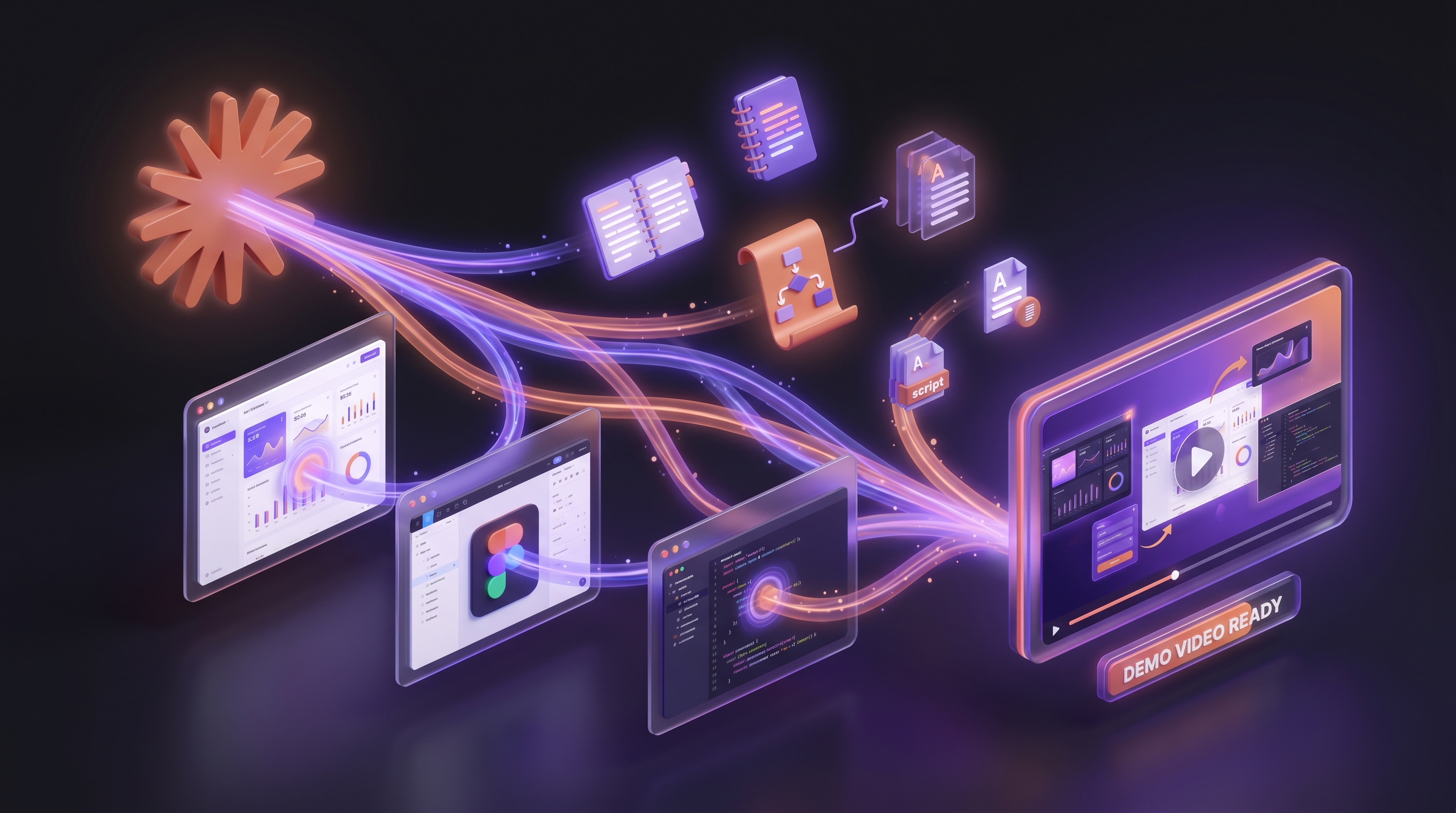
This is the gap between Claude's capabilities and what most teams actually need. Claude plans the demo. An AI demo agent produces it.
When to Use Claude vs a Purpose-Built Demo Tool
Claude is the right tool for planning, analysis, and scripting. It excels at breaking down complex product flows, writing audience-specific narration, and iterating on structure based on your feedback. Think of it as your demo strategist.
For actual video production, an AI demo agent fills the gap that Claude leaves open. Demosmith, for example, takes your product URL and a plain-language description of the flow you want to show. Its AI agent navigates your product autonomously, captures footage, edits it with zooms and transitions, generates voiceover in 31 languages, adds captions, and delivers a finished MP4 plus a shareable link. The whole process runs in under ten minutes.
The time difference is significant. With Claude's script and manual screen recording, a single demo video takes hours. With an AI demo agent, it takes minutes. That gap compounds when you need a library of demos across marketing, sales, and support.
For developers using Claude Code, Demosmith is releasing an API that connects directly to your coding agent. Your agent calls the API with a product URL and gets back a finished MP4, without you switching to the web interface. Push a feature, trigger a demo rebuild, and have the updated video ready before your release notes go live. The API is coming soon. It runs the same process as the web tool: URL in, video out.
For a broader view of the tools available, see our roundup of the best AI demo video generators in 2026. And for the full walkthrough of producing demos without touching a screen recorder, our guide on how to create a SaaS demo video without recording covers the process step by step.
Claude writes the plan. An AI demo agent executes it. Pairing the two gives you the strategic depth of a human analyst with the production speed of an autonomous system.
The Combined Workflow: Claude for Strategy, Demosmith for Production
The most effective approach uses each tool for what it does best. Here is the power-user workflow.
Step one: Use Claude for product analysis. Feed Claude your product documentation, screenshots, and audience information. Ask it to identify the strongest demo flows and generate a scene-by-scene script with narration. Iterate on the script until it captures exactly what you want to communicate.
Step two: Use Claude for audience adaptation. Take the core script and ask Claude to produce versions for different audiences: technical, executive, onboarding. Generate translated versions for international markets.
Step three: Paste your URL into Demosmith. Take the refined flow description and paste it into Demosmith along with your product URL. Demosmith's AI agent navigates your product, captures the flow, and produces a finished video with voiceover, captions, and editing. Under ten minutes from input to output.
This workflow gives you the best of each tool. Claude handles the thinking and writing. Demosmith handles the production. You get a strategically sound, well-scripted, polished demo video without spending hours on manual recording or editing.
Claude Workflow vs AI Demo Agent: Side by Side
| Capability | Claude + Manual | AI Demo Agent (Demosmith) |
|---|---|---|
| Product Analysis | Yes | Yes |
| Script Writing | Yes | Yes |
| Scene Planning | Yes | Yes |
| Screen Recording | No (manual tool needed) | Yes (autonomous) |
| Video Editing | No (manual tool needed) | Yes (auto-editing) |
| Voiceover Generation | No (separate TTS needed) | Yes (built in) |
| Captions | No (manual tool needed) | Yes (automatic) |
| Multi-language Support | Script translation only | 31 languages (voiceover + captions) |
| Time to Finished Video | 4-8 hours | Under 10 minutes |
| Cost | $20/mo Claude + your time + editing tools | Starting at $40/mo |
| Developer Skills Required | Only for computer use beta | None |
Conclusion: Claude Is a Strong Planning Partner, Not a Video Production Tool
Claude earns its place in the demo creation workflow. It analyses product flows, identifies the strongest user journeys, and produces detailed, audience-specific scripts faster than any manual process. Its longer context window and analytical approach make it genuinely useful for the planning phase of demo video creation.
But Claude's contribution stops at text output. It cannot record your screen, edit footage, generate voiceover audio, or render a finished MP4. Teams that expect Claude to produce a video end up cobbling together multiple tools and spending hours on manual production anyway. The script saves time. The production steps do not.
For teams that need demo videos at scale, the practical answer is pairing Claude's planning strengths with a purpose-built AI demo agent. Claude handles strategy. Demosmith handles production. Paste your URL, describe the flow, and get a finished video in under ten minutes. From there you can turn finished demo videos into help center articles without writing them from scratch.
Use Claude to think through your demo. Use an AI demo agent to produce it. The fastest teams do not choose between them.
Key Takeaways
- Claude excels at planning and scripting. Its longer context window and analytical approach make it a strong tool for breaking down product flows, writing detailed scripts, and adapting narration for different audiences.
- Claude cannot produce video output. No screen recording, no editing, no voiceover generation, no rendering. It produces text. You need other tools for every production step.
- The computer use beta is not a casual-user feature. It requires API access, developer setup, and a custom recording layer. It is not a practical option for most product teams.
- Pairing Claude with an AI demo agent is the fastest path. Use Claude for strategy and scripting, then paste your URL into Demosmith for autonomous video production in under ten minutes.
- Time matters more than most teams admit. A script that takes five minutes to generate is not the bottleneck. Recording, editing, and voiceover are. An AI demo agent eliminates the bottleneck entirely.
- Start with the combined workflow. Feed your product context to Claude, refine the script, then hand off to Demosmith for production. No credit card required to try it.