What's New: Social Clips and Product Films From One Demo
You made a demo to show people how your product works. Then the requests start. Marketing wants a short clip for LinkedIn, a vertical cut for Reels and something with a bit of polish for the launch post. That usually means a designer, a motion editor and a week you do not have.
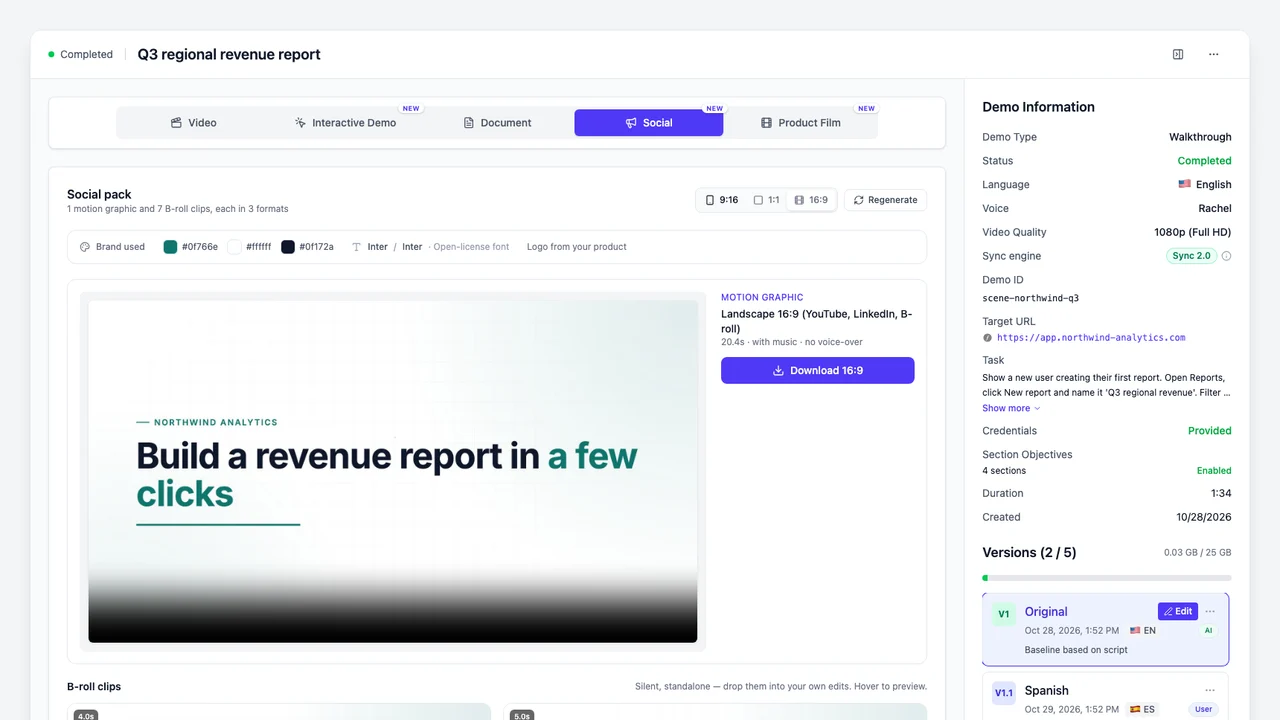
Starting today, Demosmith makes those from the demo you already have. Every finished demo now has two new tabs next to Video, Interactive Demo and Document: Social and Product Film.
- A social pack is a short motion graphic with music, plus a set of silent B-roll clips (short shots of your product to cut into other videos), each in vertical, square and landscape.
- A product film is a full-size 16:9 film of your product at work, with music and motion titles, in one of five styles.
Neither one needs a new recording. Each is built from the screens our AI demo agent captured when it recorded your demo, so the product on screen is your real product.
Social Packs: A Motion Graphic and Clips in Every Shape
One social pack gives you two things.
A motion graphic. A 15 to 30 second piece made of 6 to 10 scenes. It opens on a hook, shows your product doing its job and ends on a call to action, with music and moving text. There is no voiceover, so it plays fine with the sound off.
A set of B-roll clips. Between 5 and 8 short clips, each a few seconds long and each showing one moment from your demo: a click, a screen, the steps in order. They are silent, so you can post one on its own or drop it into a longer edit with your own sound. Our guide to product B-roll without filming has 20 shot ideas and the other ways to get it, and our 5-day posting plan shows how to spread one pack across a week.
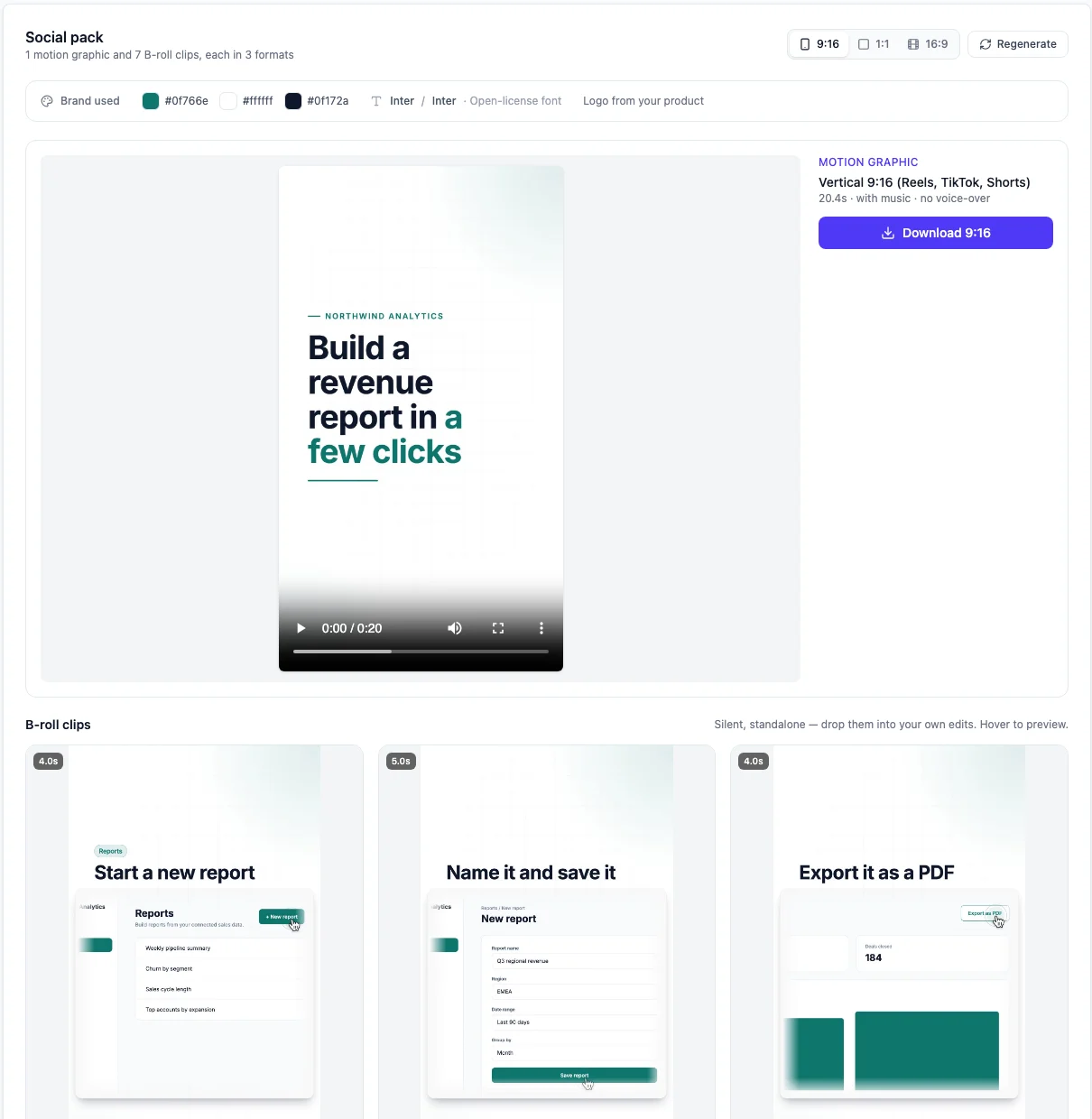
Three shapes, each laid out on its own
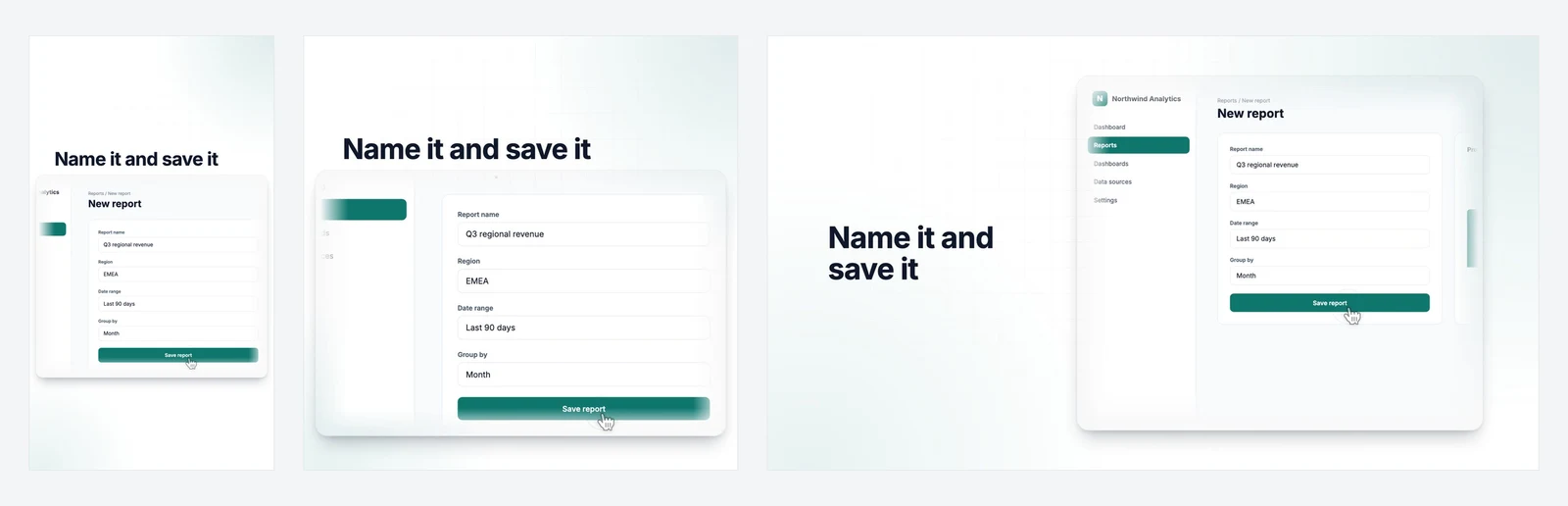
Everything in the pack comes in three shapes:
- 9:16 for Reels, TikTok and Shorts (see our social media video sizes guide for every platform)
- 1:1 for LinkedIn, X and feeds, the safe pick in our LinkedIn video size guide
- 16:9 for YouTube and B-roll
A vertical clip is not a landscape clip with the sides cut off. Each shape gets its own layout, so headlines and buttons stay where people can read them.
Your brand, picked up from your product
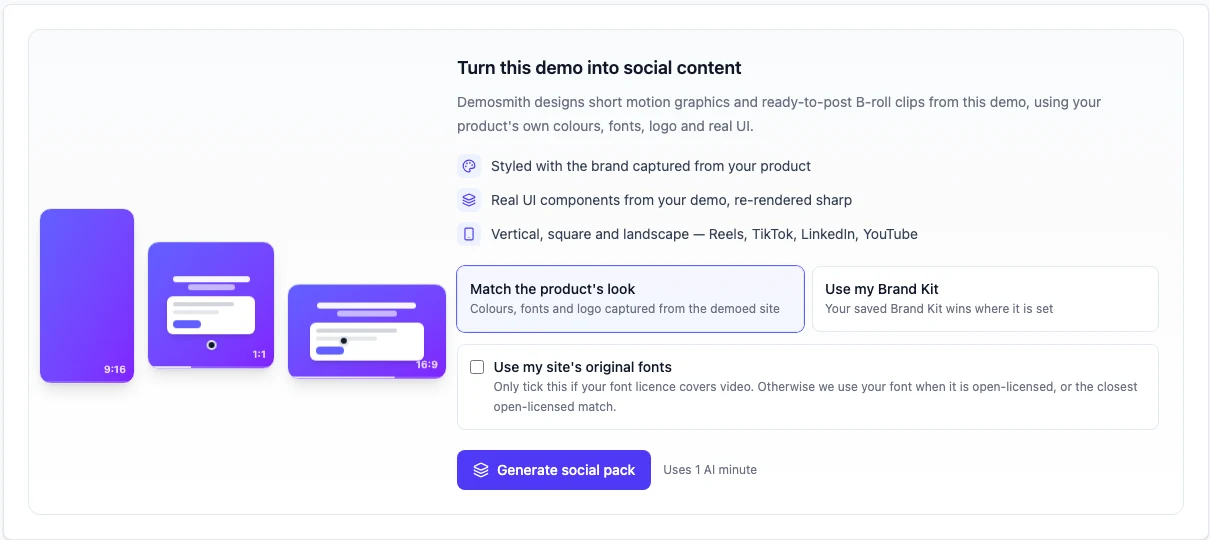
Demosmith reads your brand from the product it recorded: your colours, your fonts and your logo. There is nothing to set up. If you have a saved Brand Kit, choose "Use my Brand Kit" instead, and it takes priority wherever it is set.
Fonts get one extra check, because not every font licence covers video. If your font is open-licensed, Demosmith uses it. If not, you get the closest open-licensed match. If your licence does cover video, tick "Use my site's original fonts".
Real screens, rebuilt sharp
A social pack does not zoom into a screen recording until the text turns to mush. Demosmith rebuilds your product's screens from what it captured, so text stays crisp in a square post or a phone-sized frame. The cursor clicks your real buttons, the buttons press, and text appears in fields as it is typed.
The words come from your demo too. Every headline and caption is written from what the demo shows, and Demosmith checks every scene in every format before it hands the pack over. If a scene needs a second look, the pack tells you.
See the full sample pack, in all three shapes, on the social clips page.
Product Films: A Launch Video From Any Demo
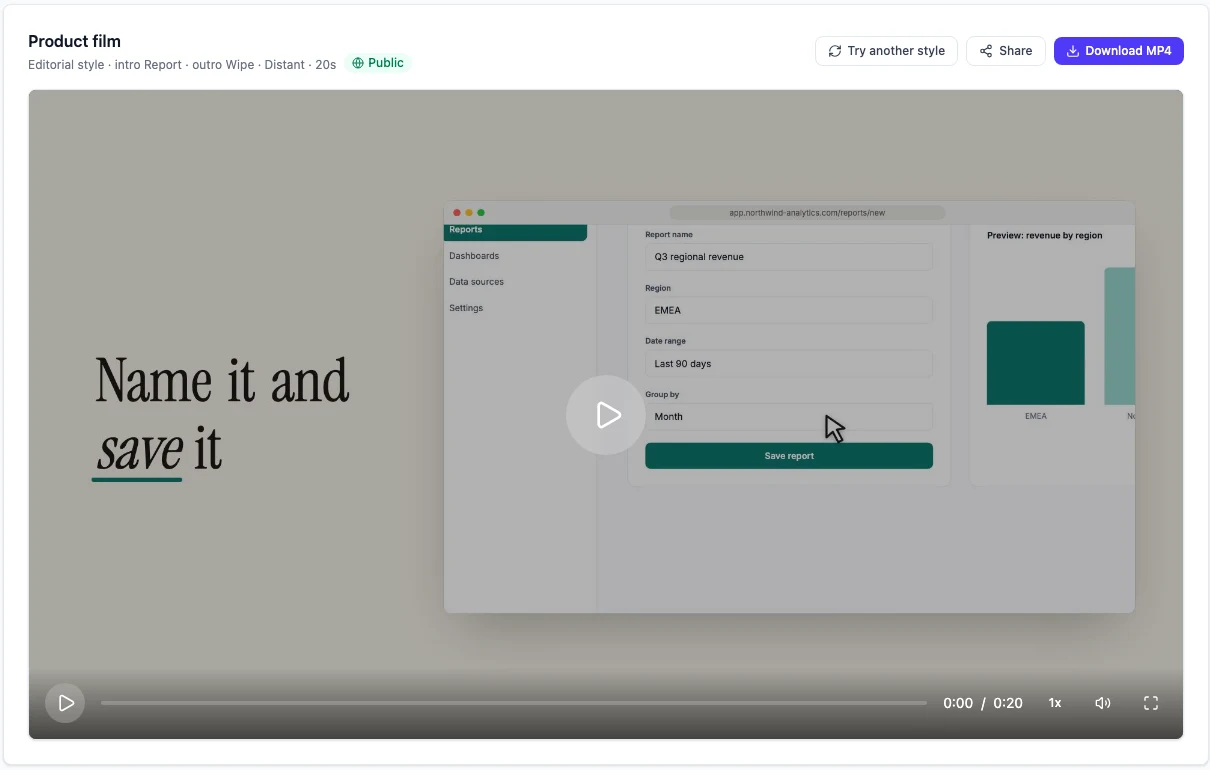
A product film is the video you put at the top of a launch post, a homepage or a release email. It is a full-size 16:9 film, usually under a minute, that opens on a title, moves through 3 to 7 moments in your product and ends on a closing line. Music and motion titles carry it. There is no voiceover.
Five styles to start from
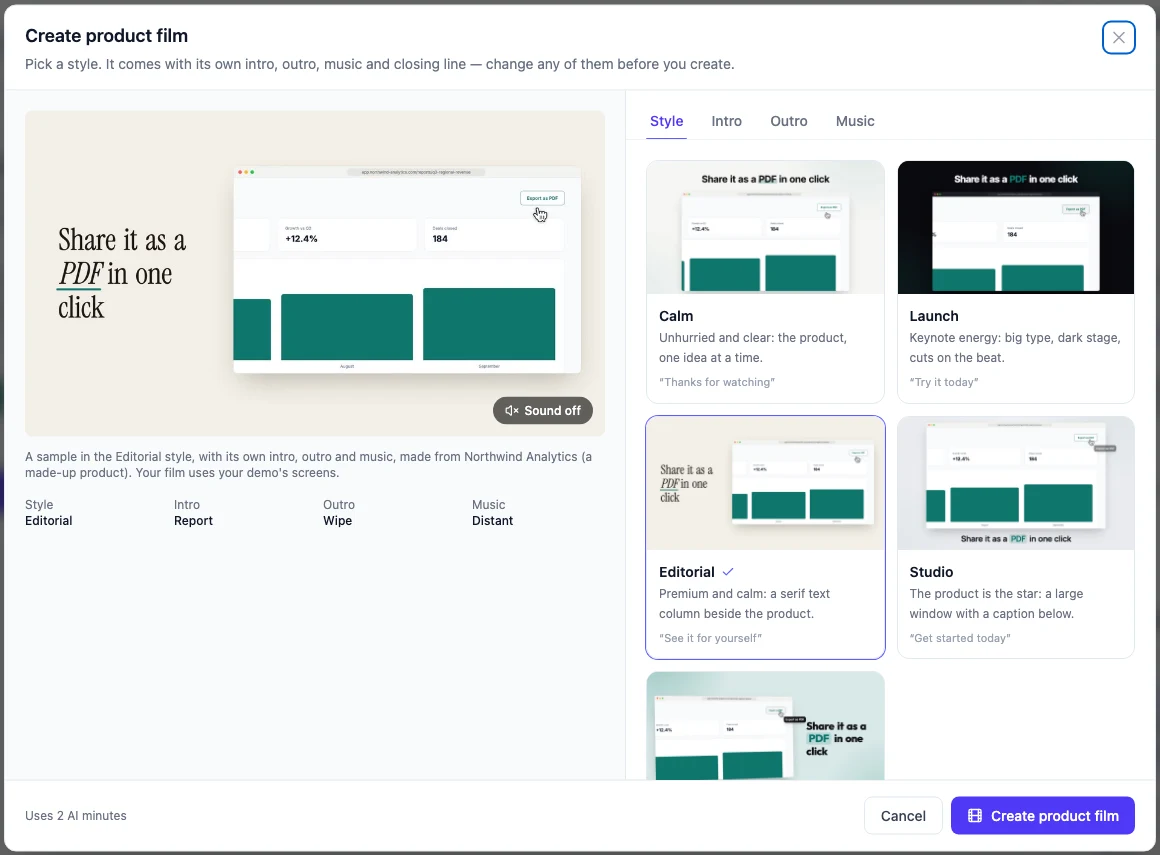
Pick a style before you create. Each one has an animated sample, so you can watch it before you spend anything.
- Calm. Unhurried and clear: the product, one idea at a time.
- Launch. Keynote energy: big type, a dark stage, cuts on the beat.
- Editorial. Premium and calm: a serif text column beside the product.
- Studio. The product is the star: a large window with a caption below.
- Pop. Playful and bright: your brand colour, bold rounded type, springy motion.
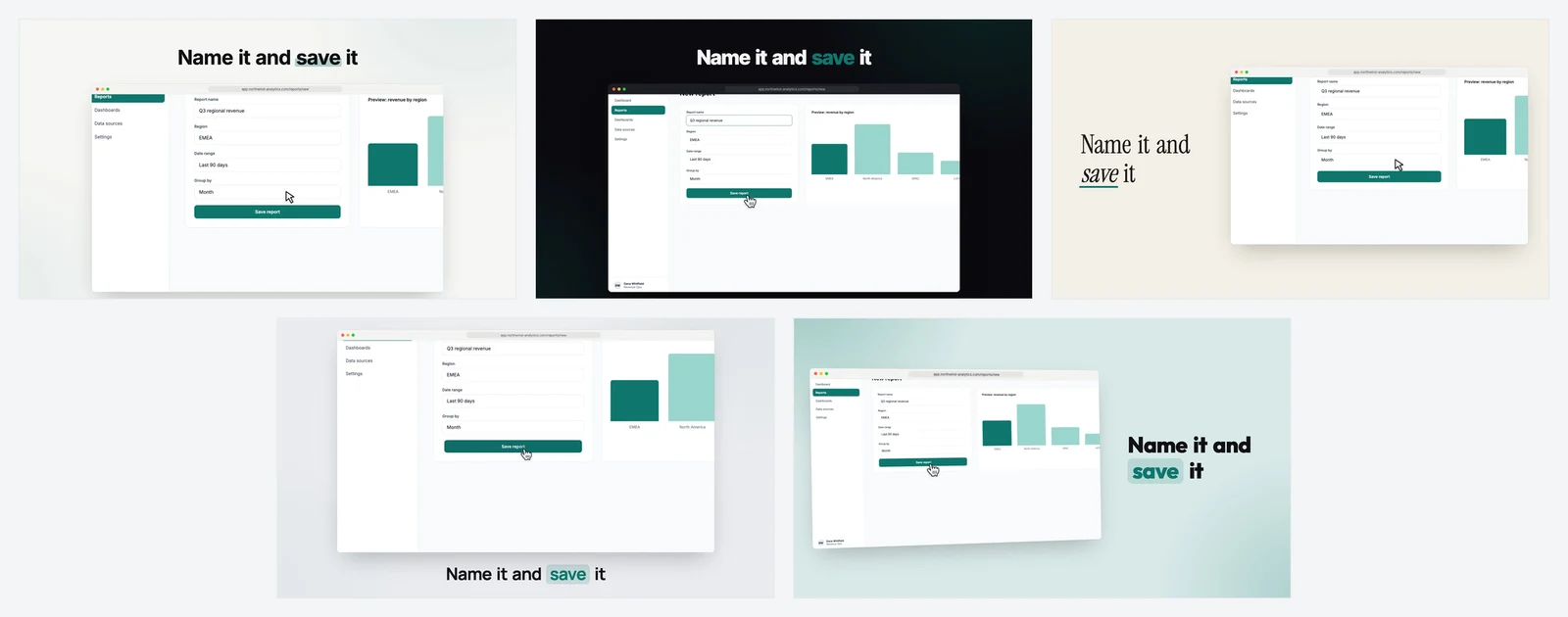
A style sets the layout, the type, the colours and the motion, and it brings its own intro, outro, music and closing line. Everything starts filled in, so you can create a film straight away.
Make it yours
Before you create, you can change:
- The intro and outro. Pick a different title style for the opening and the end.
- The music. Any track in the library, with a preview of the part your film will use.
- The opening title. Your own words, up to 80 characters, shown exactly as you wrote them. Leave it empty and Demosmith writes one from your demo.
- The closing line. Up to 60 characters.
Safe to put on your website
Demos often get recorded in a real account. Before a film is made, Demosmith swaps people's names and email addresses on your screens for made-up ones, and keeps them the same all the way through. Viewers see how your product works, not whose account it was.
The film also follows your demo's language. A Spanish version of your demo gets a Spanish film, closing line included.
Share it with a link, or embed it
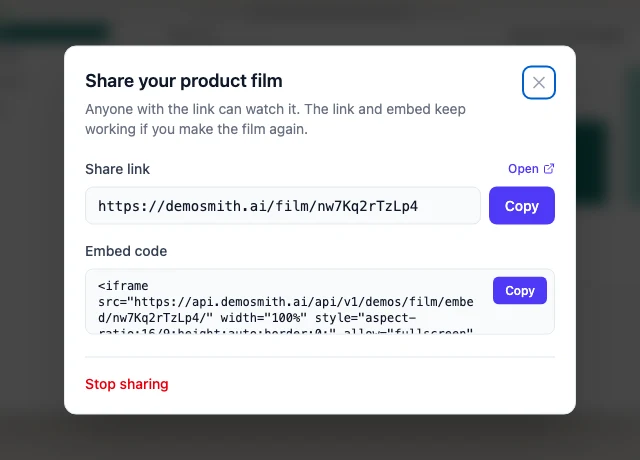
When the film is ready, download the MP4 or click Share. Sharing gives you a public page for the film and an embed code for your site. Only people with the link can find it.
Make the film again later and the link and embed keep working, now with the new film. Stop sharing whenever you like and the link stops working straight away. The demo's creator or an organization admin can share a film, and anyone on the team can download it.
You can watch the same sample film in all five styles on the product films page.
How to Make a Social Pack or a Product Film
- Open a finished demo in Demosmith.
- Choose the Social tab or the Product Film tab.
- For a social pack, pick where your brand comes from and click Generate social pack.
- For a film, pick a style, change anything you like and click Create product film.
- Demosmith shows its progress as it works, and your files appear on the tab when they are ready.
Want a different take? Regenerate a social pack for new copy and scenes, or try another style for your film. Your current pack or film stays up until the new one is ready.
Launching soon? Our guide to Product Hunt launch videos covers where a film like this earns its place.
Which Demos Work
Social packs and product films need a demo that Demosmith recorded itself, because they are built from the screens the agent captured while it clicked through your product. A demo you recorded yourself, and some older demos, do not have those screens, and the tab tells you so.
Nothing else changes. Your video, your interactive demo and your written guide work exactly as before.
Which Plans Include Them
Social packs and product films come with every paid plan: Starter ($40 a month), Pro ($99), Business ($250) and Enterprise. A social pack uses 1 AI minute and a product film uses 2. If one fails, retrying it is free. A fresh take, or a film in another style, counts as a new one.
The pricing page has the full plan details.
Conclusion
Your demo already gave you a video, a clickable tour and a written guide. Now it also gives you a launch film and a clip for every feed.
We built these for the moment after the demo is done, when everyone else needs a piece of it. The product in every clip and film is the one your agent recorded, in your colours, so nothing drifts from what customers will see when they sign up.
If you are planning what to make next, these go further:
- The best AI demo video generators in 2026, for the whole category.
- The AI presenter, for demo videos with a face in the corner.
- Multilingual product demos, for turning one demo into many languages.
Key Takeaways
- A social pack turns a finished demo into a 15 to 30 second motion graphic and 5 to 8 silent B-roll clips, each in 9:16, 1:1 and 16:9.
- A product film is a 16:9 launch-style film, usually under a minute, in one of five styles you can change before you create.
- Each one uses your real product screens, rebuilt sharp, in your colours, fonts and logo.
- Product films swap names and email addresses for made-up ones, and you can share one with a link or embed it.
- They come with every paid plan. A social pack uses 1 AI minute, a film uses 2, and retrying a failed one is free.
Already on a paid plan? Open any finished demo and look for the Social and Product Film tabs. Not yet? Create your first demo. Starter is $40 a month and includes social packs and product films.