What's New
Demosmith's AI demo agent now asks questions mid-recording. When a run hits something only you can supply, it pauses, asks on the demo page, and continues the moment you answer.
That sentence worries some people, so here is the number that matters most: most runs finish without a single question. The agent navigates, clicks, types, and fills forms on its own, exactly as before. We are not walking autonomy back. This is about the moments where a fully autonomous agent has two options: guess, or ask.
Guessing was the old behaviour. A login page asked for a two-factor code that existed nowhere in the prompt. An instruction said "show the analytics" and the account had three dashboards, so the agent picked one. Sometimes the guess was fine. Sometimes you got a demo of the wrong screen, or of a failed sign-in, and found out only when the finished video landed.
Now the agent asks instead. It asks at most three questions per run, shows a countdown of how long the run will wait for each answer, and uses what you tell it once, without storing it. This post covers exactly when it asks, what happens while it waits, and where your answer goes. It went live on every plan this week.
What a Person Would Ask
Picture a colleague recording a demo of your product with a screen recorder. They do not call you for every click. They call you when they hit a wall: the login needs a code from your phone, the account holds three workspaces and the brief named one, the next button sends a real invoice to a real customer.
We held the agent to the same standard. A question has to clear a bar before it is worth pausing a run:
- You are the only source of the answer. A verification code sits on your phone. No prompt can contain it, because it did not exist when you wrote the prompt.
- The choice is genuinely yours. Two valid paths, one demo. That is a decision about what your prospects should see, not a gap in knowledge.
- The next action commits something. Sending, deleting, charging. A wrong guess there is not a cosmetic problem.
Everything else stays autonomous. The agent still picks its own route through a page, fills forms with realistic data, and corrects course when it lands somewhere unexpected. Captchas and locked accounts still stop a run, same as before. Those are walls even a person could not ask their way past.
That split, between what an AI demo agent can figure out and what only a human can supply, is the whole design.
The Four Questions
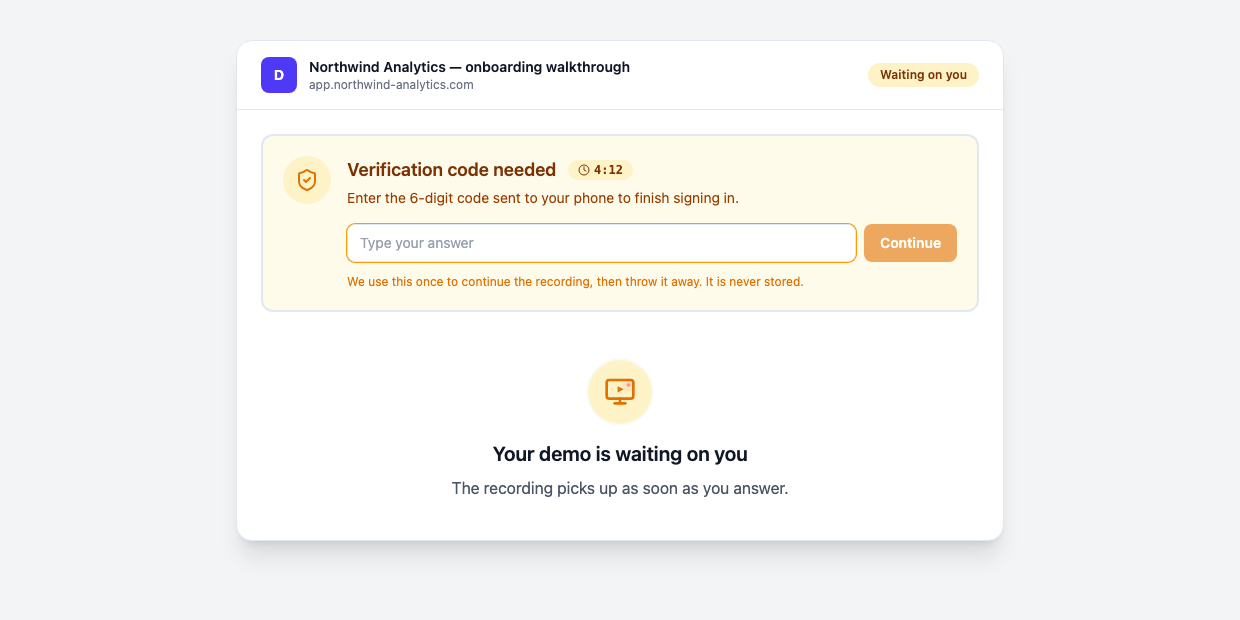
There are exactly four kinds of questions the agent will ask, and nothing else. Each one appears as a small card on the demo's page while the run holds still.
A verification code
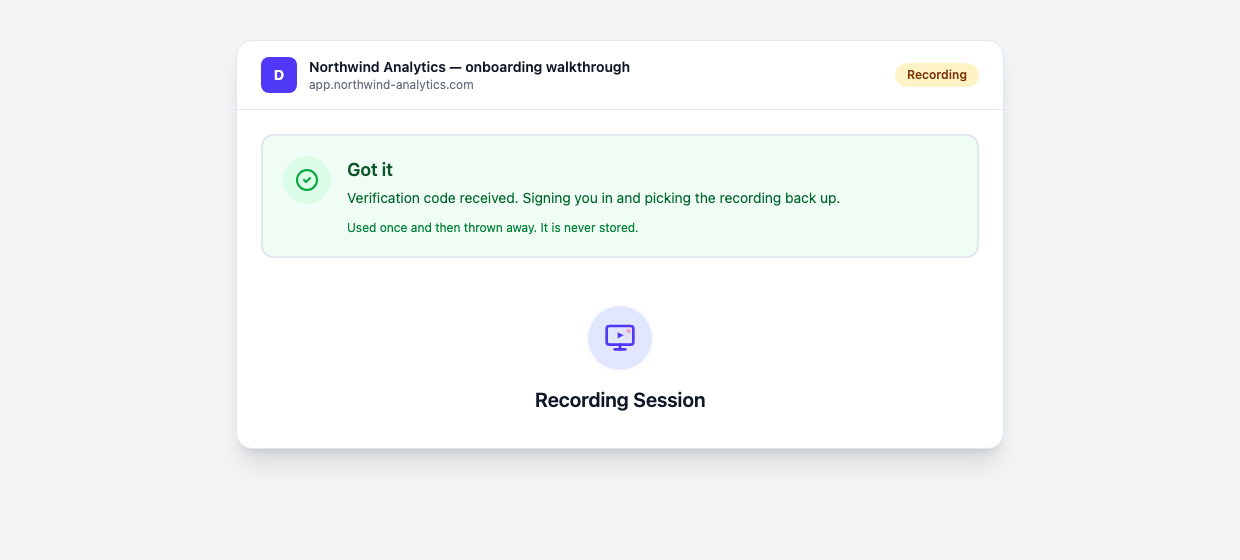
The most common one. Your product texts a 6-digit code midway through a sign-in, and that code exists nowhere the agent can reach. The run pauses, the card asks for the code, and you type it wherever you happen to be. The agent takes it, finishes the sign-in, and picks the recording back up.
A missing sign-in detail
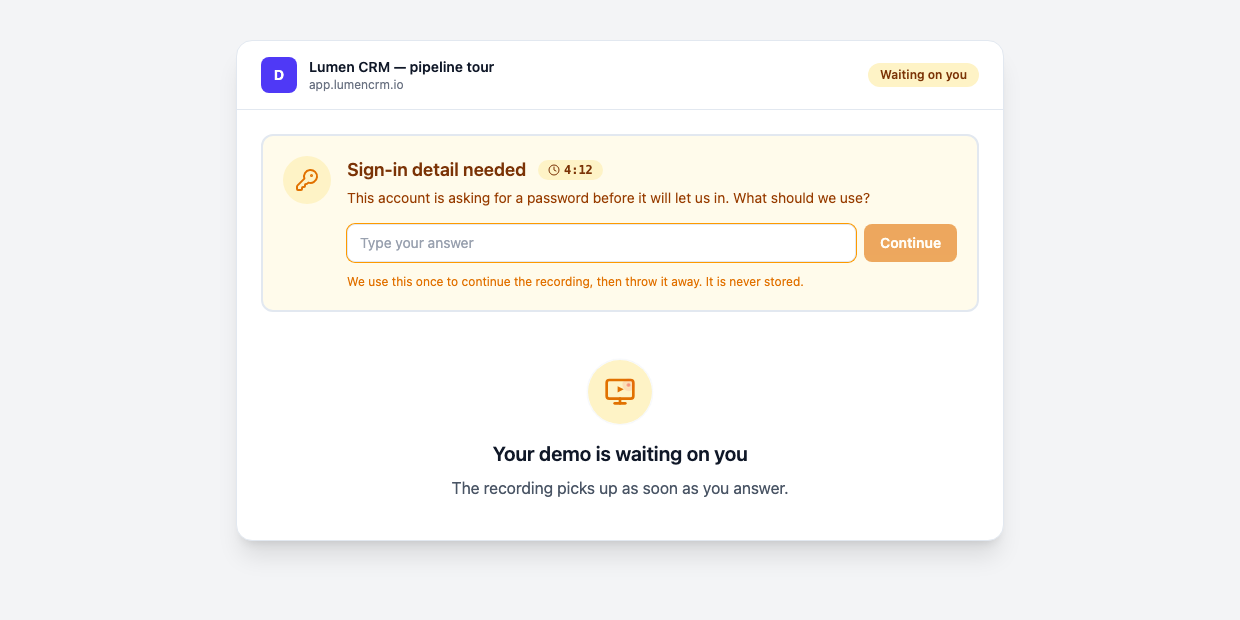
You attached a test account, but the login page wants a field the prompt never included, or a security answer nobody wrote down. The agent asks for exactly the missing detail and nothing more.
A choice between valid paths
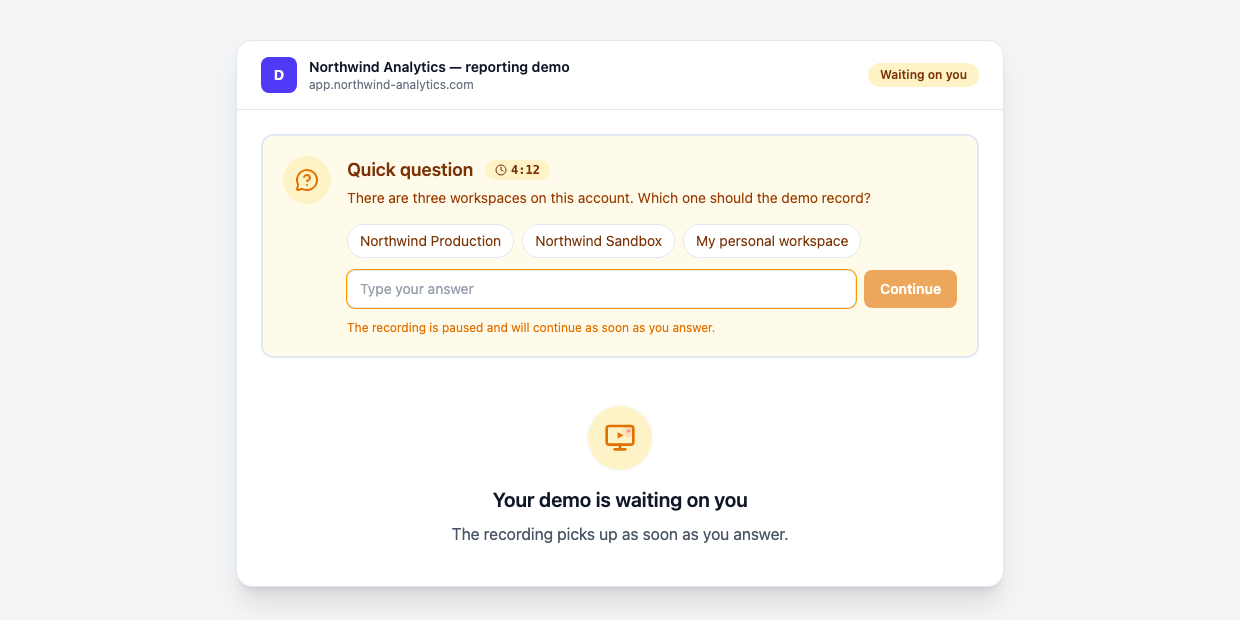
Your prompt said "show the analytics". The account holds three workspaces, each with its own analytics, and any of them would produce a working demo. Only you know which one your prospects should see. The agent lays out the options and records the one you pick.
A go-ahead before it commits
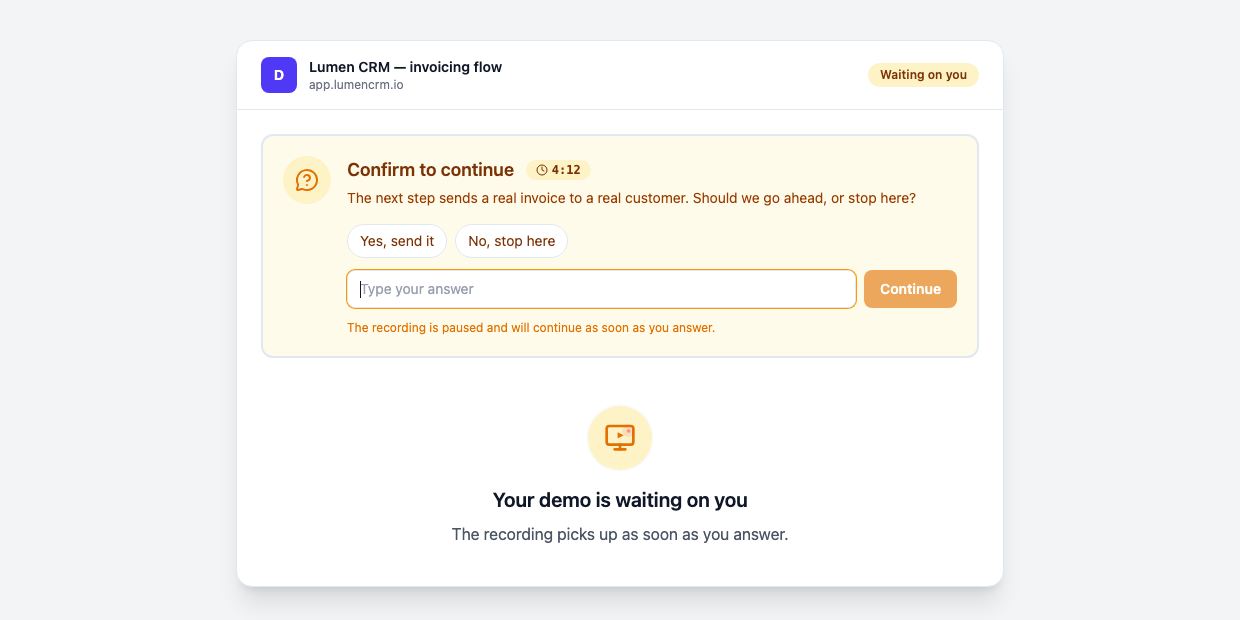
The next step in the flow sends a real email, charges a real card, or deletes a real record. Test account or not, the agent asks for a go-ahead before it takes a step like that, rather than treating your two-hour-old prompt as permission. It is a question like the other three, so it draws on the same cap of three per run.
While It Waits
The question appears on the demo's page in the app, under a "Waiting on you" marker, with a countdown showing how long the agent will keep waiting. You answer in a sentence, or a tap when the card offers options.
You do not have to watch the page. If a question is still unanswered a minute after it lands, Demosmith emails you a reminder. Answer in ten seconds and the run resumes in ten seconds.
What Happens to Your Answer
The answer is used exactly once, to continue the run. When the answer is a verification code or a sign-in detail, it is kept out of the AI transcript and the action log entirely. Nothing is kept anywhere after the step completes. The card states the policy in one line: used once to continue the recording, then thrown away, never stored.
A choice, like which workspace to record, differs only in that the agent has to receive it to act on it. It is delivered once, used, and dropped. There is no vault of your answers building up in the background.
Why the limit is three
Each run gets at most three questions. The cap exists so a demo stays a demo and does not turn into an interview. If a flow needs more than three answers from you, the prompt is doing too little of the work. Our prompt guide shows where the line sits between a detail worth asking about and a detail worth writing down.
Is the Pause in the Video?
Usually not. The wait is trimmed out of the finished video, so viewers see the flow, not the hold. The trim is best effort. If it fails, or if the cuts would remove more than 60% of the recording, the pause stays in, and you can cut it in the editor like any other section.
One run still feeds both formats. The video gets the pause removed, and the same run publishes as an interactive demo your viewers can click through, so a question mid-run never costs you a format.
How to Get It
You already have it. Mid-run questions are on by default, on every plan from Free, Starter through Business, with nothing to configure. The feature went live this week, together with the answer card in the app.
The best way to see it work is a flow you assumed we could not handle: the one behind a two-factor login, or the one that starts with a workspace picker. Write the prompt the way you normally would and let the agent ask for the rest.
If you are weighing tools, our comparison of the best AI demo video generators covers where this capability sits across the category. The changelog entry has the short version of everything on this page.
Conclusion
Autonomy is not the absence of questions. It is knowing which ones belong to a human, and refusing to guess on those.
The agent that asks nothing sounds impressive right up until it types a made-up verification code into your login page. The agent that knows what it does not know is the one you can leave alone with a sign-in screen.
Key Takeaways
- The agent asks four kinds of questions: verification codes, missing sign-in details, choices between valid paths, and go-aheads before committing actions.
- Most runs finish with zero questions, and the hard limit is three per run.
- Each question card shows a countdown of how long the agent will wait, and an email reminder follows if a question sits unanswered for a minute.
- Answers are used once and never stored, and codes and sign-in details stay out of the transcript and the action log.
- The pause is usually trimmed from the finished video, and one run still produces both the video and the interactive demo.
It is on every plan, starting with the free trial. Generate your next demo and let the agent ask you for the parts that were always yours.