Demosmith vs PuppyDog: Who Records the Product?
Every AI demo video tool has to answer one question before it does anything clever: where does the footage come from? Someone, or something, has to open the product and click through it. Demosmith and PuppyDog answer that question differently, and most of the other differences between them follow from it.
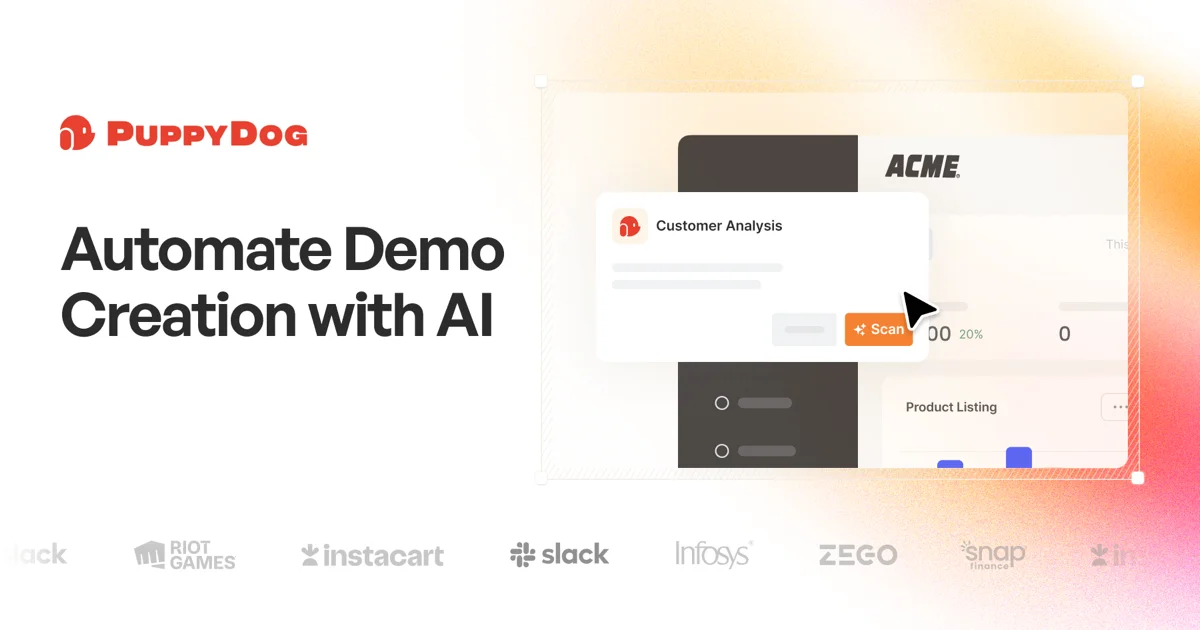
PuppyDog builds video from material you give it. You record your screen with its Chrome extension, upload a recording or screenshots, or start from a URL, a doc or plain text. Its own help page says the source visuals "always come from what you upload". From there it writes the script, adds a voiceover and effects, and tailors the video to each account, persona or contact.
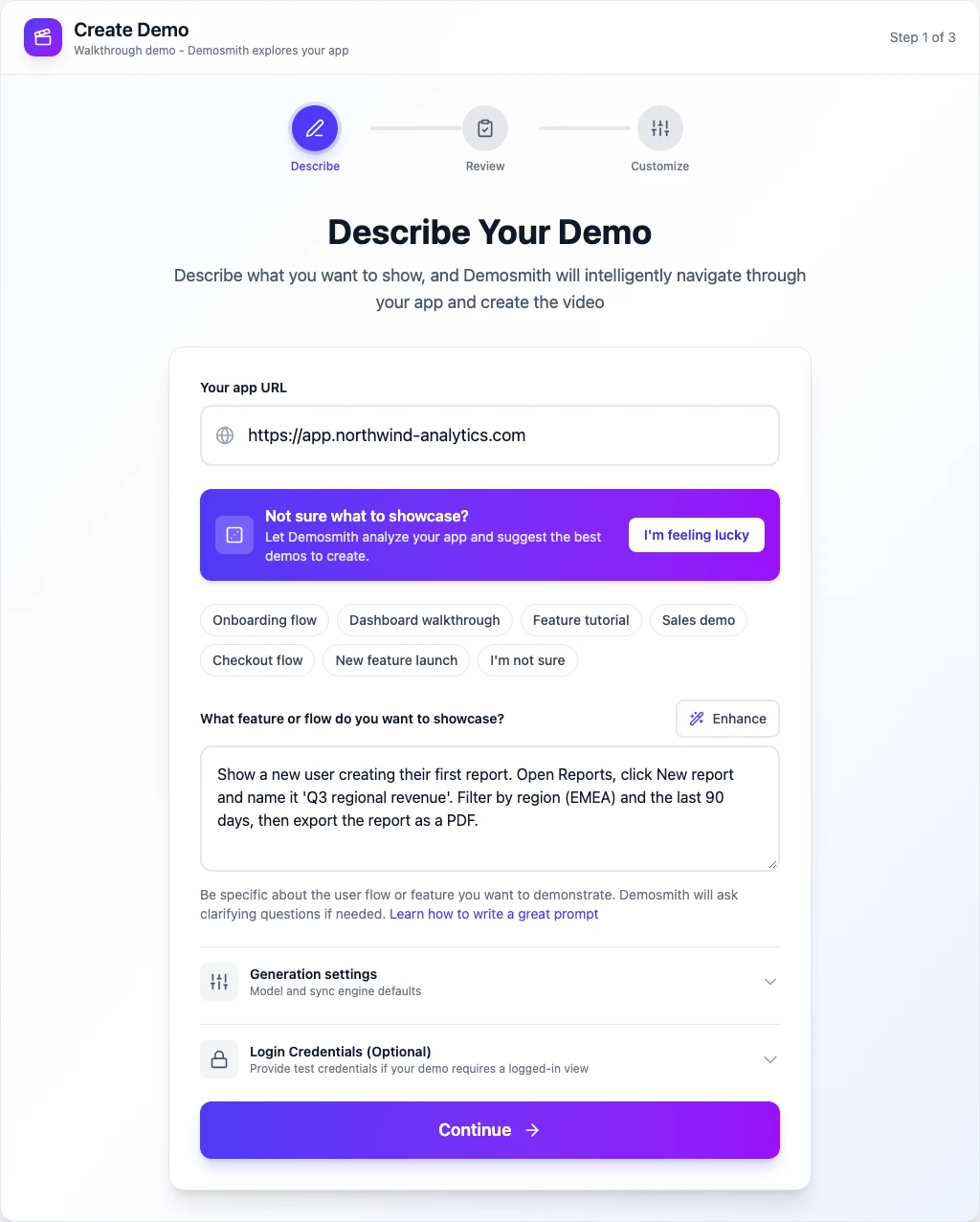
Demosmith is an AI demo agent. You give it a URL and describe the flow in plain English. The agent opens your live web app in a cloud browser, clicks through the flow, records the session and edits it. Nobody on your team touches a screen recorder.
Neither approach is wrong. PuppyDog is the stronger tool for personalised outbound and for knowing who watched. Demosmith is the stronger tool when nobody wants to record anything, and when you want an interactive demo and written docs from the same run. This page covers each side, including what Demosmith does not do.
At a Glance: Demosmith vs PuppyDog
PuppyDog prices below come from its pricing page, checked on October 12, 2026. PuppyDog changed its plans that day, so older prices quoted elsewhere no longer apply.
| Feature | PuppyDog | Demosmith |
|---|---|---|
| Built for | Personalised product videos for sales, marketing and customer success | Polished demo videos for marketing, sales and onboarding |
| Where the footage comes from | Your screen recording (Chrome extension), an uploaded video or screenshots; can also start from a URL, a doc or text | An AI agent drives your live web app from a URL and a prompt |
| Do you record anything? | Usually: a recording or screenshots | No, the agent records |
| Finished video | AI script and voiceover, with zoom, spotlight, tilt and callouts | Voiceover, captions, zooms and your brand kit |
| Per-contact personalisation | AI research per account and role; name, logo and use case | No |
| CRM, Slack and email sync | HubSpot, Instantly, Smartlead, Clay and Slack on Pro; Salesforce, Marketo and Outreach on Enterprise | No |
| Viewer analytics | View time, drop-off and interest for each viewer | Anonymous: step funnel for interactive demos, view counts for videos |
| Interactive demo | No, video only | Yes, from the same run |
| Written docs | Not listed | Docusmith: Markdown, HTML, plain text or PDF |
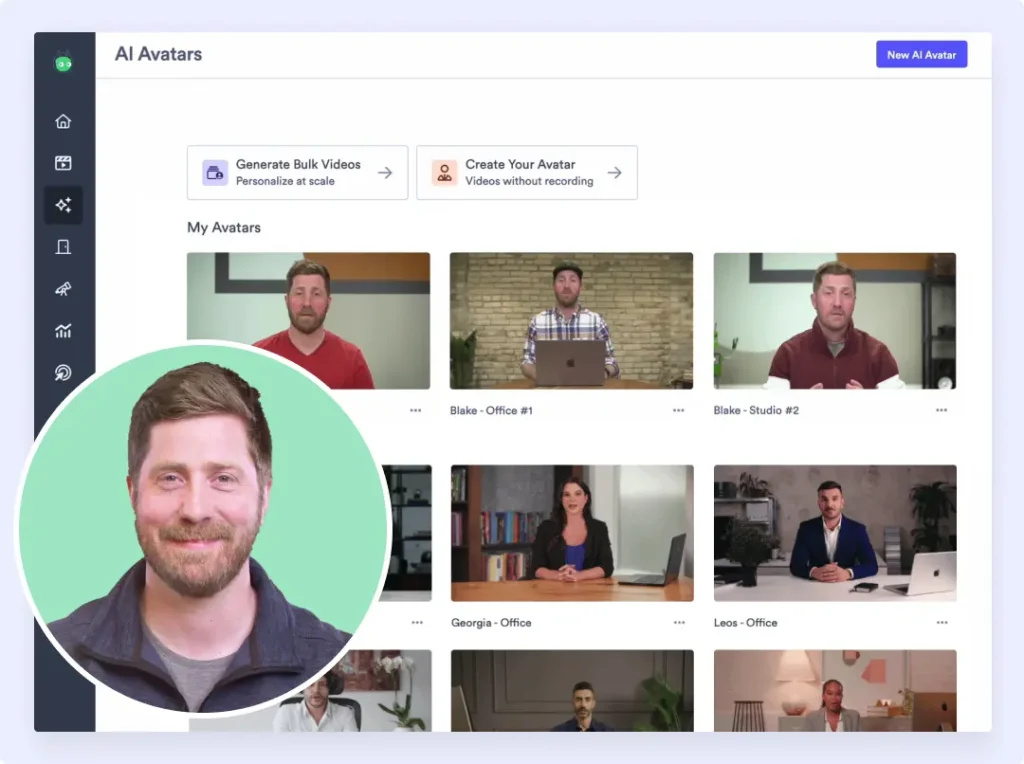
| On-screen presenter | Custom avatars, custom voices and voice cloning | Six AI presenters on every paid plan, speaking 28 languages |
| Languages | Multilingual voiceover; 50+ listed on Enterprise only | 31 from Starter |
| Free option | Free plan: 1,000 credits, about two 2-minute videos | 3-day trial, one demo, no card |
| Starting paid price | $49 per user a month ($42 billed yearly) | $40 a month per account ($33 billed yearly) |
What PuppyDog Does
PuppyDog is an AI product video platform from Mountain View, California. It launched in August 2024 with pre-seed backing from AI Fund, the venture studio Andrew Ng founded, and says more than 1,000 brands use it. Its pitch is personalised product video at scale: one workflow, its own version for every viewer. Here is what it does well.
Video From Your Recording or Screenshots
You walk PuppyDog through your product with a screen recording, screenshots or a description. It writes a step-by-step script, generates the voiceover and applies automatic zoom, spotlight, tilt and callouts to your UI, with no timeline work. It is built for focused demos of one to three minutes. A feature called Highlights trims long demos and Zoom sales calls down to a target length, which is handy if your best reps already give a great demo live.
Personalisation for Every Account
This is PuppyDog's real strength. AI agents research each company and role, then tailor the video by person, persona, segment, industry or company. Its own guides describe swapping in the prospect's use case and logo, plus a spoken intro with their name. For customer success, it can use profile data, usage patterns and adoption gaps. SARC MedIQ, one of its case studies, sent 20,000 personalised demos and reports 300 new qualified leads.
Knowing Who Watched
PuppyDog reports view time, drop-off points and what each viewer cared about, then sends it to your CRM, a Slack channel or email, so a rep can follow up with context. You can also A/B test video variations. Demosmith has nothing like this. Our analytics are anonymous, and we have no CRM integration.
Avatars and Voices
PuppyDog offers custom avatars, custom voices and voice cloning, and lists custom voices and presenters even on its free plan. If you want a presenter who looks or sounds like someone on your team, PuppyDog can do it.
Keeping Videos Current
PuppyDog's homepage leads with a promise any product marketer will recognise: your videos should change as often as your product does. It says its videos are built from structured steps, so when the product changes only the affected steps re-render. That makes script, voice and personalisation changes quick. Its pages do not explain how new footage of a changed screen appears without a fresh recording or screenshot, and one of its help pages is plain about the limit: when a key step is missing, its advice is to record that step again.
Pricing
The free plan gives you 1,000 credits, and a typical 2-minute video uses about 500. Pro costs $49 per user a month, or $42 per user billed yearly, with 2,500 credits, personalised videos, the HubSpot, Instantly, Smartlead, Clay and Slack integrations, analytics and no watermark. Enterprise is custom: 10,000+ credits, Salesforce, Marketo and Outreach, 50+ languages, SSO and brand governance. Extra credits come in packs of 2,500, and credits on annual plans roll over.
What Demosmith Does
Demosmith does one job: it turns a product URL and a short description into a demo your buyers will watch. You paste the URL, describe the flow ("create a report, filter it by region, export it as a PDF"), and review the planned walkthrough before the run starts. Then the agent opens the live product, fills in forms, records the session and edits the result.
A Finished Demo Video
The video comes back cut, zoomed on the clicks that matter, captioned and voiced, with your brand kit applied. You can change the script, voice, music and zooms in the editor, or work on the raw recording in a timeline of your own. It downloads as an MP4 and shares as a link or an embed.
An Interactive Demo and Docs From the Same Run
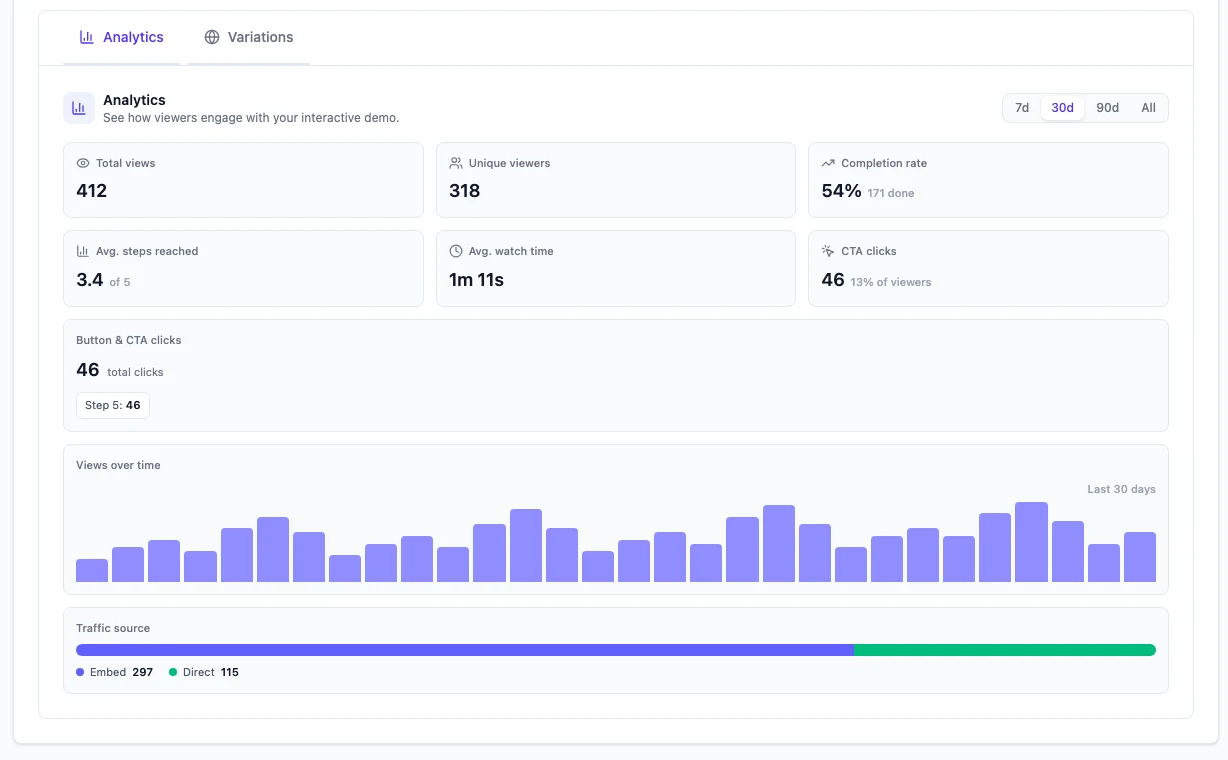
The same capture also becomes a click-through interactive demo for your website, so you do not record twice. Each interactive demo has its own analytics: views, completion rate, a step-by-step drop-off funnel and CTA clicks. These numbers are anonymous. They tell you where viewers drop off, not who the viewers were.
When you need written steps, Docusmith turns a finished demo into Markdown, HTML, plain text or a PDF, with screenshots from the run placed in the document.
Logins and Two-Factor Codes
Because the agent drives the product itself, it has to get past logins. You can give it test credentials, and when a flow hits a two-factor screen, a sign-in prompt or a choice only you can make, the agent pauses and asks you mid-run, up to three questions per run. It uses each code once and never stores it. Captchas and locked accounts still need a person.
An AI Presenter and 31 Languages
Demosmith offers an AI presenter on every paid plan from Starter up. You choose from six presenters, and the one you pick talks viewers through the demo from a corner of the video, in 28 languages. You set the corner and the size. Voiceover and captions come in 31 languages on every paid plan, and a language version re-voices the same recording instead of starting over.
What Demosmith Does Not Do
Demosmith has no per-contact personalisation: no merge fields, no prospect names, no account research. It has no CRM sync and no viewer identity, so it cannot tell a rep who watched. It cannot take an upload of your own footage, it records web apps only, and it has no API yet. If you want a different video for each prospect, you create each one yourself with its own prompt.
Pricing
Starter is $40 a month with 20 AI minutes and 10 demos. Pro is $99 with 50 AI minutes and 50 demos. Business is $250 with 150 AI minutes and unlimited demos. Yearly billing brings those to $33, $83 and $208 a month. The trial runs for three days with one demo and no credit card. There is no free plan.
Key Differences Between Demosmith and PuppyDog
Where the Footage Comes From
This is the real choice. With PuppyDog, a person still captures the product, by recording a walkthrough or taking screenshots, and the AI makes that material look and sound professional. With Demosmith, the agent does the capturing, on the live product, from a sentence. If your team is happy to record and wants the polish, PuppyDog fits. If the recording itself is the bottleneck, Demosmith removes it.
What Happens When Your UI Changes
Each product pitches itself against what we call demo debt, the gap that opens when the product ships faster than the videos. PuppyDog re-renders the affected steps, which works well for script, voice and personalisation changes. A redesigned screen still needs new source footage, by its own account. Demosmith has no one-click update either: you run the agent again with the same URL and prompt, and it records the new UI as it stands that day.
Personalisation and Follow-Up
PuppyDog wins this outright. Per-account research, a spoken intro with the prospect's name, and watch data in HubSpot or Slack are exactly what an outbound or ABM team wants. Demosmith makes one demo per run and reports anonymous engagement. If your process depends on knowing which prospect watched to minute two, choose PuppyDog.
Video Only, or Video Plus a Tour and Docs
PuppyDog makes video only, and argues for it: viewers should not have to click through steps to understand a product. That is a fair position. Demosmith gives you the video and a click-through demo from one run, plus docs on request, so you can put the tour on your website and send the video by email. Our guide to interactive demos vs video demos covers when each format earns its place.
Presenters and Languages
Demosmith includes six AI presenters on every paid plan from $40, and they speak 28 languages. For voiceover and captions, Demosmith lists 31 languages from Starter. PuppyDog advertises multilingual voiceover and publishes a number, 50+, only for Enterprise.
How Each Charges
At entry level the prices are close: $49 per user a month for PuppyDog Pro ($42 yearly) against $40 a month for Demosmith Starter ($33 yearly). PuppyDog charges per user and meters credits. Demosmith charges per account and meters AI minutes and demos. PuppyDog also has a free plan, and Demosmith only a three-day trial.
When PuppyDog Is the Better Choice
- You run outbound or ABM at volume. Hundreds or thousands of variants, each with the prospect's name, company and use case.
- Reps follow up on who watched. View time and drop-off for each viewer flow into your CRM, Slack or email.
- You want a custom presenter. Your own avatar, custom voices and voice cloning.
- You already have good recordings. Screen recordings, screenshots and Zoom sales calls become polished videos, and Highlights trims long ones.
- You need enterprise controls. SSO, brand governance and 50+ languages on Enterprise.
- You want to start free. The free plan covers about two 2-minute videos.
When Demosmith Is the Better Choice
- Nobody wants to record. The agent drives your live web app from a URL and a prompt.
- Your UI changes often. Run the agent again and it records the product as it looks today.
- You want a website tour too. The interactive demo comes from the same run, with step-level analytics.
- You need docs from the same flow. Docusmith exports Markdown, HTML, plain text or PDF.
- You sell in several markets. 31 languages from the $40 Starter plan, with an AI presenter included.
If you are weighing other tools in this space, our roundup of the best AI demo video generators covers the wider field.
The Bottom Line
PuppyDog and Demosmith each promise product videos without an agency or a video editor. PuppyDog gets there by making your recordings sound and look professional, then tailoring them to every prospect and telling your reps who watched. For sales-led teams running personalised outbound, it is the better tool, and Demosmith has no answer to its CRM workflow.
Demosmith gets there by removing the recording. An agent drives the live product, and one run returns an edited, narrated video, an interactive demo and docs on request, in 31 languages. If the bottleneck is getting footage at all, or keeping it current as the UI moves, that is the job Demosmith was built for.
PuppyDog makes your recording personal. Demosmith makes the recording for you.
Key Takeaways
- PuppyDog builds video from what you upload: a screen recording, screenshots, a URL, a doc or text. Demosmith's agent opens your live web app and records the flow itself.
- PuppyDog leads on per-contact personalisation, CRM and Slack sync, viewer-level analytics, custom avatars and voice cloning.
- Demosmith has no per-contact personalisation and no CRM sync, and its analytics are anonymous.
- Demosmith gives you a video, an interactive demo and Docusmith docs from one recording, with 31 languages and an AI presenter from its $40 Starter plan.
- Prices are close at entry level: PuppyDog Pro is $49 per user a month ($42 yearly) and has a free plan; Demosmith Starter is $40 a month ($33 yearly) with a three-day trial.