Demosmith vs Clevera: Same Agent, Different Finish Line
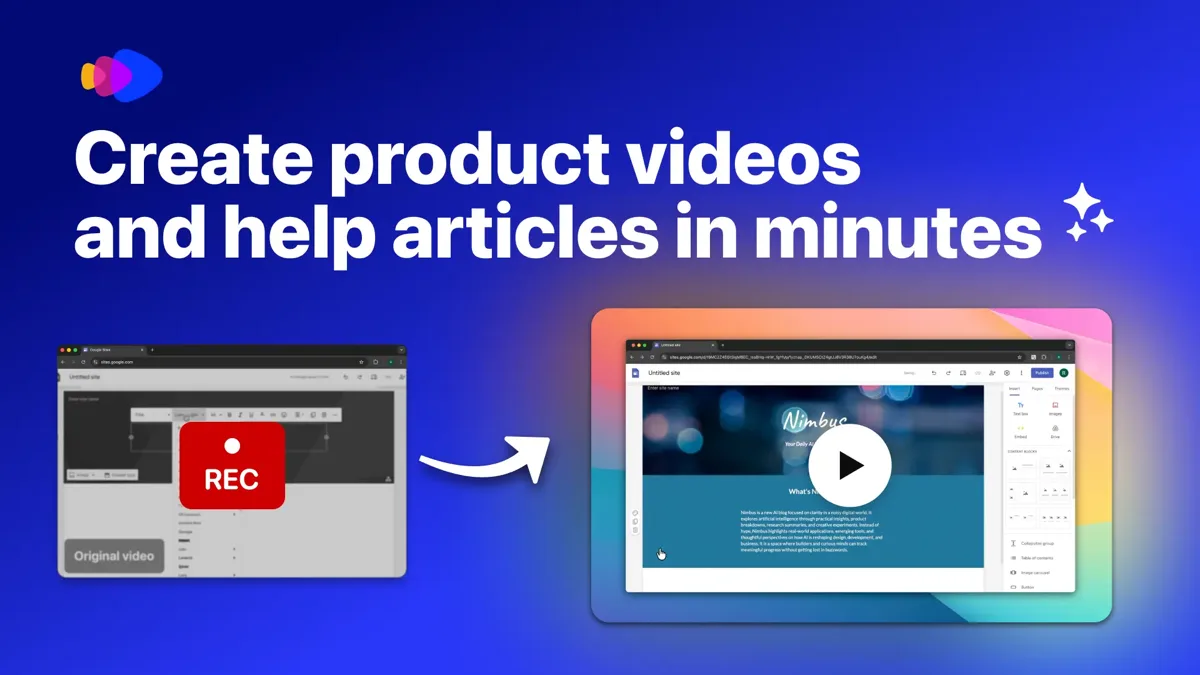
Until this autumn, almost every product video started with someone at a screen recorder. Clevera and Demosmith now let an AI agent do that part. You write what to show, the agent opens your web app in a browser, clicks through the task and records it, and you get a narrated video back without touching the recorder.
The two split on what the run is for. Clevera is built for teams that explain a product: how-to videos, help articles and a hosted help centre, kept in step with your releases. Demosmith is an AI demo agent built for teams that sell one: an edited demo video, a click-through interactive demo from the same run, docs when you need them, and social clips and a short product film for launches.
If you want a Clevera alternative because you need a demo that sells, not a help centre, the sections below show where Demosmith fits. We make Demosmith, so read it with that in mind. We say plainly where Clevera is the better pick, and every Clevera price and feature below comes from its own website, checked on November 12, 2026.
At a Glance: Demosmith vs Clevera
| Feature | Clevera | Demosmith |
|---|---|---|
| Built for | How-to videos, demos and help articles, published to a help centre | Demo videos for marketing, sales and onboarding, plus a clickable tour |
| How capture works | An agent records your web app from a short task, or you record with its desktop app or browser extension | An AI agent drives your live web app from a URL and a prompt |
| Apps it can show | Web apps, plus desktop, phone and tablet when you record yourself | Web apps reachable at a URL |
| Signing in | You sign in yourself in a live browser view | A test login you give it; pauses and asks for two-factor codes mid-run |
| Narrated, edited video | Yes: script, AI voice, zooms, captions, brand scenes | Yes: script, AI voice, zooms, captions, brand kit |
| Interactive demo | Not offered | Yes, from the same run, with step analytics |
| Written docs | Help articles and a hosted help centre with Ask AI, on every plan | Docusmith export to Markdown, HTML, text or PDF (no hosting) |
| AI presenter | From Starter, full screen or in a corner | Six presenters on every paid plan, speaking 28 languages |
| Languages | 74 | 31 |
| Keeping videos current | Autopilot reads your releases and flags what needs a fix (Pro, by invitation) | Re-record button records the same flow again |
| API and MCP | Pro plan | Every paid plan |
| Free option | Free plan: 100 credits a month, share links only | 3-day trial, one demo, no card |
| Starting price | $29/mo billed yearly ($36 monthly) | $40/mo ($33/mo billed yearly) |
What Clevera Does
Clevera describes itself as a way to "create product videos and docs and keep them up to date with AI". Its customers are mostly support, success and training teams, and it ships fast: a new desktop recorder, a Linux app and publishing to video platforms have all arrived since the end of October.
An Agent That Records Your App
Since October 9, 2026, Clevera can record for you. You write the task and the page to start from, and an agent opens your web app in a browser and clicks through it. Sign-in happens in a live view where you type the password yourself, and you can watch the agent work and take over. The recording then becomes a narrated video and a help article.
Or Record It Yourself, on Any Device
This is Clevera's widest advantage. Its desktop app runs on Mac, Windows and, since November 1, Linux, and a Mac can record an iPhone or iPad by cable. Desktop software and mobile apps are fair game, and Clevera still writes the script, adds the voice and edits the result.
Videos You Edit by Asking
Clevera writes the script, narrates it, cuts the pauses and zooms on each click. You change things by asking in plain words, and editing one line re-records only that line. It adds animated covers and step markers in your brand, an AI avatar from the Starter plan, and translation into 74 languages.
A Help Centre Built From the Same Recording
Each recording also becomes a step-by-step article with screenshots, tips and warnings. Articles publish to a hosted help centre with search and Ask AI answers, free on every plan and on your own domain from Starter. You can import from Zendesk, Intercom or GitBook, and export to Markdown, HTML, PDF or Word.
Autopilot, Publishing and the API
Autopilot reads your releases from GitHub, GitLab, Bitbucket or a changelog page and marks each video and article as fine, needing a text fix or needing a re-shoot. It is on Pro by invitation. Pro also adds publishing to YouTube, LinkedIn, X, Wistia and cloud drives, and an API and MCP server so Claude, ChatGPT or a script can make videos and articles, with spending caps for agents.
Pricing
Clevera runs on credits. Free gives 100 credits a month, videos up to three minutes and sharing by link only. Starter is $29 a month billed yearly ($36 monthly) with 900 credits and MP4 downloads up to 2K. Pro is $86.80 a month billed yearly for two creators ($124 monthly) with 4,000 credits, 4K and the API, and each extra creator adds $36. Clevera says most videos use 5 to 25 credits, editors are free, and exports never use credits.
What Demosmith Does
Demosmith is built around one job: turning a product URL and a sentence into a demo a buyer will watch. You paste the URL, describe the flow ("sign up, create a project, invite a teammate"), and the agent works through your live product in a cloud browser, fills forms with realistic data, records the session and edits it.
A Finished Demo Video
The video comes back cut, zoomed on the clicks that matter, captioned and voiced, with your brand kit applied. You can change the script, voice, music and zooms in the editor, or work on the recording in the timeline editor. It downloads as an MP4 and shares as a link or an embed.
An Interactive Demo From the Same Run
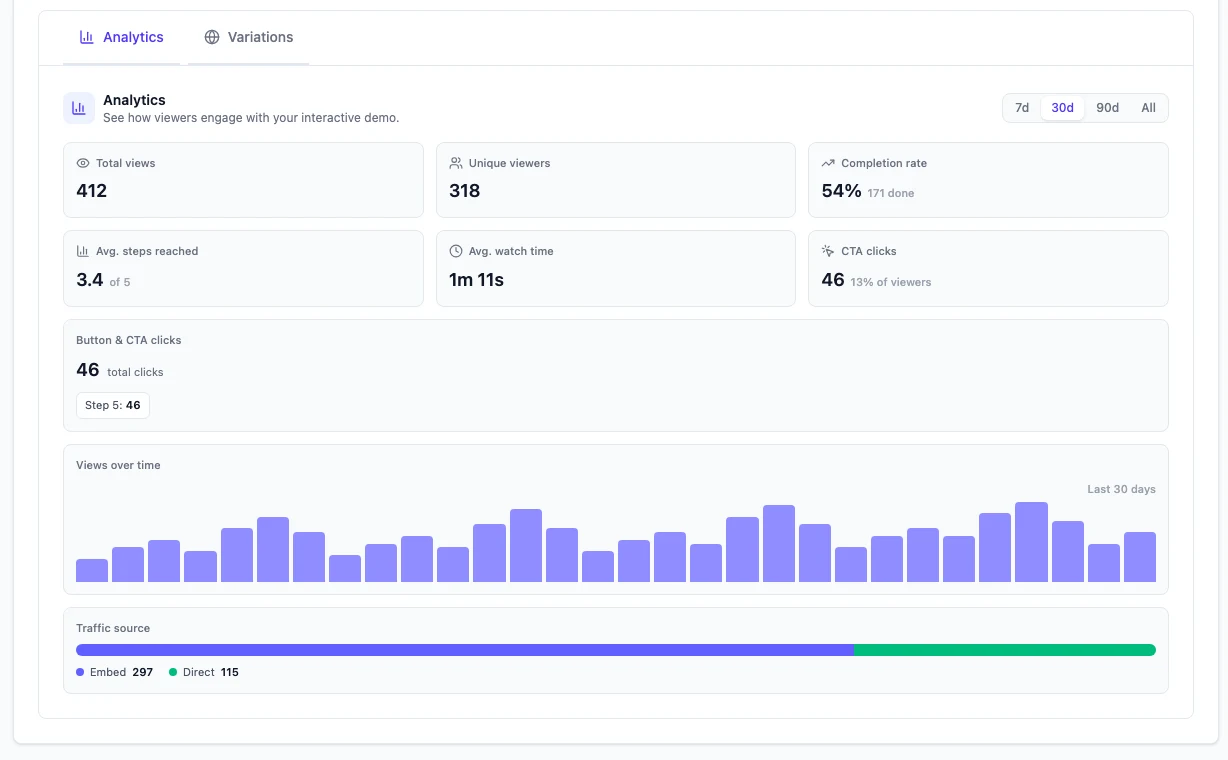
The same capture also becomes a click-through interactive demo for your website, so you do not record twice for a video and a tour. Each one has its own analytics: views, completion rate, a step-by-step drop-off funnel and CTA clicks. Clevera's site does not list a clickable tour.
Logins and Two-Factor Codes
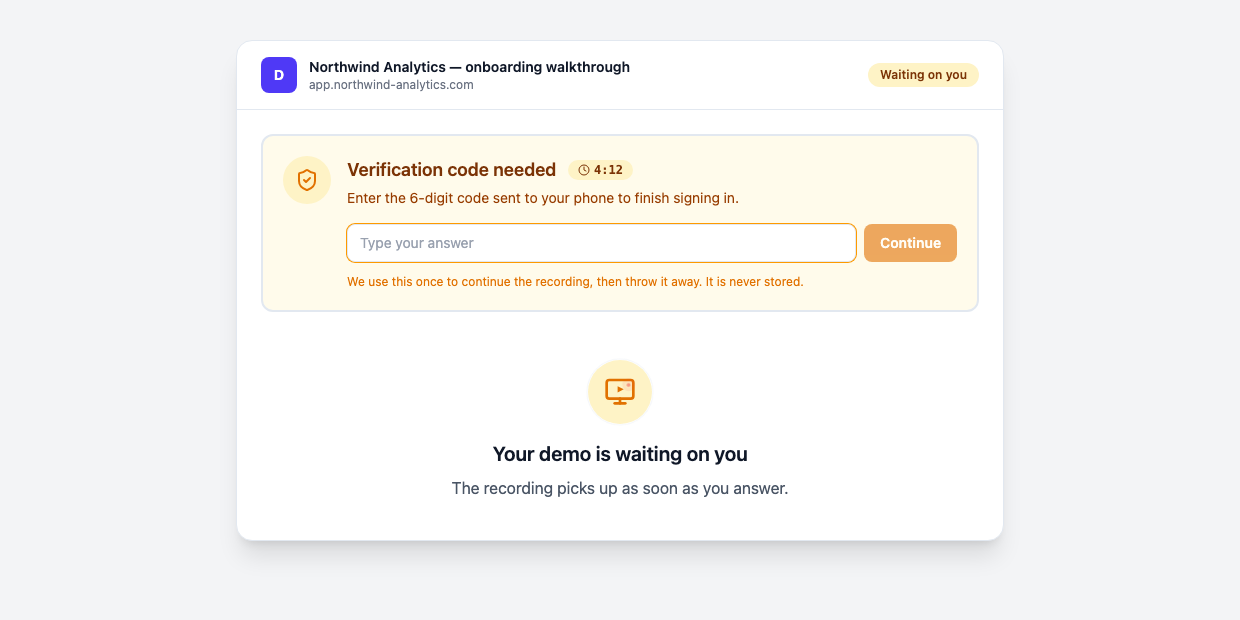
You give Demosmith a test login with the prompt, and the agent signs in on its own. When a flow hits a two-factor screen, a sign-in prompt or a choice only you can make, the agent pauses and asks you mid-run, then carries on. You do not have to sit with it. Captchas and locked accounts still need a person.
A Presenter and 31 Languages
An AI presenter can narrate the demo from a corner of the video. You choose from six presenters and set the corner and the size, and the presenter speaks 28 languages. Voiceover and captions come in 31, and a language version re-voices the same recording. When you need written steps, Docusmith turns a finished demo into Markdown, HTML, plain text or a PDF.
An API and MCP Server on Every Paid Plan
Since November 11, every paid plan includes a REST API, signed webhooks and an MCP server. Send a URL and a task from code, or ask Claude, ChatGPT, Claude Code, Cursor or Codex, and you get back the finished, narrated video. A free check reads the task first, and if the agent meets a login or a code, the assistant sends you a secure link to type it into Demosmith instead of asking in the chat. See Demosmith for AI assistants and the Demosmith API.
Pricing
Starter is $40 a month with 20 AI minutes and 10 demos. Pro is $99 with 50 AI minutes and 50 demos. Business is $250 with 150 AI minutes and unlimited demos. Yearly billing brings those to $33, $83 and $208 a month. The trial runs for three days with one demo and no credit card.
Key Differences Between Demosmith and Clevera
What You Get at the End
Start with where the output will live. A Clevera recording ends up in a help centre: a video, an article with screenshots and a page your customers search. A Demosmith run ends up in front of a buyer: the video on your landing page, the tour they click through and the clips for your launch post. Most teams know which of those they need before they open either tool.
What It Can Record
Each agent records web apps. Beyond that, Clevera covers more ground, because you can record desktop software, a phone or a tablet yourself and still get a narrated video. Demosmith records web apps reachable at a URL and nothing else, and it does not take uploads. If your product is not on the web, Clevera wins this one.
Signing In
Clevera has you sign in yourself in a live browser, so its agent never handles a password. Demosmith takes a test login with the prompt and signs in on its own, pausing to ask when a code or a choice comes up. Clevera's way suits teams that will not share credentials. Demosmith's suits teams that want to start a run and walk away.
Keeping Videos Current
Clevera is ahead on automation here. Autopilot watches your releases and tells you which videos and articles a change has broken, though it is on Pro and by invitation. Demosmith has a Re-record button on every finished demo: the agent goes back to the same URL and records the flow again with the same voice, language and style, and you can edit the prompt first. Nothing runs on its own. You choose when to re-record, or you call the API from your release pipeline.
Automation and Price
Clevera puts its API, MCP server and publishing on Pro, which costs $124 a month for two creators. Demosmith includes its API and MCP server on every paid plan from $40. Clevera is cheaper to start, though, with a free plan and a $29 Starter, and it meters credits where Demosmith meters AI minutes and demos. The two meters do not line up, so compare on the output you need each month.
When Clevera Is the Better Choice
- Your deliverable is a help centre. Videos and articles from one recording, published to a searchable site with Ask AI.
- Your product is not only on the web. Desktop and mobile apps work when you record them yourself.
- You need more languages. Clevera translates into 74.
- You want to start free. The free plan and the $29 Starter make it cheap to try.
- You publish straight to YouTube or LinkedIn. Pro sends a finished video to several accounts at once.
When Demosmith Is the Better Clevera Alternative
- The video has to win a buyer. It goes on a landing page, into a sales email or under a launch post, already cut, voiced and branded.
- You want a clickable tour as well. The interactive demo comes out of the same recording, and its analytics show the step where people drop off.
- You want an API without the Pro price. The API and MCP server come with every paid plan from $40.
- Your flows sit behind real logins. The agent signs in and asks for the code mid-run, so nobody has to sit with it.
- You want launch material from the same demo. Social clips and a short product film come from a finished demo.
If you are weighing other tools in this space, our roundup of the best AI demo video generators covers the wider field, and Demosmith vs Vidocu compares another agent built around documentation.
The Bottom Line
Clevera and Demosmith agree on the hard part: an AI agent should do the recording. Clevera builds a documentation engine around it, with a help centre, 74 languages, recording on any device and Autopilot for releases. If your team explains the product to existing customers, it is the stronger tool.
Demosmith builds the demo itself. If the output has to persuade someone who has not bought yet, Demosmith gives you the finished video and the interactive tour from one run, with an API on every paid plan when you want to automate it.
Clevera's run ends in a help centre. Demosmith's ends in a demo a buyer can watch and click through.
Key Takeaways
- Each tool lets an AI agent record your web app from a short task, so neither needs you at the screen recorder.
- Clevera turns a recording into a video, an article and a hosted help centre. Demosmith turns it into a demo video and an interactive demo.
- Clevera records desktop and mobile apps when you record yourself, translates into 74 languages and has a free plan.
- Demosmith signs in with a test login and asks for two-factor codes mid-run, and includes its API and MCP server from $40.
- Pick by output: help centres and training point to Clevera, demos that sell point to Demosmith.