Why Teams Are Looking Beyond Floik
Floik built a genuinely interesting product. The pitch was compelling: record your workflow once through a Chrome extension, and Floik generates three output formats from that single capture. An interactive demo. A video walkthrough. A step-by-step guide. One recording, three assets. For small teams that needed demo content across multiple formats without the budget for separate tools, it was an attractive proposition.
Then, in October 2024, Kovai.co acquired Floik. Kovai.co is the company behind Document360, a knowledge base platform. The Floik team was absorbed into the parent company. Product updates slowed. The roadmap became uncertain. And teams that had built their demo workflow around Floik started asking a reasonable question: what happens next?
Acquisition risk is not theoretical. When a small startup gets absorbed by a larger company, the acquiring company's priorities take over. Document360 is a documentation platform. Whether Floik's demo and video features continue to receive investment, or whether the product gets folded into Document360's documentation focus, is an open question that nobody outside Kovai.co can answer with certainty.
If you are on this page, you are likely in one of two situations. Either you are a current Floik user evaluating alternatives in case the product direction shifts, or you were considering Floik and the acquisition gave you pause. Either is a valid reason to explore the best AI demo video generators that offer more stability and stronger video-first capabilities.
What Floik Does Well
Floik deserves credit for what it built. Acquisition risk aside, the product introduced several ideas worth acknowledging.
Multi-Format Output from a Single Recording
This was Floik's core differentiator. Record one workflow through the Chrome extension, and Floik generates three content formats: an interactive product demo, a narrated video walkthrough, and a static step-by-step guide. The idea was efficiency. Instead of using Storylane for interactive demos, Loom for video, and Scribe for guides, you use Floik for all three.
In practice, this multi-format approach had real value for small teams with limited time and budget. Creating three distinct content assets from one recording session genuinely saved hours compared to using separate tools for each format.
AI Voiceover in 20+ Languages
Floik offered AI-generated voiceover in over 20 languages, which was a genuine differentiator in its category. After capturing your workflow, Floik would generate a script and narrate it using text-to-speech. You could select from multiple voices and languages, producing localised video content without hiring voiceover talent for each market.
For SaaS companies with international customers, this feature alone made Floik worth evaluating. Producing demo videos in French, German, Spanish, Japanese, and other languages from a single English recording session was a real time-saver.
Auto-Captured Steps with Annotations
Floik's Chrome extension automatically detected meaningful actions during capture: clicks, form entries, page navigations, and state changes. Each action became a step in the interactive demo and guide output, with auto-generated annotations describing what happened. This reduced the manual effort of building demos compared to tools where you need to annotate every step yourself.
Blur Sensitive Information
One practical feature that users appreciated: Floik could automatically detect and blur sensitive information in captures. Email addresses, names, account numbers, and other PII could be obscured before the demo was published. For teams creating demos of internal tools or products with real customer data on screen, this was a thoughtful privacy feature that saved manual redaction work.
Accessible Pricing
Floik's pricing was straightforward and affordable. A free Starter tier with five recordings let teams evaluate the product without commitment. Pro at $29/mo and Pro+ at $54/mo were accessible price points for small teams, especially considering the multi-format output. Compared to enterprise interactive demo tools that start at $500/mo or higher, Floik was budget-friendly.
Competitive Content Presence
Floik built a content engine with comparison pages targeting tools like Navattic, Storylane, Loom, SmartCue, and Guidde. With seven or more dedicated comparison pages, they invested in SEO-driven content to capture teams evaluating demo tools. This content operation punched above the team's size and helped Floik reach 8,000+ users despite having only 6 to 10 employees.
Where Floik Falls Short for Video Demos
Even setting the acquisition risk aside, Floik had structural weaknesses that matter for teams whose primary need is polished video demos.
Acquired by Document360: Future Uncertain
This is the elephant in the room. Kovai.co acquired Floik in October 2024 and absorbed the team. Kovai.co's primary product is Document360, a knowledge base and documentation platform. The strategic logic is clear: Floik's capture technology feeds into Document360's documentation capabilities.
But what does that mean for Floik's video and interactive demo features? Documentation platforms optimise for text and images. Video demo creation is a different engineering challenge with different priorities. Will Kovai.co continue investing in video rendering, AI voiceover, and interactive demo features? Or will Floik gradually become a capture-and-annotate tool that feeds into Document360's documentation workflow?
Nobody outside the company knows the answer. And for teams choosing a tool they plan to use for the next two to three years, that uncertainty is a material risk. Building your demo workflow around a product whose roadmap is controlled by a company focused on a different category is a bet you should make consciously.
Manual Recording Required
Like every Chrome extension-based tool, Floik requires you to manually click through your product while the extension captures. Someone on your team needs to know the exact workflow, navigate it cleanly, set up any required test data beforehand, and perform every click and form entry while the extension records.
This is functional for creating a handful of demos. But for teams that need to produce demos at scale, covering dozens of features, multiple user personas, and frequent product updates, the manual capture requirement becomes the bottleneck. Every time your UI changes, every demo that includes the changed screens needs to be re-recorded.
Multi-Format but Master of None
Floik's multi-format approach was its selling point, but it was also its limitation. When a tool tries to produce interactive demos, video walkthroughs, and static guides from one recording, none of those outputs is best-in-class. The interactive demos lacked the depth and analytics of dedicated interactive demo platforms like Storylane or Navattic. The video output lacked the professional editing, transitions, and cinematic zoom effects of purpose-built video tools. The static guides lacked the sophistication of dedicated documentation tools like Scribe.
For small teams that could not afford multiple tools, this trade-off was acceptable. But for teams that prioritise video quality for external-facing demos, the "good enough across all formats" approach falls short of what a video-first tool produces.
Small User Base and Limited Social Proof
With approximately 8,000 users and only 47 reviews on G2, Floik had a fraction of the user base and social proof of established competitors. Guidde has significantly more users. Loom has millions. Storylane and Navattic serve thousands of enterprise teams. A small user base is not inherently a problem, but combined with the acquisition, it raises questions about long-term viability and community support.
The Capterra rating of 4.4 out of 5 from just 19 reviews suggests the product was functional but not generating the kind of enthusiastic user response that drives organic growth. For comparison, Scribe has a 4.8 on G2 from 743 reviews. The gap in volume and rating is significant.
Limited Integrations and Ecosystem
As a small, pre-acquisition startup, Floik had a limited integration ecosystem. The basics were covered, but the deep CRM integrations, marketing automation connections, and analytics platforms that enterprise teams require were not as developed as those offered by larger competitors. Post-acquisition, whether these integrations expand or stagnate depends on Kovai.co's investment priorities.
No Autonomous Product Navigation
Floik required you to manually drive every recording. Open the Chrome extension, perform the workflow, stop recording. There was no concept of providing a URL and a text description and having the tool autonomously generate a demo. The human effort required for each demo was meaningful, and it scaled linearly with the number of demos you needed to produce.
What to Look For in a Floik Alternative for Video Demos
If you are moving beyond Floik, whether due to acquisition risk, video quality requirements, or the need for autonomous capture, here are the criteria that should guide your evaluation.
Platform Stability and Investment Trajectory
After the Floik acquisition experience, platform stability should be near the top of your criteria list. Look for companies with clear product direction, active development, and a business model that does not depend on acquisition for survival. Independent, funded companies with a focused product vision are less likely to have their roadmap hijacked by an acquiring company's priorities.
Video as the Primary Output
If video is your primary need, choose a tool where video is the primary output, not one format among several. Tools that try to produce multiple output formats from a single capture inevitably compromise on video quality. Purpose-built video tools optimise every step of the process for video: capture, editing, voiceover, transitions, and export are all designed to produce the best possible video output.
Autonomous Capture
The Chrome extension capture model works, but it puts a human in the loop for every single demo. For teams that need to produce and update demos at scale, autonomous capture changes the economics. Give the tool a URL and a description. Let AI navigate your product and generate the video. No manual recording. No Chrome extension. No human bottleneck.
AI Voiceover with Broad Language Coverage
Floik's AI voiceover in 20+ languages was one of its strongest features. Any alternative should match or exceed that language coverage. For international SaaS companies, the ability to produce localised demo videos without hiring voiceover talent in each market is a significant operational advantage.
Professional Auto-Editing
Raw screen footage needs editing to become a professional demo. Transitions between scenes, zoom effects that highlight key UI elements, dynamic captions for accessibility and silent viewing, and consistent pacing are all hallmarks of a polished demo video. The right tool should handle this editing automatically, not require you to export raw footage into a separate editor.
Brand Consistency at Scale
When you produce demos at volume, manual branding per video is not practical. Configure your brand kit once: colours, fonts, logo, intro and outro sequences. Every video should automatically match your brand identity. This consistency matters for external-facing content where every asset represents your company.
Best Floik Alternatives for Product Demo Videos
1. Demosmith -- Best Overall Floik Alternative for Video Demos
Demosmith is the most direct upgrade from Floik for teams that prioritise video output. It is an AI Demo Agent: a category of tool that did not exist when Floik was built. Where Floik captured your manual clicks through a Chrome extension and generated multiple output formats, Demosmith autonomously navigates your product and produces polished video demos without any manual recording at all.
The workflow is radically simpler than Floik's. You paste your product URL into Demosmith. You describe the flow you want to demonstrate in plain English: "Walk through the onboarding flow, create a new project, add a team member, and show the analytics dashboard." Then the AI agent takes over. It opens your product in a cloud browser, navigates through the flow you described, captures everything, and auto-edits the footage with smooth transitions, dynamic zoom effects, synchronised captions, and AI voiceover narration.
The output is a polished MP4 video plus a shareable link. Under 10 minutes, start to finish. No Chrome extension. No manual click-through. No recording at all.
Where Demosmith beats Floik for video demos:
- No acquisition risk. Demosmith is an independent, focused company building one thing: the best AI Demo Agent. The product roadmap is not subject to a parent company's shifting priorities.
- Fully autonomous capture. Floik required you to manually record every workflow. Demosmith eliminates the human from the capture loop entirely. You describe the flow. The AI navigates your product.
- Video-first quality. Floik produced video as one of three formats from a single capture. Demosmith produces video as its primary output, and the entire platform is optimised for video quality: transitions, zoom effects, pacing, and voiceover are all purpose-built for polished video output.
- AI voiceover in 29 languages. Floik offered 20+ languages. Demosmith supports 29, including Arabic, Bulgarian, Chinese, Croatian, Czech, Danish, Dutch, English, Filipino, Finnish, French, German, Greek, Hindi, Indonesian, Italian, Japanese, Korean, Malay, Polish, Portuguese, Romanian, Russian, Slovak, Spanish, Swedish, Turkish, Ukrainian, and Vietnamese.
- Brand kit auto-applied. Configure your colours, logo, fonts, and intro/outro once. Every video Demosmith generates automatically matches your brand identity.
- Reduced maintenance burden. When your product UI changes, you regenerate the demo by running the same prompt again. No re-recording workflows through a Chrome extension. Just a new prompt run that produces an updated video in minutes.
Pricing: Free trial available, no credit card required. Starter at $40/mo, Pro at $99/mo, Business at $250/mo, Enterprise custom.
Limitations:
- Updated September 2026: both of those gaps are closed. Any finished demo compiles into an interactive walkthrough, and Docusmith exports the same demo as Markdown, HTML, plain text, or PDF. Floik's static guide editor is still more granular for step-by-step text guides.
- Complex flows involving third-party authentication or multi-service integrations may require a second generation pass or manual guidance.
- Frame-by-frame editing control is more limited than a traditional video editor, though for most demo use cases the auto-editing is more than sufficient.
Best for: Teams that prioritised Floik's video output and need a more stable, more capable, and fully autonomous alternative. Particularly strong for teams producing demos at volume across multiple channels, as you can see from how different teams use Demosmith across sales, marketing, and support.
The AI demo video generator category page has the details.
Floik tried to be three tools in one. Demosmith is one tool that does one thing exceptionally well: polished video demos from a URL, with zero manual recording.
2. Guidde -- Screen Recording with AI Voiceover
Guidde is the closest tool to Floik in terms of workflow. It uses a browser extension to capture your screen while you click through your product, then adds AI-generated voiceover to produce a narrated video walkthrough. The capture-and-narrate approach is familiar territory for Floik users.
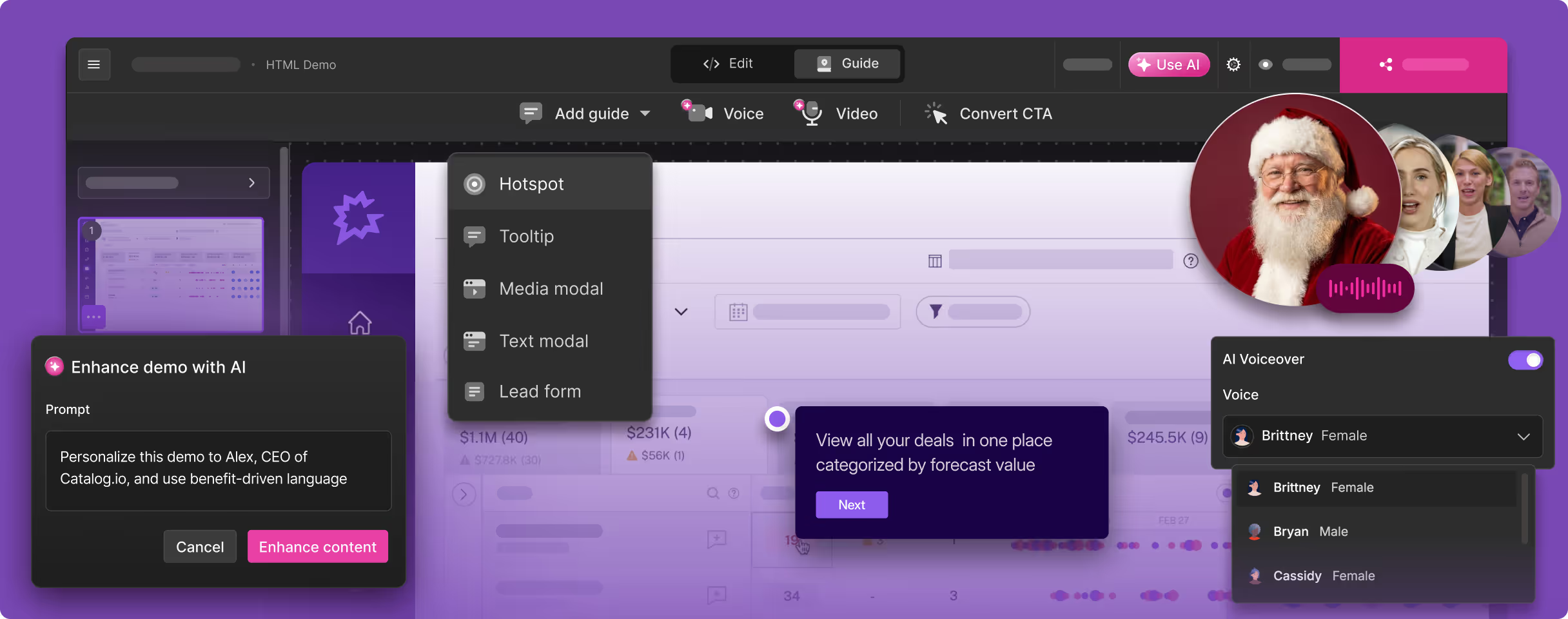
Guidde's strength is its AI voiceover engine. After you finish recording, Guidde generates a script based on the actions it observed and narrates it using text-to-speech. You choose from multiple voices and languages. The result is more engaging than a silent screen recording, and the multi-format output (video plus step-by-step guide) gives you content for video and documentation use cases alike.
For teams that liked Floik's Chrome extension capture workflow but want a product with a larger user base and more active development, Guidde is a natural transition.
Pricing: Free plan available. Pro at $16/user/mo. Enterprise custom.
Where Guidde improves on Floik:
- More established product with a larger user community and more active development.
- No acquisition risk. Guidde is focused on its core product.
- Affordable per-user pricing makes it accessible for growing teams.
- AI voiceover quality is strong and continues to improve.
Limitations:
- Still requires manual recording. You must click through every workflow while the extension captures. Not autonomous.
- Video quality is functional but not polished. The output is an enhanced screen recording, not a studio-quality demo video.
- No interactive demo output. If you used Floik's interactive demo format, Guidde does not offer that.
- Per-user pricing means costs scale with team size.
Best for: Teams that liked Floik's capture-and-narrate workflow and want a more stable alternative with similar functionality.
3. Loom -- Screen Recording for Async Communication
Loom is the most widely used screen recording tool in SaaS. If you are looking for a simple, reliable way to record your screen and share the video, Loom is the default choice. It works. It is fast. Nearly every SaaS team already has it.
But Loom is a screen recorder, not a demo creation tool. The output is raw footage with your live narration. No AI editing. No automatic zoom effects. No generated scripts. No dynamic captions synced to a voiceover. What you record is what you get. For internal async communication, that is perfectly fine. For customer-facing product demos, the quality gap between a Loom recording and a professionally produced demo video is significant.
Loom has added AI features in recent updates, including auto-generated titles, summaries, and chapters, plus auto-removal of filler words. These are useful quality-of-life improvements, but they do not transform the fundamental output: it is still a raw screen recording.
Pricing: Free plan available. Business at $12.50/user/mo. Enterprise custom.
Where Loom compares to Floik:
- Much larger user base and established company. No acquisition risk.
- Simpler, more reliable recording experience.
- Better sharing and embedding infrastructure.
- Lower price point for teams that just need basic screen recording.
Limitations:
- Raw screen recording quality. No professional editing, transitions, or cinematic zoom effects.
- Live narration means inconsistent quality unless you are a practiced presenter.
- No AI voiceover or generated scripts. You narrate live or get silence.
- Interactive demos and documentation exports were added in September 2026. Multi-format static guides are still Floik's specialty.
- Every UI change means re-recording from scratch. No regeneration.
Best for: Quick, informal screen recordings for internal teams. Not suited for polished, external-facing product demos.
4. Storylane -- Interactive Demo Platform
If you relied on Floik's interactive demo output and are looking for a dedicated alternative for that specific format, Storylane is the category leader. Storylane builds interactive product tours with screenshot and HTML capture, guided walkthroughs with tooltips and annotations, branching logic, and detailed analytics.
Storylane does not produce video. That is not its focus. It is purpose-built for interactive, click-through product experiences that live on your website. For teams that used Floik's interactive demo format for website embeds and landing pages, Storylane is the strongest upgrade in that specific category.
The trade-off is clear: Storylane gives you far better interactive demos than Floik ever did, but it does not produce video or static guides. Demosmith now covers both of those from one recording, and any finished demo can also be compiled into an interactive walkthrough, so the format gap that used to require two tools has narrowed to one.
Pricing: Free tier available. Starter at $40/mo (screenshot demos). Growth at $500/mo (HTML capture). Enterprise custom.
Where Storylane improves on Floik for interactive demos:
- Purpose-built interactive demo platform with deep feature set.
- HTML capture creates near-perfect replicas of your product UI.
- Advanced analytics with CRM integration (Salesforce, HubSpot).
- Large, established user base with strong social proof.
- No acquisition risk. Independent, well-funded company.
Limitations:
- No video output. Interactive only.
- No AI voiceover or narration.
- HTML capture locked behind the $500/mo Growth plan.
- Still requires manual Chrome extension capture. Not autonomous.
Best for: Teams that need best-in-class interactive demos for their website and are willing to use a separate tool for video.
Multi-Format vs Specialised: Why Focus Wins
Floik's multi-format approach, producing interactive demos, videos, and guides from a single recording, was an elegant idea. But in practice, the market has shown that specialised tools outperform generalists in each individual format. Understanding why helps you build a better demo stack.
The Multi-Format Compromise
When a tool produces three output formats from one capture, each format inherits the constraints of the shared source material. The recording optimised for an interactive demo is not the same recording you would make for a polished video. The pacing is different. The framing is different. The narrative structure is different.
Interactive demos benefit from deliberate, step-by-step progression with clear pause points for annotations. Video demos benefit from fluid motion, smooth transitions, and narrated pacing that keeps the viewer engaged. Static guides benefit from comprehensive coverage of edge cases and detailed written explanations. Optimising for all three simultaneously means compromising on each.
When Multi-Format Makes Sense
Multi-format output is valuable when your team is small, your budget is tight, and "good enough" across all formats is better than "excellent" in one format and nothing in the others. For a five-person startup creating its first demos, a multi-format tool is a practical choice that covers the basics without requiring three separate subscriptions.
When Specialisation Wins
As your demo needs scale, the quality gap between "good enough" and "excellent" starts to matter. Your sales team needs demo videos that look professional enough to send to enterprise prospects. Your marketing team needs video content that performs on YouTube and LinkedIn against polished competitor content. Your website needs interactive demos with deep analytics and CRM integration for lead scoring.
At this stage, the optimal stack is specialised tools for each format:
- Interactive demos: Storylane, Navattic, or a similar dedicated platform for website embeds where click-through interaction adds value.
- Video demos: Demosmith for polished, narrated video content across YouTube, social media, sales emails, presentations, and every other channel where video is the required format.
- Documentation: Scribe, Notion, or your existing knowledge base for static step-by-step guides and SOPs.
This specialised approach costs more than a single multi-format tool, but the quality improvement in each format is significant. A Storylane interactive demo is better than a Floik interactive demo. A Demosmith video is better than a Floik video. A Scribe guide is better than a Floik guide. When your content represents your product to prospects and customers, quality compounds.
The Cost Reality
A common objection to the specialised approach is cost. But the actual numbers are manageable. Demosmith Starter at $40/mo for video plus Storylane Starter at $40/mo for interactive demos equals $80/mo total. That is less than many enterprise demo tools charge for a single product. Add Scribe's free tier for documentation, and you have all three formats covered for the same price as Floik's Pro+ tier.
Floik vs Alternatives: Side-by-Side Comparison
Here is how Floik stacks up against the best alternatives across the dimensions that matter most for video demo creation:
| Feature | Floik | Demosmith | Guidde | Loom | Storylane |
|---|---|---|---|---|---|
| Primary Output | Interactive + video + guide | MP4 video + shareable link | Video + step-by-step guide | Screen recording | Interactive click-through |
| Acquisition Risk | Yes, acquired Oct 2024 | No, independent | No, independent | No (owned by Atlassian) | No, independent |
| Autonomous Capture | No, Chrome extension | Yes, AI agent navigates | No, Chrome extension | No, manual recording | No, Chrome extension |
| AI Voiceover | Yes, 20+ languages | Yes, 29 languages | Yes, multiple languages | No, live narration only | No |
| Video Quality | Functional, not polished | Studio-quality auto-editing | Enhanced recording | Raw footage | No video output |
| Interactive Demos | Yes, from same capture | Yes, from any recording | No | No | Yes, purpose-built |
| Starting Price | Free | $29/mo (Pro) | $40/mo (Starter) | Free | $16/user/mo (Pro) | Free | $12.50/user/mo | Free | $40/mo (Starter) |
| Best For | Multi-format, budget teams | Video demos for all channels | Training videos with narration | Quick async messages | Website interactive tours |
Conclusion: Stability and Quality Over Multi-Format Compromise
Floik built a product with a genuinely interesting premise: one recording, three output formats. For small teams with limited budgets, that efficiency had real value. But the October 2024 acquisition by Kovai.co introduced uncertainty that changes the evaluation calculus.
Platform risk is a real cost. Rebuilding your demo workflow around a different tool after an acquisition disrupts the one you chose is expensive in time, money, and team productivity. When choosing a demo tool, stability of the platform matters almost as much as the features.
If video demos are your primary need, Demosmith is the strongest alternative. It eliminates the two biggest limitations of Floik's approach: the manual recording requirement (replaced by fully autonomous AI navigation) and the multi-format quality compromise (replaced by video-first production that optimises every step for the best possible video output). The result is a polished demo video in under 10 minutes, with AI voiceover in 29 languages and your brand kit applied automatically. No Chrome extension. No manual click-through. No acquisition risk.
If you relied on Floik's interactive demo output for your website, Storylane is the dedicated upgrade for that format. If you liked the capture-and-narrate workflow, Guidde offers a similar experience with a more established product. If you just need simple screen recording, Loom is the reliable default.
For most teams graduating from Floik, the practical path forward is a specialised stack: Demosmith for video demos, an interactive demo tool like Storylane for your website, and your existing documentation tool for static guides. Each format gets a purpose-built tool that produces better results than any single multi-format tool can deliver.
Floik tried to give you three formats from one recording. Demosmith gives you one format from zero recordings. For video demos, that trade is worth making every time.
Key Takeaways
- Floik was acquired by Kovai.co (Document360) in October 2024. The team was absorbed, product direction is uncertain, and teams should factor in platform risk when evaluating whether to stay or migrate.
- Multi-format output (interactive + video + guide) from a single recording is efficient but compromises quality in each individual format. As demo needs scale, specialised tools outperform generalists.
- Demosmith is the strongest Floik alternative for video demos. Its autonomous AI agent eliminates manual recording entirely, and its video-first approach produces polished output that Floik's multi-format capture could not match.
- Guidde offers a familiar capture-and-narrate workflow for teams that want a stable alternative with similar functionality to Floik's video output.
- Storylane is the dedicated upgrade for teams that relied on Floik's interactive demo format for website embeds.
- The optimal stack for most teams is specialised tools for each format: Demosmith for video, an interactive demo platform for your website, and your existing documentation tool for static guides.