The Short Answer
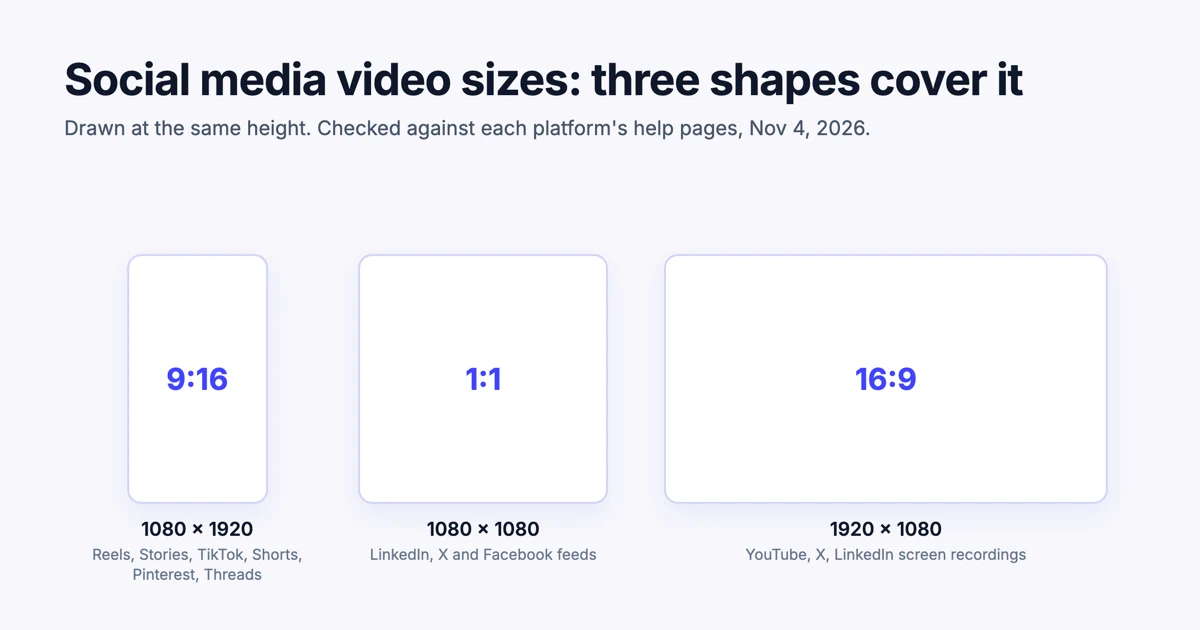
Three video sizes cover every major social platform. Make 1080 × 1920 (9:16) for Instagram Reels and Stories, TikTok, YouTube Shorts, Pinterest and Threads. Make 1080 × 1080 (1:1) for the LinkedIn, X and Facebook feeds. Make 1920 × 1080 (16:9) for YouTube and for screen recordings. Export each one as an MP4 with H.264 video and AAC audio at 30 frames per second.
Most size guides stop at that list, and many of the ones that rank today were written in 2018 or 2020. Limits have moved since. YouTube Shorts now run to 3 minutes, Instagram reels to 20, and Facebook turned every video into a reel in 2025. We checked each platform's own help pages on November 4, 2026, and every number below links to the page it came from.
We make Demosmith, whose AI demo agent turns a link to your product into demo videos and short clips for social, and every clip it makes comes out in the three sizes below. If you would rather not export anything, the last section shows how Demosmith makes all three shapes of your product for you.
Social Media Video Sizes: Every Platform in One Table
This table gives the size to export for each placement, the shapes the platform accepts, and the longest video it takes.
| Platform and placement | Size to export | Shapes accepted | Longest video |
|---|---|---|---|
| Instagram Reels | 1080 × 1920 | 1.91:1 to 9:16 | 20 minutes |
| Instagram Stories | 1080 × 1920 | 9:16, and 4:5 to 1.91:1 | 15 seconds per story |
| TikTok | 1080 × 1920 | 9:16, 16:9 and 1:1 | 60 minutes uploaded, 10 recorded in the app |
| YouTube Shorts | 1080 × 1920 | Square or vertical | 3 minutes |
| YouTube videos | 1920 × 1080 | Any; 16:9 is standard | 15 minutes, or 12 hours once verified |
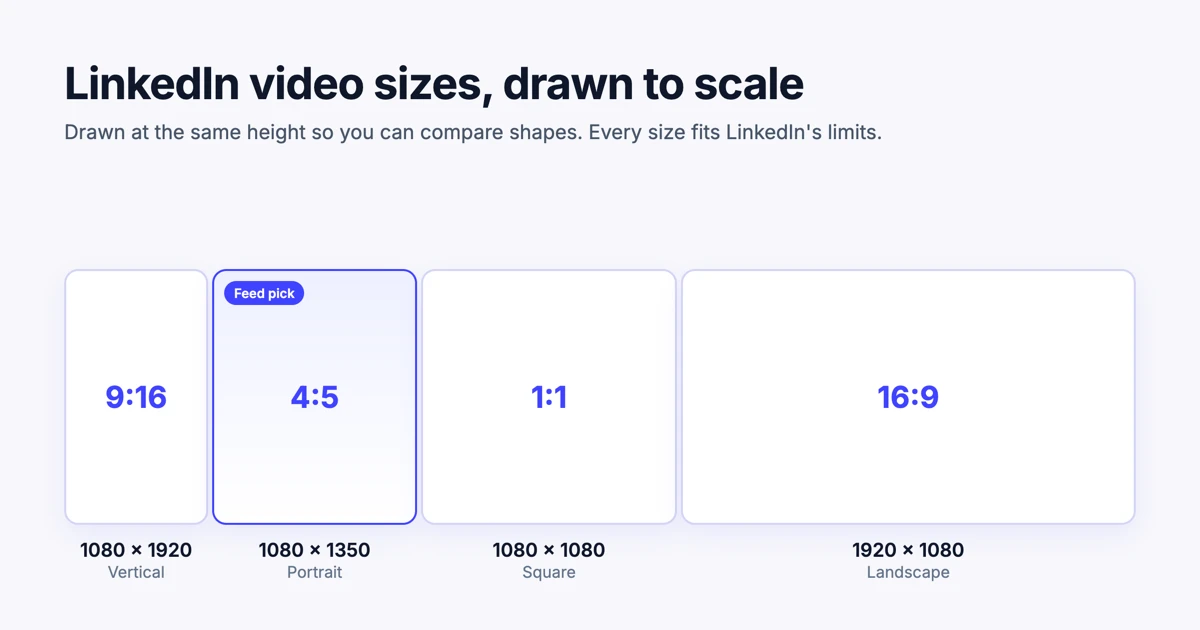
| LinkedIn posts | 1080 × 1350 or 1080 × 1080 | 1:2.4 to 2.4:1 | 15 minutes |
| X posts | 1080 × 1080 or 1920 × 1080 | Not stated for posts | 140 seconds, or 4 hours with a subscription |
| Facebook (all videos are reels) | 1080 × 1920 or 1080 × 1080 | Any orientation | Any length |
| Pinterest video Pins | 1080 × 1920 | 9:16, 1:2, 2:3, 3:4, 4:5 and 1:1 | 5 minutes |
| Threads | 1080 × 1920 | Up to 10:1, 9:16 recommended | 5 minutes |
The sections below give each platform's file limits and the source for every figure. Almost every vertical placement wants 1080 × 1920. Where the apps differ is length.
Instagram Reel, Story and Feed Video Size
Instagram Reel size: export 1080 × 1920 pixels, a 9:16 shape. Instagram's help page on reel size and aspect ratios accepts any shape from 1.91:1 landscape to 9:16 vertical, asks for at least 30 frames per second and a minimum of 720 pixels, and sets the cover photo at 420 × 654 pixels.
Reels can run up to 20 minutes, according to Instagram's page on recording a reel. The same page adds that reels over 3 minutes will not be recommended to new audiences. A reel meant to reach people who do not follow you should stay under 3 minutes.
Instagram Story size: also 1080 × 1920. Meta's specifications for Stories accept 9:16 and anything from 4:5 to 1.91:1, as MP4 or MOV files up to 4 GB, at least 500 pixels wide, and 1 to 15 seconds per story. Stories have no caption track, so any text has to be part of the video itself.
Instagram feed video: Meta's aspect ratio guidance recommends 1:1 or 4:5 for feed placements and 9:16 for Stories and Reels. If you post one file, make it 9:16. If the video is mainly for the feed, 1080 × 1350 (4:5) fills more of the screen than square.
TikTok Video Size
TikTok video size: 1080 × 1920 pixels, 9:16. TikTok's help page on camera tools sets the length: up to 10 minutes for videos recorded in the app and up to 60 minutes for videos you upload.
TikTok's own help pages do not list accepted shapes for regular posts, so the clearest statement is its in-feed ads spec, last updated June 2026. It recommends vertical 9:16 at 540 × 960 or more, and also accepts horizontal 16:9 from 960 × 540 and square 1:1 from 640 × 640. Ads can run up to 10 minutes and 500 MB. The same spec offers downloadable safe zone files, which are worth opening before you place any text.
YouTube Video Size and YouTube Shorts Size
YouTube video size: 1920 × 1080 pixels, 16:9. YouTube's page on video resolution and aspect ratios calls 16:9 the standard for computers and lists the resolutions to encode at, from 426 × 240 up to 7680 × 4320. The player adapts to other shapes, and YouTube asks you not to add black bars or padding to the file yourself.
By default you can upload videos up to 15 minutes long. Once you verify your account, YouTube's page on longer uploads allows up to 256 GB or 12 hours, whichever comes first.
YouTube Shorts size: 1080 × 1920, 9:16. According to YouTube's page on three-minute Shorts, any square or vertical video up to 3 minutes long, uploaded since October 15, 2024, counts as a Short. That rule catches people out. Upload a 90-second square product clip to YouTube and it becomes a Short, whether you meant it to or not. To keep a clip as a regular video, upload the 16:9 version instead.
LinkedIn Video Size
LinkedIn video size: 1080 × 1350 (4:5) for feed posts watched on phones, or 1080 × 1080 (1:1) when people also watch on desktop. Posts accept any shape from 1:2.4 to 2.4:1, run up to 15 minutes and 5 GB, and video ads up to 30 minutes and 500 MB.
LinkedIn spreads its video rules across five help pages that do not all agree, so we wrote a separate guide. Our LinkedIn video size guide covers posts, Career Pages and ads, and explains where the 10-minute and 15-minute figures each come from.
X (Twitter) Video Size
X video size: 1080 × 1080 or 1920 × 1080 for posts, and 1080 × 1920 for vertical video. X's help page on sharing videos gives the length and file limits but no recommended shape:
- Without a subscription: up to 140 seconds and 512 MB.
- With X Premium or another paid plan: up to 4 hours and 16 GB.
For shape, X's creative ad specs recommend 9:16 vertical, with a maximum of 1080 × 1920 and a minimum of 720 × 1280, and also list 4:5, 1:1 and 16:9. Unless your account pays for X, the 140-second cap is the limit that applies. A product clip should sit well under it anyway.
Facebook Video Size
Facebook video size: 1080 × 1920 for full screen, or 1080 × 1080 for the feed. Since June 2025, every video posted to Facebook is shared as a reel. Meta's requirements for Facebook Reels say reels can be any length or orientation, and recommend MP4 at 1080p with H.264 or H.265 video, 24 to 60 frames per second, and stereo AAC audio at 44.1 or 48 kHz.
For ads, Meta's aspect ratio guidance recommends 1:1 or 4:5 in Feed, 9:16 for Stories and Reels, and 16:9 for in-stream video.
Pinterest and Threads Video Size
Pinterest video size: 1080 × 1920, 9:16. Pinterest's Pin specs recommend 9:16 for full-screen video and also accept 1:2, 2:3, 3:4, 4:5 and 1:1. Video Pins run from 4 seconds to 5 minutes, as MP4 or M4V on the web and MOV on mobile, with H.264 or H.265 video. Pinterest is the only platform here that gives safe zones in pixels: keep text 270 pixels from the top, 65 from the left, 195 from the right and 790 from the bottom.
Threads video size: 1080 × 1920, 9:16. The Threads help centre does not list video limits. Meta's Threads API documentation does: MP4 or MOV, up to 5 minutes and 1 GB, at most 1920 pixels wide and 23 to 60 frames per second, with 9:16 recommended to avoid cropping. Those are the limits for posting through the API, and the closest thing Meta publishes for Threads video.
Where the Platforms' Own Numbers Disagree
If two guides give you different answers, the cause is usually one of these.
Are Instagram reels 90 seconds, 3 minutes or 20 minutes?
Older guides quote 90 seconds or 3 minutes. Today a reel can run to 20 minutes, but Instagram will not recommend one over 3 minutes to new audiences. So 3 minutes is still the number to plan around if you want reach.
Are YouTube Shorts 60 seconds or 3 minutes?
3 minutes, for anything uploaded since October 15, 2024. Square videos count too, which surprises people who expect only vertical video to become a Short.
Is TikTok 10 minutes or 60?
The answer depends on how the video gets in. TikTok's camera records up to 10 minutes, uploads can run up to 60, and ads stop at 10.
Is a Pinterest video 5 minutes or 15?
Organic video Pins allow 5 minutes. Pinterest's ad specs allow up to 15 minutes. Guides that quote 15 are usually reading the ads page.
Does Facebook still have a separate video format?
No. The Videos tab became the Reels tab in June 2025, and every video posted since is a reel of any length or shape. Guides that still list feed videos and reels as two formats were written before the change.
Most size disagreements come from mixing up a platform's rules for posts with its rules for ads.
Safe Zones and Export Settings
The size only gets the video onto the platform. These details decide whether it looks right once it is there.
- Safe zones. Every vertical app lays buttons, captions and profile names over the edges of the video. Pinterest's numbers make a good worst case: on a 1080 × 1920 frame, nothing important in the top 270 or bottom 790 pixels. TikTok publishes safe zone files with its ads spec. Our rule of thumb for every app: keep text inside the middle of the frame, with the most room left at the bottom.
- Text you can read without sound. Instagram Stories have no caption track, and some viewers scroll with the sound off on every platform. Put the key words on screen, large.
- Rebuild, do not crop. Cropping a 16:9 screen recording to 9:16 throws away more than two thirds of the frame. A version rebuilt for the tall frame zooms in on the part that matters and keeps it readable.
- Covers and thumbnails. Instagram wants a 420 × 654 cover. YouTube and LinkedIn let you upload a custom thumbnail. Pick a frame that says what the video is about.
One set of export settings sits inside every limit in this guide:
| Setting | Use |
|---|---|
| File | MP4 |
| Video codec | H.264 |
| Audio | AAC, stereo, 48 kHz |
| Frame rate | 30 fps |
| Sizes | 1080 × 1920, 1080 × 1080 and 1920 × 1080 |
| Length | Under 140 seconds if it goes to X without a subscription |
Make Every Size of Your Product Video With Demosmith
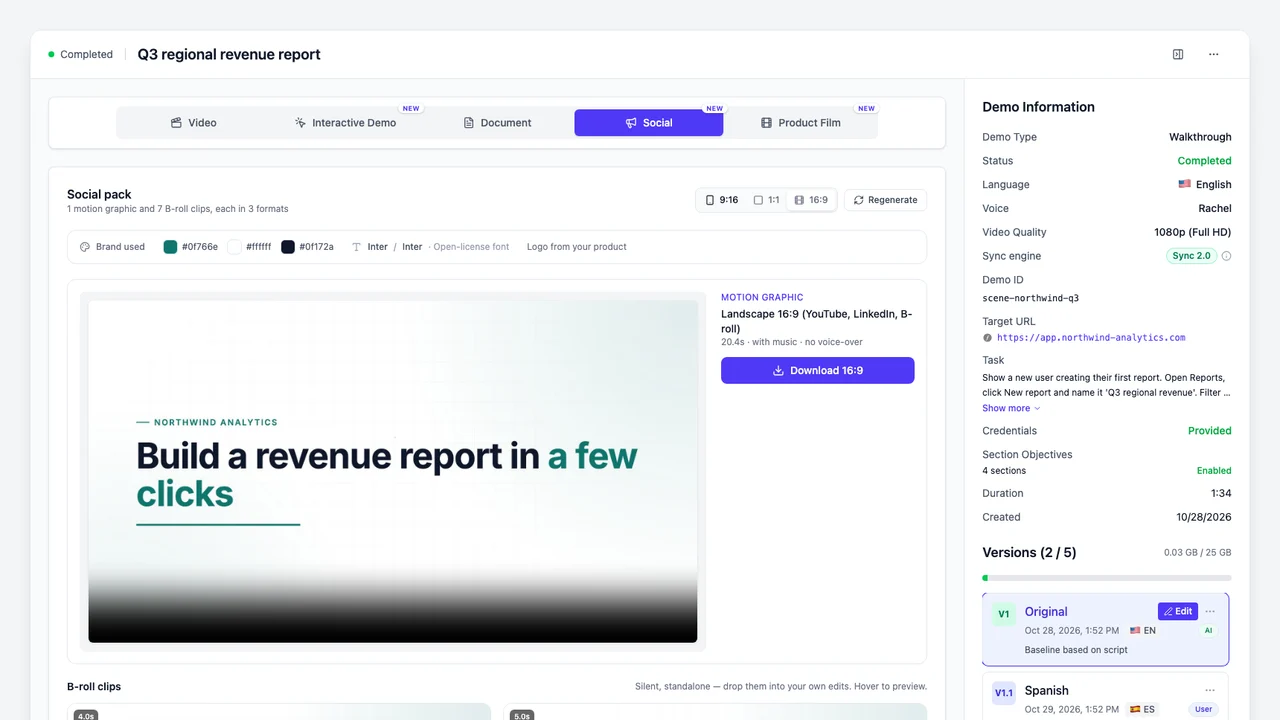
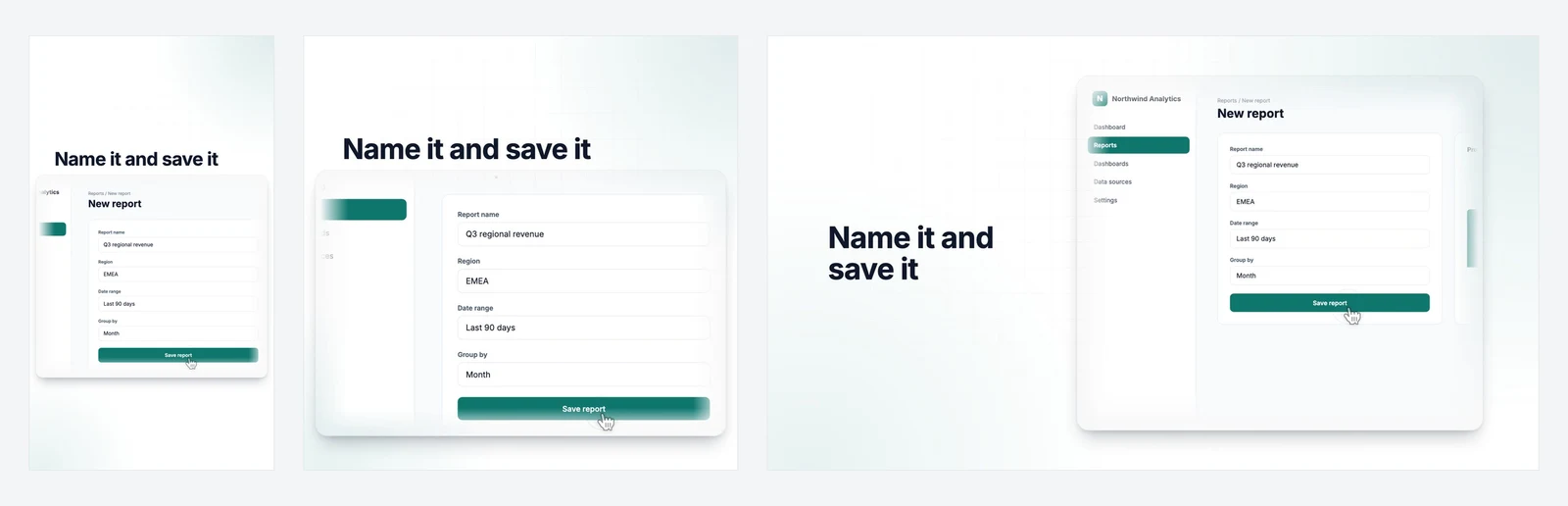
Making three versions of every video is the step that usually gets skipped, and one landscape file ends up everywhere. If the video is about your software, Demosmith removes that step. It opens your product from a link, clicks through the flow you describe and records a narrated product demo video. From any finished demo, it makes a social pack: a 15 to 30 second motion graphic with music and 5 to 8 silent B-roll clips of your product, in your brand colours and fonts, each in all three shapes this guide recommends. Our guide to product B-roll without filming covers what those clips are for.
Set against the advice above, a social pack covers each point:
| Advice in this guide | What a Demosmith social pack does |
|---|---|
| Make 9:16, 1:1 and 16:9 versions | Every clip comes in 1080 × 1920, 1080 × 1080 and 1920 × 1080. |
| Export MP4 at 30 fps | Every clip is an MP4 at 30 frames per second. |
| Rebuild for each shape, do not crop | Each shape gets its own layout, so the headline and the product stay inside the frame. |
| Make it work with the sound off | The motion graphic tells its story in moving text over music, with no voiceover. The B-roll clips are silent. |
| Stay under X's 140 seconds and Instagram's 3 minutes | The motion graphic runs 15 to 30 seconds, and each B-roll clip a few seconds. |
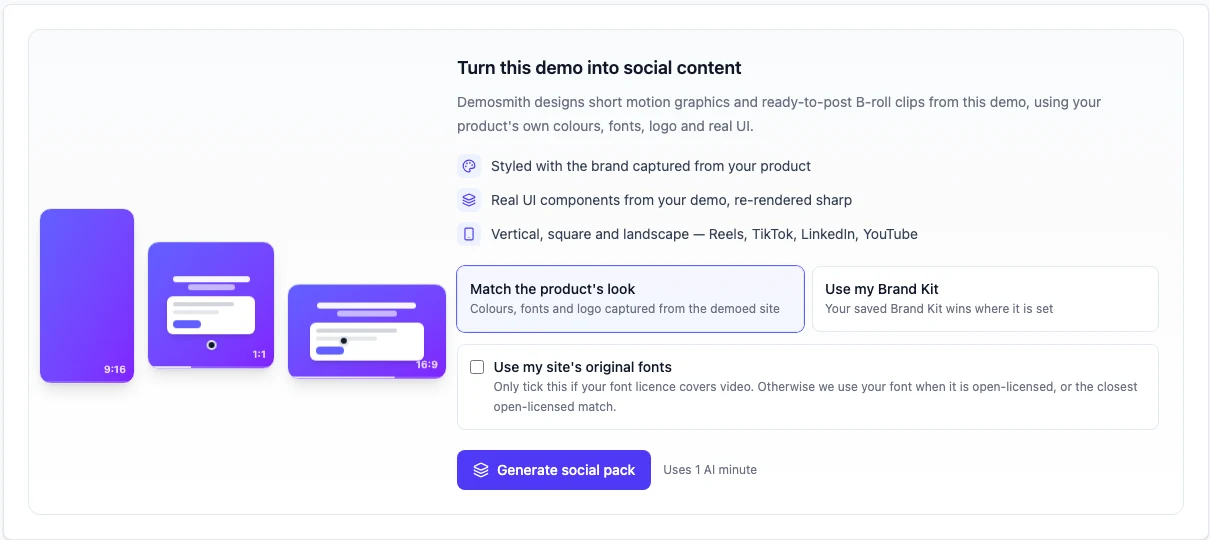
To make one, open a finished demo, choose the Social tab, pick where your brand comes from and click Generate social pack. Demosmith reads your colours, fonts and logo from your product, or uses your saved Brand Kit. Post the vertical clips to Reels, Stories, TikTok, Shorts, Pinterest and Threads, the square ones to LinkedIn, X and Facebook, and the landscape ones to YouTube and your website. Social packs come with every paid plan, starting with Starter at $40 a month, and each pack uses 1 AI minute.
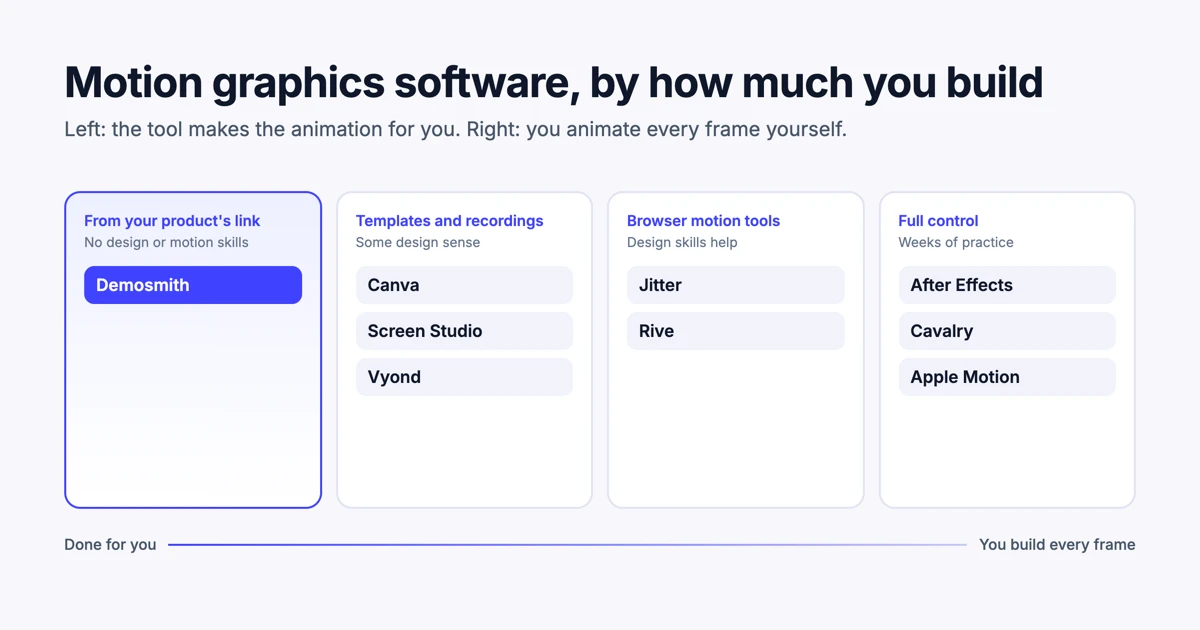
The social clips page shows a full pack and a week of posts made from one, and our launch post on social clips and product films explains how it works. If you would rather build the motion graphics yourself, our guide to motion graphics software for marketers compares ten tools, and the sizes above apply to all of them.
Conclusion
Export 1080 × 1920, 1080 × 1080 and 1920 × 1080 as MP4 at 30 fps, and you can post to every platform in this guide.
The vertical version does most of the work: Reels, Stories, TikTok, Shorts, Pinterest and Threads all want it. The square version is for feeds that people also read on desktop, and the landscape version is for YouTube and anything wide. When a guide quotes a different limit, check its date first, then whether it is quoting the ads page.
If your videos are about your product, the faster route is not to export at all: make a demo in Demosmith and post the clips from its social pack. For the wider market of tools that make product video for you, see the best AI demo video generators in 2026.
Key Takeaways
- Three sizes cover every major platform: 1080 × 1920 (9:16), 1080 × 1080 (1:1) and 1920 × 1080 (16:9).
- Instagram Reels, Stories, TikTok, YouTube Shorts, Pinterest and Threads all recommend 1080 × 1920.
- YouTube treats any square or vertical video up to 3 minutes as a Short. Upload 16:9 to keep it as a regular video.
- Instagram reels can run 20 minutes, but reels over 3 minutes are not recommended to new audiences.
- X caps video at 140 seconds and 512 MB without a subscription.
- Every Facebook video has been a reel since June 2025, of any length or shape.
- Demosmith makes all three sizes of your product video from a link: MP4s at 30 fps, rebuilt for each shape, in your brand.
Want clips of your own product in every size without exporting anything? Start with Demosmith, make a demo, then turn it into a social pack.