Demosmith vs Colossyan: Two Ways to Make Software Training Videos
A good software training video needs two things on screen: someone who explains, and the product doing the task. Colossyan and Demosmith each make that kind of video. They start from opposite ends.
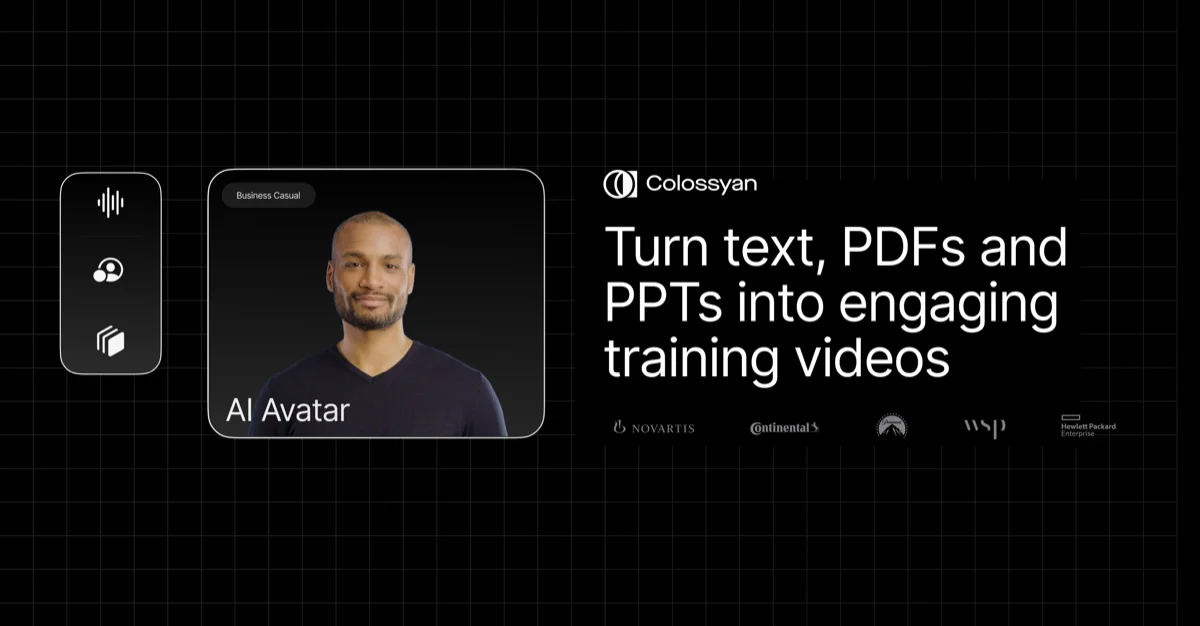
Colossyan is an AI video and course tool for workplace training. It starts with a presenter. You bring a PDF, a slide deck or a script, pick one of 300+ AI presenters, and build a lesson with quizzes, branching and course files for your learning platform. When the lesson needs the software itself, someone on your team records their screen inside Colossyan.
Demosmith starts with the software. You give it a link to your product and describe the task, and it opens your live web app, clicks through the steps and hands back a narrated, captioned video. In October 2026 Demosmith added an AI presenter, sometimes called an AI avatar, who talks viewers through the video from a corner. So the two tools now overlap more than they used to.
We wrote this for training, customer education and onboarding teams choosing a tool for software how-to videos. Colossyan wins several rows outright, and we say which. If tools that record your product for you are new to you, start with what an AI demo agent is.
At a Glance: Demosmith vs Colossyan
Colossyan details come from colossyan.com, its pricing page and its help centre, checked on October 15, 2026.
| Feature | Colossyan | Demosmith |
|---|---|---|
| Built for | Avatar-led training videos and full courses | Videos of your web app, plus a clickable demo and a written guide |
| How the software gets on screen | A person records their screen in the browser, then trims and zooms | Demosmith clicks through your live web app from a link and a short description |
| Start from a document | PDF, PowerPoint, Word, Google Docs, a script or a web page | No, it starts from a link to your product |
| AI presenter | 300+ avatars, plus custom avatars from a photo or short recording | Six presenters in a corner, speaking 28 languages |
| Quizzes and branching | In-video quizzes, branching, buttons and scene jumps | No |
| Click-through demo | Built by hand with invisible buttons over screenshots or recordings | Made from the finished video, with viewer stats |
| Course files for learning platforms (SCORM) | 5 a month on Professional, unlimited on Enterprise | No |
| Written steps | Text lessons inside Colossyan Learn courses | A written guide, as a document or PDF |
| Languages | 120+, with auto translation | 31 |
| After a UI change | Record the screens again and swap them in | Ask for the same video again |
| Team editing | Up to 3 editors on Professional, with comments | No team invites yet |
| API | On Professional and Enterprise | Not yet |
| Free option | Free Starter plan, 20 minutes a month, watermarked | 3-day trial, one demo, no card |
| Starting paid price | $89/mo ($59/mo billed yearly) | $40/mo ($33/mo billed yearly) |
What Colossyan Does
Colossyan is built for training, HR, compliance and sales enablement teams, and it lists a 4.7 rating on G2 from more than 480 reviews. Here is what it does well.
Documents In, Training Out
Colossyan's assistant, Cora, reads a PDF, a slide deck, a Word or Google Doc, a script, or a web page such as a handbook article. It drafts a scene-by-scene plan and shows which line each scene came from, and nothing is made until you approve it. If your training already lives in decks and policies, this is a quick way to turn it into video.
300+ Presenters, Including Your Own People
The library has 300+ presenters and 700+ voices. You can also make a presenter of a colleague from a single photo or a short recording, and copy their voice. Starter includes 15 custom presenters and 3 voice copies, Professional 20 and 5, and Enterprise has no limit. Presenters filmed in a studio cost $1,000 a year extra.
Quizzes, Branching and Buttons
Colossyan's interactive videos ask the viewer to do something. You can add multiple-choice quizzes, branching scenarios, buttons that open a link, and buttons that jump to another scene.
Invisible buttons placed over screenshots or a recording turn them into a click-along tutorial. Starter allows 10 interactive videos a month and Professional 15. Stats on clicks, completions and quiz results come with Enterprise.
Full Courses for Your Learning Platform
Colossyan Learn builds courses from video, text and tests. They export as SCORM files, the format most company learning platforms import, so completions and scores show up there like any other course. Professional includes 5 of these exports a month, and Enterprise makes them unlimited.
A Built-In Screen Recorder
For software lessons, Colossyan records your screen in the browser with nothing to install. You trim the recording, zoom in on key details, add narration or a presenter, and place it beside slides and interactive scenes. Colossyan's own advice for software training is that mix: a presenter to explain, then a screen recording for the clicks. A person still does those clicks.
Pricing
Starter is free: 20 minutes of video a month, one editor, videos up to 20 minutes long, and a watermark. Professional costs $89 a month, or $59 a month billed yearly, plus $45 or $30 for each extra editor, up to three. It gives you 40 minutes of video a month, 10 of them with its newest presenters, and removes the watermark.
Enterprise is priced on request, with unlimited video and single sign-on. New accounts get a 14-day trial and then move to Starter. Unused minutes do not carry over.
What Demosmith Does
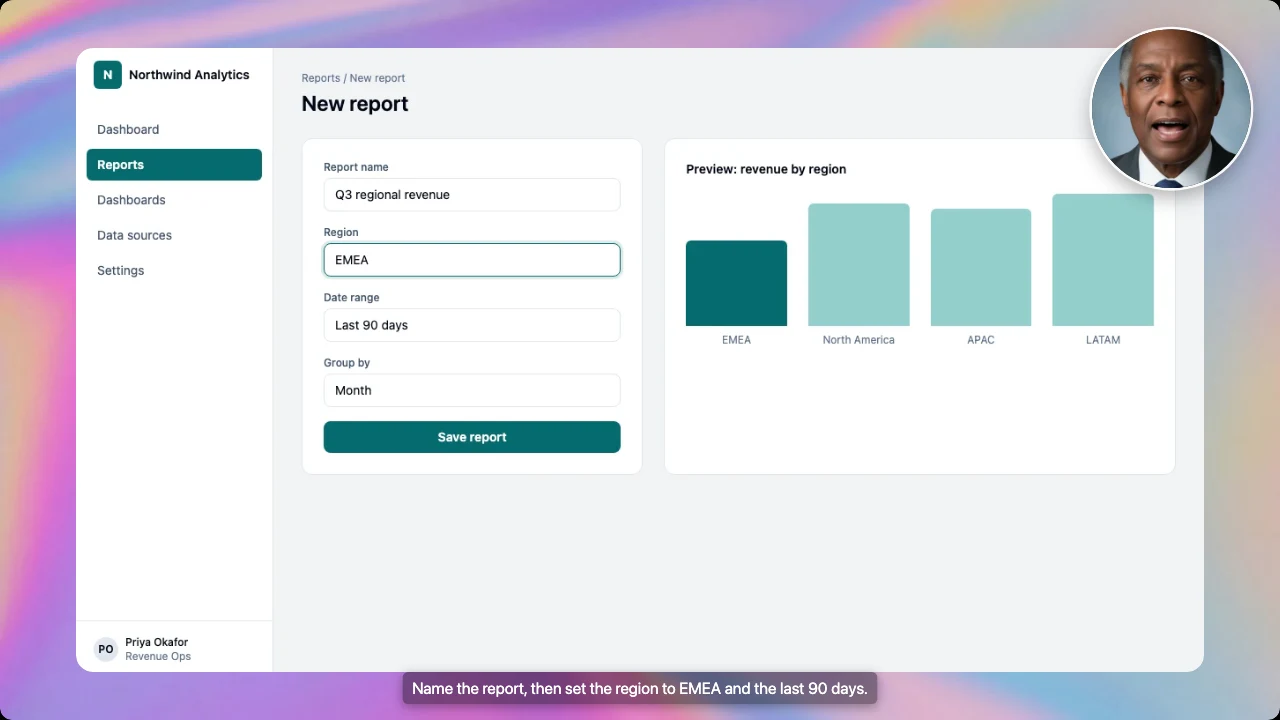
Demosmith turns a link to your product and a sentence about the task into a finished video. You might write "create a report for the EMEA region covering the last 90 days".
Demosmith opens your live web app, fills in forms with realistic details and records the steps. Then it edits the recording, writes the script and voices it. If your product asks for a verification code, Demosmith pauses and asks you for it.
A Narrated Video of the Real Product
The video comes back trimmed, zoomed in on the clicks that matter, captioned and voiced, with your brand colours. Voiceover and captions come in 31 languages, and a new language reuses the same recording. You can download it, share a link or embed it.
An AI Presenter in the Corner
Turn on the AI presenter and a presenter talks viewers through the video from a small circle in the corner. There are six to choose from. You pick a corner and a small, medium or large size, and the product keeps the rest of the screen.
The presenter speaks 28 languages and comes with every paid plan, though not the free trial. Our post on AI presenters for product demo videos shows how to set it up.
A Clickable Demo and a Written Guide, Too
Any finished video can also become a clickable interactive demo, and you can see how many people viewed it, how many finished it and where they stopped. When you need written steps, Docusmith turns a finished demo into a step-by-step guide with screenshots, as a document or PDF. The presenter appears in the video only.
Pricing
Starter is $40 a month with 20 AI minutes, Pro is $99 with 50 and Business is $250 with 150. An AI minute is a minute of finished video.
Yearly billing brings those to $33, $83 and $208 a month, and Enterprise is priced on request. The free trial runs for three days with one demo and no card, and there is no free plan. Full details are on the pricing page.
What It Does Not Do
Demosmith does not make course files for learning platforms, add quizzes or branching, or turn a document into a video. You cannot upload your own recordings to edit, there is no API, you cannot invite teammates yet, and it works with web apps only.
Key Differences Between Demosmith and Colossyan
Who Records the Software
This is the core difference. In Colossyan, someone on your team does every click while the recorder runs, and the video is only as clean as that recording. A 12-step admin task means rehearsing, recording and often recording again.
In Demosmith, the clicks happen for you, from your description. For a library of 40 how-to videos, that is 40 recording sessions against 40 sentences. Our guide to automating onboarding videos at scale shows how teams plan a library like that.
Presenter Options
Colossyan has the bigger range. It has 300+ presenters, presenters made from your own people, and presenters who can fill the whole scene or share it with slides and recordings. Demosmith's six presenters sit in a corner, because in a software lesson the screen is what learners need to see.
For a compliance module with no product on screen, Colossyan's presenter carries the whole video, and that is where it shines.
Interactive Means Different Things
The word means something different in each tool. Colossyan's interactive videos ask questions: quizzes, branching paths and pass marks that report back to your learning platform. Demosmith's interactive demo lets the viewer click through the real steps of your product at their own pace, and you make it from a finished video without placing anything by hand. It has no quizzes and no scores.
Colossyan can build a click-along tutorial too, with invisible buttons over a recording, but someone places each button by hand.
Course Files and Your Learning Platform
If your training has to report completions and scores to a learning platform, Colossyan does that and Demosmith does not. You can put a Demosmith video in a course or link to it, but your platform will not know who finished it.
Written Steps for the Help Centre
Customer education teams usually need a help article next to the video. Docusmith writes one from the same recording. Colossyan courses can hold text lessons, but Colossyan does not list a way to export a written step-by-step guide.
Languages
Colossyan supports 120+ languages, with presenters who speak them and automatic translation of on-screen text. Its plans cap automatic translations at 15 a month on Starter and 20 on Professional.
Demosmith narrates and captions in 31 languages, and its presenter speaks 28, including English, Spanish, French, German and Portuguese. For most software markets that is enough. If you need a language outside that list, Colossyan is the safer choice.
Keeping Training Current When Your Product Changes
Software training goes out of date every time the product ships. Colossyan handles presenter scenes well here: edit the script and make the video again, with no filming. The screen recordings are another matter. When a button moves, someone records that part again and swaps it in.
With Demosmith, you ask for the same video again. It records the new screens, and the script and voiceover follow. That uses AI minutes, but nobody sits down to record. Our post on demo debt explains why this matters when you release often.
Price
Colossyan has a free plan and Demosmith does not. Paid plans are closer than they look: Colossyan Professional is $59 a month billed yearly for 40 minutes of video, and Demosmith Starter is $40 a month for 20 AI minutes.
The minutes buy different work, though. In Colossyan, any screen recording in that minute is yours to make. In Demosmith, it is made for you.
When Colossyan Is the Better Choice
- Your training runs through a learning platform. Course files that report completions and scores back.
- You need to check understanding. Quizzes, branching scenarios and pass marks inside the video.
- Much of your training is not about software. Compliance, policy, HR and soft skills need a presenter, not a product screen.
- You start from documents. Its assistant turns PDFs, decks and Word files into a draft video plan.
- You want a familiar face. Presenters made from your own trainers or leaders.
- You need a big choice. 300+ presenters and 120+ languages.
- Several people build the same videos. Shared workspaces, comments and extra editors.
When Demosmith Is the Better Choice
- Your training is about a web app. Demosmith records the real product from a short description, so nobody has to sit and record.
- Your product changes often. Ask for the same video again and it matches the new screens.
- The product has to stay in full view. The presenter sits in a corner, so the screen stays readable.
- You need a clickable demo and help articles as well. Any finished video can also become a clickable demo and a written guide.
- Your audience is customers, not employees. Help centres, onboarding emails and in-app guides need videos and links more than course files.
- Your product sits behind a login with a verification code. Demosmith pauses, asks you for the code, then carries on.
Weighing other avatar tools for training? Our list of Synthesia alternatives compares Colossyan with Synthesia, HeyGen and others, and our Demosmith vs Synthesia comparison covers the closest rival. For the wider field, see the best AI demo video generators.
The Bottom Line
Colossyan is the stronger training tool. It turns documents into lessons, gives you hundreds of presenters, including your own people, checks understanding with quizzes and branching, and reports to your learning platform. For compliance, HR and any training without a product screen, it is the better choice.
Demosmith is the stronger way to get your software on screen. It records the real product from a short description, a presenter can talk viewers through it from the corner, and any finished video can also become a clickable demo and a written guide. When the product changes, you ask for the video again instead of booking another recording session.
Colossyan builds the course around a presenter. Demosmith records the software itself, and records it again when the interface changes.
Key Takeaways
- Colossyan is a presenter video and course tool for training teams. Demosmith records your live web app for you from a link and a short description.
- In Colossyan, a person records the software with the built-in screen recorder. In Demosmith, the clicking is done for you.
- Colossyan offers 300+ presenters and presenters of your own people. Demosmith offers six presenters shown in a corner.
- Colossyan has quizzes, branching and course files for learning platforms. Demosmith has none of these, but any finished video can become a clickable demo and a written guide.
- Colossyan covers 120+ languages. Demosmith narrates and captions in 31.
- Colossyan has a free plan and Professional at $59 a month billed yearly. Demosmith starts at $40 a month, with a 3-day trial.